Hello, I'm hunting in Tim Deep and my warrior runs out to pull something and on the way back he runs into a tree and just keeps running forward into the tree without moving until he's beat to death, is there anyway i can install an additional plugin that will monitor for stuck and move backwards or sideways or make some kind of effort to trying to correct pathing? I don't know why this happens with MQ2Nav loaded but for some reason it will just run into a tree when its on the way back and die, and that stops everything=(
Some mesh adjustments will definitely fix you right up.
@ChatWithThisName made a sweet video
> HERE < showing how to edit files in your navmesh. At first it can feel a bit overwhelming, but you'll get the hand of it fast
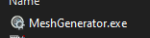
locate meshgenerator.exe in your release folder
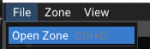
then file->open zone
then you can move to the location you want to mark, either by your keyboard/mouse or by putting in the location in the window
Here is some random rock in EW
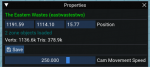
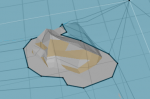
Now let's say that I wanted to ensure that entire rock i don't go on instead of how it is now, where some of it i would walk on.
I like to use the Mark Area tools where i can and avoid "re rendering the mesh" if i don't need to.
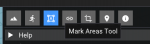
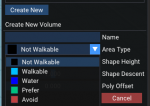
Once I click on the Mark Area Tool i can select the dropdown for what type of area i would like to create.
Not Walkable will mean if you end up on it some how (mob knocks you back, or you stick on to it or whatnot, that you would not be able to nav back off it - avoid means it is weighted higher for the nav calculations but you can still nav on it).
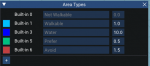
You can also create/adjust the weights of areas to make them "more avoidable" etc. some zones i will create a MEGAAVOID area type and give it a crazy weight like 50
Let's say i just want to avoid this
I would click my 4 points
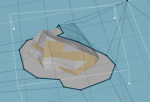
and then create volume
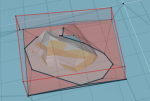
Now this area is "avoided"
for something like a tree I would just use the not-walkable avoid type
Which would make it look like this
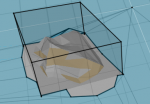
once you have your tree marked off you just click save
if you are currently in-game it should auto-reload the map for you - if it didn't you can
/nav reload
you can check in game that it got added by doing the
/nav ui and clicking that "render navigation mesh" - you will see the marked out area
back to profit




 . Though when I recreate my raid, raidmode doesn't toggle back. So I do a social to set the all toons to raidmode on with a ......$me.cless.ShortName} raidmode on.