
-
 Hail, we're RedGuides. We want you to play six (yes, 6!) EverQuest characters at once. We have scripts and a friendly community to help, please join our playstyle and say hello! 👋
You are using an out of date browser. It may not display this or other websites correctly.
You should upgrade or use an alternative browser.
You should upgrade or use an alternative browser.

Plugin - MQ2Rogue (2 Viewers) 3.1.52471.42
- Thread starter ChatWithThisName
- Start date

tboy6423
Member
Not sure if this is the correct solution, but I run a custom UI, and this is what I do:
wherever you're mq2 is installed, there is a default UI folder (C:\MQ2\uifiles\default)
Copy those file into your actual UI folder. I know if you use the default UI it grabs them automatically, not sure about custom, this is how i get around it.
I do this every time MQ2 updates.
wherever you're mq2 is installed, there is a default UI folder (C:\MQ2\uifiles\default)
Copy those file into your actual UI folder. I know if you use the default UI it grabs them automatically, not sure about custom, this is how i get around it.
I do this every time MQ2 updates.

it will try and load the window from your custom ui folder, then check your default, then should check the mq2 folder.Not sure if this is the correct solution, but I run a custom UI, and this is what I do:
wherever you're mq2 is installed, there is a default UI folder (C:\MQ2\uifiles\default)
Copy those file into your actual UI folder. I know if you use the default UI it grabs them automatically, not sure about custom, this is how i get around it.
I do this every time MQ2 updates.
if you move the file named, when the file in the mq2 folder gets updated it will not match and not automatically update the file in your custom or default everquest folder.
for a long time i would have to just replace the file in my custom ui folder, but as long as the filename doesn't exist in the custom/default everquest folder, it will now pull from the mq2 folder
this sounds like @charles has the old file in his custom ui or default eq folder --- he should delete them from either of those places, that way as additions or updates happen to the window and get pushed to the mq2 folder, it wont need to be recopied.

- Commits
- 191

all the cwtn plugins we add stuff from 1 - max, usually based on timers - so if they have em, we'll mostly use them --- Timer9 is Fellstrike/Blitzstrike line - but also is the lvl 1 throw stone lol which goes to elbow strike at lvl 5I use this on my 115 rog and was wondering if it supports a lvl 1 on the new tlp server?
I know there not many skills at low levels just wondering if I could start using this plugin at lvl 1.
Rogues don't get many abilities, but we use them
Fabianz1977
Active member

I sometime get that message with auto corpse retrieval but then my rogue would not do anything afterward. Anyone else having that issue, and if so is there something I am missing or how to fix it?

I use MQ2Rogue and MQ2Monk in the tutorial when I'm bored, so yeah they totally work. It spams Throw Stone for that + .1 DPS!I use this on my 115 rog and was wondering if it supports a lvl 1 on the new tlp server?
I know there not many skills at low levels just wondering if I could start using this plugin at lvl 1.

Hi,
Recently have had some weird behavior on my level 80 Rouge. He engages like normal but when the fight is over he does not return to camp spot. He just stands where he finished fighting which is usually about 30 or 40 units away from the MA. When he does this he will not sit to med. If I call him or manually move him to within about 5 units of the MA he will sit and med like normal.
I made a guess that it must be MQ2Nav related since it seemed to deal with movement. I checked and Nav is loaded and MQ2Rogue gives the message upon login that it is seeing the mesh. Also, I am running in Assist Mode which it will switch out of and start running In Manual Mode if it does not see the mesh (I believe). Stumped, I decided to try using MQ2Bst on another group character to see how that would react. I could not get MQ2Bst to run in Assist Mode. It would kick to manual with the output that I needed to load a mesh. So things still pointing me to some type of Nav conflict problem but I dont know what to check on next. Any idea? Or if you need more info about something let me know, thanks. AnotherJohn
Recently have had some weird behavior on my level 80 Rouge. He engages like normal but when the fight is over he does not return to camp spot. He just stands where he finished fighting which is usually about 30 or 40 units away from the MA. When he does this he will not sit to med. If I call him or manually move him to within about 5 units of the MA he will sit and med like normal.
I made a guess that it must be MQ2Nav related since it seemed to deal with movement. I checked and Nav is loaded and MQ2Rogue gives the message upon login that it is seeing the mesh. Also, I am running in Assist Mode which it will switch out of and start running In Manual Mode if it does not see the mesh (I believe). Stumped, I decided to try using MQ2Bst on another group character to see how that would react. I could not get MQ2Bst to run in Assist Mode. It would kick to manual with the output that I needed to load a mesh. So things still pointing me to some type of Nav conflict problem but I dont know what to check on next. Any idea? Or if you need more info about something let me know, thanks. AnotherJohn
if you are getting "need a mesh" it sounds like you are missing your meshes for mq2navHi,
Recently have had some weird behavior on my level 80 Rouge. He engages like normal but when the fight is over he does not return to camp spot. He just stands where he finished fighting which is usually about 30 or 40 units away from the MA. When he does this he will not sit to med. If I call him or manually move him to within about 5 units of the MA he will sit and med like normal.
I made a guess that it must be MQ2Nav related since it seemed to deal with movement. I checked and Nav is loaded and MQ2Rogue gives the message upon login that it is seeing the mesh. Also, I am running in Assist Mode which it will switch out of and start running In Manual Mode if it does not see the mesh (I believe). Stumped, I decided to try using MQ2Bst on another group character to see how that would react. I could not get MQ2Bst to run in Assist Mode. It would kick to manual with the output that I needed to load a mesh. So things still pointing me to some type of Nav conflict problem but I dont know what to check on next. Any idea? Or if you need more info about something let me know, thanks. AnotherJohn
in >> This Thread << i brought up it sounded like you reinstalled mq2 to another location --- if you're using that new location then you will want and need to download your meshes from the meshgen - you can do this on the launcher or in your release folder you have meshupdater.exe

Hey Sic,
Thanks for the quick response. I think I fixed the problem from the last thread with your help. I indeed had updates going to a different target. Must have happened when I switched computers. Since the updater had a different target it created a new install of MQ2. I reset the updater to the right target (My old target that had all my ini's and setup info) and figured problem solved. I am a little afraid to completely trash the other target for fear there is something important in there. I did however check to see that MQ2Bst ini for the character that would have been created yesterday was indeed in the same target as all my other toons including the MQ2rogue ini. I did update the meshes earlier today using the updater which is using the old target. The new target looks pretty naked, no ini's in it.
All my toons seem to recognize that there is a mesh, even the Rogue. The Bst however is not seeing it. Since they are all in the same target area (Release folder) I am confused. How would you suggest I proceed to problem solve this? Should I just delete the new target that accidentally got created to make sure there are no conflicts? Again, appreciate any insight you might have, AnotherJohn
Thanks for the quick response. I think I fixed the problem from the last thread with your help. I indeed had updates going to a different target. Must have happened when I switched computers. Since the updater had a different target it created a new install of MQ2. I reset the updater to the right target (My old target that had all my ini's and setup info) and figured problem solved. I am a little afraid to completely trash the other target for fear there is something important in there. I did however check to see that MQ2Bst ini for the character that would have been created yesterday was indeed in the same target as all my other toons including the MQ2rogue ini. I did update the meshes earlier today using the updater which is using the old target. The new target looks pretty naked, no ini's in it.
All my toons seem to recognize that there is a mesh, even the Rogue. The Bst however is not seeing it. Since they are all in the same target area (Release folder) I am confused. How would you suggest I proceed to problem solve this? Should I just delete the new target that accidentally got created to make sure there are no conflicts? Again, appreciate any insight you might have, AnotherJohn
I would delete any duplicates of anything that you don't have specifically for a reason.Hey Sic,
Thanks for the quick response. I think I fixed the problem from the last thread with your help. I indeed had updates going to a different target. Must have happened when I switched computers. Since the updater had a different target it created a new install of MQ2. I reset the updater to the right target (My old target that had all my ini's and setup info) and figured problem solved. I am a little afraid to completely trash the other target for fear there is something important in there. I did however check to see that MQ2Bst ini for the character that would have been created yesterday was indeed in the same target as all my other toons including the MQ2rogue ini. I did update the meshes earlier today using the updater which is using the old target. The new target looks pretty naked, no ini's in it.
All my toons seem to recognize that there is a mesh, even the Rogue. The Bst however is not seeing it. Since they are all in the same target area (Release folder) I am confused. How would you suggest I proceed to problem solve this? Should I just delete the new target that accidentally got created to make sure there are no conflicts? Again, appreciate any insight you might have, AnotherJohn
assuming your mq2 is all launched from the same folder, I'm not sure what would cause nav to load on one character, but not another. I know someone else had that issue recently, and iirc it was due to some windows permission with the default location or something @kaen01 do you recall this issue with nav loading on one dude but not another?
Sic,
In the meantime I will log out and delete the new target file that was created. I probably wont be logging back in to check it until tomorrow. This will at least take that wild card out of the equation. Also will check back here to see if there are anymore leads on what else it could be if this isnt the fix. Thanks again, AnotherJohn
In the meantime I will log out and delete the new target file that was created. I probably wont be logging back in to check it until tomorrow. This will at least take that wild card out of the equation. Also will check back here to see if there are anymore leads on what else it could be if this isnt the fix. Thanks again, AnotherJohn
Ok, got some updated information to add. First, I deleted the new target folder that added when I switched computers. Good/bad news is that everything is running the same, so while it didnt solve any problems it wasnt creating any. Second, I logged in my 12 characters and all recognized the mesh for the zone I was in (message in the MQ window). Third, I figured out the problem with MQ2Bst not running. This time in watching MQ2Bst the problem wasn't that it initially didnt work, it stopped working after I moved and that was due to my chase routine. I use /rog mode 0 and /rog mode 1 to toggle off/on the assist mode to move. I added the line /bst mode 0 and /bst mode 1 but it seems that didnt switch it back to assist. With some trial and error it seems that /bst mode assist was what is working for me now. I was attributing the fact it seemed to never stay in assist mode as evidence that pointed me to MQ2Nav being the problem so went in a wrong direction there. I did get an error on MQ2Bst once that asked me to load a mesh but I am unable to reproduce this and the fact our server was experiencing unusually bad lag yesterday while I was experimenting may have caused this? So at this point both the Rouge and Bst are exhibiting the same odd behavior. They engage and do what they do during a fight but when the fight is over they both just stop and stand where they are and do not return to camp spot or med. They both are usually about 30 to 40 units away and are usually right next to each other. If I call them to the MA by using the chase routine or manually move them to within 5 units of the MA they immediately start medding. So the problem is that there is a move they need to make after the fight that is not happening. The only other thing I can add is I have had the Rogue for a while and played with a few settings but the Bst I just loaded to test its behavior against the rogue and I have not altered any of its settings except to set it to assist and not be in raid mode (raid mode 0). Other than that the Bst settings are right out of the box. Thanks again for your time in helping me track this problem down. The silverlining is I like Mq2Bst better than the kiss ini that I made up so I will be purchasing/donating for the copy I will continue using. AnotherJohn
Ok, got some updated information to add. First, I deleted the new target folder that added when I switched computers. Good/bad news is that everything is running the same, so while it didnt solve any problems it wasnt creating any. Second, I logged in my 12 characters and all recognized the mesh for the zone I was in (message in the MQ window). Third, I figured out the problem with MQ2Bst not running. This time in watching MQ2Bst the problem wasn't that it initially didnt work, it stopped working after I moved and that was due to my chase routine. I use /rog mode 0 and /rog mode 1 to toggle off/on the assist mode to move. I added the line /bst mode 0 and /bst mode 1 but it seems that didnt switch it back to assist. With some trial and error it seems that /bst mode assist was what is working for me now. I was attributing the fact it seemed to never stay in assist mode as evidence that pointed me to MQ2Nav being the problem so went in a wrong direction there. I did get an error on MQ2Bst once that asked me to load a mesh but I am unable to reproduce this and the fact our server was experiencing unusually bad lag yesterday while I was experimenting may have caused this? So at this point both the Rouge and Bst are exhibiting the same odd behavior. They engage and do what they do during a fight but when the fight is over they both just stop and stand where they are and do not return to camp spot or med. They both are usually about 30 to 40 units away and are usually right next to each other. If I call them to the MA by using the chase routine or manually move them to within 5 units of the MA they immediately start medding. So the problem is that there is a move they need to make after the fight that is not happening. The only other thing I can add is I have had the Rogue for a while and played with a few settings but the Bst I just loaded to test its behavior against the rogue and I have not altered any of its settings except to set it to assist and not be in raid mode (raid mode 0). Other than that the Bst settings are right out of the box. Thanks again for your time in helping me track this problem down. The silverlining is I like Mq2Bst better than the kiss ini that I made up so I will be purchasing/donating for the copy I will continue using. AnotherJohn
mode 1 (assist/1 is the same thing) will always return to your camp - it sounds like you are in mode 3, which is the vorpal mode - which does assisting but does not set or return to a camp
in my hotkeys resource i have some easier examples than hard coding in /bst mode 1 etc
Hotkeys I use with my CWTN/Kiss team
-------------------------
Campoff Key
Code:
/bcga //returntocamp 0
/noparse /bcga //docommand /${Me.Class.ShortName} mode 0
/noparse /bcga //if (${Me.Class.ShortName.Equal[CLR]}) /dismount
CampOn Key (this one you will want to edit for your "driver toon" as you can see either war mode 7 or shd mode 7 is normally what i have, as well as a resetcamp for the driver as well. this will ensure when i hit my CampOn button that my driver resets their camp (since resetting your mode while in your mode doesn't, unless you cycle to 0 and then back).
Code:
/bcga //camphere on
/war mode 7 or /shd mode 7
/noparse /bcg //docommand /${Me.Class.ShortName} mode 1
/war resetcamp or /shd resetcampSic,
I will list what I use for my follow and stop following routine below. However wanted to say that in the Bst output window when I hit the follow routine I get the output "MQ2Bst: Mode is currently: Manual". When I stop I get the output "MQ2Bst: Mode is currently: Assist" followed by "MQ2Bst: Camp updated to X:------ Y:------- Z:-------- in zone:XXX" The MQ2Rog output looks exactly the same. So it looks like I am in assist mode and that a camp is being established. Very weird. Sorry to say I am the kind of guy that can some how screwup even the best laid plans of others and I am sure there is a setting somewhere in all my stuff that is causing this. With my switching computers, you updating the program and the last patch just happening recently I am not sure what got me out of wack or where to look. I just know the rogue used to comeback to camp and used to med so something has changed just not sure what and with my limited skills in this area I am at a loss as to how to continue trouble shooting. I will list my follow and stop following routine. Take a look at it and see if you think that is causing anything. I have used this routine for a long time and the only change I have made is to add the Bst part and that was done after the problem started. But again with the output I am getting I dont want to open up a new can of worms by changing something I dont need to. Also, maybe I didnt make it clear that besides not returning to camp, the Rog and Bst do not med where they are. They just seem to pause there until I engage a new target and they assist normally. Anyway, here are my routines and as you can see they are Dannet:
Follow:
/dgaexecute /multiline ; /campoff ; /ihc campoff
/pause 03
/dgaexecute /multiline ; /mqp on ; /rog mode 0 ; /bst mode 0
/pause 03
/dgexecute /afollow spawn ${Me.ID}
Stop Follow:
/dgexecute /afol off
/pause 03
/dgaexecute /multiline ; /mqp off ; /rog mode 1 /bst mode assist
/pause 03
/dgaexecute /multiline ; /camphere on ; /ihc camphere
Note: at one point I was using an ihc macro or two. I am not using one now but when I get to level 85 I may try one again since that seems to be where most of them start support.
I will list what I use for my follow and stop following routine below. However wanted to say that in the Bst output window when I hit the follow routine I get the output "MQ2Bst: Mode is currently: Manual". When I stop I get the output "MQ2Bst: Mode is currently: Assist" followed by "MQ2Bst: Camp updated to X:------ Y:------- Z:-------- in zone:XXX" The MQ2Rog output looks exactly the same. So it looks like I am in assist mode and that a camp is being established. Very weird. Sorry to say I am the kind of guy that can some how screwup even the best laid plans of others and I am sure there is a setting somewhere in all my stuff that is causing this. With my switching computers, you updating the program and the last patch just happening recently I am not sure what got me out of wack or where to look. I just know the rogue used to comeback to camp and used to med so something has changed just not sure what and with my limited skills in this area I am at a loss as to how to continue trouble shooting. I will list my follow and stop following routine. Take a look at it and see if you think that is causing anything. I have used this routine for a long time and the only change I have made is to add the Bst part and that was done after the problem started. But again with the output I am getting I dont want to open up a new can of worms by changing something I dont need to. Also, maybe I didnt make it clear that besides not returning to camp, the Rog and Bst do not med where they are. They just seem to pause there until I engage a new target and they assist normally. Anyway, here are my routines and as you can see they are Dannet:
Follow:
/dgaexecute /multiline ; /campoff ; /ihc campoff
/pause 03
/dgaexecute /multiline ; /mqp on ; /rog mode 0 ; /bst mode 0
/pause 03
/dgexecute /afollow spawn ${Me.ID}
Stop Follow:
/dgexecute /afol off
/pause 03
/dgaexecute /multiline ; /mqp off ; /rog mode 1 /bst mode assist
/pause 03
/dgaexecute /multiline ; /camphere on ; /ihc camphere
Note: at one point I was using an ihc macro or two. I am not using one now but when I get to level 85 I may try one again since that seems to be where most of them start support.
shoot me a msg on discord - we'll see if we can link up sometime soon. I'm sure this is an easy fixSic,
I will list what I use for my follow and stop following routine below. However wanted to say that in the Bst output window when I hit the follow routine I get the output "MQ2Bst: Mode is currently: Manual". When I stop I get the output "MQ2Bst: Mode is currently: Assist" followed by "MQ2Bst: Camp updated to X:------ Y:------- Z:-------- in zone:XXX" The MQ2Rog output looks exactly the same. So it looks like I am in assist mode and that a camp is being established. Very weird. Sorry to say I am the kind of guy that can some how screwup even the best laid plans of others and I am sure there is a setting somewhere in all my stuff that is causing this. With my switching computers, you updating the program and the last patch just happening recently I am not sure what got me out of wack or where to look. I just know the rogue used to comeback to camp and used to med so something has changed just not sure what and with my limited skills in this area I am at a loss as to how to continue trouble shooting. I will list my follow and stop following routine. Take a look at it and see if you think that is causing anything. I have used this routine for a long time and the only change I have made is to add the Bst part and that was done after the problem started. But again with the output I am getting I dont want to open up a new can of worms by changing something I dont need to. Also, maybe I didnt make it clear that besides not returning to camp, the Rog and Bst do not med where they are. They just seem to pause there until I engage a new target and they assist normally. Anyway, here are my routines and as you can see they are Dannet:
Follow:
/dgaexecute /multiline ; /campoff ; /ihc campoff
/pause 03
/dgaexecute /multiline ; /mqp on ; /rog mode 0 ; /bst mode 0
/pause 03
/dgexecute /afollow spawn ${Me.ID}
Stop Follow:
/dgexecute /afol off
/pause 03
/dgaexecute /multiline ; /mqp off ; /rog mode 1 /bst mode assist
/pause 03
/dgaexecute /multiline ; /camphere on ; /ihc camphere
Note: at one point I was using an ihc macro or two. I am not using one now but when I get to level 85 I may try one again since that seems to be where most of them start support.
follow up - hung out with AnotherJohn for a little bit and got him sorted - was just a situation of getting campradius setup for everyone (i recommend a smaller campradius for your tank than your assist dudes, so mobs the tank is fight are always within the assist dudes campradius)
Sic,
Uhoh, I set all my toons to have a camp radius of 100 except the two tanks I am running which are set at 75. All these were larger than I had them set previously. I loaded MQ2Cleric to see how that would work for me and he is set to melee. I am still getting the same behavior. All three toons just stay where they are when the fight ends. As you saw, they are in Assist mode and were setting a camp spot correctly with a mesh loaded. When the fight is over they are no farther than 40 units from the camp spot. Since the camp radius is 100 for them, I cannot for the life of me think of why they would not path back and med. Sorry to be such a pain and since nobody else is seeing this happen it has got to be a setting somewhere in setup that is causing a conflict with the MQ2Rogue, Bst and Clr. I can manually call them back or move them so it's not the end of the world but if you can think of anything else for me to check let me know.
Also, thank for your time with me today. I was able to rewrite some of the lines in my follow and stop follow routines using the /noparse and /docommands which made them universal so when I added MQ2Cleric I didn't need to alter anything. On top of that in my short test tonight I didnt have the DPS sitting to far back and not engaging due to the camp radius settings so the changes at least helped with that even if it didnt solve the original problem. Again, not a priority since I know how much other stuff you have going on but if you think of something it could be or new to try let me know. Thanks so much, AnotherJohn
Uhoh, I set all my toons to have a camp radius of 100 except the two tanks I am running which are set at 75. All these were larger than I had them set previously. I loaded MQ2Cleric to see how that would work for me and he is set to melee. I am still getting the same behavior. All three toons just stay where they are when the fight ends. As you saw, they are in Assist mode and were setting a camp spot correctly with a mesh loaded. When the fight is over they are no farther than 40 units from the camp spot. Since the camp radius is 100 for them, I cannot for the life of me think of why they would not path back and med. Sorry to be such a pain and since nobody else is seeing this happen it has got to be a setting somewhere in setup that is causing a conflict with the MQ2Rogue, Bst and Clr. I can manually call them back or move them so it's not the end of the world but if you can think of anything else for me to check let me know.
Also, thank for your time with me today. I was able to rewrite some of the lines in my follow and stop follow routines using the /noparse and /docommands which made them universal so when I added MQ2Cleric I didn't need to alter anything. On top of that in my short test tonight I didnt have the DPS sitting to far back and not engaging due to the camp radius settings so the changes at least helped with that even if it didnt solve the original problem. Again, not a priority since I know how much other stuff you have going on but if you think of something it could be or new to try let me know. Thanks so much, AnotherJohn
like we were talking about earlier if there is anything on xtarget when you are in assist mode, they are not going to return
there's nothing other than that. if you are in assist mode, and you are out of combat/nothing on xtarget, you will return to camp like i was showing you. i usually set my team up on top of one another with dps having a 60 campradius and tank having a 40.
you're manually playing your warrior? are you doing something that might make them not return?
so either your mode is getting changed to zero, you have mobs on xtarget, you are pausing the plugins, or something like that
there's nothing other than that. if you are in assist mode, and you are out of combat/nothing on xtarget, you will return to camp like i was showing you. i usually set my team up on top of one another with dps having a 60 campradius and tank having a 40.
you're manually playing your warrior? are you doing something that might make them not return?
so either your mode is getting changed to zero, you have mobs on xtarget, you are pausing the plugins, or something like that
Sic,
When this is happening there are no agro mobs on xtarget. I do have the xtargets for the BST and CLR set to look at out of group toons (for healing purposes), I use xtarget slot 2 and sometimes 3 for that with the first slot open. I have had it set up that way for sometime so nothing has changed there since way before this problem started. The Rogue has nothing on xtarget at all. They are all in assist mode and I dont see any output messages that show they are switching out of that mode. I have them all stacked on one another when I set camp so no toon is farther away than 5 to 10 units apart from any other toon. Both my tanks are using Kiss and auto engage the target when pulled in. I use my bard for manual pulling and so I switch the bard's Kiss ini off (/mqp on/off) to pull and then back on when I return to camp. None of the other toons are manually switched on or off unless I am moving to a new camp spot. All the toons engage and are running while in combat and are still running when combat is done. The Kiss toons will sometimes pause for buffs before returning to their camp spot but will ultimately do so. The 3 CWTN toons will just stop where ever they are at the end of the fight. They will however engage normally when I run the bard out and bring in a new mob to the camp radius. The problem is only that time between when one fight ends and when I get a new target into the camp radius where they just seem to check out which is why I kind of thought originally it might be that something is preventing them wanting to nav back to their camp spot. Is there a reason they would pause without me manually doing anything to them and not give an output message that they were pausing or switching modes?
I am so sorry to be such a pain and if this starts demanding too much of your time we can let it drop for now. Something changed to cause it to do this so maybe something will eventually change to fix it. In the meantime I can manually move them back to camp when medding is needed. They do the most important part which is helping me kill the mobs. In fact, my second group is starting to out dps my main group a lot more often since starting to use MQ2Bst on the BST in the second group. So all in all a very positive gain. So dont fret to much about it and if I notice something else that may be a clue I will let you know. Thanks again for your help and time looking into this, AnotherJohn
When this is happening there are no agro mobs on xtarget. I do have the xtargets for the BST and CLR set to look at out of group toons (for healing purposes), I use xtarget slot 2 and sometimes 3 for that with the first slot open. I have had it set up that way for sometime so nothing has changed there since way before this problem started. The Rogue has nothing on xtarget at all. They are all in assist mode and I dont see any output messages that show they are switching out of that mode. I have them all stacked on one another when I set camp so no toon is farther away than 5 to 10 units apart from any other toon. Both my tanks are using Kiss and auto engage the target when pulled in. I use my bard for manual pulling and so I switch the bard's Kiss ini off (/mqp on/off) to pull and then back on when I return to camp. None of the other toons are manually switched on or off unless I am moving to a new camp spot. All the toons engage and are running while in combat and are still running when combat is done. The Kiss toons will sometimes pause for buffs before returning to their camp spot but will ultimately do so. The 3 CWTN toons will just stop where ever they are at the end of the fight. They will however engage normally when I run the bard out and bring in a new mob to the camp radius. The problem is only that time between when one fight ends and when I get a new target into the camp radius where they just seem to check out which is why I kind of thought originally it might be that something is preventing them wanting to nav back to their camp spot. Is there a reason they would pause without me manually doing anything to them and not give an output message that they were pausing or switching modes?
I am so sorry to be such a pain and if this starts demanding too much of your time we can let it drop for now. Something changed to cause it to do this so maybe something will eventually change to fix it. In the meantime I can manually move them back to camp when medding is needed. They do the most important part which is helping me kill the mobs. In fact, my second group is starting to out dps my main group a lot more often since starting to use MQ2Bst on the BST in the second group. So all in all a very positive gain. So dont fret to much about it and if I notice something else that may be a clue I will let you know. Thanks again for your help and time looking into this, AnotherJohn
Hey Sic,
Proving the old adage that "even a blind pig gets an acorn every once in a while" I think I have solved my problem. I got a clue when the servers all crashed yesterday and asked my mage to give out pet toys to a resurrected toon and got a message that MQ2Nav could not locate a starting point. I followed up on that and read in the forums that Mq2Nav will not move a toon unless it can find a start and end point. So for some reason the default mesh I got through the down loader for the zone I was in was not pathable. So even though I was showing the mesh loading it was not working correctly. I created a new mesh for the zone using smaller tile sizes and so far the three toons using your plugins are now pathing back to camp and mezzing. Just thought you would like to know in case this ever happens to someone else.
I wanted to thank you again for going above and beyond with the time you spent with me working on this. Because of you I now understand the theory behind setting camp radius and have improved my follow routines. I am a big fan of you and CWTN's plugins. Keep them coming and I will be switching as you develop plugins for the classes I have. AnotherJohn
Proving the old adage that "even a blind pig gets an acorn every once in a while" I think I have solved my problem. I got a clue when the servers all crashed yesterday and asked my mage to give out pet toys to a resurrected toon and got a message that MQ2Nav could not locate a starting point. I followed up on that and read in the forums that Mq2Nav will not move a toon unless it can find a start and end point. So for some reason the default mesh I got through the down loader for the zone I was in was not pathable. So even though I was showing the mesh loading it was not working correctly. I created a new mesh for the zone using smaller tile sizes and so far the three toons using your plugins are now pathing back to camp and mezzing. Just thought you would like to know in case this ever happens to someone else.
I wanted to thank you again for going above and beyond with the time you spent with me working on this. Because of you I now understand the theory behind setting camp radius and have improved my follow routines. I am a big fan of you and CWTN's plugins. Keep them coming and I will be switching as you develop plugins for the classes I have. AnotherJohn

Fabianz1977
Active member
I been running into an issue using assist mode where if my rogue, bst, etc... get knock back or up then they won't assist or do anything afterward. This happens when I fight against Skyfire Drake and such in Skyfire Mountain. Has anyone else run into this issue before?
I can no longer add items to addclicky because picked up items instantly drop back into inventory.
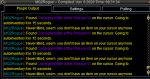
The timer is substantially less than 15 seconds. Maybe 15 milliseconds? Can you please look into this?
For now I will edit the .ini file for the rogue.
The timer is substantially less than 15 seconds. Maybe 15 milliseconds? Can you please look into this?
For now I will edit the .ini file for the rogue.
that's because that is one of your summoned items - which get auto dropped immediately - the message is just from the "general" auto dropI can no longer add items to addclicky because picked up items instantly drop back into inventory.
View attachment 22178
The timer is substantially less than 15 seconds. Maybe 15 milliseconds? Can you please look into this?
For now I will edit the .ini file for the rogue.
you can /rog summondrop off if you don't want to do that so you can add it to your downtime
Awesome, thank you Sic.you can /rog summondrop off if you don't want to do that so you can add it to your downtime

I noticed MQ2Rogue using a 110 skill instead of the 115 version.
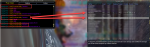
Fellstrike does 119%, Blitzstrike does 126%.
Fellstrike does 119%, Blitzstrike does 126%.
yes. that is because you don't have the appropriate lvls of your synergy skill, so we're going to use the lower one to trigger the synergy buff =pI noticed MQ2Rogue using a 110 skill instead of the 115 version.
View attachment 22207
Fellstrike does 119%, Blitzstrike does 126%.
get some AAs
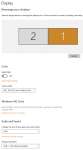
and plz, your screenshots are the size of the titanic
Sorry, they're only about a third of the screen size for me =(and plz, your screenshots are the size of the titanic
Thanks for explaining the synergy, I am working on it. Blackguard's Synergy is 11/12, so I'm hoping that it hashes out when I hit 200 banked AA to buy the final rank.
Always always, thanks for the reply, Sic.
 \
\Edit: Yeah, totally using the 115 version now. =P
Sorry for the lack of knowledge!
Attachments
Last edited:
nice, does the game look good at that high res?Sorry, they're only about a third of the screen size for me =(
Thanks for explaining the synergy, I am working on it. Blackguard's Synergy is 11/12, so I'm hoping that it hashes out when I hit 200 banked AA to buy the final rank.
Always always, thanks for the reply, Sic.
Edit: Yeah, totally using the 115 version now. =P
Sorry for the lack of knowledge!
Honestly, it's too big. The UI doesn't really scale that well, and outside of changing font size to ginormous, it would look odd, to me, with 99% game and 1% small little windows. I'm boxing on both screens, so I overlap the windows a bit.nice, does the game look good at that high res?
I blurred out the deets, and resized it rather drastically. =p
Attachments

Redbot updated MQ2Rogue with a new update entry:
updated
Read the rest of this update entry...
updated
Added use Disarm toggle.
Read the rest of this update entry...
depends what you mean melee distance.How to change melee distance? I am stuck at melee from the same distance which is problematic in dungeons when moving about...
if you're asking "the distance at which i start to fight" this is your camp radius, your "red circle" you can lower that, and once mobs are inside that, that your MA is fighitng you will assist.
if you mean your stick settings - you can either toggle of usestick, or you can adjust your stick setting in your ini
Users who are viewing this thread
Total: 3 (members: 0, guests: 3)
Share: