
-
 Hail, we're RedGuides. We want you to play six (yes, 6!) EverQuest characters at once. We have scripts and a friendly community to help, please join our playstyle and say hello! 👋
You are using an out of date browser. It may not display this or other websites correctly.
You should upgrade or use an alternative browser.
You should upgrade or use an alternative browser.

Release MQ2MyButtons
- Thread starter joey27295
- Start date

Maybe I am just an idiot...........
I am trying to find out commands to change mybutons so far it just had dismount on there and the rest were blank. I have treid a few commands but can't figure out context to set one ....
I am sure its the most simplest thing it's just I must think a shade better than simple and ends up stupid
I am trying to find out commands to change mybutons so far it just had dismount on there and the rest were blank. I have treid a few commands but can't figure out context to set one ....
I am sure its the most simplest thing it's just I must think a shade better than simple and ends up stupid


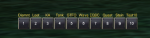
MQ2MYButtons adds an extra row of buttons which you can assign any command you like. It's especially useful for long commands.
Commands:
Instructions:
If you don't see the buttons window, it's likely behind another window.
To permanently move the buttons window, edit the location under MQUI_ButtonsWnd.xml as bolded here:
Discussion:
https://www.redguides.com/community/threads/64877-MQ2MyButtons-what-is-the-point
Commands:
Rich (BB code):
/mybntshow
/mybntclk1
/mybntclk2
/mybntclk3
/mybntclk4
/mybntclk5
/mybntclk6
/mybntclk7
/mybntclk8
/mybntclk9
/mybntclk10
Instructions:
- Place MQUI_ButtonsWnd.xml in your EverQuest uifiles/default folder.
- Place MQ2MYButtons.ini in your MacroQuest Release folder. Edit it if you wish.
- /plugin mq2mybuttons
- /loadskin default
If you don't see the buttons window, it's likely behind another window.
To permanently move the buttons window, edit the location under MQUI_ButtonsWnd.xml as bolded here:
Rich (BB code):
   <Screen item="MQButtonWnd"><ScreenID/>
      <Font>2</Font>
      <RelativePosition>false</RelativePosition>
      <Location>
         <X>350</X>
         <Y>900</Y>
</Location>Discussion:
https://www.redguides.com/community/threads/64877-MQ2MyButtons-what-is-the-point
Attachments
Last edited by a moderator:

EQbackagain
Member
Sorry, I'm not getting how it is useful.
Can anyone demonstrate why it's better than a hotbar? I already have way too many hotbars that I can ever use.
Can anyone demonstrate why it's better than a hotbar? I already have way too many hotbars that I can ever use.


EQbackagain
Member
BTW, where is the plugin? It's not on the update, and the plugin thread just has the .ini and xml file
- - - Updated - - -
Ok, can this thing do multi line commands?
- - - Updated - - -
Ok, can this thing do multi line commands?
G
gse7en
BTW, where is the plugin? It's not on the update, and the plugin thread just has the .ini and xml file
- - - Updated - - -
Ok, can this thing do multi line commands?
You mean
Rich (BB code):
/multiline ; /echo This is the first command; /echo This is the second command.; /bcga //camp desktopEQbackagain
Member
Ok, well I guess this thing got a lot better then 
- - - Updated - - -
Can you do delays in /multiline?
I can't seem to get one working
- - - Updated - - -
Can you do delays in /multiline?
I can't seem to get one working
G
gse7en
Ok, well I guess this thing got a lot better then
- - - Updated - - -
Can you do delays in /multiline?
I can't seem to get one working
Not as such. However, you can use timed like this:
Rich (BB code):
/bcga //if (${Zone.ID}==$\{Zone.ID}) /multiline ; /doortarget; /timed 40 /click left doorDon't think of these as delays or pauses between commands as that's not how they function. If you did create your command that way (which is incorrect), you might find something like
Rich (BB code):
/multiline ; /echo Do this; /timed 20 /target Maskoi; /timed 34 /bird; /timed 14 /point; /timed 13 /laughThe firing order of this line would roughly be: /echo, then /laugh, then /point, then /target, and finally /bird. Obviously that's undesired. ALL /timed are immediately countdown from execution, regardless of where they appear in the command. Therefore....
Rich (BB code):
/multiline ; /echo Do this; /timed 20 /target Maskoi; /timed 30 /bird; /timed 35 /point; /timed 40 /laugh...would give you your expected result.
EQbackagain
Member
Ok cool. I understand that now
I used to use this as Toots described. Also you could click the buttons while casting or performing other actions.
Is this available somewhere? I would like to use it again :=)
Is this available somewhere? I would like to use it again :=)
I used to use this as Toots described. Also you could click the buttons while casting or performing other actions.
Is this available somewhere? I would like to use it again :=)
It's included in Very Vanilla.
Last edited:


- Commits
- 191
MQ2MyButtons
MQ2MYButtons adds an extra row of buttons which you can assign any command you like. It's especially useful for long commands.
Read more about this resource...
MQ2MYButtons adds an extra row of buttons which you can assign any command you like. It's especially useful for long commands.
Read more about this resource...
Last edited:
Would need another row of buttons. Searching for a solution to have own Text and Graphics inside. But MYButtons only shows "Numbers" and as Labels "unknown". My socials are completely filled. This would be a nice solution. And I am playing all characters - most AA/Disc names are simply useless named - to make clear and precise names and graphics for the button would be perfect. Has anybody a INI-File/XML-File which is working or another solution for this?


Does your ini have invalid characters? Also, are you using a custom UI?I have double checked many times that I have MQUI_ButtonsWnd.xml in my EverQuest uifiles/default folder. But whenever I load this plugin, I crash immediately on whatever toon I was using this on. Any ideas?
This plugin is no longer maintained and has been removed from Very Vanilla. It should be deleted & disabled. If you have the mq2mybuttons.dll in your release folder, it's out of date and will likely crash your client.
If someone takes up maintenance, we'll add it back.
If someone takes up maintenance, we'll add it back.
Last edited:
Rise from your grave.
Updated MQ2MyButtons
-Broke all existing INIs. Meanness.
-Broke all existing hotkeys. Laziness.
-Renamed MQ2MYButtons to MQ2MyButtons. Everyone Loves CamelCase
-Refactored a bunch of code. Just Because.
-Put my name in there a bunch of times. Vanity.
-At some point I got it working again. Coincidence.
~~~~~~~~~~
-Modernized the UI and made it resizable and matched to the existing hotbutton bars (I stole this from EQUI_Hotbuttons.xml, so no credit to me)
-Expanded from 10 Hotbuttons to 12 since I was in there anyway. You could actually make this any number, I just chose 12 to match the existing ones.
-Changed it so that it will no longer steal focus on windows so that you can't escape from other windows if you clicked a MyButton with a window open.
-Added MQUI_MyButtonsWnd.xml generation. If you don't have it, it will be created. If you do have it and your version is older than my version I'll overwrite yours. This should stop the issues where it crashes because the file is missing and also allow for easy updates if the UI changes. But if you want to customize the actual XML I'm going to end up overwriting it again, so maybe request we add a feature for that later (I don't think anyone customizes this).
-Added a check to make sure everything with the XML file is good before trying to load the window. Added this to all Plugin routines in MyButtons too so that the plugin just skips those steps if there's a problem at startup. Previously the XML would fail to load and then the UI update would cause a crash because there was no check to see if it was successful. This doesn't fix a broken UI crashing EQ. It just makes it so the missing UI for this plugin won't crash EQ. Will still probably crash next time the UI is updated.
-Split the INI file out into [ButtonX] sections so that settings can be per button rather than the whole UI. Existing inis will not work, so check out the example ini that gets created to see how to set yours up and move your hotkeys over. The only required thing for a [ButtonX] section to work is a number between 1 and 12 (instead of X) and a "Command=" line. Everything else is optional, including the Label.
-Consolidated all of the TLOs into one TLO that just takes an argument of which button you want info about.
-Got rid of all the Bnt items and changed it to Button, abbreviations of Button (even Btn vs Bnt) are hard to remember and I got tired of going back and forth trying to remember them.
-Got rid of all the existing commands and changed it to /mybuttons with arguments. /mybuttons by itself will toggle the visibility of the window. "/mybuttons help" will show you the help.
-Added a show command that makes looking at what MyButtons you have setup easier.
-If you want to bind your hotkeys to the keyboard, consider using MQ2CustomBinds and /mybutton X.
~~~~~~~~~~
Special thanks to dewey2461 for reviewing my code when I was going crazy.
Updated MQ2MyButtons
-Broke all existing INIs. Meanness.
-Broke all existing hotkeys. Laziness.
-Renamed MQ2MYButtons to MQ2MyButtons. Everyone Loves CamelCase
-Refactored a bunch of code. Just Because.
-Put my name in there a bunch of times. Vanity.
-At some point I got it working again. Coincidence.
~~~~~~~~~~
-Modernized the UI and made it resizable and matched to the existing hotbutton bars (I stole this from EQUI_Hotbuttons.xml, so no credit to me)
-Expanded from 10 Hotbuttons to 12 since I was in there anyway. You could actually make this any number, I just chose 12 to match the existing ones.
-Changed it so that it will no longer steal focus on windows so that you can't escape from other windows if you clicked a MyButton with a window open.
-Added MQUI_MyButtonsWnd.xml generation. If you don't have it, it will be created. If you do have it and your version is older than my version I'll overwrite yours. This should stop the issues where it crashes because the file is missing and also allow for easy updates if the UI changes. But if you want to customize the actual XML I'm going to end up overwriting it again, so maybe request we add a feature for that later (I don't think anyone customizes this).
-Added a check to make sure everything with the XML file is good before trying to load the window. Added this to all Plugin routines in MyButtons too so that the plugin just skips those steps if there's a problem at startup. Previously the XML would fail to load and then the UI update would cause a crash because there was no check to see if it was successful. This doesn't fix a broken UI crashing EQ. It just makes it so the missing UI for this plugin won't crash EQ. Will still probably crash next time the UI is updated.
-Split the INI file out into [ButtonX] sections so that settings can be per button rather than the whole UI. Existing inis will not work, so check out the example ini that gets created to see how to set yours up and move your hotkeys over. The only required thing for a [ButtonX] section to work is a number between 1 and 12 (instead of X) and a "Command=" line. Everything else is optional, including the Label.
-Consolidated all of the TLOs into one TLO that just takes an argument of which button you want info about.
-Got rid of all the Bnt items and changed it to Button, abbreviations of Button (even Btn vs Bnt) are hard to remember and I got tired of going back and forth trying to remember them.
-Got rid of all the existing commands and changed it to /mybuttons with arguments. /mybuttons by itself will toggle the visibility of the window. "/mybuttons help" will show you the help.
-Added a show command that makes looking at what MyButtons you have setup easier.
-If you want to bind your hotkeys to the keyboard, consider using MQ2CustomBinds and /mybutton X.
~~~~~~~~~~
Special thanks to dewey2461 for reviewing my code when I was going crazy.
godsfshrmn
Well-known member
Hmm i tried to load and crashed to desktop
edit: seemed to work fine once i logged back in
edit: seemed to work fine once i logged back in
Last edited:
Hmm i tried to load and crashed to desktop
edit: seemed to work fine once i logged back in
Someone else reported this as well. I think it has to do with -- if you've never loaded it before and it creates the XML. I wasn't able to reproduce it on a quick test, so I'll track it down next time I circle back on this. If anyone else has a problem in the meantime, setting mq2mybuttons=1 in your ini before loading the game should fix it.

Users who are viewing this thread
Total: 1 (members: 0, guests: 1)
Share: