• Hail, we're RedGuides. We want you to play six (yes, 6!) EverQuest characters at once. We have scripts and a friendly community to help, please join our playstyle and say hello! 👋
  • We've added LLM sections to our Terms & Rules and Resource Rules, for everyone's sanity & in-game safety.
    Read more
    a. Do not replace your voice with an LLM. This goes for your posts and your scripts. Drafting and editing with a tool is fine, but don't take you out of what you share.
    b. Do not replace your EQ character's voice with an LLM. We don't want scripts that speak over /ooc, /shout or other public channels. This has been an unwritten rule that's kept casino scripts off the site for decades, but we're now compelled to make it clear: keep automated communication private.

    Why Does RG Review Scripts?
    Nearly every LLM-written Lua script we see is making your character do impossible things, and rarely in a way that's beneficial to you. We've seen heavy server hammering, /target over impossible distances when /nav spawn would passively accomplish the same thing, a spawn search that fires 20+ times per second, and other pointless actions that are likely annoying GMs.

    You are welcome to use LLMs as a tool to structure, draft, and edit your work, but please read critically before hitting /lua run
MQ2KillTracker

Release MQ2KillTracker

Based on https://www.redguides.com/community/threads/46814-killcount-updated-Oct-24-2016

Tracks kills over time and can auto report kill counts every X minutes

Commands
/killtracker :: Lists command syntax
/killtracker on|off :: Enables kill tracking. Default is *ON*.
/killtracker status :: Shows current status of plugin.
/killtracker report :: Shows current tracked kill count.
/killtracker reset :: Reset tracked kill count to 0.
/killtracker delay # :: Set time in minutes between kill count auto reports. Set to 0 to disable. Default is 60.

Any issues, questions, or addition requests let me know. :)
 
Last edited by a moderator:
Thanks for building this up Sym, I like the fact that it shows the raw kills, time elapsed and average per hour where as xptracker just shows average per hour rate.

- - - Updated - - -

Hi Sym,

Just curious on one thing in how you have it coded. Mass slaughtering greys with my war pling 4 new 85s. They are getting exp but it is not counting the deaths (they aren't doing any damage), the war doing all of the killing is getting no credit for kills either. Just curious how you are calculating :)
 
It's like the macro. It looks for one of these lines in chat and if found the kill counter is incremented.

has been slain
you have slain
you gain party experience
you gain experience

What's the text that's shown when you kill one?
 
I had a similar issue with the macro long ago, I'm assuming the plugin tracks kills using the same method as the macro.

My problem was the kill message was not showing in the chat window. I found two possible causes.
Check your chat filters, make sure the npc death message is turned on.
The other condition, mostly for spellcasters and possibly power leveling, is distance from the fight. Too far away and the death message does not display.

Initially, the macro only checked for the death message, the experience message was added to increase kill count accuracy for spell casters.

Try displaying the experience message and npc death message in a separate chat window. This will help prove you are getting the messages that will trigger the count.
 
Update:

My beastlord absolutely refuses to track kills. I can see both the slain message and the experience message but no joy. Mage and druid seem to be tracking properly. Haven't tested other melee types yet.
 
MQ2KillTracker

This tracks kills over time and can auto report kill counts every X minutes

Commands:

/killtracker - Lists command syntax
/killtracker on|off - Enables kill tracking. Default is *ON*.
/killtracker status - Shows current status of plugin.
/killtracker report - Shows current tracked kill count.
/killcount - same as /killtracker report
/killtracker reset - Reset tracked kill count to 0. Also resets start of auto report timer.
/killtracker delay # - Set time in minutes between kill count auto reports. Set to 0 to disable. Default is 60.
 
Is it normal for it to increase the kill count if the mob killed is not giving an experience message? i.e. count is going up on toons outside of group and don't receive experience message. Also "has been slain" doesn't that message show up when a PC player dies besides a NPC dying?
 
Yes. It counts all kills, exp or not. It may count a pc death as well. It's just looking for a death message and counting them.
 
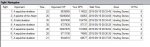
Not sure if this is normal or not, but I'm seeing more kills in the report than what I have in my list in Gamparse. I had reset the counter and restarted gamparse to look for new fights and this is the result after just 7 kills.
 

Attachments

  • MQ2Killtracker.JPG
    MQ2Killtracker.JPG
    13.9 KB · Views: 21
  • Gamparse_Kills.JPG
    Gamparse_Kills.JPG
    48.3 KB · Views: 20
C++:
PLUGIN_API DWORD OnIncomingChat (PCHAR Line, DWORD Color) {
    if ( !bKillTrackerEnabled ) return 0;

    if ( strstr (Line, "has been slain") || strstr (Line, "You have slain") ) {
        killCount++;
    }
    return 0;
}

This plugin is tracking the chat incoming messages, it doesn't know if you are the one doing the killing or not. Just that it seen the message that something has been slain. It might be more intuitive to instead register a kill when you gain AA or regular experience.

But based on what I see in the code, it makes sense that it's not keeping proper track of the kills.

From the looks of previous messages to this thread, this was intended. I'm not sure if the original author is around or not, or if the community would prefer it only output kills if you gain experience.
 
Release MQ2KillTracker

Users who are viewing this thread

Back
Top
Cart