• You've discovered RedGuides, an EverQuest multi-boxing and scripting community 🧙‍♀️⚙️. We want you to play several EQ characters at once, come join us and say hello! 👋

  • A TLP without truebox has thawed (Very Vanilla ready)
    Frostreaver
MQ2GMCheck

Release MQ2GMCheck

AnonymousHero

Active member
Joined
Apr 22, 2011
RedCents
516¢
I am planning on using the TLO's it provides for my CheckGMs subroutine and I was inquiring about behavior since it doesnt seem to list details.

${GMCheck} - I would assume this returns a TRUE if any GMs are online and not stealthed? Like if you typed /who all GM. I think I noticed this thing reporting positives to my MQ2 Window when GMs were online but not hiding.
${GMCheck.Status} - Is this to check if the plugin is on? or is this a copy of ${GMCheck}?
${GMCheck.Count} - I would assume by documentation this is the same as ${SpawnCount[GM]}
 
${GMCheck.Status} = ${GMCheck} same thing = if gm checking is On/Off//Disabled
${GMCheck.Count} = number of GM's in the zone
 
Last edited by a moderator:
MQ2GMCheck - This plugin checks to see if a GM is in the zone so you can say hello or hopefully attend their event. This is not fool proof. It is absolutely true that a GM could be right in front of you and you'd never know it. This plugin will simply find those who are in the zone and not gm-invis, or who just came into the zone and were not gm-invised at the time. If a GM comes into the zone already gm-invised, you will not know about that.
 
Last edited by a moderator:
MQ2GMCheck
This plugin checks to see if a GM is in the zone so you can say hello! This is not fool proof. It is absolutely true that a GM could be right in front of you and you'd never know it. This plugin will simply find those who are in the zone and not gm-invis, or who just came into the zone and were not gm-invised at the time. If a GM comes into the zone already gm-invised, you will not know about that.

Read more about this resource...
 
Last edited by a moderator:
I'd like to remove this plugin as it's silly, GMs can hide from it if they like. Does anyone want me to keep it around?
 
There's just too many macros that demand this plugin be loaded, so I think we have to keep it around. However I will change the wording so people don't get a false sense of security.
 
I don’t know what it said before, but reading it I love this line:

You can test the celebratory audio in MQ2 after you have loaded mq2gmcheck with the following command.

celebratory audio has me cracking up. I am picturing cop siren after a hidden speed trap
 
Hello,

trying to understand the instructions for the audio section in GMCHECK. i can see the Pop=UP but the audio is not activating. accroding to the instruction unlemm im doing it wrong this is where the audio file is located.


1657489454712.png

any assistace is appreciated. Thanks
 
Hello,

trying to understand the instructions for the audio section in GMCHECK. i can see the Pop=UP but the audio is not activating. accroding to the instruction unlemm im doing it wrong this is where the audio file is located.


View attachment 40770

any assistace is appreciated. Thanks
did you follow the instructions?

MQ2GMCheck.ini is not created until it encounters a GM so you may need to create the file.
Open MQ2GMCheck.ini in your favorite editor.
Add the following text to the top of the ini file
INI:
[Audio]
Sound=C:\\Program Files\\Macroquest2\\gmcheck.wav[/Audio]

[Audio]
The sound= must point to the correct folder of your sound file. The folders must be separated by \\ for MQ2GMCheck to properly read it. The default sound gmcheck.wav is included in the compile. You can use any .wav file for the audio warning. You just need to correctly point the sound= to it in the in file.

You can test the celebratory audio in MQ2 after you have loaded mq2gmcheck with the following command.
INI:
/gmcheck testaudio
[/Audio]
 
I made the changes to reflect:

[Audio]
Sound=C:\\Program Files\\Macroquest2\\GMcheck.wav[/Audio]

However when doing the test audio it gives me a different sound other then whats in that directory.

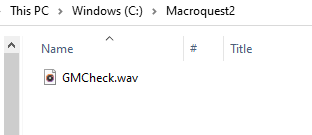
this is currently where its pointing if im correct

1657656616642.png

the sound on this folder isnt the sound on the testaudion. Thabnks again
 
The commands are not working for me, how do i get this loaded?
to load a plugin
/plugin mq2gmcheck load

Will it pause my group if a GM pops in?
check the overview page what it does and can do
 
Release MQ2GMCheck

Users who are viewing this thread

Back
Top
Cart