• You've discovered RedGuides, an EverQuest multi-boxing and scripting community 🧙‍♀️⚙️. We want you to play several EQ characters at once, come join us and say hello! 👋

  • A TLP without truebox has thawed (Very Vanilla ready)
    Frostreaver
Resource icon

Release MQ2Farmtest

ChatWithThisName

⚔️🛡️🗡️
Moderator
Joined
Dec 29, 2017
RedCents
23,976¢
MQ2Farm is currently named MQ2FarmTest while it is in testing and development.

MQ2Farm is designed around the concept of Farm.mac with the intent to assist with farming specific items or creatures or to act like a hunter type macro.

Known Issues:
Abilities are grabbed once on plugin load, so I don't have a list of combat abilities if the plugin is loaded when I log into the game. (Fixed on Test)
When a mob is running away, I will start to cast a spell, and then start running after it while I'm still casting.

Q: Why to use a plugin instead of a macro?
A: This originally started as a project mostly to learn how to write plugins and I felt that it covered most topics that I would find myself needing to write a plugin for since it already did so much under the hood (in the code). However, having started work on this and progressing as far as I have I determined that this would be the future of Farm.mac.

Q: What can MQ2Farm do that Farm.mac cannot?
A: MQ2Farm has a couple of features that have been added to it that don't currently exist in Farm.mac such as the automatic selection and use of Combat Abilities with the option to customize the ability list via INI. It features custom functions written specifically for MQ2Farm which are slightly different than the functions written into core MQ2 to assist with making Farm.mac work exactly the way I want it to without the use of built in functions. Without the ability to write functions directly I would be at the mercy of the information made available to Macros though MQ2DataTypes.

Q: What can Farm.mac do that MQ2Farm cannot?
A: Farm.mac has been updated more than a few times over the course of time since it's conception and has been molded by the feature requests of the members here at Redguides. With that said, it not only is the model that MQ2Farm is based on, but it also already has all the features that I'm trying to include into MQ2Farm which may or may not be available at this point. MQ2Farm is in TESTING stages and not entirely ready for user consumption. However, with that said it will eventually catch up and surpass Farm.mac, it already has features I didn't think would be possible when writing Farm.mac, and I expect it shall continue to be improved as I write this plugin from the ground up.

Q: When will I get to try it out?
A: It's already in your very vanilla plugins folder. You can load it by typing /plugin mq2farmtest
A2: Additionally, I'm constantly making improvements to it while I develop and build it for the test server. You can PM me to request a current copy of a test build for the test server.

Q: I found a bug or would like to request a feature, how do I go about letting you know?
A: You can let me know via discord, or by posting on the discussion thread for this resource. I will determine if it's a reasonable request, or a feature I'd like to add. If it's a bug request I will be able to apply it to my "Known Issues" list and look at resolving the issue.

[TLOs and Member]
${Farm.TargetID} - The intended target farm is going after
${Farm.Version} - Current version of MQ2Farm

[Commands Available]
/farm help or /farm --- Will output the help menu
/farm on|off --- Will turn on|off farming with INI settings.
/farm radius #### --- Will set radius to number provided
/farm zradius #### --- Will set zradius to number provided.
/farm farmmob "Mob Name Here" --- Will specify a farmmob to farm.
/farm farmmob clear --- Will clear the FarmMob and attack anything not on an alertlist.
/farm castdetrimental 1|On 0|Off --- Will turn on and off casting of single target detrimental spells.
/farm debug 1|on 0|Off --- Will turn on and off debugging messages.
/farm MedAt --- Will show you when you will med mana.
/farm MedAt #### --- Will set when you when you will med mana.
/farm MedTill --- Will show you when you will stop medding mana.
/farm MedTill #### --- Will set when you when you will stop medding mana.
/farm HealAt --- Will show you when you will med health.
/farm HealAt #### ---Will show you when you will med health.
/farm HealTill --- Will show you when you will stop medding health.
/farm HealTill #### --- Will set when you when you will med health.
/farm MedEndAt --- Will show you when you will med endurance.
/farm MedEndAt #### --- Will set you when you will med endurance.
/farm MedEndTill --- Will show you when you will stop medding endurance.
/farm MedEndTill #### --- Will set when you will stop medding endurance.
/ignorethis --- Will temporarily ignore your current target.
/ignorethese --- Will temporarily ignore all spawns with this targets clean name.
 
Last edited:
/* MQ2FarmTest.cpp
Chatwiththisname/PeteSampras
- Started MQ2Farm Initial Setup/Preperation
Chatwiththisname/Renji 10/07/2018
- Worked SpawnSearch and Nav Code
Chatwiththisname 10/8/2018
- Working on Algorithms for Farming.
- Adding FarmCommand Functionality.
- Added Health/Endurance/Mana Checks, still requires logic for resting routines.
- Added HaveAggro() function. Returns true if any Autohaters are populated on Xtargetlist.
Chatwiththisname 10/16/2018
- Test has been down a while, but added a getFirstAggroed() function to try and
- deal with aggro before trying to find a mob with a shortest path to fix
- ignoring aggrod mobs.
Chatwiththisname 11/12/2018
- Working on CastDetrimental() function to cast single target detrimental spells.
- Added rest routines.
Chatwiththisname 1/2/2019
- Cleaning up the code to remove all the comments.
- trying to add Discs to combat routines, not having much luck.
- Separated FarmTest into seperate files.
- Tried adding TLO and member support. No luck, but kept the file.
Chatwiththisname 1/3/2019
- Now generating a list of Discs for toons to use and separating them to sections.
- Firing Discs during combat based on the previously mentioned list.
- DiscReady function now checks endurance/mana/reagent requirements before reporting true.
- Actually enjoying testing this on my berserker. He's doing pretty good DPS without MQ2Melee.
Chatwiththisname 1/5/2019
- Got the Farm datatype fixed and added two members. TargetID and Version. ${Farm.TargetID} ${Farm.Version}
- Cleaned up FarmCommand and it now report invalid command.
- Made additions to ignorethese and ignorethis.
- "/farm " Help list of commands updated to show all commands for current build.
- Now sitting when no target is found to kill while it waits for more things to spawn or wander in range.
- DiscReady function now makes sure you aren't trying to use an active disc when you already have one running.
- Added usage of Instant cast beneficial buffs while in combat.
- Made a HUD for use with the ${Farm.TargetID} to get a display of what it's going after and some information, useful for debugging. :-)
- You can now add and remove Discs with INI entries. [DiscRemove] section for removing. [DiscAdd] section for Additions.
Chatwiththisname 1/6/2019
- INI's are now character specific, stored in release folder as MQ2FarmTest_CharacterName.ini
- Discs are now grabbed and sorted when the /farm on command is given instead of when the plugin loads.
Chatwiththisname 1/7/2019
- Added more refined sorting for summmoning discs and Endurance Regenaration Discs.
- Adding abilities base on the INI is no longer Rank Specific.
- Removing Combat Abilities base on the INI is no longer rank specific.
- INI Name now updated when the farm command is used for anything to ensure that the proper file is being written to.
- Added in the casting of Aura Discs and Endurance Regen Discs for use out of combat.
- Refined ActiveDisc detections to eliminate trying to use a disc when there is already an active disc, but allow the use of combat abilities unhindered.
Chatwiththisname 1/20/2019
- Added the use of the FarmMobIgnored.ini file in the macro folder for the global ignores
so players didn't need to reinvent the wheel and could use the existing ignores file.
- Added group health mana and endurance checks so you can now have the merc tag along
without worry of running them out of mana.
- Reduced the delay between pulses by 1/3rd
- Nav will now refresh destination if target is moving while navigating to the selected spawn.
- Made some adjustments to stopping distance to prevent "You are to far away" issues.
- Discs now verify target is in range before attempting to use if you have a target.
- Fixed a crash that occured if no valid spawns were found.
- TODO: Add the /permignore command to replicate the usage in the macro
- TODO: Fix spell casting...yes, really...maybe....I'm not sure.
- TODO: Change the distance checks for NavigateToID(DWORD ID) to use Get3DDistance function instead of GetDistance
- TODO: Check for dead group members
- TODO: Check for dead mercenaries and handle it appropriately. (Gah, window access?)


[DiscRemove]
DiscRemove1=Hiatus
DiscRemove2=Mangling Discipline
DiscRemove3=Proactive Retaliation
DiscRemove4=Axe of Rekatok
[DiscAdd]
DiscAdd1=Breather
DiscAdd2=Disconcerting Discipline
DiscAdd3=Frenzied Resolve Discipline
DiscAdd4=Axe of the Aeons
DiscAdd5=Cry Carnage
DiscAdd6=Bloodlust Aura
DiscAdd7=Axe of the Demolisher
*/
 
Last edited:
Heya, was curious if this plugin is still included in the very Vanilla download? I'm not able to see it in the plugin list in RGUpdate or listed as an active plugin in game. I might be missing something but any input is appreciated.
 
It wasn't mentioned that I'm aware of because it's still in testing phases. Doing /plugin mq2farmtest
should load it. It's named MQ2Farm with Test at the end because I'm still developing it.
 
ChatWithThisName updated MQ2Farm with a new update entry:

MQ2FarmTest changes. Additions, and TODO list.

Keep in mind as I develop this plugin that I'm very new to the C++ language and changes for the plugin likely won't happen as fast as they do for my macros. Due to the way plugins allow a user to run multiple utilities at once, I feel that it would be a better fit to run it as a plugin as both a learning process for me, and an opportunity for the user to be able to run other utility macros while this is going. Honestly I should be making this the other way around, where the utilities are the...

Read the rest of this update entry...
 
Suggestions/bugs/confusion on first run:

Suggestion:
  • When loaded it might be helpful to call the /help the first time. It won't be useful after it's in memory for subsequent loads, but it's a good reminder for folks loading it up the first time, even if it only prints the first line from the help list to remind people how to pull up the command list.
  • Radius and zradius are both zero, was that intended, or maybe start with a near radius of 100-300? and 50 up/down?
  • Medtill defaults to zero, as the Medat is also zero by default I guess that makes sense, but maybe put Medtill at 80 or 100, and then you only have to toggle medat on at a certain point?
  • Shorten help list by putting one line in saying that "/farm <flag>" will give current status of variables, and "/farm <flag> #" will set the variable. That way you don't have such a long list, and don't have to duplicate the set and the report line commands. Especially as some have both, some don't. specifically "/farm radius" and zradius.
  • There's no level limiter, so it will try to farm any mob it sees. maybe have a max level you will try to farm? At lower levels this is especially helpful.
  • When moving to a new mob I believe the plugin is trying to trigger attack on before you're in range. I'm getting a series of "Your target is too far away, get closer" messages when running from mob to mob, and I'm trying to melee them, as that's the only ability my warrior currently has.
  • I see "throw stone" being triggered during combat all the time, not sure that it matters, but is it needed? especially as it does have a cool-down, and it could impede/slow pulling speed ever so slightly if you finish combat with one mob, and another is within thrown stone range, but the combat ability isn't ready?
  • Medding for endurance doesn't make much sense in this mac for casters, or maybe only if they get down to 20% or something absurd for special cases? lot of lost farm efficiency when I'm waiting for my wizzy to med up the last 10% of her endurance.
  • If "/farm off" is toggled while you have a target and are naving to it, you sometimes already have /attack on, and it stays in combat mode after the plugin is paused instead of ending that if you have no xtar maybe?
  • Some discs need special consideration for use. For instance, warrior disc "Focused Will Discipline" is a self heal disc, but aggressive action after use will disable it. It currently fires if your health is down any at all and it's available I think, but will then go attack another mob. This is counter-productive and uses cycles to no useful effect. Either it needs to wait until hps are at a certain point, maybe your HealAt level, then use it just before medding, or some such.


Bugs/unexpected behaviour:
  • Using a rogue merc in the group with the default med setting tells me that I need to med until the rogue is at 100% mana. <-tried that for awhile, but it never succeeded, just think, a nuking rogue! Even with "/MedTill 0", it would not stand up again, "/farm medat -1" fixed that issue temporarily, but I'm not sitting to med when the group casters need mana.
  • "/farm radius" is not carried in the farmsettings ini as a variable but zradius is.
  • my warrior will sometimes sit and med with no discernable reason. no message goes to the MQ2 window, he's at 100% health and endurance. there's a mob 51.77 feet away. This may be related to his pullabilityrange of 50 as that's the throw stone max range, but if he's ready to pull shouldn't he nav within throwing range to engage the mob as long as it's within radius distance? This also always happens when he's jammed up against a wall in a tunnel so far, so possibly a nav or stuck issue, which as soon as I move forward with him has always re-activated him again


Confusion/Needs Clarity:
  • Add some information into the posting on the Overview Tab, that "/farm on" without setting "/farm farmmob <name>" will farm everything it sees starting with the closest mob. and that <name> has to be specific and exact to the mob names you're farming if you use that variable.
  • Definitions and uses of the various radius options. It would seem that zradius is the maximum up/down elevation change to search for mobs to pull. PullAbilityRange would be how far out you search to pull mobs to you, and Radius is the maximum distance to chase a mob maybe? I'm a little unclear on that point.
    • Redefining radius or pullabilityrange with /farm commands, or in the ini does not seem to change my in map circles, nor does it actually change the range at which I pull. I'm limited in testing right now, with only one ranged pull ability at a max range of 50, so I may be wrong here, but the green circle on my map doesn't change regardless of settings at the moment.
  • "/farm farmmob <name>" doesn't seem to do any name matching. I did "/farm farmmob a_young_puma" the syntax in the help does show the correct method of "a young puma" I simply assumed it was needing the underscores. Not really needing anything from this, merely an observation for others using the plugin.
 
Last edited:
So, new day, new zone. trying to use this plugin is doing nothing for me. my char sits down as if there are no mobs within search distance. even when I have a targeted mob within 50 feet of me. I've tried both with and without a /farm farmmob <name> option. I've set my radius to 15000, I've set my pullability range at 98, and 14900. I've changed the zradius from 0 to 50 to 150 and none of these changes make any visible change in behaviour. I've also reloaded the nav mesh. There's no feedback to the character about why it's not farming, so I can only speculate, and frankly, at the moment I've run out of possible scenarios that could be causing the plugin to not work. Are ini settings re-read when toggling the /farm on also? changes to that file would need to be refreshed and updated so that would be a likely time to update them. Also not sure if this is related to the plugin or not, but the campfire and other radius circles on the map disappeared after running the plugin yesterday, and /mapf shows them set to zero, although when I echo /farm radius it gives me a value.
 
Ok, so that's a lot of info. Lemme try to touch base on a few topics.
There is no pullability yet. The INI is generating an entry, but it's not currently used.

/farm off does end nav, but does not turn off attack if it's already on. I will look at adding this.

The plugin doesn't adjust map circles at all currently, so that behavior is expected. With that said, it also should have no effect on other circles on the map, thus can't responsible for that behavior.

I can't account for it randomly not attacking anything at all. This bug was mentioned by others for Farm.mac and could be related. However, I should point out that the structure of the code is vastly different between the macro and the plugin. When it happens to me I'm usually not on the mesh, so there is no path to anything for the plugin or macro to pull. Moving out of a bush, or from the edge of any walls solves that issue for me. I have had no experience with that issue otherwise.

I've set the character to sit if no mobs valid to pull were found. That should be the only time they sit with no message. I'll add a messafe so you know why you're sitting.

As for the other issues, I'll get them added to my TODO: list to make the corrections or include the feature.

Thanks for the feedback. Will use the information to make changes to the next update when I can sit down and work on this again.
 
Last edited:
Thanks Chat, just thought I'd get info back to you on what I'm seeing while using it. To touch on the attacking issue:

I was in the middle, well west side of blightfire. It's not flat, I was just outside of the pass going into Crescent, where all of the snakes/rats/witchlamps wander around, but I moved to a bunch of different locations toggling farm on and off, also unloaded and reloaded the plugin too, with and without a farmmob defined. But I could never get him to attack anything with the plugin in that zone. Not sure why all of my map circles vanished though, it was odd, I don't think I'd changed anything else in my play and I've never seen it happen before either. I transferred my ini's to my laptop to play today, and i'm out in south Karana, so i'll give it another go and see what i get out there.

Edit: first time running it on this laptop and in South Karana I was able to get the expected results again. I set it to farm a mob outside of my radius to test, and it sat down, so I redefined radius to include the mob, and he stood up and ran to the mob. All of that is exactly how I would anticipate it to work, so maybe it's specific to blightfire, or maybe my other computer was having a cpu-fart that day. I'll play with it some more and see if the first computer still has that issue, maybe in some other zones, and do some fiddling around looking for some common cause type of things for you.

Edit2: I get the impression the issue here is that having the plugin loaded and camping to character select then coming back into the game is what is causing the issue somehow. I camped out to fix supper, and when I came back I couldn't get the farm plugin to work anymore. I'm camping to desktop to put the kids to bed, I'll see what I get after I come back, and update this note again.
Edit 2.5: So, camping to desktop and reloading later did seem to solve the issue of the plugin not performing, although the variables all reset back to zero, and I don't know if this was intended. If so, or maybe even if not, it would probably be helpful to have a command to print out the current variable settings, like /farm var or something as a quick check of what your current radius, farm mob, and med settings are without calling each one individually.
 
Last edited:
Okay, so the issue with camping and coming back I can't think right off of a reason that's happening, specifically if you are coming back to the same character. Any time you issue the /farm on command the character should verify that the INI name that it's using is the INI of the character you are playing. I did this to allow for character specific INI's. The ini for the character doesn't get loaded on the first run until you /farm on, before that it has no idea what INI to use. I also set it to verify that the name of the INI is MQ2FarmTest_CharacterName.ini, and if it doesn't match your current character's name, then it should change the name of the INI for the purpose of getting and setting variables. I'll have to testcopy a second character over to verify, though I think my issue with that is the test build still crashes if I camp to character select and try to load back in, not sure that fix made it to live.

If you want to get more information about farm you can
Code:
/farm debug on
Expect it to be a bit spammy, but when you initialize the INI it should read out each thing. You mentioned something about the defaults.

Code:
void DoINIThings()
{
char temp[MAX_STRING] = { 0 };
DebugSpewAlways("Initializing MQ2FarmTest");
//Check for INI entry for Key Debugging in General section.
VerifyINI("General", "Debugging", "false", ThisINIFileName);
GetPrivateProfileString("General", "Debugging", "false", temp, MAX_STRING, ThisINIFileName);
Debugging = atob(temp);
if (Debugging) WriteChatf("\ar[\a-tGeneral\ar]");
if (Debugging) WriteChatf("\ayDebugging: \at%d", Debugging);
//Check for INI entry for Key useLogOut in General section.
VerifyINI("General", "useLogOut", "false", ThisINIFileName);
GetPrivateProfileString("General", "useLogOut", "false", temp, MAX_STRING, ThisINIFileName);
useLogOut = atob(temp);
if (Debugging) WriteChatf("\ayuseLogOut: \at%d", useLogOut);
//Check for INI entry for Key useEQBC in General section.
VerifyINI("General", "useEQBC", "false", ThisINIFileName);
GetPrivateProfileString("General", "useEQBC", "false", temp, MAX_STRING, ThisINIFileName);
useEQBC = atob(temp);
if (Debugging) WriteChatf("\ayuseEQBC: \at%d", useEQBC);
//Check for INI entry for Key useMerc in General section.
VerifyINI("General", "useMerc", "false", ThisINIFileName);
GetPrivateProfileString("General", "useMerc", "false", temp, MAX_STRING, ThisINIFileName);
useMerc = atob(temp);
if (Debugging) WriteChatf("\ayuseMerc: \at%d", useMerc);
//Check for INI entry for Key CastDetrimental in General section.
VerifyINI("General", "CastDetrimental", "false", ThisINIFileName);
GetPrivateProfileString("General", "CastDetrimental", "false", temp, MAX_STRING, ThisINIFileName);
CastDetrimental = atob(temp);
if (Debugging) WriteChatf("\ayCastDetrimental: \at%d", CastDetrimental);
if (Debugging) WriteChatf("\ar[\a-tPull\ar]");
//Check for INI entry for Key ZRadius in Pull section.
VerifyINI("Pull", "ZRadius", "25", ThisINIFileName);
GetPrivateProfileString("Pull", "ZRadius", "25", temp, MAX_STRING, ThisINIFileName);
ZRadius = atoi(temp);
if (Debugging) WriteChatf("\ayZRadius: \at%d", ZRadius);
//Check for INI entry for Key Radius in Pull section.
VerifyINI("Pull", "Radius", "100", ThisINIFileName);
GetPrivateProfileString("Pull", "Radius", "100", temp, MAX_STRING, ThisINIFileName);
if (atoi(temp) == 0) {
  Radius = 1;
}
else {
  Radius = atoi(temp);
}
if (Debugging) WriteChatf("\ayRadius: \at%d", Radius);
//Check for INI entry for Key PullAbility in Pull section.
VerifyINI("Pull", "PullAbility", "melee", ThisINIFileName);
GetPrivateProfileString("Pull", "PullAbility", "melee", PullAbility, MAX_STRING, ThisINIFileName);
if (Debugging) WriteChatf("\ayPullAbility: \at%s", PullAbility);
if (Debugging) WriteChatf("\ar[\a-tHealth\ar]");
//Check for INI entry for Key HealAt in Health section.
VerifyINI("Health", "HealAt", "70", ThisINIFileName);
GetPrivateProfileString("Health", "HealAt", "70", temp, MAX_STRING, ThisINIFileName);
HealAt = atoi(temp);
if (Debugging) WriteChatf("\ayHealAt: \at%u", HealAt);
//Check for INI entry for Key HealTill in Health section.
VerifyINI("Health", "HealTill", "100", ThisINIFileName);
GetPrivateProfileString("Health", "HealTill", "100", temp, MAX_STRING, ThisINIFileName);
HealTill = atoi(temp);
if (Debugging) WriteChatf("\ayHealTill: \at%u", HealTill);
if (Debugging) WriteChatf("\ar[\a-tEndurance\ar]");
//Check for INI entry for Key MedEndAt in Endurance section.
VerifyINI("Endurance", "MedEndAt", "10", ThisINIFileName);
GetPrivateProfileString("Endurance", "MedEndAt", "10", temp, MAX_STRING, ThisINIFileName);
MedEndAt = atoi(temp);
if (Debugging) WriteChatf("\ayMedEndAt: \at%u", MedEndAt);
//Check for INI entry for Key MedEndTill in Endurance section.
VerifyINI("Endurance", "MedEndTill", "100", ThisINIFileName);
GetPrivateProfileString("Endurance", "MedEndTill", "100", temp, MAX_STRING, ThisINIFileName);
MedEndTill = atoi(temp);
if (Debugging) WriteChatf("\ayMedEndAt: \at%u", MedEndTill);
if (Debugging) WriteChatf("\ar[\a-tMana\ar]");
//Check for INI entry for Key MedAt in Mana section.
VerifyINI("Mana", "MedAt", "30", ThisINIFileName);
GetPrivateProfileString("Mana", "MedAt", "30", temp, MAX_STRING, ThisINIFileName);
MedAt = atoi(temp);
if (Debugging) WriteChatf("\ayMedAt: \at%u", MedAt);
//Check for INI entry for Key MedTill in Mana section.
VerifyINI("Mana", "MedTill", "100", ThisINIFileName);
GetPrivateProfileString("Mana", "MedTill", "100", temp, MAX_STRING, ThisINIFileName);
MedTill = atoi(temp);
if (Debugging) WriteChatf("\ayMedTill: \at%u", MedTill);
UpdateSearchString();
}

To understand what you're looking at with the above code. VerifyINI is going to verify that the INI Entry for that variable exists in your players INI, if it doesn't, it will generate the INI entry and give it the default value assigned to it.

Code:
VerifyINI("Endurance", "MedEndTill", "100", ThisINIFileName);
GetPrivateProfileString("Endurance", "MedEndTill", "100", temp, MAX_STRING, ThisINIFileName);
MedEndTill = atoi(temp);
if (Debugging) WriteChatf("\ayMedEndAt: \at%u", MedEndTill);

The above is a VerifyINI for Endurance Section, for MedEndTill, with a default of 100 if no value is present, and it's checking in ThisINIFileName which is a string variable which stores the name of the INI to check.
Directly after checking that it exists, or creating it if it doesn't, it then does the GetPrivateProfileString for the Endurance section, with a key of MedEndTill, with a default of 100 if no value is present and assigns that value to the string variable "temp" which is of the size MAX_STRING (2048 characters long at most) and again, uses the same file name.
Now that the value of that INI Entry is stored in "temp" I need to convert the string to an integer, so I say that MedEndTill is equal to Alpha to Integer(temp) so I convert the string temp to an integer value and store it in the integer variable MedEndTill, then immediately following if "Debugging" which is a bool, is true, then I output the value.

Now all of that is done for every INI entry in the larger block of code above with some variation based on type of information I'm trying to collect.

This is done every time I call the function "PluginOn()"

Code:
void PluginOn()
{
if (activated) return;
if (!InGame()) {
  WriteChatf("%s\arYou are not in game! Not Activated!!!", PLUGINMSG);
  return;
}
if (!MeshLoaded()) {
  WriteChatf("%s\a-rNo Mesh loaded for this zone. MQ2Farm does't work without it. Create a mesh and type /nav reload", PLUGINMSG);
  return;
}
activated = true;
CheckAlias();
sprintf_s(ThisINIFileName, MAX_STRING, "%s\\MQ2FarmTest_%s.ini", gszINIPath, GetCharInfo()->Name);
DoINIThings();
DiscSetup();
WriteChatf("%s\agActivated", PLUGINMSG);
}

You'll see that I do a few things every time the "/farm on" command is issued. First I check to see if the plugin is already activated, if it is I just leave this function. If I"m not in game I just leave the function, if there is no mesh loaded, I tell you there is no mesh loaded and then I leave the function. If it passes all those checks, I set activated to true, then I CheckAliases(), which will make sure the /farm command from my macro doesn't have aliases (they should all be binds anyway, but the plugin takes priority and those get deleted and then replaced by the plugin) Soon as I do the aliases, I set the INI name to be the currently active characters name. This will happen every time you "/farm on". Once I set the INI name, then I Do the INI things mentioned above, setup your discs, and then tell the user the plugin is activated.

With that said, I'm failing to see a gap where everything could get set to 0. Unless you're trying to change settings when you first log on to an account and get in game and the /farm on command hasn't been issued. Because I skip setting the name of the INI if you aren't in game.

Code:
PLUGIN_API VOID InitializePlugin(VOID)
{
 CheckAlias();
 AddMQ2Data("Farm", dataFarm);
 pFarmType = new MQ2FarmType;
 if (InGame()) {
  sprintf_s(ThisINIFileName, MAX_STRING, "%s\\MQ2FarmTest_%s.ini", gszINIPath, GetCharInfo()->Name);
 }
 AddCommand("/farm", FarmCommand);
 AddCommand("/ignorethese", IgnoreTheseCommand);
 AddCommand("/ignorethis", IgnoreThisCommand);
 //AddCommand("/permignore", PermIgnoreCoammnd);
 WriteChatf("%s\aw- \ag%s", PLUGINMSG, VERSION);
 sprintf_s(IgnoresFileName, MAX_STRING, "%s\\Macros\\FarmMobIgnored.ini", gszINIPath);
}

Which I skip it when I say only sprint_s if InGame().

But then I also decided to add a check inside of the farmcommand any time it's used period because I figured there would be a gap there as well.

Code:
if (!strlen(ThisINIFileName) || !strstr(ThisINIFileName, buffer)) {
  WriteChatf("%s\ayUpdating the characters INI to be this character", PLUGINMSG);
  sprintf_s(ThisINIFileName, MAX_STRING, "%s\\MQ2FarmTest_%s.ini", gszINIPath, GetCharInfo()->Name);
 }

All the above is live code. So I haven't the faintest clue where it would be failing to initialize those variables to the INI values.

I put INI checks all over the place in an effort to avoid the values not being initialized properly. Additionally, changing any value of a setting using a /farm command also changes the value in the INI in an effort to avoid a user needing to open the INI directly and instead allow all changes to the INI to be permanent (with the exception of FarmMob as that isn't stored in the INI.


You mentioned a lack of clarification on how the radius and Zradius work. I'll do up a document which should hopefully depict radius versus zradius, and incorporate the standard radius as a circle on the map using castradius or something so that a user gets a visual cue as to what their range is, like I have in farm.mac

Lots of things to look into to bring existing code up to the expected operation level, then perhaps after I can look at moving forward with adding things.
 
Last edited:
I'm not sure where the variables aren't getting set either, I'm just reporting what I'm seeing. Thanks for the run-down above, at least I think I understand what is supposed to be happening.

When I first log back in-game, even if mq2farmtest is already in my plugin list, and type /farm radius, it will report zero, even if it was defined as 500 the last time I was logged in and used it. The farm ini file that is created also does not have a default entry for one of the variables, and now I can't remember what it was, because I manually added it, crap. Without a working login I can't test right now, as I'm not home, but I think that the value of the variable in the ini isn't being reported for one or two of them, but I'll have to test later to see what those were. If so I'll add an edit here. And for whatever reason that I can't speak to, if I use the plugin, then camp to character select and leave my computer, when I come back and log that character back in again, the plugin won't always work. To date it's always failed in this scenario. If on the other hand I camp to desktop and then reload later the plugin works correctly upon logging in, albeit I most likely will need to redefine what radius and zradius and farmmob are again.

If I remember, I'll take some notes when I get home tonight as to the steps I take, and the results I see.

Edit: So I logged in and when I do /farm radius first thing it reports zero. However, if I do /farm zradius it remembers my prior zradius setting of 50. I did a /farm on and it started farming based on my prior radius of 300 I think, it just isn't reporting it correctly. My /farm farmmob was nothing before, so not sure if that did or did not save my prior setting. Don't know if that helps narrow it down any or not, but that's what I found.
 
Last edited:
If you just launched EQ and MQ2 was injected at the character select screen it won't have set the INI to use yet because it needs to be in game to know what character's INI to use. Perhaps I can look into finding something that handles the GameState changes and use that to see it if you're in game so it can automatically set that INI to the current character.

I've also looked at the code that reports the radius and it appears to be correct. But I'll do more testing based one what you've told me.

In the mean time, changes I've made for my current test build and the list of things "TODO:" are as follows.

Code:
 Chatwiththisname 1/22/2019 - CHANGE: Fixed a typo in setting the ignore file, changed from FarmMobIgnores.ini to FarmMobIgnored.ini
Chatwiththisname 1/28/2019 - CHANGE: If the pSpawn has no ManaMax, lie and say they're at 100% mana, even if they don't have a mana bar (rogue merc fix)
                            - CHANGE: Added a delay after a disc is used before sitting again to avoid interupting discs during downtimes
                            - CHANGE: Tell user about the "/farm help" command on initilize.
                            - CHANGE: "/farm off" doesn't turn off attack if it's on? Bug or feature? Check for aggro, if none, turn off
                              attack, otherwise leave it on?
                            - CHANGE: Add a message to let the user know there are no valid targets nearby and you are sitting while waiting for more.

                            - TODO: Add the /permignore command to replicate the usage in the macro
                            - TODO: Fix spell casting...yes, really...maybe....I'm not sure.
                            - TODO: Change the distance checks for NavigateToID(DWORD ID) to use Get3DDistance function instead of GetDistance
                            - TODO: Check for dead group members
                            - TODO: Check for dead mercenaries and handle it appropriately. (Gah, window access?)
                            - TODO: Add /farm command param to display all INI values. (Grab from DoINIThings() function?).
                            - POSSIBLE: Debate with yourself if you should shorten the ListCommands() function to be less precise
                              to facilitate a more compressed look. (Probably not).
                            - TODO: Adjust a "radius" circle on MQ2Map to depict the Radius engage ( and PullAbilityRange when it's added?)
                            - TODO: Give radius a purpose. Set it so that where you issue the /farm on command is the anchor point for all potential
                              target consideration, and the user should not select entities outside of that circle when farming.


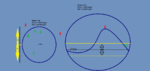
As for your explanation about ZRadius and Radius. I'm no artist, but this is the basic jist of it
radius and zradius.png

The basic math behind the Zradius is essentially, The difference of your ZLocation and their ZLocation has to be within the same range + or - the ZRadius selected, So if your current Z Location is -50 and you're using a ZRadius of 15, then only NPC's with a Z Location of (-50+15), or (-50-15) are valid targets, meaning any NPC with a Z Location between -35 and -65 are valid targets. That of course assumes they are inside the radius provided as well.
 
Last edited:
(Coming changes)
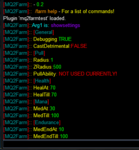
So now when it initializes it will tell you about the /farm help command.

Then if you do /farm showsettings, it will show you the settings for all current valid options.
1548779435401.png
 
sweet, thanks Chat that's a nice load rundown.

As for mq2 i have that loaded before I ever open any eqgame.exe's so that is already loaded when I'm at the char select, as I'd just done a /camp and then I'm coming back later, i just click enter and go.

The combat on suggestion above works in my mind. If you have an xtar it should continue the combat /melee on, but if it's in the middle of a pull, and you're close enough that the /attack on is activated, but not close enough to have engaged the mob yet, then turning it off should be good. The person is controlling the toon at that point, so they can make the decision of: "oops, I ran just a smidgen closer than I thought before I cancelled that, and got aggro anyway" they can turn it back on?

Three new things/suggestions:
  • Some discs don't really need to fire just because they're available. For instance, my warrior just got his new resistance discipline last night at 30, that disc raises his resistances for awhile, but has a 30 minute cooldown timer. This really is a raid timer, while it could be useful if you're facing caster's it's basically useless otherwise in a farming scenario. While it isn't really pulling cycles, it's not necessary either. The argument could also be made that excluding, and coding for all of the different scenarios is more trouble than it's worth, but I imagine there are a lot of more spendy, and longer cooldown timers from higher levels that people aren't going to want to be firing willy-nilly just "because it's ready to fire". While more coding, maybe the ini can be populated with your available discs and a 1/0 flag to say these are discs I want to use when they're available?
  • Two farm anchor point options would be nice. The current scenario has definite uses, whereby you're doing a roving farm, and that's handy for twisty/windy zones where I don't want my farmer to return back to his central farm "activation point" while waiting for mobs, or really for any reason. I start it where I start it because I'm ready to start obliterating the whole zone, and that just happens to be where I'm standing when I start, but otherwise it has no other meaning. Other times there's a need for a specific part of a zone to farm, and an anchor point/activation point is very important to farm just the mobs within your search radius from that point.
  • If you're sitting and medding because of whatever reason and you decide you want to manually control your character to move them to a new location, the farm plugin is _REALLY_ good at keeping them sitting down. A keyboard break option would be nice to temporarily suspend the sitting function while a person is trying to move their character. This is handy if their search radius is tight for some specific reason, but they want to move to a new area to re-engage.
 
Finalized list of changes for the day. Merge request submitted.

Note there is now a use for radius. The "/farm on" location is now an anchor point. If you still want to farm the whole zone just increase the radius.
The anchor point just says where the center of the radius is, the character never attempts to return to the location for any reason.

I added the MQ2Map circle on the map, but it still follows the character. I'll have to look into seeing what needs to be done to add an "Anchored" Circle to MQ2Map so that it will show the actual engage area.

DeathCheck does see that the merc is dead, but doesn't do anything about it other than wait. So you'll have to manually revive your mercenary until I can sort out how to revive the mercs.

Code:
/*
 Chatwiththisname 1/29/2019 - CHANGE: Changed the distance checks to Distance3DToSpawn function instead of GetDistance
                            - CHANGE: No longer checking Health/Mana/Endurance for you or group while you have Aggro.
                            - CHANGE: Adjust a "radius" circle on MQ2Map to depict the Radius engage
                            - CHANGE: Added /farm command param "ShowSettings" to display all valid settings.
                            - CHANGE: Gave radius a purpose. Set it so that where you issue the /farm on command is the anchor point for all potential
                              target consideration, and the user should not select entities outside of that circle when farming.
                            - CHANGE: Added the /permignore command to replicate the usage in the macro
                            - CHANGE: Added DeathChecks and Missing Group members checks. These are the same thing as far as the plugin is concerned.
                            - CHANGE: DeathCheck includes mercenary's correctly. Not yet handling reviving them.
                            */
 
New iteration of mq2farmtest:

Items of oddity/bugs/suggestions:

  • First start up /farm on and it displays current settings, but in my case all of them show zero.
    • Echoing each setting however shows what the values actually are currently set to.
  • Bad/Incomplete/Poor Quality Nav meshes can cause some odd behavior, where you are looking at a mob at point blank range and your toon is sitting down with a message in the MQ2 window saying it's waiting for aggro or a mob within search range.
    • Remeshing the zone will sometimes allow this to work. I also had success with unloading the plugin and turning farm on and off at times, but there was no silver bullet that always seemed to work. This is not necessarily a MQ2Farm issue, this is related to meshes. I was testing in Netherbian Lair, and there are a lot of conflicting mesh points and blockages that caused pathing problems, even with updated meshes (albeit not optimized either, was just re-run with default settings for this test.)
      • /echo ${Navigation.PathExists[id ${Target.ID}]} while having the mob targeted will tell you if there's a valid path to the mob. I however got this issue even when it returned true. Granted it was false 90% of the time.
    • Possibly related to the above nav pathing issues, when using farm in a tunnel environment like Netherbian, I was frequently getting hung up in nooks and crannies by my toon targeting mobs on the other side of walls, and not taking the walking path to the destination, but trying to shortcut through the walls, so end up stuttering on the wall for quite awhile.
  • /farm showsettings will display your current settings, but does not show in the /farm help information as an option.
  • /autoloot settings that determine you're inventory is full do not stop the plugin, you will continue to farm and leave even lootable (ie: stackable) items on the corpses. This is an MQ2Autoloot limitation not MQ2Farm's, as it stops your looting when primary inventory and bag slots are full, not caring if stackable items can still be looted.
  • Functionally the plugin will find mobs quite far away path-wise, and bypass closer mobs with a single minded focus on it's destination once set.
    • While I understand constant checks are system intensive, any run longer than 100(200?) units should pause and rescan for proximity I think to prevent epic trains.
    • Related to this, if you're stuck there should be a check dynamic on mq2nav if you haven't moved closer to your target in x time, then stop the chase and find new target.
  • Very strange situation here, I camped to character select to eat dinner. After I logged back in, I tried to re-enable farm again, using the settings it loaded (which it displayed correctly), and my character just sat down, no message, medded to full for the party, but never engaged mobs. So, I did a farm off and on again, no change. So I unloaded the farmtest plugin and reloaded it, when I did so, I went back to getting the message that my rogue merc needed to med for mana again.
 
Last edited:
Some of that stuff needs to go to @brainiac So that he's aware of these issues if they haven't already been sorted out, Such as trying to shortcut through walls. This plugin relies soley on MQ2Nav and doesn't use any MQ2MoveUtils commands at this time. I can't help you with mesh issues, again, to Brain it goes.

I hopefully have a fix for some issues related to the INI which I'll get added and tested soon as I'm done working on a custom macro for someone.

/autoloot = @plure if you want to report you glitch to him for that.

The plugin may find mobs far away (due to your mesh issues mentioned) and start navigating to said mob. But, if it gets aggro enroute, it should stop and switch targets to the aggrod mob, thus hopefully preventing a train. Again, MQ2Farm and Farm.mac are intended to be and always are expected to be something to farm lower level zones, if a train scares you, find a lower level zone. Really the only recommendation I can make in regards to that.

If however, it's not actually stopping to engage the mob that aggroed you, then I'll need to review the code for navigating to a destination mob.

Can't be sure why that happened. Sometimes when you enter a zone EQ's incorrectly reporting players are out of endurance, mana, or health when none of those are true. For endurance I typically just switch toons and have them jump while pressing forward which should update their current Endurance% so that the plugin can see the real amount. Same for mana, make them cast a spell.....merc….Erm...can't really fix that sadly. I will try hiring a rogue merc and doing some testing to prevent this. I realize that I should just probably use a check against the classes short name to exclude classes that have no mana entirely. Which is probably what I'll do. Was just hoping for a quick one liner fix which appeared to work correctly....but for whatever reason does not.

Keep raising the bar and I'll keep trying to jump over it.

CWTN
 
Pathing and looting I realized weren't part of your plugin, but mentioned them in the event you wanted to incorporate checks in the plugin for certain events occurring as a result of using those plugins that would allow the plugin to reset or change behavior if it were to happen. if/then check sort of thing.

The issue with aggro mobs enroute I'm not sure what you're using to determine aggro. Will an aggro mob go to xtar if it hasn't actually touched you yet? I was definitely having mobs ganging up on me while going to a far destination and not switching to the new aggroed mob. I know this was happening when i was stuck trying to path through a wall and a mob spawned or wandered close to me from behind while I was doing that, but the toon wouldn't switch to the mob right next to him, and the fungoids in there are all aggro by default.

The train I wasn't worried about necessarily, my warrior wasn't in any danger from that, but I also considered that not necessarily a desired event either. Especially as it pertained to the long pathing and ignoring close mobs issue. If you're "farming it all" why waste time running halfway across the zone for a mob when you have 10 beating on your ass right now?

So, the merc issue wasn't a problem until I was close to logging out last night. I started getting some phenomenal ping times, of like 3k and other lag oddities were occurring, so that may have been related. It had been working without issue up to that point.

The zero reported figures for defaults I'm only seeing when I first boot up EQ and log in. going to character select and back in again will retain the values.
 
@toadwart I know it keeps putting items that are stackable and you have space within the stack when grouped even when your bags are full (it doesn't if you have something on your cursor), when solo it calls the same function to check if you should loot so it should work but I haven't validated that since my toons are always grouped. Can you please verify in the MQ2AutoLoot thread your issue and settings? so I can try and reproduce the issue.
 
@toadwart I know it keeps putting items that are stackable and you have space within the stack when grouped even when your bags are full (it doesn't if you have something on your cursor), when solo it calls the same function to check if you should loot so it should work but I haven't validated that since my toons are always grouped. Can you please verify in the MQ2AutoLoot thread your issue and settings? so I can try and reproduce the issue.

Let me fill up my bags again and check. I have 2 tradeskill bags and they're set to ignore in those in the settings, so maybe that's the cause? I seemed to see 1 open slot left in other bags, as defined, but the TS bags were still viable fill options, as were stackable items in the other bags. I could have been mistaken, but I've got farm running again, and when his inventory gets full I'll double-check.

Edit:
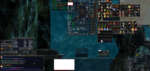
So, it appears to be partially working as I would expect, Items in the TS bags aren't continuing to get looted, while stackable items in the regular bags do get looted into stacks. in the image below i killed a mob with a porous mineral block on it, that got left on the corpse. those stack to 1000, and top left item in my container up to the right is a stack of 42 of those blocks. At the bottom of that message window in the lower left I loot an Exquisite Platinum Silvered Rune. That is a stackable item found in the Planar Fletching Kit in the upper right, on the right side, and is currently a stack of 4, so that looted correctly, but the mineral block did not. The other item left on the corpse was a single lore item i already have fyi. Deleteing a few items in the main bags and going back to looting again and it starts looting the stackable items even in the tradeskill bags.


1549130907537.png
 
Last edited:
Going back to the running across the zone issue.....toggling farm on and off isn't seeming to make it recheck surroundings.

So, I had a fungoid as my designated target, but I'd stopped the farm plugin to get my char unstuck from the geometry. While I did this the targeted mob (whom I had not hit yet, he had been chosen by the plugin and it was trying to run to him, and hadn't made it there yet before I got stuck) wandered far across the zone. So, when I restarted the plugin he was still my target but now there were 30 odd mobs between me and that target. The plugin did not refresh and check for new proximity. It would be helpful to allow a clear of target and refresh search the area when you restart the plugin to avoid that scenario.
-Even a /farm reset would be helpful to clear targetting and get it running again. Right now I've got a group in DL sitting within spitting distance of 8 drachnids, which are aggro mobs, everyone's full health and mana, and the toon is sitting down, with no message as to reason, and he's not targeting or pulling mobs. So right now the plugin is de facto non-functional for him. I've toggled on and off, I've unloaded and reloaded it. The only solution at present is to remove the rogue mercs from the group, unload/reload the plugin and restart farm. So I think that fairly well confirms that the rogue mercs are causing part of the issue there.

I can also verify that gaining aggro from a mob while chasing to a new mob is not recalibrating target. If your target is outside of the range you've defined as the point to actually target them so they show up in your target window, and they've not made it to your xtar window, then the plugin will ignore other mobs, even they aggro you and do start hitting you. The plugin keeps trying to run you to your distant target. I spent 5 minutes watching my toon trying to path through a wall to a target that wasn't in my target window while another one was in the passageway with him and beating on his backside.
 
Last edited:
Time for more suggestions Chat...

/farm discoff to disable all disciplines
/farm discname to only enable them if you're facing a name/farm off
/farm here to designate your current location as the centroid of a farm region that anchors your search radius to this point, then starts farming within your search criteria of that point, as opposed to /farm on, which wanders and searches

When a disc is operative I don't really need so much spam in the MQ window telling me it cannot trigger another discipline because one is active. Maybe either slower checks, or just less spam related to the checking? I do have debug on at the moment, and maybe that's part of it. I'm also having looting issues, and my character choosing to leave items on corpses. I believe this may be related to the changes to mq2autoloot lately.

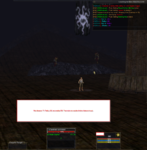
I have a zradius of 200 and a radius of 500 for my current farm, and a mob 171 feet away isn't being pulled and my char is sitting there "resting while waiting for valid targets or aggro.

1550276607081.png

If I /farm off and /farm on it will pick up the mob and go after it, but if I just let him sit there he won't go after the mob at all. Needs a faster check maybe?
 
Also a flag to enable/disable bard mezzing.. dont really need to mez when farming low lvl trash.. slows things down..
 
Code:
  if (strstr(pSpell->Name, "Discipline")) {
   if (pCombatAbilityWnd) {
    if (CXWnd *Child = ((CXWnd*)pCombatAbilityWnd)->GetChildItem("CAW_CombatEffectLabel")) {
     CHAR szBuffer[2048] = { 0 };
     if (GetCXStr(Child->WindowText, szBuffer, MAX_STRING) && szBuffer[0] != '\0') {
      if (PSPELL pbuff = GetSpellByName(szBuffer)) {
       if (Debugging) WriteChatf("Already have an Active Disc: \ag%s, \awCan't use \ar%s", pbuff->Name, pSpell->Name);
       return false;
      }
     }
    }
   }
  }

Only reason you get that spam about an active disc is if you have debugging on. You can turn that off. Ijs :-)

/farm debug off

Toggling discs on/off makes sense.
Named only discs....hrm, shall see.

Code:
void UpdateSearchString()
{
sprintf_s(searchString, MAX_STRING, "npc noalert 1 radius %i zradius %i targetable loc %f %f %f %s", Radius, ZRadius, AnchorX, AnchorY, AnchorZ, FarmMob);
}

There's an anchor which is the location where you issue the /farm on command and this will stay withing designated radius of the location.

With that said, it stands to reason that it's plausible that that NPC was outside of the given radius and by reissuing the /farm on command you are resetting the anchor location to your current location. Next time that happens try increasing the farm radius to see if it then picks the mob up.

Otherwise it's not something that I can troubleshoot without more in game experience with the issue from myself.

Will look into all of these.

Also, I experience it not reacting to combat and wandering across the zone today. But wasn't entirely able to immediately see the cause.
 
Yea, after I posted that I realized I did still have the debug flag on, and turning it off removed that spam.

My original anchor point was only about 80 ahead and to the right of that screenshot, so actually closer to that NPC than I was when I took that pic. I don't think that was the issue. I parked in the middle of that boat in Dulak, and made a radius that included all of the boat I was on, so everything on the boat should have been fair game, I should not have had to reset search distances at all. That's why I brought it up as an issue. Throughout the day, while I was on that boat I was suffering from that, and had to re-issue the farm command many times to make it pull and kill mobs on the boat.
 
This is the best, I will use this shit every single day once it's done.
 
Last edited:
Is there a way to set the anchor to a single point other then your toon. I would like to stand in the center of my radius of say 1000, and never move out of the circle that was based on my starting point, not my toons location.
 
I'm not sure when the changes were pushed to live but the start location should be the anchor location. IE: /farm radius 500 would make it so your current location is the center of a circle which goes in a radius of 500 outwards, the toon will kill everything inside of 500 from that location, but shouldn't venture outside of that circle unless you get aggro outside of the circle.
Last night I made changes to the plugin and pushed those changes to the live branch that fixes the mana/health/endurance checks for the group. Made changes with the facing logic that solves issues with the toon not facing a mob if they didn't need to navigate to it (IE: you have more than one mob in combat, you kill one and the other mob is close enough navigation isn't needed)
I then made changes to the way the INI is handled and anytime the gamestate changes to GAMESTATE_INGAME it will update the INI which should prevent the previously mentioned issues with the INI values not being stored correctly in their respective variables.
It should clear target if the target is a corpse
Increased the number of nearby spawns the sorting function uses from 50 to 200 as I found that in some situations while locked in the new anchor that 50 was not enough.
Added a few debug statements to the plugin for use in troubleshooting


The above changes were submitted for merge request about 12 hours ago at this time and should be accepted in the near future. However the anchor points were added previously and should already be live, but the mana/health/endurance checks weren't working correctly and will likely cause issues if not solo (this includes mercenaries)

These changes based on testing made the plugin perform as well as can be expected in it's current alpha version and other things will be need adding / troubleshooting to improve reliability.
 
not specific to current iteration, but there needs to be a check for non-attackable mobs. right now i've got my mage stuck on Pollos Stormkeeper in Kael Drakkel. He's a giant Kael banker whom you cannot attack. but the farm plugin targeted him and is trying to kill him. I disabled the plugin and it still won't stop trying to attack or nav to him. I've also tried to permignore him.

Finally got her to stop by /melee off
 
Yeah was gonna say, that sounds like an MQ2Melee thing if the plugin is off it turns off nav and if you aren't in combat should also turn off attack.

Also, I did find an issue with the DiscReady function that would prevent some things from firing based on a switch statement I forgot to put breaks into so if it requires your health is under a certain value and it passes the check, it falls through the switch and checks if your endurance is under "Breather" requirements as well. So I found this while writing MQ2BerZerker and already have the fix for it, just has to be submitted.

Other than that, glad you found the issue you were having.

As far as avoiding "Non-killable" mobs. I do my best the filter the mobs to avoid false targets. IE: Mobs with Surnames are not valid targets to prevent you from trying to attack quest NPC's or Vendors with the (Title under their name) IE: (Quests 1+)

and of course I populate the "IgnoreList" with the contents of the INI file and filter those out by name as well.

Using the command /permignore should add the current target to the ignore list and then remove the ID from the plugin's current target and clear your target.
 
Last edited:
So, not sure what state this is in. But I wanted to work on some slayer stuff. I went to Crescent Reach to farm "a_hollows_mushroom".

/farmradius 1000
/farm a_hollows_mushroom

Kills a few shrooms, then sits down,
[MQ2Farm}:: Character is resting while waiting for valid targets or aggro. He will not stand up. SOLUTION: Need to have Allow Auto-stand check in options windows. (ALT O)

Only thing I thought was kinda iffy, is he pops a defensive disc immediately when one runs out. So his disc were gone after the first 10 kills. Maybe wait for combat state to be active before popping discs and a health check? Just a thought, if I was going to kill higher level stuff or things that actually attack back, might be a little more beneficial for my health.
 
So, not sure what state this is in. But I wanted to work on some slayer stuff. I went to Crescent Reach to farm "a_hollows_mushroom".

/farmradius 1000
/farm a_hollows_mushroom

Kills a few shrooms, then sits down,
[MQ2Farm}:: Character is resting while waiting for valid targets or aggro. He will not stand up. SOLUTION: Need to have Allow Auto-stand check in options windows. (ALT O)

Only thing I thought was kinda iffy, is he pops a defensive disc immediately when one runs out. So his disc were gone after the first 10 kills. Maybe wait for combat state to be active before popping discs and a health check? Just a thought, if I was going to kill higher level stuff or things that actually attack back, might be a little more beneficial for my health.

i ran this other day while farming an item for epic 1.5 in south Ro,
just typed /farm 500 orc
and he went round killing ever orc for a couple of hours. he would sit for a few minutes while waiting for respawns. but would get up as soon as they spawned.
 
@deathlock it's possible that you had a radius or zradius issue, where one or both were too small to find more mobs.

For discs, it's currently just generalized and there is no set routine or logic designed to know if something is an active disc. You can use the
INI:
RemoveDisc#=Name of Disc
to remove a disc you don't want the character to use from the lineup. The plugin is just getting the highest level disc on every timer and storing those as "Best for this timer" it's doesn't nessesarily know what to do with it or when.

I do have plans to revisit and refine this plugin a bit more once I've got MQ2BerZerker farther along. While coding the MQ2BerZerker I'm creating utility functions that will serve to assist me in the creation of better logic for this plugin, and perhaps other combat assisting plugins in the future.
 
Code:
/farm castdetrimental on
returns an invalid command castdetrimental, as does a 1 in place of the "on"

I'm assuming this is possibly either because I'm using it as a zerker, and he can't cast, or something is borked in the plugin, most likely the former.

Suggestion: /farm switch to allow you to switch your target to nearest mob, or maybe next xtar mob especially if you get a series of "your target is too far away" messages and you have other mobs on xtar, possibly standing next to you. I just got stuck with my zerker trying to hit a spiroc up in a tree platform in timorous deep while he was down on the ground, and had 3 others beating on his merc healer next to him, and I couldn't switch targets without disabling the plugin.
 
Logic for this hasn't changed. I see that it could incorrectly report that if you do
Code:
/farm castdetrimental 1
that according to the logic that if cast detrimental is already on when you do that, it could skip returning out of the function, which would cause it to incorrectly state that it wasn't a valid option. I just neglected to handle that situation. So essentially I believe that means that it was already on when you issued the command. Thanks for finding that.

1552716525532.png
 
Can this plugin be used to pickup ground spawn? Tried to use it but couldn't figure out what to put. I am working on farming ground spawn items for brewing.
 
Release MQ2Farmtest

Users who are viewing this thread

Back
Top
Cart