
The block feature could be pretty handy. As far as the two channels that works fine for me. It is easy enough to control permissions for channels.

-
 Hail, we're RedGuides. We want you to play six (yes, 6!) EverQuest characters at once. We have scripts and a friendly community to help, please join our playstyle and say hello! 👋
You are using an out of date browser. It may not display this or other websites correctly.
You should upgrade or use an alternative browser.
You should upgrade or use an alternative browser.

Release MQ2Discord (1 Viewer)
- Thread starter alynel
- Start date
Daryldixonurmouth
Active member
So Im having an issue where anytime I do /plugin mq2discord it closes the client instantly. no error, not sure the issue. It was working great, I unloaded it a few times in an attempt to get blocks and such set up and boom now it just crashes.
So Im having an issue where anytime I do /plugin mq2discord it closes the client instantly. no error, not sure the issue. It was working great, I unloaded it a few times in an attempt to get blocks and such set up and boom now it just crashes.
That's not supposed to happen! Are you able to post or PM me your config? Don't forget to change the token and channel before you do.
You don't have to edit the config file btw, you can do it through in game commands. It might be worth renaming your config file, then setting up from scratch using commands - that will ensure you've got the file format correct.
Daryldixonurmouth
Active member
{
"allow": [
"[MQ2Discord]#*#",
"[MQ2]#*#",
"#*#tells you#*#",
"#*#out of character#*#",
"#*#says,#*#"
],
"autoconnect": true,
"block": [
"#*#tells you, 'Attacking#*#",
"#*#You will not evade me,#*#",
"#*#Sorry, Master... calming down#*#"
"channel": "",
"token": "NOPE,
"user": "NUHUH"
}
Is this the config file?
"allow": [
"[MQ2Discord]#*#",
"[MQ2]#*#",
"#*#tells you#*#",
"#*#out of character#*#",
"#*#says,#*#"
],
"autoconnect": true,
"block": [
"#*#tells you, 'Attacking#*#",
"#*#You will not evade me,#*#",
"#*#Sorry, Master... calming down#*#"
"channel": "",
"token": "NOPE,
"user": "NUHUH"
}
Is this the config file?
{
"allow": [
"[MQ2Discord]#*#",
"[MQ2]#*#",
"#*#tells you#*#",
"#*#out of character#*#",
"#*#says,#*#"
],
"autoconnect": true,
"block": [
"#*#tells you, 'Attacking#*#",
"#*#You will not evade me,#*#",
"#*#Sorry, Master... calming down#*#"
],
"channel": "",
"token": "NOPE,
"user": "NUHUH"
}
Is this the config file?
Yep that's the one. You're messing a closing bracket on the block list, I guess that's making it grumpy. You're missing a channel too, not sure if you've stripped it out to post but you'll need one.
Daryldixonurmouth
Active member
Funny what a tiny bracket will do!
- - - Updated - - -
So you were saying I don't have to edit the config? One thing Im finding is that once i have done an allow, I need a way to remove that allow if it has unexpected consequences.
For instance i was trying to allow All CC's and Camp checks to come through... But I actually allowed anything with the Letters CC together to come through. So Now I get poison reacts and such. In order to remove that I had to screw with the config... which as we know doesn't work out well for me
- - - Updated - - -
So you were saying I don't have to edit the config? One thing Im finding is that once i have done an allow, I need a way to remove that allow if it has unexpected consequences.
For instance i was trying to allow All CC's and Camp checks to come through... But I actually allowed anything with the Letters CC together to come through. So Now I get poison reacts and such. In order to remove that I had to screw with the config... which as we know doesn't work out well for me
Last edited:
You do it via the discord channel with /ooc This is MUH CAMP
You do it via the discord channel with /ooc This is MUH CAMP
How do I plug it in to say that though or how do I get the notification on discord that someone said CC?
Anything that matches your filter gets posted to Discord. There is no automation built in. You install Discord on your phone and hear the beep when something important is said. Then you use Discord to issue any slash command as if you were sitting there.
Anything that matches your filter gets posted to Discord. There is no automation built in. You install Discord on your phone and hear the beep when something important is said. Then you use Discord to issue any slash command as if you were sitting there.
So in Discord I just say /ooc The Watcher?

@EQman0311 yep.
Just got this up and working last night, thanks to @alynel
It's pretty awesome when you get your filters set.
For example typing in /discord allow #*#out of character#*# relays every /ooc in the zone to your discord app.
Just got this up and working last night, thanks to @alynel
It's pretty awesome when you get your filters set.
For example typing in /discord allow #*#out of character#*# relays every /ooc in the zone to your discord app.
@EQman0311 yep.
Just got this up and working last night, thanks to @alynel
It's pretty awesome when you get your filters set.
For example typing in /discord allow #*#out of character#*# relays every /ooc in the zone to your discord app.
But then how do you respond from let's say your phone on discord? Maybe I'm not understanding
But then how do you respond from let's say your phone on discord? Maybe I'm not understanding
We aren't talking about rocket science here. We are talking about simply using discord... You know how to chat on discord right? Boom that is all there is too it. Use your phone to issue a "/say omfg what am I doing" into the characters channel. Assuming you set it up properly that character is going to /say omfg what am I doing.
Daryldixonurmouth
Active member
Larer tells you, 'I am unable to wake an Arisen ritualist, master.'
`s pet tells you, 'I am unable to wake a crypt feaster, master
So THese 2 flood my discord and I can't seem to figure out how to block them. Here's my discord ini
I also can't seem to figure out how to remove something from the list if I mistype it or whatever as you can see there I have a mistype that sticks around.
{
"allow": [
"[MQ2Discord]#*#",
"[MQ2]#*#",
"#*#tells you#*#"
],
"autoconnect": true,
"block": [
"[MQ2]#*#",
"#Sorry, Master... calming down#*#",
"#You will not evade me,#*#",
"#tells you, 'Attacking#*#",
"#*#tells you, 'Attacking#*#"
],
`s pet tells you, 'I am unable to wake a crypt feaster, master
So THese 2 flood my discord and I can't seem to figure out how to block them. Here's my discord ini
I also can't seem to figure out how to remove something from the list if I mistype it or whatever as you can see there I have a mistype that sticks around.
{
"allow": [
"[MQ2Discord]#*#",
"[MQ2]#*#",
"#*#tells you#*#"
],
"autoconnect": true,
"block": [
"[MQ2]#*#",
"#Sorry, Master... calming down#*#",
"#You will not evade me,#*#",
"#tells you, 'Attacking#*#",
"#*#tells you, 'Attacking#*#"
],


Great work on this plugin Alynel! I'm working on setting up so allow/block filters to get some high quality alerting setup. One thought I had was I would love to see the majority of my MQ2 output by using [MQ2] in the allow block but still get some sort of elevated ping for a certain list of items.
IE: All output from MQ2 box goes to the discord channel, however if something hits these filters:
"notify": [
"#*#tells you#*#",
"#*#out of character#*#",
"#*#says,#*#"
],
The MQ2Discord plugin would then announce those in an @Here or @Channel or something along those lines so that Discord would notify. That way the Discord channel for the character could remain muted outside of mentions, and we could see a lot of output, while only notifying on those critical items. Is that something that we might be able to setup in the current?
Again thanks for the plugin it is working fantastic
IE: All output from MQ2 box goes to the discord channel, however if something hits these filters:
"notify": [
"#*#tells you#*#",
"#*#out of character#*#",
"#*#says,#*#"
],
The MQ2Discord plugin would then announce those in an @Here or @Channel or something along those lines so that Discord would notify. That way the Discord channel for the character could remain muted outside of mentions, and we could see a lot of output, while only notifying on those critical items. Is that something that we might be able to setup in the current?
Again thanks for the plugin it is working fantastic
I was able to set it up to where one character is sort of my "notifier" while the rest of the group gives me a feed of [MQ2] data:
Set chars 2-6 to relay tells to EQBC: /bccmd set tellwatch on
On Char1, set the discord channel to notify on all events, and ini for MQ2dicord:
{
"allow": [
"#*#tells you#*#",
"#*#out of character#*#",
"#*#says,#*#",
"#*#Tell from#*#"
],
"autoconnect": true,
"block": [
"#*#tells you, 'Attacking#*#",
"#*#You will not evade me,#*#",
"#*#Sorry, Master... calming down#*#"
],
For the remaining chars keep their discord channels on mute but use the following (I also have as much as possible in KA with the chat flag on so that it gets sent to EQBC):
{
"allow": [
"#*#tells you#*#",
"#*#out of character#*#",
"#*#says,#*#",
"#*#[MQ2]#*#",
"#*#MEZZED#*#"
],
"autoconnect": true,
"block": [
"#*#tells you, 'Attacking#*#",
"#*#You will not evade me,#*#",
"#*#Sorry, Master... calming down#*#",
"#*#beg forgiveness, Master#*#",
"#*#unable to wake#*#"
],
This setup seems to give a pretty reliable alert when someone is trying to contact me, while also letting me view the kiss spam in discord. Will continue to build it out, would eventually like to make sure to get alerted on when someone is in the area or enters zone as well. Open to feedback if anyone has ideas for how to improve. Alynel thanks for such a great plugin!
EDIT:
So to add a couple more useful "allows" for the chars that are NOT your notifier, in order to maximize the amount of information you can pull through discord:
See EQBC traffic for certain char names(Make sure to set XCon=1 in Kiss for everything you want to see such as DPS/Heals/Burn etc) /discord allow "#*#<charname>#*#"
View the results of a /who issued through discord: /discord allow "#*#(Pri#*#"
"allow": [
"#*#[MQ2]#*#",
"#*#<Pretty#*#",
"#*#(Pri#*#"
],
Another neat trick I learned today, you can /echo ${Target} to see what your character has targetted. And issue /target through discord to change the target. It opens the door for some neat remote administration of chars.
I'm going to try a different approach to using GTFO.mac (when I can be actively monitoring discord). I've set my POSSE.ini to have a command that does a /tell to my notifier character that a PC was detected in the radius. Then I will issue a /bcga //endmac + /bcga //gtfo.mac through discord if I determine that this person is sticking around. This also enables the ability to trigger a sell command through discord if you have GTFO.mac setup to auto sell.
Set chars 2-6 to relay tells to EQBC: /bccmd set tellwatch on
On Char1, set the discord channel to notify on all events, and ini for MQ2dicord:
{
"allow": [
"#*#tells you#*#",
"#*#out of character#*#",
"#*#says,#*#",
"#*#Tell from#*#"
],
"autoconnect": true,
"block": [
"#*#tells you, 'Attacking#*#",
"#*#You will not evade me,#*#",
"#*#Sorry, Master... calming down#*#"
],
For the remaining chars keep their discord channels on mute but use the following (I also have as much as possible in KA with the chat flag on so that it gets sent to EQBC):
{
"allow": [
"#*#tells you#*#",
"#*#out of character#*#",
"#*#says,#*#",
"#*#[MQ2]#*#",
"#*#MEZZED#*#"
],
"autoconnect": true,
"block": [
"#*#tells you, 'Attacking#*#",
"#*#You will not evade me,#*#",
"#*#Sorry, Master... calming down#*#",
"#*#beg forgiveness, Master#*#",
"#*#unable to wake#*#"
],
This setup seems to give a pretty reliable alert when someone is trying to contact me, while also letting me view the kiss spam in discord. Will continue to build it out, would eventually like to make sure to get alerted on when someone is in the area or enters zone as well. Open to feedback if anyone has ideas for how to improve. Alynel thanks for such a great plugin!
EDIT:
So to add a couple more useful "allows" for the chars that are NOT your notifier, in order to maximize the amount of information you can pull through discord:
See EQBC traffic for certain char names(Make sure to set XCon=1 in Kiss for everything you want to see such as DPS/Heals/Burn etc) /discord allow "#*#<charname>#*#"
View the results of a /who issued through discord: /discord allow "#*#(Pri#*#"
"allow": [
"#*#[MQ2]#*#",
"#*#<Pretty#*#",
"#*#(Pri#*#"
],
Another neat trick I learned today, you can /echo ${Target} to see what your character has targetted. And issue /target through discord to change the target. It opens the door for some neat remote administration of chars.
I'm going to try a different approach to using GTFO.mac (when I can be actively monitoring discord). I've set my POSSE.ini to have a command that does a /tell to my notifier character that a PC was detected in the radius. Then I will issue a /bcga //endmac + /bcga //gtfo.mac through discord if I determine that this person is sticking around. This also enables the ability to trigger a sell command through discord if you have GTFO.mac setup to auto sell.
Last edited:
{
"allow": [
"#*#say#*#",
"#*#GM#*#",
"#*#tell#*#",
"#*#out of#*#"
],
"autoconnect": true,
"block": [
"[MQ2Discord]#*#",
"A drogan#*#"
],
"channel": " ",
",
"token": " ",
",
"user": " "
"
}
Was having issue crashing into desktop, sometimes with "injection fail" popup
Not sure it's related to my setting but there you go
"allow": [
"#*#say#*#",
"#*#GM#*#",
"#*#tell#*#",
"#*#out of#*#"
],
"autoconnect": true,
"block": [
"[MQ2Discord]#*#",
"A drogan#*#"
],
"channel": "
","token": "
","user": "
"}
Was having issue crashing into desktop, sometimes with "injection fail" popup
Not sure it's related to my setting but there you go
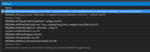
Been getting a crash every once in a while and I think MQ2Discord is the cause. The stack trace is the same even after the recent updates. Here is a stack trace of a dump from 12_14. Crash dump can be downloaded here: https://drive.google.com/file/d/1SnhhniybPNB8IQEQldoQCmHLq7JU6_xf/view?usp=sharing
Attachments
When I type command into discord it does not execute in game.
Do I need a certain version of Discord?
Should work with newest discord. Have you verified in the MQ2 window that it says Connected to Server after you /discord connect?
Yes, mq2 is sending to discord.Should work with newest discord. Have you verified in the MQ2 window that it says Connected to Server after you /discord connect?
It just doesn’t work when I type commands into discord.


I've been doing this with MQ2EQBC and Slack for years...
But I have the #channel represent a group, and you can use a character name for specific commands, or All for everyone.
It's how I talk to people when I'm AFK at work, and get tells.
I never thought to put it into a plugin, and it's not in a generic enough format to release yet. I'm curious to see how this plugin works... getting time
for that seasonal itch, and would be nice to not have to spend the 2 weeks each time I come back to the game getting my code working :P
But I have the #channel represent a group, and you can use a character name for specific commands, or All for everyone.
It's how I talk to people when I'm AFK at work, and get tells.
I never thought to put it into a plugin, and it's not in a generic enough format to release yet. I'm curious to see how this plugin works... getting time
for that seasonal itch, and would be nice to not have to spend the 2 weeks each time I come back to the game getting my code working :P

jamie75
Well-known member
i don't know how i managed this
Code:
[MQ2] Initializing SpellMap from SetGameState.
[MQ2] SpellMap Initialized from SetGameState.
[MQ2Discord] [MQ2] SpellMap Initialized from SetGameState.
[MQ2Discord] [MQ2Discord] [MQ2] SpellMap Initialized from SetGameState.
[MQ2Discord] [MQ2Discord] [MQ2Discord] [MQ2] SpellMap Initialized from SetGameState.
[MQ2Discord] [MQ2Discord] [MQ2Discord] [MQ2Discord] [MQ2] SpellMap Initialized from SetGameState.
[MQ2Discord] [MQ2Discord] [MQ2Discord] [MQ2Discord] [MQ2Discord] [MQ2] SpellMap Initialized from SetGameState.
[MQ2Discord] [MQ2Discord] [MQ2Discord] [MQ2Discord] [MQ2Discord] [MQ2Discord] [MQ2] SpellMap Initialized from SetGameState.
[MQ2Discord] [MQ2Discord] [MQ2Discord] [MQ2Discord] [MQ2Discord] [MQ2Discord] [MQ2Discord] [MQ2] SpellMap Initialized from SetGameState.
[MQ2Discord] [MQ2Discord] [MQ2Discord] [MQ2Discord] [MQ2Discord] [MQ2Discord] [MQ2Discord] [MQ2Discord] [MQ2] SpellMap Initialized from SetGameState.
[MQ2Discord] [MQ2Discord] [MQ2Discord] [MQ2Discord] [MQ2Discord] [MQ2Discord] [MQ2Discord] [MQ2Discord] [MQ2Discord] [MQ2] SpellMap Initialized from SetGameState.
[MQ2Discord] [MQ2Discord] [MQ2Discord] [MQ2Discord] [MQ2Discord] [MQ2Discord] [MQ2Discord] [MQ2Discord] [MQ2Discord] [MQ2Discord] [MQ2] SpellMap Initialized from SetGameState.
Code:
MQ2Discord] Connected: TOON1
[MQ2Discord] Connected: TOON2
[MQ2Discord] [MQ2Discord] Connected: TOON2
[MQ2Discord] [MQ2Discord] [MQ2Discord] Connected: TOON2
[MQ2Discord] [MQ2Discord] [MQ2Discord] [MQ2Discord] Connected: TOON2
[MQ2Discord] [MQ2Discord] [MQ2Discord] [MQ2Discord] [MQ2Discord] Connected: TOON2
[MQ2Discord] [MQ2Discord] [MQ2Discord] [MQ2Discord] [MQ2Discord] Connected: TOON2
[MQ2Discord] [MQ2Discord] [MQ2Discord] [MQ2Discord] [MQ2Discord] [MQ2Discord] Connected: TOON2
[MQ2Discord] [MQ2Discord] [MQ2Discord] [MQ2Discord] [MQ2Discord] [MQ2Discord] Connected: TOON2
[MQ2Discord] [MQ2Discord] [MQ2Discord] [MQ2Discord] [MQ2Discord] [MQ2Discord] Connected: TOON2
[MQ2Discord] [MQ2Discord] [MQ2Discord] [MQ2Discord] [MQ2Discord] [MQ2Discord] [MQ2Discord] Connected: TOON2
[MQ2Discord] [MQ2Discord] [MQ2Discord] [MQ2Discord] [MQ2Discord] [MQ2Discord] [MQ2Discord] Connected: TOON2[MQ2Discord] [MQ2Discord] [MQ2Discord] [MQ2Discord] [MQ2Discord] [MQ2Discord] Connected: TOON2
[MQ2Discord] Error, response text: {  "global": false,   "message": "You are being rate limited.",   "retry_after": 283}
[MQ2Discord] [MQ2Discord] [MQ2Discord] [MQ2Discord] [MQ2Discord] [MQ2Discord] [MQ2Discord] Connected: TOON2[MQ2Discord] [MQ2Discord] [MQ2Discord] [MQ2Discord] [MQ2Discord] [MQ2Discord] Connected: TOON2
[MQ2Discord] Error, response text:
Last edited:

jamie75
Well-known member
looks like there is an event that is triggering itself and the event is echoing the response over and over.
seems to be
[MQ2Discord]
Toon 1
Code:
{
    "allow": [
        "#*#tells you#*#",
        "#*#out of character#*#",
        "#*#says,#*#",
        "#*#Tell from#*#"
    ],
    "autoconnect": true,
    "block": [
        "#*#tells you, 'Attacking#*#",
        "#*#You will not evade me,#*#",
        "#*#Sorry, Master... calming down#*#"
    ],
toon2
Code:
{
    "allow": [
        "#*#tells you#*#",
        "#*#out of character#*#",
        "#*#says,#*#",
        "#*#[MQ2]#*#",
        "#*#MEZZED#*#"
    ],
    "autoconnect": true,
    "block": [
        "#*#tells you, 'Attacking#*#",
        "#*#You will not evade me,#*#",
        "#*#Sorry, Master... calming down#*#",
        "#*#beg forgiveness, Master#*#",
        "#*#unable to wake#*#"
    ],
Thanks guys, I got the repeat loop gone by doing this, but I cannot send commands such as /discord, /say, etc in discord. Can give me some suggestions?
Code:
{

    "allow": [

        "#*#tells you#*#",

        "#*#out of character#*#",

        "#*#says,#*#",

        "#*#Tell from#*#",

        "#*#sent a tell#*#",

        "#*#shouts,#*#",

        "#*#tells general#*#"

    ],

    "autoconnect": true,

    "block": [

        "[MQ2Discord]#*#",

        "#*#tells you, 'Attacking#*#",

        "#*#You will not evade me,#*#",

        "#*#Sorry, Master... calming down#*#"

    ],

    "channel": ":)",

    "token": ":)",

    "user": ":)"

}
Code:
{

    "allow": [

        "#*#tells you#*#",

        "#*#out of character#*#",

        "#*#says,#*#",

        "#*#[MQ2]#*#",

        "#*#MEZZED#*#"

    ],

    "autoconnect": true,

    "block": [

        "[MQ2Discord]#*#",

        "#*#tells you, 'Attacking#*#",

        "#*#You will not evade me,#*#",

        "#*#Sorry, Master... calming down#*#",

        "#*#beg forgiveness, Master#*#",

        "#*#unable to wake#*#"

    ],

    "channel": ":)",

    "token": ":)",

    "user": ":)"

}
jamie75
Well-known member
same issue. i think becuase we blocked "discord" word it prevents from sending the commands. but i don't know how to get around that. if i remove the block i end up in the discord spam circle until i'm shutdown for spamming. seems like the plugin so prevent this from happening
Users who are viewing this thread
Total: 2 (members: 0, guests: 2)
Share: