• You've discovered RedGuides, an EverQuest multi-boxing and scripting community 🧙‍♀️⚙️. We want you to play several EQ characters at once, come join us and say hello! 👋

  • A TLP without truebox has thawed (Very Vanilla ready)
    Frostreaver

Tip - MQ2 React Collection

  • Thread starter Thread starter drwhomphd
  • Anyone can edit the first post of this thread WikiPost WikiPost
  • Start date Start date
Status
The first post of this thread is a WikiPost and can be edited by anyone with the appropiate permissions. Your edits will be public.
One I use for making sure I use Unified Phoenix Feather for every 3 minutes out of 10 in a full group. Seems to be working quite well.
[CODE lang="ini" title="Unified Phoenix Feather"] UseGraceOfUnity:
action: /useitem Unified Phoenix Feather
condition: >-
!${Me.Casting.ID} && ${Me.CombatState.Equal[COMBAT]} && !${Me.Invis}
&& ${FindItemCount[=Unified Phoenix Feather]} && ${Me.ItemReady[Unified
Phoenix Feather]} && !${Me.Song[Grace of Unity].ID} && !${Me.Song[Blessing
of Unity].ID}[/CODE]
 
Oooh. I just built a nice one to keep my SK's Invis or IVU up.

YAML:
  StayIVU:
    action: /alt activate 1212
    condition: >-
      !${Me.Invis} && ${Me.CombatState.NotEqual[COMBAT]} && !${Melee.GotAggro}
      && !${Me.Moving} && !${Me.Casting.ID}
  StayInvis:
    action: /alt activate 531
    condition: >-
      !${Me.Invis} && ${Me.CombatState.NotEqual[COMBAT]} && !${Melee.GotAggro}
      && !${Me.Moving} && !${Me.Casting.ID}

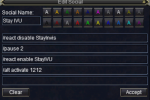
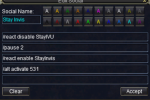
Then, 2 hotkeys to control it:

1617537651926.png1617537667926.png

SK will reinvis or re-IVU whenever it drops. Also good to have a hotkey that disables both and makes visible.
 
MQ2Feedme is great and this is not a replacement for it. But the chomp chomp emote is something I like to avoid. So to keep my emotes down, I fill up on roots and water when no one other than my group is around. (I also use AutoForage to keep my supplies up)

I still have MQ2FeedMe on to keep from eating my stat food if I'm not alone long enough for this to kick in.


[CODE lang="yaml" title="Eat Roots"] HungryRoots:
action: /useitem Roots
condition: >-
${FindItemCount[=Roots]} >= 1 && ${Math.Calc[${SpawnCount[pc radius
200]}-${SpawnCount[pc group radius 200]}]} == 0 && ${Me.Hunger} <
5975[/CODE]
[CODE lang="yaml" title="Drink Water"] ThirstyPoWater:
action: '/useitem "Pod of Water"'
condition: >-
${FindItemCount[=Pod of Water]} >= 1 && ${Math.Calc[${SpawnCount[pc
radius 200]}-${SpawnCount[pc group radius 200]}]} == 0 && ${Me.Thirst}
< 5975[/CODE]
 
My first attempt, might be a better way to do this.. but using eqbc to handle it, replace MAGE_NAME with your mage's name.
Primarily play TLP, so may need to change the spell/item based off that for your use.

I just disable the react for any character that doesn't get use out of a mod rod.

[CODE lang="yaml" title="Automatic Mod Rod Summoning and Consumption"]globals:
ShouldCast: "${Me.CombatState.NotEqual[COMBAT]} && !${Me.Moving} && !${Me.Invis}"
reacts:
EatModRod:
action: /useitem Rod of Mystical Transvergence
condition: >-
!${Me.Invis} && ${FindItemCount[=Rod of Mystical Transvergence]} >= 1 && ${FindItem[Rod of Mystical Transvergence].Timer.TotalSeconds}<1 && ${Me.PctMana} < 40 && ${Me.PctHPs} >= 75
RequestModRod:
action: >-
/multiline ; /react disable RequestModRod ; /bct MAGE_NAME //mqp on ; /timed 5 /bct MAGE_NAME //casting "Rod of Mystical Transvergence"|8| -targetid|${Me.ID} ; /timed 75 /bct MAGE_NAME //mqp off ; /timed 190 /react enable RequestModRod
condition: >-
${React.Global[ShouldCast]} && ${FindItemCount[=Rod of Mystical Transvergence]} == 0 && !${Cursor.Name.Equal[Rod of Mystical Transvergence]}[/CODE]
 
Last edited:
Has anyone experimented with a condition to camp all of your characters to desktop at a certain time? Example...at 4am PST, I want all my characters to return to camp, stop pulling, and camp to desktop.
 
With the help of @kaen01, this will fix TLP Avatar/Ferine Avatar. Special thanks to the OP of this this react.

YAML:
  AvatarDPS:
    action: /bandolier activate DPS
    condition: >-
      (${Me.Inventory[MainHand].Name.Find[Primal]} || ${Me.Inventory[MainHand].Name.Find[Ancient
      Prismatic]}) && ${Me.CombatState.Equal[COMBAT]} && (${Me.Buff[Ferine
      Avatar].ID} || (${Me.Buff[Avatar].ID} && ${Me.Buff[Avatar].Duration.Ticks}
      >= 10))
  AvatarPrimal:
    action: /bandolier activate Avatar
    condition: >-
      (!${Me.Inventory[MainHand].Name.Find[Primal]} && !${Me.Inventory[MainHand].Name.Find[Ancient
      Prismatic]}) && !${Me.Buff[Ferine Avatar].ID} && (!${Me.Buff[Avatar].ID}
      || ${Me.Buff[Avatar].Duration.Ticks} <= 6)
 
I'll admit I'm old(er) and resistant to change.
I'm just messing around with some low levels and I pull out my tried and true holyshit for merc control.
Seems CTWN plugins don't like MQ@Melee....
Somewhere in the dark reaches of my brain I remembered some plugin that was made to sort of replace MQ2Melee holyshits.
I had looked at it before but felt it was too newfangled to spend time trying to learn it.
I was faced with either get it working or miss out on controlling my merc.

Read the sparse instructions, played with the examples and within 10 minutes I had perfectly working Merc handling.

Thanks drwhomphd

YAML:
MercBurn:
    action: /stance Burn
    condition: "${Me.CombatState.Equal[COMBAT]} && ${Select[${Group.Member[1].Class},Wizard]} && ${Me.Mercenary.State.Equal[ACTIVE]} && !${Mercenary.Stance.Equal[Burn]}"
 
MercPassive:
    action: /stance Passive
    condition: "${Me.CombatState.NotEqual[COMBAT]} && ${Select[${Group.Member[1].Class},Wizard]} && ${Me.Mercenary.State.Equal[ACTIVE]} && !${Mercenary.Stance.Equal[Passive]}"
 
Thanks to Sic for pointing me in the direction of MQ2React, using the following to do a check for toons being at level 60 with 90% exp into level, and if so, turn AA exp up to 100 (assumes that you start all chars with /alternateadv off)

Edit: Thanks Kaen for bringing up the ${Me.PctExpToAA} TLO, now don't have to worry about disabling, can just add a check for the PctExpToAA < 100

INI:
  xpoff: 
    action: /alternateadv on 100
    condition: "${Me.Level} == 60 && ${Me.Exp} > 90000 && ${Me.PctExpToAA} < 100"

Edit: Ah also to add, I had issues trying to load mq2react on 30 chars because they were all trying to access the yaml file. Thank you to mythas for pointing towards an alias that will stagger the command on all toons:

INI:
/doall=/noparse /dgae /docommand /timed ${Math.Calc[${Select[${Me.CleanName}${DanNet.Peers.Replace[|,,]}]}*15]}
 
Last edited:
Has anyone experimented with a condition to camp all of your characters to desktop at a certain time? Example...at 4am PST, I want all my characters to return to camp, stop pulling, and camp to desktop.

Ok need some help to smooth this react. I have a tendency to fall asleep at the wheel. I'm sure some other EQ players getting long in the tooth have this issue as well so this could come in handy.

Stuff used:
  • MQNext (don't think this matters just pointing out my setup)
  • MQ2Dannet
  • CWTN plugins
  • Kissassist - Bard (hence the /twist off)
TANK = your tanks name, mine is a SK. BARD is bards name. Just enable BedTimeTank on your TANK. At 4am he should fire off a CWTN pause to group, a macro pause to group, tell your BARD to stop twisting, send the TANK back to where he started up HunterMode, tell group to come to him, enable BedTimeGroup to rest of group, then camp to desktop. Rest of group should check to see they are out of combat and finished moving and that its 4am and camp to desktop.

INI:
  BedTimeTank: 
    action: >-
      /multiline ; /dgga /docommand /${Me.Class.ShortName} pause on ; /dgga /mqp on; /dex BARD /twist off ;/shd gotocamp; /delay 20 ;
      /dgge /nav id ${Me.ID}; /delay 20; /dgge /react enable BedTimeGroup; /delay 5; /camp desktop
    condition: >-
      ${Me.CombatState.Equal[RESTING]} && !${Me.Moving} && ${Time.Hour} == 4
  BedTimeGroup: 
    action: >- 
      /camp desktop
    condition: >-
      ${Me.CombatState.Equal[RESTING]} && !${Me.Moving} && ${Time.Hour} == 4

What can I do better?
 
Ok need some help to smooth this react. I have a tendency to fall asleep at the wheel. I'm sure some other EQ players getting long in the tooth have this issue as well so this could come in handy.

Stuff used:
  • MQNext (don't think this matters just pointing out my setup)
  • MQ2Dannet
  • CWTN plugins
  • Kissassist - Bard (hence the /twist off)
TANK = your tanks name, mine is a SK. BARD is bards name. Just enable BedTimeTank on your TANK. At 4am he should fire off a CWTN pause to group, a macro pause to group, tell your BARD to stop twisting, send the TANK back to where he started up HunterMode, tell group to come to him, enable BedTimeGroup to rest of group, then camp to desktop. Rest of group should check to see they are out of combat and finished moving and that its 4am and camp to desktop.

INI:
  BedTimeTank:
    action: >-
      /multiline ; /dgga /docommand /${Me.Class.ShortName} pause on ; /dgga /mqp on; /dex BARD /twist off ;/shd gotocamp; /delay 20 ;
      /dgge /nav id ${Me.ID}; /delay 20; /dgge /react enable BedTimeGroup; /delay 5; /camp desktop
    condition: >-
      ${Me.CombatState.Equal[RESTING]} && !${Me.Moving} && ${Time.Hour} == 4
  BedTimeGroup:
    action: >-
      /camp desktop
    condition: >-
      ${Me.CombatState.Equal[RESTING]} && !${Me.Moving} && ${Time.Hour} == 4

What can I do better?
/delay # is not going to work. You want /timed ## /commandthatyouwantdelayed and the ## is in tenths of a second starting from when the original /multiline is invoked, not the time from the previous command in the multiline.

Code:
  BedTimeTank:
    action: >-
      /multiline ; /dgga /docommand /${Me.Class.ShortName} pause on; /dgga /mqp on; /dex BARD /twist off; /shd gotocamp; /timed 20
      /dgge /nav id ${Me.ID}; /timed 40 /dgge /react enable BedTimeGroup; /timed 45 /camp desktop

Personally, I use Dannet channels to separate commands for cwtn controlled characters and kissassist controlled ones (as well as role specific channels like tank, dps, caster, etc.) vs direct messaging a character by name.
 
Last edited:
AH /timed ok good to know.

from when the original /multiline is invoked, not the time from the previous command in the multiline

That I also did not know.

I did make a Dannet channel just for cwtn characters and /djoin whatevernameyouwant save on all of them. Most of my hotkeys do send the commands just to them. This was to simplify for an example, I only had one kissassist character anymore so never bothered to make a group. Your right though it should be something like:

YAML:
  BedTimeGroup: 
    action: /multiline ; /camp desktop; /react disable BedTimeGroup
    condition: >-
      !${Me.CombatState.Equal[COMBAT]} && !${Me.Moving} && ${Time.Hour}
      == 4
  BedTimeTank: 
    action: >-
      /multiline ; /dgae CWTNGROUPNAME /docommand /${Me.Class.ShortName} pause
      on ; /dgga /mqp on; /dex BARD /twist off ;/shd gotocamp; /timed
      20 ; /dgge /nav id ${Me.ID}; /timed 30; /dgge /docommand /timed $\{Math.Rand[40,70]]}
      /react enable BedTimeGroup; /timed 90; /camp desktop; /react disable
      BedTimeTank
    condition: >-
      !${Me.CombatState.Equal[COMBAT]} && !${Me.Moving} && ${Time.Hour}
      == 4

Added "/dgge /docommand /timed $\{Math.Rand[50,200]]} /react enable BedTimeGroup" the random time feature in here because seems to have a problem with to many characters changing the .yaml file at same time. Testing now. Also I changed it to just check that my combatstate was not in combat, that worked better.

Ok I had to add in the /react disable at end of both the reacts to keep it from looping. Works great now!

Thanks Many_Whelps
 
don't put a semicolon between the /timed and the command that should be delayed. Every command that you don't intend to execute immediately needs it's own /timed option. You can have multiple commands with the same time delay. Also, /timed must be the first thing in the command structure. Trying to nest a /timed inside a /dnet command is not going to work the way you think it should.
 
This is what I used in the OT for when my SK puller gets snared by the tigers:

[CODE lang="yaml" title="When my SK/puller gets snared"] SKSnared:
action: >-
/multiline ; /alt act 2031 ; /alt act 428 ; /beep
condition: >-
${Me.Snared.ID} && ${Group.Member[1].Distance} > 100 && !${Me.Feigning}[/CODE]
 
Anyone do me a solid and check my work/provide feedback? I think i need a better final conditional on that rage of Rolfron click... but just spitballing here. I want to make it fire on a different character every minute or so regardless of mana/health of all the mobs around, assuming you dont have the buff and you're in combat. The only headache is preventing them from checking/firing simultaneously.

INI:
Globals:
CheckStatus: "${Me.CombatState.Equal[COMBAT]} && !${Me.Casting.ID} && !${Me.Invis}"
NotCoP: "!${Me.Song[Circle of Power].ID}"
NotBlessed: "!${Me.Song[Grace of Unity].ID} && !${Me.Song[Blessing of Unity].ID}
RageReady: "${Me.ItemReady[Rage of Rolfron]}"
HornReady: "${Me.ItemReady[Miniature Horn of Unity]}"
FeatherReady: "${Me.ItemReady[Unified Phoenix Feather]}"
OneBelow95: >-
${Group.Member[0].PctMana} <= 95 || ${Group.Member[1].PctMana} <= 95
|| ${Group.Member[2].PctMana} <= 95 || ${Group.Member[3].PctMana} <=
95 || ${Group.Member[4].PctMana} <= 95 || ${Group.Member[5].PctMana} <= 95
OneBelow90: >-
${Group.Member[0].PctMana} <= 90 || ${Group.Member[1].PctMana} <= 90
|| ${Group.Member[2].PctMana} <= 90 || ${Group.Member[3].PctMana} <=
90 || ${Group.Member[4].PctMana} <= 90 || ${Group.Member[5].PctMana} <= 90
OneBelow85: >-
${Group.Member[0].PctMana} <= 85 || ${Group.Member[1].PctMana} <= 85
|| ${Group.Member[2].PctMana} <= 85 || ${Group.Member[3].PctMana} <=
85 || ${Group.Member[4].PctMana} <= 85 || ${Group.Member[5].PctMana} <= 85
OneBelow80: >-
${Group.Member[0].PctMana} <= 80 || ${Group.Member[1].PctMana} <= 80
|| ${Group.Member[2].PctMana} <= 80 || ${Group.Member[3].PctMana} <=
95 || ${Group.Member[4].PctMana} <= 80 || ${Group.Member[5].PctMana} <= 80
OneBelow75: >-
${Group.Member[0].PctMana} <= 75 || ${Group.Member[1].PctMana} <= 75
|| ${Group.Member[2].PctMana} <= 75 || ${Group.Member[3].PctMana} <=
75 || ${Group.Member[4].PctMana} <= 75 || ${Group.Member[5].PctMana} <= 75
OneBelow70: >-
${Group.Member[0].PctMana} <= 70 || ${Group.Member[1].PctMana} <= 70
|| ${Group.Member[2].PctMana} <= 70 || ${Group.Member[3].PctMana} <=
70 || ${Group.Member[4].PctMana} <= 70 || ${Group.Member[5].PctMana} <= 70
OneBelow65: >-
${Group.Member[0].PctMana} <= 65 || ${Group.Member[1].PctMana} <= 65
|| ${Group.Member[2].PctMana} <= 65 || ${Group.Member[3].PctMana} <=
65 || ${Group.Member[4].PctMana} <= 65 || ${Group.Member[5].PctMana} <= 65
OneBelow60: >-
${Group.Member[0].PctMana} <= 60 || ${Group.Member[1].PctMana} <= 60
|| ${Group.Member[2].PctMana} <= 60 || ${Group.Member[3].PctMana} <=
60 || ${Group.Member[4].PctMana} <= 60 || ${Group.Member[5].PctMana} <= 60
OneBelow55: >-
${Group.Member[0].PctMana} <= 55 || ${Group.Member[1].PctMana} <= 55
|| ${Group.Member[2].PctMana} <= 55 || ${Group.Member[3].PctMana} <=
55 || ${Group.Member[4].PctMana} <= 55 || ${Group.Member[5].PctMana} <= 55
OneBelow50: >-
${Group.Member[0].PctMana} <= 50 || ${Group.Member[1].PctMana} <= 50
|| ${Group.Member[2].PctMana} <= 50 || ${Group.Member[3].PctMana} <=
50 || ${Group.Member[4].PctMana} <= 50 || ${Group.Member[5].PctMana} <= 50
OneBelow45: >-
${Group.Member[0].PctMana} <= 45 || ${Group.Member[1].PctMana} <= 45
|| ${Group.Member[2].PctMana} <= 45 || ${Group.Member[3].PctMana} <=
45 || ${Group.Member[4].PctMana} <= 45 || ${Group.Member[5].PctMana} <= 45
OneBelow40: >-
${Group.Member[0].PctMana} <= 40 || ${Group.Member[1].PctMana} <= 40
|| ${Group.Member[2].PctMana} <= 40 || ${Group.Member[3].PctMana} <=
40 || ${Group.Member[4].PctMana} <= 40 || ${Group.Member[5].PctMana} <= 40

Character1:
UseFeather1:
  action: "/useitem Unified Phoenix Feather"
  condition: >-
      ${React.Global[CheckStatus]} && ${React.Global[NotBlessed]} && ${React.Global[FeatherReady]} && ${React.Global[OneBelow65]}
UseHorn1:
  action: "/useitem Miniature Horn of Unity"
  condition: >-
      ${React.Global[CheckStatus]} && ${React.Global[NotBlessed]} && ${React.Global[FeatherReady]} && ${React.Global[OneBelow95]}
UseCircle1:
  action: "/useitem Rage of Rolfron"
  condition: >-
      ${React.Global[CheckStatus]} && ${React.Global[NotCoP]} && ${React.Global[RageReady]} && ${React.Global[OneBelow95]}

Character2:
UseFeather2:
  action: "/useitem Unified Phoenix Feather"
  condition: >-
      ${React.Global[CheckStatus]} && ${React.Global[NotBlessed]} && ${React.Global[FeatherReady]} && ${React.Global[OneBelow60]}
UseHorn2:
  action: "/useitem Miniature Horn of Unity"
  condition: >-
      ${React.Global[CheckStatus]} && ${React.Global[NotBlessed]} && ${React.Global[FeatherReady]} && ${React.Global[OneBelow90]}
UseCircle2:
  action: "/useitem Rage of Rolfron"
  condition: >-
      ${React.Global[CheckStatus]} && ${React.Global[NotCoP]} && ${React.Global[RageReady]} && ${React.Global[OneBelow90]}

Character3:
UseFeather3:
  action: "/useitem Unified Phoenix Feather"
  condition: >-
      ${React.Global[CheckStatus]} && ${React.Global[NotBlessed]} && ${React.Global[FeatherReady]} && ${React.Global[OneBelow55]}
UseHorn3:
  action: "/useitem Miniature Horn of Unity"
  condition: >-
      ${React.Global[CheckStatus]} && ${React.Global[NotBlessed]} && ${React.Global[FeatherReady]} && ${React.Global[OneBelow85]}
UseCircle3:
  action: "/useitem Rage of Rolfron"
  condition: >-
      ${React.Global[CheckStatus]} && ${React.Global[NotCoP]} && ${React.Global[RageReady]} && ${React.Global[OneBelow85]}

Character4:
UseFeather4:
  action: "/useitem Unified Phoenix Feather"
  condition: >-
      ${React.Global[CheckStatus]} && ${React.Global[NotBlessed]} && ${React.Global[FeatherReady]} && ${React.Global[OneBelow50]}
UseHorn4:
  action: "/useitem Miniature Horn of Unity"
  condition: >-
      ${React.Global[CheckStatus]} && ${React.Global[NotBlessed]} && ${React.Global[FeatherReady]} && ${React.Global[OneBelow80]}
UseCircle4:
  action: "/useitem Rage of Rolfron"
  condition: >-
      ${React.Global[CheckStatus]} && ${React.Global[NotCoP]} && ${React.Global[RageReady]} && ${React.Global[OneBelow80]}

Character5:
UseFeather5:
  action: "/useitem Unified Phoenix Feather"
  condition: >-
      ${React.Global[CheckStatus]} && ${React.Global[NotBlessed]} && ${React.Global[FeatherReady]} && ${React.Global[OneBelow45]}
UseHorn5:
  action: "/useitem Miniature Horn of Unity"
  condition: >-
      ${React.Global[CheckStatus]} && ${React.Global[NotBlessed]} && ${React.Global[FeatherReady]} && ${React.Global[OneBelow75]}
UseCircle5:
  action: "/useitem Rage of Rolfron"
  condition: >-
      ${React.Global[CheckStatus]} && ${React.Global[NotCoP]} && ${React.Global[RageReady]} && ${React.Global[OneBelow75]}

Character6:
UseFeather6:
  action: "/useitem Unified Phoenix Feather"
  condition: >-
      ${React.Global[CheckStatus]} && ${React.Global[NotBlessed]} && ${React.Global[FeatherReady]} && ${React.Global[OneBelow40]}
UseHorn6:
  action: "/useitem Miniature Horn of Unity"
  condition: >-
      ${React.Global[CheckStatus]} && ${React.Global[NotBlessed]} && ${React.Global[FeatherReady]} && ${React.Global[OneBelow70]}
UseCircle6:
  action: "/useitem Rage of Rolfron"
  condition: >-
      ${React.Global[CheckStatus]} && ${React.Global[NotCoP]} && ${React.Global[RageReady]} && ${React.Global[OneBelow70]}
 
Last edited:
Thanks to Sic for pointing me in the direction of MQ2React, using the following to do a check for toons being at level 60 with 90% exp into level, and if so, turn AA exp up to 100 (assumes that you start all chars with /alternateadv off)

Edit: Thanks Kaen for bringing up the ${Me.PctExpToAA} TLO, now don't have to worry about disabling, can just add a check for the PctExpToAA < 100

INI:
  xpoff:
    action: /alternateadv on 100
    condition: "${Me.Level} == 60 && ${Me.Exp} > 90000 && ${Me.PctExpToAA} < 100"

Edit: Ah also to add, I had issues trying to load mq2react on 30 chars because they were all trying to access the yaml file. Thank you to mythas for pointing towards an alias that will stagger the command on all toons:

INI:
/doall=/noparse /dgae /docommand /timed ${Math.Calc[${Select[${Me.CleanName}${DanNet.Peers.Replace[|,,]}]}*15]}

In the event you want to be more granular with your level/aa exp ratios, I went with this to make my toons go to max level (TLP based here) then level aa xp while they work that last level to max %. This gets them 10% into a level then at every % they autoadjust aa xp 1 % higher. so at 33% into level they're pushing 33% to aa and 67% to leveling for example. This also keeps them at 99.X % into a level always, dealing with death adjustments etc. Might help folks that want to more easily automate that ratio adjustment without having to modify all of your toons on an ongoing basis. (24 toons adjusting for deaths etc is a real pain in the behind). I make no claims to perfection, but this auto adjusts very nicely for me:


[CODE lang="ini" title="AA/Regular dynamic ratio adjusting for TLPs"]reacts:
AAAllOff:
action: >-
/multiline ; /timed 10 /echo Below Max Level, toggling AA Off!; /alt off
condition: "${Me.Level} != ${Me.MaxLevel} && ${Me.PctExpToAA} > 0"
AAOn:
action: >-
/multiline ; /timed 10 /echo Toggling AA On!; /alt on ${Me.PctExp.Int}
condition: >-
${Me.Level} == ${Me.MaxLevel} && ${Me.PctExp} > 10 && ${Me.PctExp}
<= 100 && ${Me.PctExpToAA} < 100 && ${Me.PctExp.Int} != ${Me.PctExpToAA}
rizlona:
BobThebuilder:
AAAllOff: enabled
AAOn: enabled[/CODE]

Edit: 11/11/21 - fixed the reacts so they didn't toggle each other off, should both be enabled, and it will activate based on condition matching for whichever is true.
 
Last edited:
I'm using this with MQ2Grind to pause it and let my cleric and chanter med up. I'm using CWTN plugins as well.
Just using them on my War. It flips the war to tank mode in case there are roamers and pauses grind.
Replace ClericToonName and EnchanterToonName with your toon's names


INI:
  GrindP:
    action: /multiline ; /war mode 4; /grind pause; /react enable GrindR; /dex ClericToonName /clr mode 1; /dex EnchanterToonName /enc mode 1; /react disable GrindP
    condition: (${Group.Member[ClericToonName].PctMana} < 20 || ${Group.Member[EnchanterToonName].PctMana} < 20) && ${Grind.Active}
  GrindR:
    action: /multiline ; /war mode 7; /grind resume; /react enable GrindP; /dex ClericToonName /clr mode 3; /dex EnchanterToonName /enc mode 3; /stand; /react disable GrindR
    condition: ${Group.Member[ClericToonName].PctMana} > 95 && ${Group.Member[EnchanterToonName].PctMana} > 95 && ${Grind.Paused}

Edits:
Found that my War wasn't standing up to start pulling again
My Cleric and Enchanter were not siting to med so flip[ them to assist mode while grind is paused they will then sit if tank not engaged and in tank mode.
Commands work with MQ2Dannet and CWTN MQ2Cleric and CWTN MQ2Enchanter.
 
Last edited:
I'm using this with MQ2Grind to pause it and let my cleric and chanter med up. I'm using CWTN plugins as well.
Just using them on my War. It flips the war to tank mode in case there are roamers and pauses grind.
Replace ClericToonName and EnchanterToonName with your toon's names


INI:
  GrindP:
    action: /multiline ; /war mode 4; /grind pause; /react enable GrindR; /dex ClericToonName /clr mode 1; /dex EnchanterToonName /enc mode 1; /react disable GrindP
    condition: (${Group.Member[ClericToonName].PctMana} < 20 || ${Group.Member[EnchanterToonName].PctMana} < 20) && ${Grind.Active}
  GrindR:
    action: /multiline ; /war mode 7; /grind resume; /react enable GrindP; /dex ClericToonName /clr mode 3; /dex EnchanterToonName /enc mode 3; /stand; /react disable GrindR
    condition: ${Group.Member[ClericToonName].PctMana} > 95 && ${Group.Member[EnchanterToonName].PctMana} > 95 && ${Grind.Paused}

Edits:
Found that my War wasn't standing up to start pulling again
My Cleric and Enchanter were not siting to med so flip[ them to assist mode while grind is paused they will then sit if tank not engaged and in tank mode.
Commands work with MQ2Dannet and CWTN MQ2Cleric and CWTN MQ2Enchanter.
this is probably right infront of my face, but could somone explain just a tad bit better to me how to work this /react?
here is the first thing I want to do and if i understand how it works i think ill set sail from there.
Im using Grind and when it pauses, I want it to unpause once all are rezzed and have a lil mana/endurance.

What i am trying to understand is ,, Is this /react , reading from scripts in game or mq window or what.
for instance,, does it see /grind pause , come up on my screen and then if i have it set to see this, it searches for alive party and some % and then does /grind resume on its own,. or is it more indepth thanj that,.
(ALSO what is /dex?)

The Code above it feels lie its light years beyond my understanding and i would love to look at that and not only get it, but know how to do it myself.
Could anyone point me into a directory that if I read it even if I have noidea what im doing, by the time I read all of it, I have an ok understanding and can start writing these codes myself.
Please. Thankyou
 
this is probably right infront of my face, but could somone explain just a tad bit better to me how to work this /react?
here is the first thing I want to do and if i understand how it works i think ill set sail from there.
Im using Grind and when it pauses, I want it to unpause once all are rezzed and have a lil mana/endurance.

What i am trying to understand is ,, Is this /react , reading from scripts in game or mq window or what.
for instance,, does it see /grind pause , come up on my screen and then if i have it set to see this, it searches for alive party and some % and then does /grind resume on its own,. or is it more indepth thanj that,.
(ALSO what is /dex?)

The Code above it feels lie its light years beyond my understanding and i would love to look at that and not only get it, but know how to do it myself.
Could anyone point me into a directory that if I read it even if I have noidea what im doing, by the time I read all of it, I have an ok understanding and can start writing these codes myself.
Please. Thankyou

It pauses the grind if your enchanter or clerics mana drops below 20% then once they are both back up to 95% it starts the grind again.
/dex is a MQ2DANNET command directly to a toon same as /bct on EQBCS.

The idea is that it will stop the grind for med breaks so your toons won't die due to cleric being low on mana :).

you can change the med thresholds if you want so if you want it to pause when your cleric or enchanter are at 40% instead of 20% just change the 20 to 40
or if you want it to resume at 75% mana just change 95% to 75%.

Hope this helps
 
Here is my yaml configuration. I needed to modify MQ2Grind so that it would pause when my backup healer (Druid) was low on mana. Replace [Name] with your character's name. I am using "Netbots" -https://www.redguides.com/community/resources/mq2netbots.148/ to get the mana % from the druid. I run this on my warrior that is running the grind mission. It's not perfect as when the condition exists it spams the command to pause or resume but it works.


[email protected]

globals:
GlobalExample: "${Me.CombatState.NotEqual[COMBAT]} && ${Me.PctHPs} <= 25"
reacts:
Grindpause:
action: /multiline ; /grind pause ; /sit ; /react disable Grindpause ; /react enable Grindresume
condition: "${NetBots[Name].PctMana}<=20"
Grindresume:
action: /multiline; /grind resume ; /sit ; /react disable Grindresume ; /react enable Grindpause
condition: "${NetBots[Name].PctMana}>=99"
sleep_frames: 15
server:
player1:
ExampleReact: enabled
player2:
Grindpause: enabled
Grindresume: enabled
player3:
ExampleReact: enabled
player4:
ExampleReact: enabled
player5:
ExampleReact: enabled
player6:
ExampleReact: enabled
 
Last edited:
I saw a MQ2React in another thread, cannot remember which, but it was able to close the free to play popups that show up (alert windows I think). Does anyone know what they are? Should be added here.
 
Shei mission: Auto banish adds

I'm using my shaman's root to banish adds. This react (mq2react) will banish them as soon as they appear, and if it fails, will keep trying — while barely interrupting heals and cures. Works like a charm.

Notes: I'm running mq2shaman. I have BYOS enabled, and Shackle memorized in slot 13.

YAML:
  SHMShei:
    action: >-
      /multiline ; /react disable SHMShei; /stopcast; /timed 5 /shm pause
      on; /timed 7 /stopcast; /timed 10 /target datiar xi tavuelim; /timed
      13 /cast 13; /timed 45 /shm pause off; /timed 50 /react enable SHMShei
    condition: "${Spawn[npc datiar xi tavuelim radius 60].ID}"
 
Anyone have a react to sit after a delayed period of time? I tried /timed 50 /sit but it gets into a weird loop where it stands up and sits down over and over until it reaches the point it should stop medding.

I don't want my character to sit right after casting because that often draws aggro. Not a big deal in some situations but I could foresee it being an issue against named or raid mobs.
 
Anyone have a react to sit after a delayed period of time? I tried /timed 50 /sit but it gets into a weird loop where it stands up and sits down over and over until it reaches the point it should stop medding.

I don't want my character to sit right after casting because that often draws aggro. Not a big deal in some situations but I could foresee it being an issue against named or raid mobs.
a react will likely conflict with your automation tool of choice. It would be better to get the macro or plugin to sit between casts. However, there is no good way for MQ to track the amount of time that's past since your last cast spell. You're better off just sitting between pulls or being mounted
 
a react will likely conflict with your automation tool of choice. It would be better to get the macro or plugin to sit between casts. However, there is no good way for MQ to track the amount of time that's past since your last cast spell. You're better off just sitting between pulls or being mounted
Okay thanks for the tip. I was wondering if maybe my plugin was interfering and maybe I just need to add a check if I am in combat.
 
Man, this is amazing. Just when you figure this out and the lights come on...wow. It's like finding a new toy under the Christmas tree. Thanks for all that contribute! Using SHMShei and SKSnared solved 2 problems I've experienced in a flash. Wow, THANKS!
 
My Rogue never dies with this React combo:

If health drops below 75%, activates Tumble.
If health drops below 40%, activates Nimble Discipline.
If health drops below 20%, stops all activity and activates Escape.

YAML:
  RogLive1Tumble:
    action: /alt activate 673
    condition: >-
      ${Me.XTarget} > 0 && ${Me.PctHPs} < 75 && ${Me.AltAbilityReady[673]}
      && !${Me.Song[Evader's Shroud of Stealth].ID} && !${Me.Dead}
  RogLive2Nimble:
    action: /multiline ; /stopdisc; /disc Nimble Discipline
    condition: >-
      ${Me.XTarget} > 0 && ${Me.PctHPs} < 40 && !${Me.Buff[Assassin's Parry
      I].ID} && ${Me.CombatAbilityReady[Nimble Discipline]} && !${Me.Song[Evader's
      Shroud of Stealth].ID} && !${Me.Dead}   
  RogLive3Escape:
    action: >-
      /squelch /multiline ; /backoff; /end; /attack off; /afollow off;
      /stick off; /moveto off; /nav stop; /play off; /timed 5 /alt activate
      102
    condition: >-
      ${Me.XTarget} > 0 && ${Me.PctHPs} < 20 && ${Me.AltAbilityReady[102]}
      && !${Me.Song[Evader's Shroud of Stealth].ID} && !${Me.Dead}
 
Can anyone please help me with a react that will look for raid corpses, summons them if they are close enough, and casts rez on them?
 
Using Reacts to control the 2 rogue mercs, toggling between burn and passive
YAML:
  MercBurn:
    action: /multiline ; /echo MERC ASSIST ; /squelch /bcga //stance burn ; /squelch /bcga //mercassist
    condition: >-
      ${Target.Distance} <= 30 && ${CWTN.Paused} == FALSE && ${Me.CombatState.Equal[COMBAT]}
      && ${Mercenary.Stance.Equal[Passive]} && ${Mercenary.State.NotEqual[DEAD]}
YAML:
  MercPassive:
    action: /multiline ; /echo MERC PASSIVE ; /squelch /bcga //stance PASSIVE
    condition: "${Me.XTarget} <= 0 && ${Me.CombatState.NotEqual[COMBAT]} && ${Mercenary.Stance.Equal[Burn]} && ${Mercenary.State.NotEqual[DEAD]}"
 
Last edited by a moderator:
How would you add an action so when you summon something it automatically inventories the item?
 
How would you add an action so when you summon something it automatically inventories the item?

I don't have anything with that use case, however it would be trivial to change my /destroy to /autoinv in the following code:

[CODE lang="yaml" title="Destroy junk!"] DestroySmallChunk:
action: /destroy
condition: "${Cursor.Name.Equal[Small Chunk of Velium]}"
[/CODE]
 
I don't have anything with that use case, however it would be trivial to change my /destroy to /autoinv in the following code:

[CODE lang="yaml" title="Destroy junk!"] DestroySmallChunk:
action: /destroy
condition: "${Cursor.Name.Equal[Small Chunk of Velium]}"
[/CODE]
Not too good at this (not good at all actually LOL) - so what is missing here? Can't seem to make it work

Inventory:
action: /autoinventory
condition: "${Cursor.Name.Equal[Warm Milk]}"
 
Not too good at this (not good at all actually LOL) - so what is missing here? Can't seem to make it work

Inventory:
action: /autoinventory
condition: "${Cursor.Name.Equal[Warm Milk]}"
You're on the right path, just probably have something simple messed up. Your syntax looks right, but do you also have a trigger under your character name in the yaml file too? every react is a two piece deal. one is the action name, in the above "inventory" or "destroysmallchunk", with an action and a condition. The other part is that for character BobisLazy you need a trigger in the yaml for him as well, where you'd have:

BobisLazy:
Inventory: enabled
DestroySmallChunk: enabled

Make sure your spacing is right for that, I don't think this posting is going to preserve my spaces right. Then you'd need to go to BobisLazy and execute "/react reload" so that it's actively working.
 
You're on the right path, just probably have something simple messed up. Your syntax looks right, but do you also have a trigger under your character name in the yaml file too? every react is a two piece deal. one is the action name, in the above "inventory" or "destroysmallchunk", with an action and a condition. The other part is that for character BobisLazy you need a trigger in the yaml for him as well, where you'd have:

BobisLazy:
Inventory: enabled
DestroySmallChunk: enabled

Make sure your spacing is right for that, I don't think this posting is going to preserve my spaces right. Then you'd need to go to BobisLazy and execute "/react reload" so that it's actively working.
That was it! Thanks, toad! Is there a max number of conditions you can put? Both the Warm Milk and the Spiced Icer Tea are working but not the Fresh Cookie

Inventory:
action: /autoinventory
condition: >-
${Cursor.Name.Equal[Warm Milk]}
${Cursor.Name.Equal[Spiced Iced Tea]}
${Cursor.Name.Equal[Fresh Cookie]}
 
no max that I'm aware of. I don't know the exact name of the cookies though my guess is you have it misspelled. You can visually check the name, but sometimes 's and such can screw up names, so doing an echo check would verify that you're reading what you think you're reading. You can check by putting it on your cursor and type: "/echo ${Cursor.Name.Equal[Fresh Cookie]}" and see if it returns TRUE, if not then your name is off. Also not sure about the multi line method you have there. I would string those together with a || to check with one or the other, or the other type of approach. I wasn't aware a list like that would work, but never tried before.

Edit: Upon further reflection I suspect there is a limit, probably 2048 characters, as that is the limit I've encountered with other string limits in macros before.
 
Last edited:
no max that I'm aware of. I don't know the exact name of the cookies though my guess is you have it misspelled. You can visually check the name, but sometimes 's and such can screw up names, so doing an echo check would verify that you're reading what you think you're reading. You can check by putting it on your cursor and type: "/echo ${Cursor.Name.Equal[Fresh Cookie]}" and see if it returns TRUE, if not then your name is off. Also not sure about the multi line method you have there. I would string those together with a || to check with one or the other, or the other type of approach. I wasn't aware a list like that would work, but never tried before.

Edit: Upon further reflection I suspect there is a limit, probably 2048 characters, as that is the limit I've encountered with other string limits in macros before.
Yes, the || worked. Thank you toad!
 
Just wondering.. is there a beginners guide to mq2react somewhere?

I’m wanting to add a few item clickies to a character but a bit intimidated about breaking something/what I’ve read so far goes a bit over my head.

One example:

I’m wanting to have my bard use his Lute of the Gypsy Princess during fights when it isn’t on cool down.

Potions are another big one just because I always forget to use them.

Would rgmercs be the better route? Thanks for any help you guys can offer!
 
Anything with a cast time you’re better off adding to your automation as a buff. Otherwise, like your lute, you can use React.

Your action is just going to be /useitem. So the part you’ll need to work on is the condition under which you want to use it. Which is probably just WillLand and Don’t already have it.
 
Here's the idea and the goal...

120 mage is powerleveling alts/friends at an outdoor camp using AoE spells. Sends pet in to round up 3-8 mobs at a time. My mage, using AoE spells sometimes draws aggro from 1-4 mobs at a time. If I'm using KA, my mage pet (which is the tank) won't switch to the mobs beating on my mage without my intervention. I have my /pet attack (with taunt) on a hotkey (F12, for example). Am I on the right track to achieving the following:

Mage pulls aggro > starts getting hit > react conditions press the /pet attack hotkey for each true condition (NPC has 100% aggro on me) > pet targets the mobs on the extended targets list that have 100% aggro on the mage > pet regains aggro

INI:
Pet Taunt:     
   action: /multiline ; /keypress F12
   condition: >-
      ${Me.XTarget}>1
      && (${Me.XTarget[1].Type.Equal[NPC]} && ${Me.XTarget[1].PctAggro}<100
      || ${Me.XTarget[2].Type.Equal[NPC]} && ${Me.XTarget[2].PctAggro}<100
      || ${Me.XTarget[3].Type.Equal[NPC]} && ${Me.XTarget[3].PctAggro}<100
      || ${Me.XTarget[4].Type.Equal[NPC]} && ${Me.XTarget[4].PctAggro}<100
      || ${Me.XTarget[5].Type.Equal[NPC]} && ${Me.XTarget[5].PctAggro}<100
      || ${Me.XTarget[6].Type.Equal[NPC]} && ${Me.XTarget[6].PctAggro}<100
      || ${Me.XTarget[7].Type.Equal[NPC]} && ${Me.XTarget[7].PctAggro}<100||
      ${Me.XTarget[8].Type.Equal[NPC]} && ${Me.XTarget[8].PctAggro}<100
      || ${Me.XTarget[9].Type.Equal[NPC]} && ${Me.XTarget[9].PctAggro}<100
      || ${Me.XTarget[10].Type.Equal[NPC]} && ${Me.XTarget[10].PctAggro}<100
      || ${Me.XTarget[11].Type.Equal[NPC]} && ${Me.XTarget[11].PctAggro}<100
      || ${Me.XTarget[12].Type.Equal[NPC]} && ${Me.XTarget[12].PctAggro}<100
      || ${Me.XTarget[13].Type.Equal[NPC]} && ${Me.XTarget[13].PctAggro}<100)

What else do I need to make this idea happen? Is it even possible? I've been trying to think through how to make this possible all day. I don't want to use 10-15 minute AAs that dump threat because this event happens nearly every pull (because I'm 120 blasting 104-108 mobs).
 
Last edited:
Tip - MQ2 React Collection

Users who are viewing this thread

Back
Top
Cart