• Hail, we're RedGuides. We want you to play six (yes, 6!) EverQuest characters at once. We have scripts and a friendly community to help, please join our playstyle and say hello! 👋
  • We've added LLM sections to our Terms & Rules and Resource Rules, for everyone's sanity & in-game safety.
    Read more
    a. Do not replace your voice with an LLM. This goes for your posts and your scripts. Drafting and editing with a tool is fine, but don't take you out of what you share.
    b. Do not replace your EQ character's voice with an LLM. We don't want scripts that speak over /ooc, /shout or other public channels. This has been an unwritten rule that's kept casino scripts off the site for decades, but we're now compelled to make it clear: keep automated communication private.

    Why Does RG Review Scripts?
    Nearly every LLM-written Lua script we see is making your character do impossible things, and rarely in a way that's beneficial to you. We've seen heavy server hammering, /target over impossible distances when /nav spawn would passively accomplish the same thing, a spawn search that fires 20+ times per second, and other pointless actions that are likely annoying GMs.

    You are welcome to use LLMs as a tool to structure, draft, and edit your work, but please read critically before hitting /lua run

Problem - MQ2 Nav Mesh missing

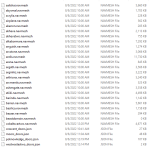
well i had bought a new Pc while i was reinstalling Mq2 did all the updates plus reactivated Mq2 cleric and warrior licenses. I log-in and saw i couldnt nav thru the zone's looking around my files and notice MQ2 nav mesh maps was not installing. Every time i press mesh update it just closes
 

Attachments

  • Capture.PNG
    Capture.PNG
    55.9 KB · Views: 13
well i had bought a new Pc while i was reinstalling Mq2 did all the updates plus reactivated Mq2 cleric and warrior licenses. I log-in and saw i couldnt nav thru the zone's looking around my files and notice MQ2 nav mesh maps was not installing. Every time i press mesh update it just closes
if for some reason you wanted to manually download and unzip the meshes you can directly do that > here < make sure you understand where they go.

I would also recommend considering whitelisting your mq and eq folders and subfolders from any file syncing and av scanning/quarantining
 
Actually we're having the same problem on our Laptops.
(Ugh, my PC is a totally different story now but... I digress)

I checked and the plugin is turned on.

It says I don't have the mesh files for the zone.
When I press the "Update Mesh Files" button, the navigation N,S,E,W art comes up but the program just sits at the bottom of the windows bar, if I mouse over it, it just looks like a black empty DOS prompt from back in the day.

I'm trying to search the forums now for a solution but I am not finding anything.
I reinstalled MQ2 on this Laptop and maybe I didn't merge the two or whatever it's called. The Migrate button? or should it still work regardless? Everything else seems to work.

Edit: I realize this is an old thread but it sounded exactly like what I'm dealing with so....
Edit Edit: I'm watching your video now, wise one, I did not see the link!
Edit Edit Edit: @48 seconds where he says to press the Update button, his opens where mine doesn't even get past the loading Art.
:)
in the post above i linked where you can download them directly if that is something you need to do


you only need to migrate if you need to migrate from mq2 -> mq, which is not something you likely need to do now.
 
Problem - MQ2 Nav Mesh missing

Users who are viewing this thread

Back
Top
Cart