• Hail, we're RedGuides. We want you to play six (yes, 6!) EverQuest characters at once. We have scripts and a friendly community to help, please join our playstyle and say hello! 👋
  • We've added LLM sections to our Terms & Rules and Resource Rules, for everyone's sanity & in-game safety.
    Read more
    a. Do not replace your voice with an LLM. This goes for your posts and your scripts. Drafting and editing with a tool is fine, but don't take you out of what you share.
    b. Do not replace your EQ character's voice with an LLM. We don't want scripts that speak over /ooc, /shout or other public channels. This has been an unwritten rule that's kept casino scripts off the site for decades, but we're now compelled to make it clear: keep automated communication private.

    Why Does RG Review Scripts?
    Nearly every LLM-written Lua script we see is making your character do impossible things, and rarely in a way that's beneficial to you. We've seen heavy server hammering, /target over impossible distances when /nav spawn would passively accomplish the same thing, a spawn search that fires 20+ times per second, and other pointless actions that are likely annoying GMs.

    You are welcome to use LLMs as a tool to structure, draft, and edit your work, but please read critically before hitting /lua run

"Mouse Release" issues

Aberham

New member
I'm not sure if it's technically called "Mouse Release", but with the current build I am having issues as so:

Let's say I have 6 characters on my main desktop and one of them dies. I res that character, and I want them to loot their corpse. I execute the command on /lootmycorpse, and in order for him/her to loot, that screen must be active in order to loot/move/click items. I believe it is build related, because every now and then I get a build that doesn't support the mouse being able to be in the background and able to move/loot/click.

Any ideas as to the cause of this? Or any potential fix for it? And has anyone else experienced similar issues? According to my theory, everyone who has automation mouse movement / clicking that is using this current build should be experiencing the same issues. I have the same issue on my 2 laptops and 3 other computers.

Appreciate it. Take care, and be smart

Abe
 
Yes , yes I do!

It's not build related if you use alt tab sometimes it "sticks" the alt key down for that screen, I noticed this same behaviour on my shaman who was supposed to be running behind my monk and looting the corpses left in my wake (Muahahahaha!)

What I noticed is when using WinEQ2 if I used my mouse to select the monk window instead of alt tabbing it ceased being a problem.

So try that!

Oh and.....

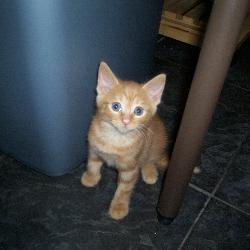
See this kitten?
93713.2.jpg


He's dead, he's dead because YOU posted a question in the Strategy and Cheat section.

The strategy and cheat section is meant ONLY for publishing strategy's and Cheats, it is not meant for your generel chat or question or requests or my bad english and overuse of the word OR.

POST IN THE CORRECT FORUM!@!!!*R%$#Y*#*!*!*!!*&!!!!!!

... please.
 
So, use Ctrl + Alt + 1, Ctrl + Alt + 2, etc, instead of alt/tab? Or the other way around?

I apologize for posting in the wrong section. May want to use the Find function and move my other post. Since I posted that one and hadn't been busted, I figured I'd post this one, too, but... issue resolved. I'll post my questions here.
 
Okay I understand what you're saying. Is there any way to fix that? Err, it's annoying having to use the mouse... especially when you're running 6-8 characters on that computer.

There have been builds and/or times where I have never had the issue... it's only when there's an patch and new build that it's a hit or miss.
 
Yeah I notice the same, sorry I didn't respond earlier must have missed this topic.

And no I don't really know of any workarounds at this time. Perhaps something is posted on the Lavishsoft webpage.
 
"Mouse Release" issues

Users who are viewing this thread

Back
Top
Cart