• You've discovered RedGuides, an EverQuest multi-boxing and scripting community 🧙‍♀️⚙️. We want you to play several EQ characters at once, come join us and say hello! 👋

  • A TLP without truebox has thawed (Very Vanilla ready)
    Frostreaver

Question - Manually install a plugin for Test

Kalaxis

Member
Joined
Aug 21, 2019
RedCents
How does one manually install a plugin for the Test server? I ask as I am trying to get mq2eqwire to work and it continually errors out. The error listed is one that has happened prior and it seems it is due to running the Live version of the Plugin within the Test version of MQ2. I did use the launcher to install the plugin but I am also unsure if something may be wrong with my launcher as well as when I am in the Test section if I go to Plugins, there is only a message that states:

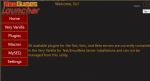
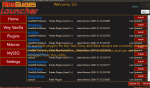
All available plugins for the Test, Emu, and Beta servers are currently contained within the Very Vanilla for Test/Emu/Beta Server installations and cannot be managed from this utility.

If I refresh the screen in the bottom right, the message stays but then the plugins (CWTN, RGmercs, and Eqwire) now show up and can be installed or updated. I do have a ../release/test section within the VV install directory and that is where the launcher is installing these to.
 
How does one manually install a plugin for the Test server? I ask as I am trying to get mq2eqwire to work and it continually errors out. The error listed is one that has happened prior and it seems it is due to running the Live version of the Plugin within the Test version of MQ2. I did use the launcher to install the plugin but I am also unsure if something may be wrong with my launcher as well as when I am in the Test section if I go to Plugins, there is only a message that states:

All available plugins for the Test, Emu, and Beta servers are currently contained within the Very Vanilla for Test/Emu/Beta Server installations and cannot be managed from this utility.

If I refresh the screen in the bottom right, the message stays but then the plugins (CWTN, RGmercs, and Eqwire) now show up and can be installed or updated. I do have a ../release/test section within the VV install directory and that is where the launcher is installing these to.

the plugins for test are automatically there - you do not download them separately, nor do you manually install them - it sounds like you may have tried to download the live file and tossed that in your test folder, which you do not want to do. if you intend on running a live and a test version - you should definitely consider having them separate directories (which you said you had, but it still sounds like you have live files in there).

delete your mq2eqwire.dll in that test folder hit the reinstall
 
@Sic

That is the odd thing, I have never downloaded any of the plugins manually, its only been done through the launcher. As for the delete and reinstall, I did try that as well to no avail. The only things that make sense are either the launcher is set to update test with the live .dll or my launcher is a bit demented and is placing the live one in test in error against what eqwire is set up to do.
 
@Sic

That is the odd thing, I have never downloaded any of the plugins manually, its only been done through the launcher. As for the delete and reinstall, I did try that as well to no avail. The only things that make sense are either the launcher is set to update test with the live .dll or my launcher is a bit demented and is placing the live one in test in error against what eqwire is set up to do.
Dunno - its saying here you downloaded the live version this morning
1608602303615.png
 
How can you tell it is the live release vs the test release on that page?
if it is an individual plugin on that page - it is the live version since you don't download the individual files for test or for emu
 
So I have two folders:

Live:
C:\Users\username\AppData\Local\VeryVanilla\Live\Release

Test:
C:\Users\username\AppData\Local\VeryVanilla\Test\Release

I just went in and

1. deleted the mq2eqwire.dll files in both directories.
2. I closed the RG launcher and opened it back up
3. I set the launcher to Test, clicked the plugins item on the left, and clicked refresh to display the plugins
4. I clicked reinstall for mq2eqwire
5. The downloads section in my profile updated the time of downloading Eqwire

In-game the error persists when I try to load the plugin via /plugin mq2eqwire
 
So I have two folders:

Live:
C:\Users\username\AppData\Local\VeryVanilla\Live\Release

Test:
C:\Users\username\AppData\Local\VeryVanilla\Test\Release

I just went in and

1. deleted the mq2eqwire.dll files in both directories.
2. I closed the RG launcher and opened it back up
3. I set the launcher to Test, clicked the plugins item on the left, and clicked refresh to display the plugins
4. I clicked reinstall for mq2eqwire
5. The downloads section in my profile updated the time of downloading Eqwire

In-game the error persists when I try to load the plugin via /plugin mq2eqwire
Kalaxis - we appear to have some miscommunication as it says you re-downloaded the live eqwire again

I just patched my test and ran the updater and my downloads don't show that i just downloaded eqwire

you:
1608606525667.png

me:
1608606536389.png


to be clear - you clicking on the plugins tab and clicking any download button there for test server is incorrect.

like i mentioned before they are automatically downloaded, that tab is for live server only and not emu/test.

it is probably populating there because you have a live license and you're forcing it to populate (which it shouldn't do)

1608606623072.png

forcing that update then displays the buttons for your live access - but you can still see that msg.

@Redbot @r1pt1de
1608606647766.png


tl;dr - stop clicking the plugins tab and hitting refresh - you're bugging out the launcher and you are forcing a live install over your test install.
1608606682505.png
 
That must be what is happening then, as I am clicking to download in the launcher. So now that I have done that with Eqwire and the various CWTN plugins I have, to get back to "proper" should I do through and delete each of the .dll files for those plugins and restart the launcher? What would trigger the launcher to "reacquire" the test releases, clicking reinstall under the Very Vanilla section?
 
That must be what is happening then, as I am clicking to download in the launcher. So now that I have done that with Eqwire and the various CWTN plugins I have, to get back to "proper" should I do through and delete each of the .dll files for those plugins and restart the launcher? What would trigger the launcher to "reacquire" the test releases, clicking reinstall under the Very Vanilla section?
yes, delete them, and then hit the reinstall
1608606971424.png
 
@Kalaxis thanks for bringing this up - it is an issue that does need to be resolved with the launcher - I opened an "issue" on our git about it.

in the mean time stahp clikin the buttonz!

happy hunting
 
And that was the entire issue, a clear cut case of PEBCAK. Thank you again for the help with this Sic. I figured I was doing something wrong but I did not know enough to understand what. Eqwire loads just fine now.
 
yw dude - you shouldn't be *able* to do that, so not totes your fault lol

have a good one! and happy holidays
 
Question - Manually install a plugin for Test

Users who are viewing this thread

Back
Top
Cart