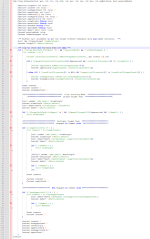
I have a mac file that uses an INI file. When the mac file uses that INI file, the entire character window checks out, and eventually leaves as if I unplugged the computer while the game was running. I can't fix the script error if I can't see what is causing it, and yes I closed everything and rebooted my computer with the same issue persisting. Even if I try to power through the problem by restarting the character, it just seems to tweak out on another issue. This script used to run, but I don't think that the script is the issue if it is knocking my Window completely out. I updated my GUI information from the EQ Launcher and that didn't help either.
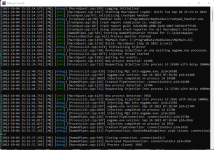
D 2022-08-28 10:59:56.603898 [MQ] Logging Initialized (C:\agent\_work\1\s\src\loader\MacroQuest.cpp:199)
I 2022-08-28 10:59:56.604462 [MQ] Starting MacroQuest Loader. Built Mon Aug 22 20:28:25 2022 (C:\agent\_work\1\s\src\loader\MacroQuest.cpp:1197)
I 2022-08-28 10:59:56.606590 [MQ] Initializing crashpad handler (C:\agent\_work\1\s\src\loader\Crashpad.cpp:97)
D 2022-08-28 10:59:56.606750 [MQ] Handler Path: C:\ProgramData\RedGuides\crashpad_handler.exe (C:\agent\_work\1\s\src\loader\Crashpad.cpp:98)
I 2022-08-28 10:59:56.607427 [MQ] Crash report submission is: enabled (C:\agent\_work\1\s\src\loader\Crashpad.cpp:103)
I 2022-08-28 10:59:56.607949 [MQ] Crash report guid: bdcdd20b-ab0b-4e49-90bf-b07643fff15b (C:\agent\_work\1\s\src\loader\Crashpad.cpp:107)
I 2022-08-28 10:59:56.608070 [MQ] Using shared crash reporter for all MacroQuest instances (C:\agent\_work\1\s\src\loader\Crashpad.cpp:117)
I 2022-08-28 10:59:56.625320 [MQ] Starting NamedPipeServer thread for \\.\pipe\mqpipe (C:\agent\_work\1\s\src\common\NamedPipes.cpp:593)
I 2022-08-28 10:59:56.825247 [MQ] Process monitor using WMI started (C:\agent\_work\1\s\src\loader\ProcessMonitor.cpp:396)
I 2022-08-28 10:59:56.825651 [MQ] MQ2Main Path: C:\ProgramData\RedGuides\MQ2Main.dll (C:\agent\_work\1\s\src\loader\MacroQuest.cpp:1156)
I 2022-08-28 10:59:56.829650 [MQ] Build: MacroQuest [Aug 15 2022 (Live)] (C:\agent\_work\1\s\src\loader\MacroQuest.cpp:1176)
D 2022-08-28 10:59:56.832301 [MQ] Initializing injector (C:\agent\_work\1\s\src\loader\ProcessList.cpp:1170)
I 2022-08-28 10:59:56.837221 [MQ] Performing injections on any existing eqgame.exe processes (C:\agent\_work\1\s\src\loader\ProcessList.cpp:726)
D 2022-08-28 10:59:56.837303 [MQ] Injector thread started (C:\agent\_work\1\s\src\loader\ProcessList.cpp:1071)
I 2022-08-28 10:59:56.853353 [MQ] Waiting for events... (C:\agent\_work\1\s\src\loader\MacroQuest.cpp:1387)