• You've discovered RedGuides, an EverQuest multi-boxing and scripting community 🧙‍♀️⚙️. We want you to play several EQ characters at once, come join us and say hello! 👋

  • A TLP without truebox has thawed (Very Vanilla ready)
    Frostreaver

💾Software ImGui issue with bringing windows to the forefront

Joined
Jul 22, 2018
RedCents
735¢
Not sure if this is the right place for this, but with the latest build my offscreen luas are no longer sync'd with my main toon window. For context, I use 3 monitors (1 for my driving toon, 2 for Nearby, 3 for Console/CWTN/LEM, etc.). When switching between toons, as soon as I went to my main toon, their offscreen luas would come to the forefront on the satellite monitors. Since the new build, I have to alt tab on all 3 monitors to bring everything to the forefront.
 
Solution
Thanks. I’ll look into it but please bear in mind that the viewports feature is experimental and not maintained or developed by the macroquest project so I can make no assurances.
Not sure if this is the right place for this, but with the latest build my offscreen luas are no longer sync'd with my main toon window. For context, I use 3 monitors (1 for my driving toon, 2 for Nearby, 3 for Console/CWTN/LEM, etc.). When switching between toons, as soon as I went to my main toon, their offscreen luas would come to the forefront on the satellite monitors. Since the new build, I have to alt tab on all 3 monitors to bring everything to the forefront.

probably an artifact of the imgui upgrade. I have no idea what the behavior was before or after so it might take some time to look into to understand it better.
 
Prior to the last EQ patch I was not having this issue.....Here goes.

My imgui windows presently stay on the first toon that is loaded. Prior to the patch when I'd hot-tab to a back ground toon all the running imguis would show for the toon that is in the foreground. To be able to access the CWTN imguis I now have to use the Windows key and search for the imgui to bring it to the forefront which will also switch to the toon running it. This makes it hard to control the group since I can't toon and imgui together.

I run an ultrawide monitor using windowed mode with the EQ window centered, MacroQuest Enable Viewports on, and all the imguis set to the outside of the centered EQ window. I switched to RedFetch after the last patch if that make any difference and Windows 11 also updated to Microsofts latest BS. No clue if either makes a difference.


tl:dr- imgui only shows on 1st toon across whole group


Thanks guy,

BB~
 
@brainiac this is the thing a few folks have mentioned that everytime you ask them for more information that disappear faster than the avatar when the fire nation attacked.

tl;dr:
- old: bringing an instance of mq to foreground would also bring imgui windows offscreen with it
- now: bringing an instance of mq to foreground no longer brings imgui windows offscreen to foreground
 
Prior to the last EQ patch I was not having this issue.....Here goes.

My imgui windows presently stay on the first toon that is loaded. Prior to the patch when I'd hot-tab to a back ground toon all the running imguis would show for the toon that is in the foreground. To be able to access the CWTN imguis I now have to use the Windows key and search for the imgui to bring it to the forefront which will also switch to the toon running it. This makes it hard to control the group since I can't toon and imgui together.

I run an ultrawide monitor using windowed mode with the EQ window centered, MacroQuest Enable Viewports on, and all the imguis set to the outside of the centered EQ window. I switched to RedFetch after the last patch if that make any difference and Windows 11 also updated to Microsofts latest BS. No clue if either makes a difference.


tl:dr- imgui only shows on 1st toon across whole group


Thanks guy,

BB~
I am having this same issue. I had to uncheck the enable viewports to keep it on my characters screen. This kinda sucks, because I really like to have that enabled on my Warrior as I use several windows that I drag to another monitor, mainly the Nearby Map.

Every time I log in, my imgui window reset to a default position, they will not stay where I want them, or the size I want them. When I log in, I have a lot of maintenance to do on my windows before I can even start to do anything.
 
I wish I did bluebug but I think i'm going to hold off playing until its figured out. Super frustrating. I keep wondering if I am doing something dumb.
 
probably an artifact of the imgui upgrade. I have no idea what the behavior was before or after so it might take some time to look into to understand it better.
With the latest build, the offscreen Lua monitors are brought to the forefront when I click on the main monitor.
probably an artifact of the imgui upgrade. I have no idea what the behavior was before or after so it might take some time to look into to understand it better.
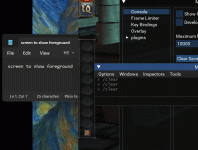
/Foreground doesn't work when I click on luas (boxhud, ezinventory, etc.) to bring a character to the foreground. Not sure if it's related to this, or if it helps.
 
With the latest build, the offscreen lua monitors are brought to the forefront when I click on the main monitor.

/Foreground doesn't work when I click on luas (boxhud, ezinventory, etc.) to bring a character to the foreground. Not sure if it's related to this, or if it helps.
I’m sorry, the offscreen Lua monitors? They do what when you do what? Sorry I’m missing some understanding of what all of this you’re referring to means
 
I use the viewport function so that I can drag most of my luas offscreen.

Monitor A - Driving Toon
Monitor B - Nearby, ezinventory, Magellan
Monitor C - alphabuff, console, CWTN, boxhud

Prior to the last EQ update, if I clicked on either luas monitor or my driving toon, monitors ABC all brought the above mentioned layouts to the forefront.

Since the last EQ test patch, if I click on monitor B, it only brings A to the forefront. Same thing with monitor C, it will only bring A to the forefront.

If I click on a character name in ezinventory or boxhud on either monitor B or C to bring a toon to the forefront on monitor A, nothing happens.
 
💾Software ImGui issue with bringing windows to the forefront

Users who are viewing this thread

Back
Top
Cart