• You've discovered RedGuides, an EverQuest multi-boxing and scripting community 🧙‍♀️⚙️. We want you to play several EQ characters at once, come join us and say hello! 👋

  • A TLP without truebox has thawed (Very Vanilla ready)
    Frostreaver

Question - GM Alarm sound

surfdog21

Seasoned veteran member
Joined
Jul 26, 2016
RedCents
1,234¢
Can someone link me the GM alert sound you get when one is in your zone? Its an awesome alert! I want to use that alert for when I get tells...
 
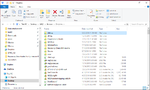
Found inside the Release folder where all your macro folder is stored (typically the release folder, but in my case it's my dropbox) you will find .wav files stored for access by MQ2
wavfiles.png
 
Right on ty! Time to get to work to change that lame single tone you here when you get a tell to the five alarm fire sound you get when a gm is in the zone!
 
I believe that's a /beep, which comes directly from the speaker on the motherboard. So not something you can locate that I'm aware of.
 
BeepOnTells=0
needs to be changed to 1. This setting is actually part of the main MQ2 program and can be found in Macroquest.ini in the /Release folder of your MQ2 Installation. This is the same folder that your .exe for MQ2 is located.

Code:
[MacroQuest]
MacroPath=.\Macros
LogPath=.\Logs
MacroQuestWinClassName=__MacroQuestTray
MacroQuestWinName=MacroQuest2
# setting BossMode=0 disables it.
BossMode=0
# setting CycleNextWindow=0 disables it.
CycleNextWindow=0
DebugSpewToFile=0
FilterSkills=0
FilterTarget=0
FilterMoney=0
FilterFood=0
FilterMacro=0
FilterEncumber=0
FilterDebug=0
FilterMQ=0
KeepKeys=1
LaxColor=0
AllErrorsDumpStack=1
AllErrorsFatal=0
HUDMode=Normal
MQ2LoadingMsg=0
ExactSearchCleanNames=0
CreateMQ2NewsWindow=1
TimeStampChat=1
BeepOnTells=0
FlashOnTells=1
IfDelimiter=,
IfAltDelimiter=~
MQPauseOnChat=0
 
Question - GM Alarm sound

Users who are viewing this thread

Back
Top
Cart