• You've discovered RedGuides, an EverQuest multi-boxing and scripting community 🧙‍♀️⚙️. We want you to play several EQ characters at once, come join us and say hello! 👋

  • A TLP without truebox has thawed (Very Vanilla ready)
    Frostreaver

Problem - eqbc -been working fine, now its not connecting?

NoobExpert

New member
Joined
Nov 18, 2014
RedCents
96¢
As stated in the title, have been running mq2eqbc for a few months now and it has been working fine, now all of a sudden it says it cant connect? Haven't changed anything other than logging in some new toons lately, but no other changes that i am aware. Any help would be greatly appreciated!
 
your computer's IP address may have changed on your home network. Which in turn would change the IP you need to connect to.

Generally I do an IPConfig to see what my PC's is when this happens.

windows--->command prompt. Type in "ipconfig" and look for your IPv4 address.

Then (after making sure your EQBC server is running, and on which port, I believe the default port is 2112) connect EQBC.

This is of course if you are not using the default "single PC" settings.
 
Last edited:
As long as all the clients are using the 127.0.0.1 then you should be good.
It has been working fine but for some reason now none of my accounts are connecting and nothing that I am aware has changed, the only thing I know is that I have logged in some new accounts lately but no other settings have changed...

Sent from my Pixel XL using Tapatalk

- - - Updated - - -

Still nothing, tried deleting and reinstalling, still the same, any help would be greatly appreciated
 
Are you running mq2eqbcs.exe (with dialog box) or as a windows service?

If service does it show it is running?
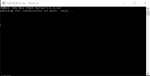
If mq2eqbcs.exe are you receiving any feedback from what is going on? "Waiting for connections on port: 2112..." for example

What feedback are you getting from macroquest window in-game when you try and connect?
 
Are you running mq2eqbcs.exe (with dialog box) or as a windows service?

If service does it show it is running?
If mq2eqbcs.exe are you receiving any feedback from what is going on? "Waiting for connections on port: 2112..." for example

What feedback are you getting from macroquest window in-game when you try and connect?

not running as a service, window out of game isnt showing any info, in game says trying to connect.... could not connect

- - - Updated - - -

These are the messages i am seeing
 

Attachments

  • eqb1.PNG
    eqb1.PNG
    2.4 KB · Views: 77
  • eqb.PNG
    eqb.PNG
    5.6 KB · Views: 77
Open "Windows Firewall with Advanced Security"
Click "inbound rules"

Make sure mq2eqbcs.exe is allowed


If that doesn't work, turn off your antivirus, then windows firewall and try again.
 
Open "Windows Firewall with Advanced Security"
Click "inbound rules"

Make sure mq2eqbcs.exe is allowed


If that doesn't work, turn off your antivirus, then windows firewall and try again.
Out of town today, will try it as soon as I get home


Sent from my Pixel XL using Tapatalk
 
Also, as daft it says just try connecting again after a few seconds. Occasionally one of my boxes fails to log in and I just reissue the /bccmd reconnect command and all works out
 
Have you updated some software recently? New router hardware? change ISP?

This really sounds like a firewall issue that isn't letting EQBCServer do it's thing to me.

Are you using firewalls other then windows?
Does your anti-virus have built in firewalls?
Does your malware have built in firewalls?

Can other PC's on your home network see your PC? and interact with it?

I would be curious if you can ping the port from outside the PC.
 
Fixed via PMs, it was a port issue.

Here's the solution:

Start mq2eqbcs from the command line to change the port. e.g.

Rich (BB code):
mq2eqbcs -p 65454

make sure your clients are set up to listen on port 65454 in mq2eqbc.ini

If you're not sure how to run commands from the Windows command line, watch this video:

[video=youtube;MBBWVgE0ewk]https://www.youtube.com/watch?v=MBBWVgE0ewk[/video]
 
Problem - eqbc -been working fine, now its not connecting?

Users who are viewing this thread

Back
Top
Cart