• You've discovered RedGuides, an EverQuest multi-boxing and scripting community 🧙‍♀️⚙️. We want you to play several EQ characters at once, come join us and say hello! 👋

  • A TLP without truebox has thawed (Very Vanilla ready)
    Frostreaver

Problem - Enchanter won't Mez?

ThatOtherGuy

Member
Joined
May 23, 2017
RedCents
102¢
I have the following on my Enchanter:
INI:
[Mez]
MezOn=1
MezRadius=130
MezMinLevel=5
MezMaxLevel=55
MezStopHPs=80
MezSpell=Enthrall
MezDebuffOnResist=1
MezDebuffSpell=Tashani
MezAESpell=None|10

The "MezAESpell" is just a result of troubleshooting the issue. I've tried it with MezOn=2 as well for single target only, doesn't matter.

When loading KissAssist it says "Nothing defined in this section" when Scanning the [Mez] section.

Any idea what's the deal? Thanks!
 
Is it not mezzing at all? or just not AoE mezzing? This is my old ini before I started using mq2encahnter. It worked fine. Granted it is higher lvl than your but insert the right spells and it should work. iirc the |10 would be telling your enc to only mez when 10 mobs are in camp although I might be wrong.

[Mez]
MezOn=1
MezRadius=150
MezMinLevel=60
MezMaxLevel=108
MezStopHPs=80
MezDebuffOnResist=0
MezSpell=Chaotic Delusion
MezAESpell=Perplexing Wave|3
MezDebuffSpell=Your Debuff Spell
 
It started randomly mezzing between different pulls. Seems to be very indecisive, and takes it awhile to decide if it wants to mez. Not sure what's causing it, maybe something to do with DanNet? Not sure..

I remember it in the past being a lot more reliable/faster than this. :(
 
INI:
[General]
KissAssistVer=12.001
Role=Assist
CampRadius=30
CampRadiusExceed=400
ReturnToCamp=0
ChaseAssist=0
ChaseDistance=25
MedOn=1
MedStart=95
MedStop=100
MedCombat=1
LootOn=0
RezAcceptOn=0|0
AcceptInvitesOn=1
GroupWatchOn=0
GroupWatchCheck=FALSE
CorpseRecoveryOn=0
EQBCOn=0
DanNetOn=1
DanNetDelay=5
IRCOn=0
CampfireOn=0
DefaultUI=TRUE
DPSMeter=0
ScatterOn=0
XTSlot=0
[SpellS]
MiscGem=8
MiscGemLW=0
MiscGemRemem=1
LoadSpellSet=0
SpellSetName=KissAssist
CastingInterruptOn=1
Gem1=Tashani
Gem2=Languid Pace
Gem3=Calm
Gem4=Enthrall
Gem5=Augmentation
Gem6=NULL
Gem7=Shielding
Gem8=Clarity
[Mez]
MezOn=2
MezRadius=130
MezMinLevel=5
MezMaxLevel=50
MezStopHPs=80
MezSpell=Enthrall
MezDebuffOnResist=1
MezDebuffSpell=Tashani
MezAESpell=None|10
[Buffs]
BuffsOn=1
BuffsSize=20
Buffs1=Clarity|caster
Buffs2=Augmentation|melee
Buffs3=NULL
Buffs4=NULL
Buffs5=NULL
Buffs6=NULL
Buffs7=NULL
Buffs8=NULL
Buffs9=NULL
Buffs10=NULL
Buffs11=NULL
Buffs12=NULL
Buffs13=NULL
Buffs14=NULL
Buffs15=NULL
Buffs16=NULL
Buffs17=NULL
Buffs18=NULL
Buffs19=NULL
Buffs20=NULL
RebuffOn=1
CheckBuffsTimer=5
PowerSource=NULL
[Melee]
AssistAt=95
MeleeOn=0
FaceMobOn=1
MeleeDistance=75
StickHow=snaproll
AutoFireOn=0
UseMQ2Melee=1
TargetSwitchingOn=0
[DPS]
DPSOn=1
DPSSize=20
DPSSkip=20
DPSInterval=2
DPS1=Tashani|99
DPS2=NULL
DPS3=NULL
DPS4=NULL
DPS5=NULL
DPS6=NULL
DPS7=NULL
DPS8=NULL
DPS9=NULL
DPS10=NULL
DPS11=NULL
DPS12=NULL
DPS13=NULL
DPS14=NULL
DPS15=NULL
DPS16=NULL
DPS17=NULL
DPS18=NULL
DPS19=NULL
DPS20=NULL
DebuffAllOn=2
[GoM]
GoMSHelp=Format - Spell|Target, MA Me or Mob, i.e. Rampaging Servant Rk. II|Mob
GoMSize=3
GoMSpell1=NULL
GoMSpell2=NULL
GoMSpell3=NULL
[GMail]
GMailHelp=Events currently support - Dead,Drag,GM,Level,Named,Leftgroup,Tells
GMailOn=0
GMailSize=5
GMail1=NULL
GMail2=NULL
GMail3=NULL
GMail4=NULL
GMail5=NULL
[AE]
AEOn=0
AESize=10
AERadius=50
AE1=NULL
AE2=NULL
AE3=NULL
AE4=NULL
AE5=NULL
AE6=NULL
AE7=NULL
AE8=NULL
AE9=NULL
AE10=NULL
[Aggro]
AggroOn=0
AggroSize=5
Aggro1=NULL
Aggro2=NULL
Aggro3=NULL
Aggro4=NULL
Aggro5=NULL
Aggro2nd=0
[Heals]
Help=Format Spell|% to heal at i.e. Devout Light Rk. II|50
HealsOn=0
AutoRezOn=0
HealsSize=5
Heals1=NULL
Heals2=NULL
Heals3=NULL
Heals4=NULL
Heals5=NULL
XTarHeal=0
XTarHealList=Xtar slots here Example: 5|6|7
HealGroupPetsOn=0
RezMeLast=0
[Cures]
CuresOn=0
CuresSize=5
Cures1=NULL
Cures2=NULL
Cures3=NULL
Cures4=NULL
Cures5=NULL
[Pet]
PetOn=0
PetSpell=YourPetSpell
PetShrinkOn=0
PetShrinkSpell=Tiny Companion
PetBuffsOn=0
PetBuffsSize=8
PetBuffs1=NULL
PetBuffs2=NULL
PetBuffs3=NULL
PetBuffs4=NULL
PetBuffs5=NULL
PetBuffs6=NULL
PetBuffs7=NULL
PetBuffs8=NULL
PetCombatOn=1
PetAssistAt=95
PetAttackDistance=115
PetToysSize=6
PetBreakMezSpell=NULL
PetRampPullWait=0
PetSuspend=0
MoveWhenHit=0
PetHoldOn=1
PetForceHealOnMed=0
[Merc]
Help=To use: Turn off Auto Assist in Manage Mercenary Window
MercOn=0
MercAssistAt=92
[Burn]
BurnAllNamed=0
UseTribute=0
BurnSize=15
Burn1=NULL
Burn2=NULL
Burn3=NULL
Burn4=NULL
Burn5=NULL
Burn6=NULL
Burn7=NULL
Burn8=NULL
Burn9=NULL
Burn10=NULL
Burn11=NULL
Burn12=NULL
Burn13=NULL
Burn14=NULL
Burn15=NULL
[Pull]
PullWith=Melee
PullMeleeStick=0
MaxRadius=350
MaxZRange=50
UseWayPointZ=0
PullWait=5
PullRadiusToUse=90
PullRoleToggle=0
ChainPull=0
ChainPullHP=90
PullPause=30|2
PullLevel=0|0
PullArcWidth=0
PullOnReturn=0
[PullAdvanced]
PullLocsOn=0
[AFKTools]
AFKHelp=AFKGMAction=0 Off, 1 Pause Macro, 2 End Macro, 3 Unload MQ2, 4 Quit Game
AFKToolsOn=1
AFKGMAction=1
AFKPCRadius=500
CampOnDeath=0
ClickBacktoCamp=0
[KConditions]
ConOn=0
CondSize=5
Cond1=TRUE
Cond2=TRUE
Cond3=TRUE
Cond4=TRUE
Cond5=TRUE
 
Last edited:
Some experimental values in there to try and troubleshoot what's wrong. Let me know if anything stands out.
 
I only made it down 10 lines... you've got MedStart at 95% and MedCombat=1. Healers, slowers, and mezzers should never med during combat!

Interestingly, they don't if there are mobs within 'X' distance. I've never seen them med when I've got mobs in my camp. Medding when available helps chain-pulling. The only thing "medding in combat" does is add aggro risk if they sit and are high enough on the hate list.

:)
 
I am pretty sure KISS needs xtargets to mez. When you say you aren't using them does that mean you haven't set them up for fancy stuff or that they are just set on auto?

I don't believe it "requires" xtargets to mez/heal. I've got them off, because it's not a feature I've used before with bots (and gotten them to work just fine before with MB, obviously this is KA tho...diff scenario). However, KA does "ok" at healing, and "ok" at mezzing. It's just very slow and cumbersome. My Shaman and Cleric heal quickly, but they're also not watching for buffs I guess, yet?

My druid struggles to heal properly or when needed, and also struggles with buffs. Not sure if it's an issue with how it's built, and if it's not meant to be used on Rizlona so it's currently "hacky" dealing with watching for buffs often enough.

Dunno?
 
I don't believe it "requires" xtargets to mez/heal. I've got them off, because it's not a feature I've used before with bots (and gotten them to work just fine before with MB, obviously this is KA tho...diff scenario). However, KA does "ok" at healing, and "ok" at mezzing. It's just very slow and cumbersome. My Shaman and Cleric heal quickly, but they're also not watching for buffs I guess, yet?

My druid struggles to heal properly or when needed, and also struggles with buffs. Not sure if it's an issue with how it's built, and if it's not meant to be used on Rizlona so it's currently "hacky" dealing with watching for buffs often enough.

Dunno?
rizlona is not a truebox server, so mq2 and thus, kissassist work there just fine.

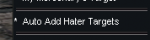
I would strongly encourage you to use the eq xtarget window with these settings:

/xtarget show on will make the extended target window visible if you otherwise have it closed.

This allows your xtarget window to get populated when you have aggro
This is for the xtarget window as a whole entity
1622839567393.png

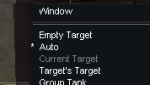
Then for each xtarget slot, unless you're utilizing some of them for specific characters - like out of group healing, I would recommend leaving them on auto populate.
1622839585581.png

Often times different automation will use information that we can get from the xtarget window, like how many mobs you're fighting, for example.

They added Extended Target Window in Veil of Alaris

> Here is an Xtarget Window Guide on Alla's < or you can go to Secalna Galnor in PoKnowledge
 
rizlona is not a truebox server, so mq2 and thus, kissassist work there just fine.

I would strongly encourage you to use the eq xtarget window with these settings: ...

I'll give this a shot on my enchanter, and see if he reacts faster I think. Thanks :D
 
Here's your problem:

MedOn=1
MedStart=95
MedStop=100

You probably cast Tash and then nothing happens. Change MedStart to ~20.

Also,
DPSSkip=20

Is a troublesome setting in general. Your char will stop attacking, and you may never kill the mob. Been there done that! Turn it off DPSSkip=0
 
Last edited:
Here's your problem:

MedOn=1
MedStart=95
MedStop=100

You probably cast Tash and then nothing happens. Change MedStart to ~20.

Also,
DPSSkip=20

Is a troublesome setting in general. Your char will stop attacking, and you may never kill the mob. Been there done that! Turn it off DPSSkip=0

That's not the issue at all. He simply stands there and does nothing. :I
 
I use an ench and referenced my lower level one. Here are edits to your ini. All comments inline ;

If this doesn't work, then it's something else.

[CODE lang="ini" title="Edited ini"][General]
KissAssistVer=12.001
Role=Assist
CampRadius=30
CampRadiusExceed=400
ReturnToCamp=0
ChaseAssist=0
ChaseDistance=25
MedOn=1
; Dropped from 95 to 20
MedStart=20
MedStop=100
; Disabled MedCombat
MedCombat=0
LootOn=0
; Will accept rez when it is 96% now
RezAcceptOn=1|96
AcceptInvitesOn=1
GroupWatchOn=0
GroupWatchCheck=FALSE
CorpseRecoveryOn=0
; Turned on EQBC... integral to KA really.
EQBCOn=1
DanNetOn=1
DanNetDelay=5
IRCOn=0
CampfireOn=0
DefaultUI=TRUE
DPSMeter=0
ScatterOn=0
; This tells KA to look at this xtarget position to determine if aggro happenning.
XTSlot=1
[SpellS]
MiscGem=8
MiscGemLW=0
MiscGemRemem=1
; Default to 2 so it uses your Gems (simplest case)
LoadSpellSet=2
SpellSetName=KissAssist
CastingInterruptOn=1
Gem1=Tashani
Gem2=Languid Pace
Gem3=Calm
Gem4=Enthrall
Gem5=Augmentation
; Try adding a damage spell here to see if it will dps. See DPS3, below.
Gem6=Chaotic Feedback
Gem7=Shielding
Gem8=Clarity
[Mez]
MezOn=2
MezRadius=130
MezMinLevel=5
; Don't forget to adjust this as you get higher level.
MezMaxLevel=50
MezStopHPs=80
MezSpell=Enthrall
MezDebuffOnResist=1
MezDebuffSpell=Tashani
; Changed from None to NULL. It's going to look for a spell named None... Also reduced to 2 mobs. As a trick... set to 2 mobs so when mezzes happen, the ae goes first, then single picks off any that didn't.
MezAESpell=NULL|2
[Buffs]
BuffsOn=1
BuffsSize=20
Buffs1=Clarity|caster
Buffs2=Augmentation|melee
; Missing - will only cast on you so no flags needed
Buffs3=Shielding
Buffs4=NULL
Buffs5=NULL
Buffs6=NULL
Buffs7=NULL
Buffs8=NULL
Buffs9=NULL
Buffs10=NULL
Buffs11=NULL
Buffs12=NULL
Buffs13=NULL
Buffs14=NULL
Buffs15=NULL
Buffs16=NULL
Buffs17=NULL
Buffs18=NULL
Buffs19=NULL
Buffs20=NULL
RebuffOn=1
; Set to 1 for now while we figure this out
CheckBuffsTimer=1
PowerSource=NULL
[Melee]
; Have the ench engage immediately. If the mob needs to be 99% and nothing is damaging it... you'll never engage.
AssistAt=100
MeleeOn=0
FaceMobOn=1
; The MeleeDistance doubles as the spell range distance.
MeleeDistance=75
StickHow=snaproll
AutoFireOn=0
; Turn this off, ench doesnt need it.
UseMQ2Melee=0
; If your ench is MA, turn this on.
TargetSwitchingOn=0
[DPS]
; Change from 1 to 2 so debuffs are cast appropriately
DPSOn=2
DPSSize=20
; Set to 0. DPSSkip is the devil as mobs may not actually ever get killed.
DPSSkip=0
DPSInterval=2
; Set this up so it uses debuff flags which will try once then move on to other spells.
DPS1=Tashani|99|debuffall|tash
; Slow spell goes here
DPS2=Languid Pace|99|debuffall|slow
; Put a damage spell in Gem6 and here in DPS3. Set to 100 so dps gets going. If you are grouped with other chars that do damage, and you are getting aggro, change to 95% or whatever you need.
DPS3=Chaotic Feedback|100
DPS4=NULL
DPS5=NULL
DPS6=NULL
DPS7=NULL
DPS8=NULL
DPS9=NULL
DPS10=NULL
DPS11=NULL
DPS12=NULL
DPS13=NULL
DPS14=NULL
DPS15=NULL
DPS16=NULL
DPS17=NULL
DPS18=NULL
DPS19=NULL
DPS20=NULL
; Change to 1 for now so it tries once and then goes on to damage spells
DebuffAllOn=1
[GoM]
GoMSHelp=Format - Spell|Target, MA Me or Mob, i.e. Rampaging Servant Rk. II|Mob
GoMSize=3
GoMSpell1=NULL
GoMSpell2=NULL
GoMSpell3=NULL
[GMail]
GMailHelp=Events currently support - Dead,Drag,GM,Level,Named,Leftgroup,Tells
GMailOn=0
GMailSize=5
GMail1=NULL
GMail2=NULL
GMail3=NULL
GMail4=NULL
GMail5=NULL
[AE]
AEOn=0
AESize=10
AERadius=50
AE1=NULL
AE2=NULL
AE3=NULL
AE4=NULL
AE5=NULL
AE6=NULL
AE7=NULL
AE8=NULL
AE9=NULL
AE10=NULL
[Aggro]
AggroOn=0
AggroSize=5
Aggro1=NULL
Aggro2=NULL
Aggro3=NULL
Aggro4=NULL
Aggro5=NULL
Aggro2nd=0
[Heals]
Help=Format Spell|% to heal at i.e. Devout Light Rk. II|50
HealsOn=0
AutoRezOn=0
HealsSize=5
Heals1=NULL
Heals2=NULL
Heals3=NULL
Heals4=NULL
Heals5=NULL
XTarHeal=0
XTarHealList=Xtar slots here Example: 5|6|7
HealGroupPetsOn=0
RezMeLast=0
[Cures]
CuresOn=0
CuresSize=5
Cures1=NULL
Cures2=NULL
Cures3=NULL
Cures4=NULL
Cures5=NULL
[Pet]
; Your animations are useful!
PetOn=0
PetSpell=YourPetSpell
PetShrinkOn=0
PetShrinkSpell=Tiny Companion
PetBuffsOn=0
PetBuffsSize=8
; Haste your animation
PetBuffs1=Augmentation
PetBuffs2=NULL
PetBuffs3=NULL
PetBuffs4=NULL
PetBuffs5=NULL
PetBuffs6=NULL
PetBuffs7=NULL
PetBuffs8=NULL
PetCombatOn=1
; Sick your pet at 100. Your tank will do the taunting. You need all the dps you can get.
PetAssistAt=100
; Advise changing this from 115 to the MeleeDistance so pet doesn't engage mobs too far away for you to slow.
PetAttackDistance=75
PetToysSize=6
PetBreakMezSpell=NULL
PetRampPullWait=0
PetSuspend=0
MoveWhenHit=0
PetHoldOn=1
PetForceHealOnMed=0
[Merc]
Help=To use: Turn off Auto Assist in Manage Mercenary Window
MercOn=0
MercAssistAt=92
[Burn]
BurnAllNamed=0
UseTribute=0
BurnSize=15
Burn1=NULL
Burn2=NULL
Burn3=NULL
Burn4=NULL
Burn5=NULL
Burn6=NULL
Burn7=NULL
Burn8=NULL
Burn9=NULL
Burn10=NULL
Burn11=NULL
Burn12=NULL
Burn13=NULL
Burn14=NULL
Burn15=NULL
[Pull]
; If you use your ench to pull, Tash is a good choice. At higher levels Ench is a great puller choice due to runes.
PullWith=Tashani
PullMeleeStick=0
MaxRadius=350
MaxZRange=50
UseWayPointZ=0
PullWait=5
PullRadiusToUse=90
PullRoleToggle=0
ChainPull=0
ChainPullHP=90
PullPause=30|2
PullLevel=0|0
PullArcWidth=0
PullOnReturn=0
[PullAdvanced]
PullLocsOn=0
[AFKTools]
AFKHelp=AFKGMAction=0 Off, 1 Pause Macro, 2 End Macro, 3 Unload MQ2, 4 Quit Game
AFKToolsOn=1
AFKGMAction=1
AFKPCRadius=500
CampOnDeath=0
ClickBacktoCamp=0
[KConditions]
ConOn=0
CondSize=5
Cond1=TRUE
Cond2=TRUE
Cond3=TRUE
Cond4=TRUE
Cond5=TRUE

[/CODE]
 
Last edited:
Problem - Enchanter won't Mez?

Users who are viewing this thread

Back
Top
Cart