Follow along with the video below to see how to install our site as a web app on your home screen.
Note: This feature may not be available in some browsers.
You've discovered RedGuides, an EverQuest multi-boxing and scripting community 🧙♀️⚙️. We want you to play several EQ characters at once, come join us and say hello! 👋
A TLP without truebox has thawed (Very Vanilla ready)
Having issues with Claws of Veeshan zones. My toons are not following with chase mode selected....and are not auto attacking. Having to use assist and melee attack.
Got the files into the right spot on one computer...however, Im having an issue finding where the program is on my Win 7 machine. Its always something.....
its been a long time since i used windows 7, so this might vary a bit -
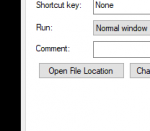
but in windows10 you can right click and inspect your mq2icon and hit Open File Location
this will take you to your release folder
inside that release folder is MQ2Nav folder - this is where your meshes go.
you can just use the VV launcher to update your meshes
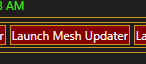
by clicking Launch Mesh Updater
This site uses cookies to help personalise content, tailor your experience and to keep you logged in if you register.
By continuing to use this site, you are consenting to our use of cookies.