• You've discovered RedGuides, an EverQuest multi-boxing and scripting community 🧙‍♀️⚙️. We want you to play several EQ characters at once, come join us and say hello! 👋

  • A TLP without truebox has thawed (Very Vanilla ready)
    Frostreaver

Problem - Chat Window after new chat window revamp

Gnits

Active member
Joined
Mar 24, 2017
RedCents
674¢
MQ2Chatwnd creates its own window, something we all know. It does not seem to follow the standard UI but is affected by changes in the chat window ui files.

So, I have a chat window that I normally keep minimized. When it minimized prior to the patch, it would minimize to a little strip.

Now when I minimize, two things happen.
1) I get a longer strip.
2) if I right click ANY area where the UI would be if it were normal size, I get a menu popup as if I was touching the window while it was open.

Any thoughts? I can give a copy of my UI files if anyone is interested but didn't think I needed it just yet.
 
I simply combined the windows (right click on it and tell it to move to a window you normally open) and left it as a tab I don't open.

it can be annoying as the UI is not remembering the setting for not highlighting new chat to X tab, but its better then the issue you are refering to I believe.
 
Know issue. That's due to the new element introduced by the UI EQUI_ChatWindowContainer.xml which holds the various window pieces. Recently EQMule renamed all instances of CWChatInput and CWChatOutput to be CW_ChatInput and CW_ChatOutput. Actually, it wasn't him that did it, it was daybreak.
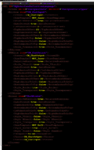
1553648475060.png

It used to be that you had the ChatWindow, which contained the Input and Output.

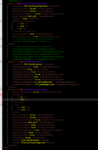
However now you have the ChatWindow which contains an Input and Output, and also has ChatContainerWindow (CCW) and in that container is the CCW_ChatWindows and the ChatPageTemplate, in the template you have the template of a chat tab or window with a single tab (which is still following the template for example.


1553648589303.png

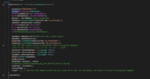
With that said, below is where the MQ2Window is picked up from. previously we were able to set various features about the WindowStyle. We can still create those setting but it's done using the old window style. But the new style expects some additional elements. So while it's currently functional, it's not optimal. I expect given time it'll get sorted out.
1553648955066.png
 

Attachments

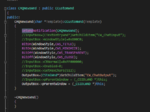
  • 1553648849530.png
    1553648849530.png
    20.9 KB · Views: 2
solution is simple
mq2chatwnd.xml based on the old equi_chatwindow.xml

win for everyone, easy to use, easy to customize, and no need to make wierd hard coded solutions.
 
I am not sure if understood what you meant, @kaen01 , what old file are you referring to?
 
Problem - Chat Window after new chat window revamp

Users who are viewing this thread

Back
Top
Cart