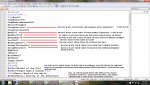
plain and simple...
dont have a clue what i am doing here
tried different things,nothing working.....
tried this one
http://www.redguides.com/community/...Necro-mac-v1-0-0-Fully-automated-Necro-Script
with these settingss for 74 necro and not working
[General]
MacroVer=1.0.0
AssistAt=99
AssistAtPet=100
AssistRange=200
Debugging=False
Mount=tan rope bridle
MiscGem=gem12
MiscGemPetSpell=gem12
ManaConversionLimit=19000
SaveManaAtPct=20
EnableAAPurchase=True
AnnounceStuff=False
AnnounceEQBC=True
HideCorpses=False
AutoAcceptRez=True
LootCorpses=False
KissAssistVer=8.5.5
Role=Assist
CampRadius=30
CampRadiusExceed=400
ReturnToCamp=0
ChaseAssist=0
ChaseDistance=25
MedOn=1
MedStart=25
MedCombat=0
LootOn=0
RezAcceptOn=0
AcceptInvitesOn=1
GroupWatchOn=1
CastingInterruptOn=0
EQBCOn=0
IRCOn=0
HoTTOn=0
CampfireOn=0
CharInfo=Necromancer|74
[Debuff]
DebuffActive=True
DebuffAt=98
DebuffSpell=Splurt
[Snare]
SnareActive=True
SnareAt=50
SnareSpell=desecrating Darkness
[Slow]
SlowActive=False
SlowAt=100
SlowBoneSpell=Scintillate Bones
SlowSpell=Death's Malaise
[Dots]
DotsActive=True
SaveRobesForNameds=True
AmountOfdots=3
Dots1=Chaos Venom|1
Dots2=Severan's Rot|5
Dots3=Dread Pyre|10
[Nukes]
Info=Nuke section supports both spells and clickies, use the item or spell name
NukesActive=True
OrbNukeActive=True
Nukes1=Mind Strip
Nukes2=Deathwhisper
Nukes3=NULL
Nukes4=NULL
Nukes5=NULL
[Buffs]
Info=Buff section supports both spells and clickies, use the item or spell name
BuffsActive=True
Buffs1=NULL
Buffs2=NULL
Buffs
Buffs4=NULL
Buffs5=NULL
Buffs6=NULL
Buffs7=NULL
Buffs9=NULL
Buffs10=NULL
Buffs11
Buffs12=NULL
Buffs13=NULL
Buffs14
Buffs15=NULL
Buffs16=NULL
Buffs17=NULL
Buffs18=NULL
Buffs19=NULL
Buffs20=NULL
AAsActive=True
UseAAabove=45
SwarmOfDecayActive=True
RiseOfBonesActive=True
WakeTheDeadActive=True
ArmyOfTheDeadActive=True
LifeBurnActive=True
BuffsOn=0
Buffs3=NULL
Buffs8=NULL
Buffs11=NULL
Buffs14=NULL
RebuffOn=1
CheckBuffsTimer=20
PowerSource=NULL
[Tells]
TellsActive=True
AcceptFrom1=NULL
AcceptFrom2=NULL
AcceptFrom3=NULL
AcceptFrom4=NULL
AcceptFrom5=NULL
AcceptFrom6=NULL
AcceptFrom7=NULL
AcceptFrom8=NULL
AcceptFrom9=NULL
AcceptFrom10=NULL
[SpellSet]
LoadSpellSet=0
SpellSetName=KissAssist
[Melee]
AssistAt=95
MeleeOn=0
FaceMobOn=1
MeleeDistance=75
StickHow=snaproll rear
AutoFireOn=0
[GoM]
GoMSHelp=Format - Spell|Target, MA Me or Mob, i.e. Rampaging Servant Rk. II|Mob
GoMSpell1=NULL
GoMSpell2=NULL
GoMSpell3=NULL
[AE]
AEOn=0
AERadius=50
AE1=NULL
AE2=NULL
AE3=NULL
AE4=NULL
AE5=NULL
[DPS]
DPSOn=0
DPSSkip=20
DPSInterval=2
DPS1=NULL
DPS2=NULL
DPS3=NULL
DPS4=NULL
DPS5=NULL
DPS6=NULL
DPS7=NULL
DPS8=NULL
DPS9=NULL
DPS10=NULL
DPS11=NULL
DPS12=NULL
DPS13=NULL
DPS14=NULL
DPS15=NULL
[Aggro]
AggroOn=0
Aggro1=NULL
Aggro2=NULL
Aggro3=NULL
[Heals]
Help=Format Spell|% to heal at i.e. Devout Light Rk. II|50
HealsOn=0
Heals1=NULL
Heals2=NULL
Heals3=NULL
Heals4=NULL
Heals5=NULL
XTarHeal=0
AutoRezOn=0
AutoRezWith=Your Rez Item/AA/Spell
HealGroupPetsOn=0
[Cures]
CuresOn=0
Cures1=NULL
Cures2=NULL
Cures3=NULL
Cures4=NULL
Cures5=NULL
[Pet]
PetOn=0
PetSpell=YourPetSpell
PetFocus=NULL
PetShrinkOn=0
PetShrinkSpell=Tiny Companion
PetBuffsOn=0
PetBuffs1=NULL
PetBuffs2=NULL
PetBuffs3=NULL
PetBuffs4=NULL
PetBuffs5=NULL
PetBuffs6=NULL
PetBuffs7=NULL
PetBuffs8=NULL
PetCombatOn=1
PetBreakMezSpell=NULL
PetRampPullWait=0
PetSuspend=0
MoveWhenHit=0
[Mez]
MezOn=0
MezRadius=50
MezMinLevel=Min Mez Spell Level
MezMaxLevel=Max Mez Spell Level
MezStopHPs=80
MezSpell=Your Mez Spell
[Burn]
BurnText=Decepticons Attack
BurnAllNamed=0
Burn1=NULL
Burn2=NULL
Burn3=NULL
Burn4=NULL
Burn5=NULL
Burn6=NULL
Burn7=NULL
Burn8=NULL
Burn9=NULL
Burn10=NULL
Burn11=NULL
Burn12=NULL
Burn13=NULL
Burn14=NULL
Burn15=NULL
UseTribute=0
[Pull]
PullWith=Melee
MaxRadius=350
MaxZRange=50
PullWait=5
PullRoleToggle=0
ChainPull=0
ChainPullHP=90
ChainPullPause=30|2
PullLevel=0|0
[AFKTools]
AFKHelp=AFKGMAction=0 Off, 1 Pause Macro, 2 End Macro, 3 Unload MQ2, 4 Quit Game
AFKToolsOn=0
AFKGMAction=1
AFKPCRadius=150
CampOnDeath=0
ClickBacktoCamp=0
[Merc]
Help=To use: Turn off Auto Assist in Manage Mercenary Window
MercOn=0
MercAssistAt=92
dont have a clue what i am doing here
tried different things,nothing working.....
tried this one
http://www.redguides.com/community/...Necro-mac-v1-0-0-Fully-automated-Necro-Script
with these settingss for 74 necro and not working
[General]
MacroVer=1.0.0
AssistAt=99
AssistAtPet=100
AssistRange=200
Debugging=False
Mount=tan rope bridle
MiscGem=gem12
MiscGemPetSpell=gem12
ManaConversionLimit=19000
SaveManaAtPct=20
EnableAAPurchase=True
AnnounceStuff=False
AnnounceEQBC=True
HideCorpses=False
AutoAcceptRez=True
LootCorpses=False
KissAssistVer=8.5.5
Role=Assist
CampRadius=30
CampRadiusExceed=400
ReturnToCamp=0
ChaseAssist=0
ChaseDistance=25
MedOn=1
MedStart=25
MedCombat=0
LootOn=0
RezAcceptOn=0
AcceptInvitesOn=1
GroupWatchOn=1
CastingInterruptOn=0
EQBCOn=0
IRCOn=0
HoTTOn=0
CampfireOn=0
CharInfo=Necromancer|74
[Debuff]
DebuffActive=True
DebuffAt=98
DebuffSpell=Splurt
[Snare]
SnareActive=True
SnareAt=50
SnareSpell=desecrating Darkness
[Slow]
SlowActive=False
SlowAt=100
SlowBoneSpell=Scintillate Bones
SlowSpell=Death's Malaise
[Dots]
DotsActive=True
SaveRobesForNameds=True
AmountOfdots=3
Dots1=Chaos Venom|1
Dots2=Severan's Rot|5
Dots3=Dread Pyre|10
[Nukes]
Info=Nuke section supports both spells and clickies, use the item or spell name
NukesActive=True
OrbNukeActive=True
Nukes1=Mind Strip
Nukes2=Deathwhisper
Nukes3=NULL
Nukes4=NULL
Nukes5=NULL
[Buffs]
Info=Buff section supports both spells and clickies, use the item or spell name
BuffsActive=True
Buffs1=NULL
Buffs2=NULL
Buffs
Buffs4=NULL
Buffs5=NULL
Buffs6=NULL
Buffs7=NULL
Buffs9=NULL
Buffs10=NULL
Buffs11
Buffs12=NULL
Buffs13=NULL
Buffs14
Buffs15=NULL
Buffs16=NULL
Buffs17=NULL
Buffs18=NULL
Buffs19=NULL
Buffs20=NULL
AAsActive=True
UseAAabove=45
SwarmOfDecayActive=True
RiseOfBonesActive=True
WakeTheDeadActive=True
ArmyOfTheDeadActive=True
LifeBurnActive=True
BuffsOn=0
Buffs3=NULL
Buffs8=NULL
Buffs11=NULL
Buffs14=NULL
RebuffOn=1
CheckBuffsTimer=20
PowerSource=NULL
[Tells]
TellsActive=True
AcceptFrom1=NULL
AcceptFrom2=NULL
AcceptFrom3=NULL
AcceptFrom4=NULL
AcceptFrom5=NULL
AcceptFrom6=NULL
AcceptFrom7=NULL
AcceptFrom8=NULL
AcceptFrom9=NULL
AcceptFrom10=NULL
[SpellSet]
LoadSpellSet=0
SpellSetName=KissAssist
[Melee]
AssistAt=95
MeleeOn=0
FaceMobOn=1
MeleeDistance=75
StickHow=snaproll rear
AutoFireOn=0
[GoM]
GoMSHelp=Format - Spell|Target, MA Me or Mob, i.e. Rampaging Servant Rk. II|Mob
GoMSpell1=NULL
GoMSpell2=NULL
GoMSpell3=NULL
[AE]
AEOn=0
AERadius=50
AE1=NULL
AE2=NULL
AE3=NULL
AE4=NULL
AE5=NULL
[DPS]
DPSOn=0
DPSSkip=20
DPSInterval=2
DPS1=NULL
DPS2=NULL
DPS3=NULL
DPS4=NULL
DPS5=NULL
DPS6=NULL
DPS7=NULL
DPS8=NULL
DPS9=NULL
DPS10=NULL
DPS11=NULL
DPS12=NULL
DPS13=NULL
DPS14=NULL
DPS15=NULL
[Aggro]
AggroOn=0
Aggro1=NULL
Aggro2=NULL
Aggro3=NULL
[Heals]
Help=Format Spell|% to heal at i.e. Devout Light Rk. II|50
HealsOn=0
Heals1=NULL
Heals2=NULL
Heals3=NULL
Heals4=NULL
Heals5=NULL
XTarHeal=0
AutoRezOn=0
AutoRezWith=Your Rez Item/AA/Spell
HealGroupPetsOn=0
[Cures]
CuresOn=0
Cures1=NULL
Cures2=NULL
Cures3=NULL
Cures4=NULL
Cures5=NULL
[Pet]
PetOn=0
PetSpell=YourPetSpell
PetFocus=NULL
PetShrinkOn=0
PetShrinkSpell=Tiny Companion
PetBuffsOn=0
PetBuffs1=NULL
PetBuffs2=NULL
PetBuffs3=NULL
PetBuffs4=NULL
PetBuffs5=NULL
PetBuffs6=NULL
PetBuffs7=NULL
PetBuffs8=NULL
PetCombatOn=1
PetBreakMezSpell=NULL
PetRampPullWait=0
PetSuspend=0
MoveWhenHit=0
[Mez]
MezOn=0
MezRadius=50
MezMinLevel=Min Mez Spell Level
MezMaxLevel=Max Mez Spell Level
MezStopHPs=80
MezSpell=Your Mez Spell
[Burn]
BurnText=Decepticons Attack
BurnAllNamed=0
Burn1=NULL
Burn2=NULL
Burn3=NULL
Burn4=NULL
Burn5=NULL
Burn6=NULL
Burn7=NULL
Burn8=NULL
Burn9=NULL
Burn10=NULL
Burn11=NULL
Burn12=NULL
Burn13=NULL
Burn14=NULL
Burn15=NULL
UseTribute=0
[Pull]
PullWith=Melee
MaxRadius=350
MaxZRange=50
PullWait=5
PullRoleToggle=0
ChainPull=0
ChainPullHP=90
ChainPullPause=30|2
PullLevel=0|0
[AFKTools]
AFKHelp=AFKGMAction=0 Off, 1 Pause Macro, 2 End Macro, 3 Unload MQ2, 4 Quit Game
AFKToolsOn=0
AFKGMAction=1
AFKPCRadius=150
CampOnDeath=0
ClickBacktoCamp=0
[Merc]
Help=To use: Turn off Auto Assist in Manage Mercenary Window
MercOn=0
MercAssistAt=92