

• Hail, we're RedGuides. We want you to play six (yes, 6!) EverQuest characters at once. We have scripts and a friendly community to help, please join our playstyle and say hello! 👋
  • We've added LLM sections to our Terms & Rules and Resource Rules, for everyone's sanity & in-game safety.
    Read more
    a. Do not replace your voice with an LLM. This goes for your posts and your scripts. Drafting and editing with a tool is fine, but don't take you out of what you share.
    b. Do not replace your EQ character's voice with an LLM. We don't want scripts that speak over /ooc, /shout or other public channels. This has been an unwritten rule that's kept casino scripts off the site for decades, but we're now compelled to make it clear: keep automated communication private.

    Why Does RG Review Scripts?
    Nearly every LLM-written Lua script we see is making your character do impossible things, and rarely in a way that's beneficial to you. We've seen heavy server hammering, /target over impossible distances when /nav spawn would passively accomplish the same thing, a spawn search that fires 20+ times per second, and other pointless actions that are likely annoying GMs.

    You are welcome to use LLMs as a tool to structure, draft, and edit your work, but please read critically before hitting /lua run

Question - Camera Controls (1 Viewer)

Bogreaper

Member
I have been trying to find a way to set my viewport back to the way I like it after loading in/death, but have not found how to control it as of yet.

Could anyone point me in the direction to mouse wheel down, and set view angle about 10 degrees down from directly ahead? to give a view about like so..
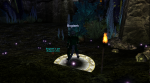
view.png

Thanks and Peace
 
hit F9 till you in first person, then use mouse wheel to scroll out to the distance you want then press left mouse and move it up or down to get the angle you want
 
Aye , but I should have been clearer.

I run a 24 character Army, and I would like to be able to get them all to the right view at once.. It is a pain to do 24, or even to just forget about it and have to fix view everytime I need to tab over and do something.

/stick uw

will make them look up , down where ever, and after a death they are usually looking up in the sky, and if I need to interact with an npc or object or what ever, its annoying.

Maybe its just a pet peeve of mine, hehee, but still something that has been bugging me and we should be able to automate it.

Going through the eq ini files I see where they have it, but it always just reverts back, and doing some web searches I see that others have experienced the same thing, no matter how they set it in the ini file it gets reverted back.

Thanks and Peace
 
I use a different view, but I do it with something like this

Num_Slash is my topview, and Num_3 is tilt down.

/bcga //keypress alt+Num_Slash
/bcga //keypress alt+Num_3 hold

So your view is probably First Person View key and a few press of zoom out.

- - - Updated - - -

i thought this will work for you, but apparently there is no keybind right now that is exactly equal to the mouse wheel zoom out. I was wondering if anyone knows?

/bcga //keypress FIRST_PERSON_CAMERA
/bcga //keypress ZOOMOUT hold
/bcga //keypress PITCHDOWN hold
 
would be a neat feature if this was added to mq2camera to have a fixed setting for the zoomout and pitch and what mode to be in. etc.
 
I use isboxer for this =p

Just broadcast and set the view i want.

would be nice if you could simply save a certain view and use it every time though.
 
Well with all the cool stuff I see everyone doing with mq2 and plugins, there has to be a way to just roll the mouse wheel back 1/4 of a roll then rightmousebutton fold and tilt down 10 degrees.. I just really dont know the key words to search.

Peace
 
Question - Camera Controls

Users who are viewing this thread

Back
Top
Cart