



You can simply unblock the file by right-clicking on it, and on the General tab – clicking the Unblock button, and then on the Ok button.
other option - Disable the feature
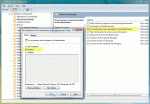
In Windows, Click Start.
In the Search box, Run box or console window type: GPEDIT.MSC to bring up the Group Policy Object editor.
Navigate to User Configuration > Administrative Templates > Windows Components > Attachment Manager. Here you will find a couple of policies related to this feature, but to disable it you'll want to ENABLE the policy called "Do not preserve zone information in file attachments".
Close the GPO editor.
Either logoff your computer, or refresh the local policy by typing the following command in a Command Prompt or in the Run box:
Gpupdate /force
For more info this is the link i Gleaned this from.
http://www.petri.co.il/unblock-files-windows-vista.htm
if you cannot load gpedit.msc from run, do this below.
download this and extract and run .
Add the Group Policy Editor to Windows 7 editions that normally don't have it, such as Starter Edition, Home and Home Premium..
It was apparently compiled by "davehc" on the Windows 7 forums. He says in the forum "There is no copyright on it so feel free to use and distribute!" So that's what I'm doing, hopefully it will make it easier to find for someone.
Thanks and all credit to "davehc"
Windows 7 x64 Users:
You must go to the SysWOW64 folder and copy the GroupPolicy, GroupPolicyUsers folder and the gpedit.msc file into the System32 folder.
- - - Updated - - -
had to add more besides ultimate windows 7 is different beast
other option - Disable the feature
In Windows, Click Start.
In the Search box, Run box or console window type: GPEDIT.MSC to bring up the Group Policy Object editor.
Navigate to User Configuration > Administrative Templates > Windows Components > Attachment Manager. Here you will find a couple of policies related to this feature, but to disable it you'll want to ENABLE the policy called "Do not preserve zone information in file attachments".
Close the GPO editor.
Either logoff your computer, or refresh the local policy by typing the following command in a Command Prompt or in the Run box:
Gpupdate /force
For more info this is the link i Gleaned this from.
http://www.petri.co.il/unblock-files-windows-vista.htm
if you cannot load gpedit.msc from run, do this below.
download this and extract and run .
Add the Group Policy Editor to Windows 7 editions that normally don't have it, such as Starter Edition, Home and Home Premium..
It was apparently compiled by "davehc" on the Windows 7 forums. He says in the forum "There is no copyright on it so feel free to use and distribute!" So that's what I'm doing, hopefully it will make it easier to find for someone.
Thanks and all credit to "davehc"
Windows 7 x64 Users:
You must go to the SysWOW64 folder and copy the GroupPolicy, GroupPolicyUsers folder and the gpedit.msc file into the System32 folder.
- - - Updated - - -
had to add more besides ultimate windows 7 is different beast
Last edited: