• You've discovered RedGuides, an EverQuest multi-boxing and scripting community 🧙‍♀️⚙️. We want you to play several EQ characters at once, come join us and say hello! 👋

  • A TLP without truebox has thawed (Very Vanilla ready)
    Frostreaver
Bazaar.mac

Release Bazaar.mac 2023.8.20.1

No permission to download
I'm sorry, but I don't understand the sentence
"Also when I use bazaar2.mac it instantly engages trader made On whenever it searches a duplicate item. "

Can you please rephrase it.
Sure. When I use /mac bazaar2 trader and it starts going through each item in my inventory and repricing them, if it hits an item it has already scanned once before it echos out something along the lines of "Duplicate item detected" and instead of moving to the next item, jumps straight to turning on trader made and entering the wait period before starting a new scan, ceasing any further scanning/repricing.

I don't remember the actual terms of the sections of the macro since im at work right now.
 
bazaar2.mac doesn't use parameters.
/mac bazaar2

should automatically detect your being in the trader area or not.

Far as it skipping items it's already found. Looking at the logic that doesn't seem to be how it should work.
 
no problem.

the line I referenced specifically was 97 in the bazaar2.mac

Code:
            /if (${Debugging}) /bazecho \aySkipping Price Calculation for ${Window[BazaarWnd].Child[BZR_BazaarSlot${i}].Tooltip} item, it was already checked.
This would only show up if ${Debugging} was true.
 
kaen would like to change this line,

Rich (BB code):
|-------------------------------------------------------------|
| Added color to all /echo commands by making them /myecho with this alias
|-------------------------------------------------------------|
    /alias /myecho /echo \ar[\agBazaar.mac\ar]\aw >>> \ao
|-------------------------------------------------------------|

to this,

Rich (BB code):
|-------------------------------------------------------------|
| Added color to all /echo commands by making them /myecho with this DEFINE
|-------------------------------------------------------------|

    #define /myecho "/echo \ar[\agBazaar.mac\ar]\aw >>> \ao"

Anyone have an issue with that? If not I'll push an update.
 
Wow my version was really out of date, was still using 3.2. I was chasing down a bug and found this new and improved version!

Really liking the new colors!

I'm still reading through the changes, but one behavior I noticed missing was the dupe check, this new version seems to do a search for every slot even if it's already been searched. Was that code removed?

This updated version fixes the bug I was chasing, thanks for the hard work on this!
 
New to macros. Downloaded the 4.4 macro. Where do I get the INC file and plugin? Thanks!

Both are included in your Very Vanilla compile. You can run the macro safely. If you're curious to see the plugin, check your root folder. To see the INC file, check the Macros folder.
 
Last edited:
So Looking for a Couple of Tweaks/ Feature Suggestions. 1 I have 14 of the same Nonlore TOV tier 1 armor do i really need to search 14 times? can we Index how long ago we searched a price and Skip? so if its within the cycle of the last price check we are not searching a Bunch extra? Also I Have Multiple Bazaar toons. is it possible to Make a Ignore Feature for price matching? So i can set to ignore my other bazaar mules. so i don;t Compete Myself into the ground LOL. Just added my 4th Toon and Atm i run the mac turn it off. Wait for my guys prices to poof. Then rerun on next toon. Etc.. finally I have to turn off the mac and go to offline mode or i compete against myself.
So. Requests

1. Search memory for when u have Multiples of the same Item.
2. No Compete Variable if possible So i can define my other traders Names.
3. Milk Cookies and More Kronos.
 
Check your macro folder.. its included in the Vanilla download

I was hoping it was a traditional .mac file and I didn't have to install VV to use it. I downloaded VV but don't see a bazaar2.mac file there is a bazaar.mac. I've been using MQ2 for 15 years and have it setup the way i like it and was hoping to not have to fully install VV, but I guess I'll have to.
 
Seems that the latest upload has left it out. Luckily we have "History" which will allow you to download the zip that contains the unupdated Bazaar.mac prior to the latest release, but it also contains Bazaar2.mac. Both are contained in a zip file.

1582509403552.png

In the resource's top bar, select "History" to get a list of prior versions. Go to the second entry (at the time of this post) and select download.
 
Bazaar2.mac in buyer mode isn't recognising I'm on a buyer platform. I get:

"You were not on the trader or buyer side. Ending Macro"

Bazaar.mac works ok.
 
Has anyone ever had an issue with this mac setting incorrect prices? I've sold few items for less than 100 plat each before and not sure how that's possible since all items are initialized to 100 plat min in the ini file.
 
Has anyone ever had an issue with this mac setting incorrect prices? I've sold few items for less than 100 plat each before and not sure how that's possible since all items are initialized to 100 plat min in the ini file.
did they have numbers or special characters in the name?
 
I am loving this plugin! But I keep having an issue I don't think is intended (based on the first page screenshots), can someone tell me what I can do to fix it? I did not see any commands or settings that would help:

When I run "/mac bazaar buyer" to update my prices it automatically opens my buyer shop after it finishes and keeps running in the background so it can try to update prices again every 90 minutes (which I would love for afk buying all night if it worked right) The issue I am having is after 90 minutes when it comes time to refresh prices, it tries to start updating prices automatically like it did on first run but it doesn't actually stop my active buyer by clicking "stop barter" first (Barter and Buyer windows are already open when it starts), it instead tries to make all the price changes to the buy lines while still in active buyer mode and the game spams "you must exit barter buyer mode in order to modify your buy lines" for each change, (because setting prices and hitting the modify button doesn't actually work when you are still in active buyer mode), and the plugin ends up doing nothing since it set prices it did not apply. To fix it I have to manually stop script, stop my shop, and run the script again with shop closed. Is there a way to fix this? A setting or command I missed maybe? I assumed the whole point of the timer was to allow you to go afk without coming back to close shop to run the script every 90 minutes (I don't think it stops active buyers on first run either but not the issue here) . I have tried it while boxing (not looking at window at all and mq2eqwire minimizing graphics so i cant click anything incorrectly and also while staring directly at it as primary window doing nothing else in both cases it does not close my shop)

[Attached SS below as you can see it does NOT have the line "Buyermode OFF" or anything similar [meaning it is not even trying to stop my active buyer for some reason before changing prices}. I can't tell if there's a lag issue causing it to malfunction at times due to boxing (it does occasionally {not often} set prices wrong using BuyerMin incorrectly like it didnt get the data in time) or there was an update from the original build and it no longer turns trader off for you.

Shouldn't it stop your active buyer whenever the script is run if you have one since it has to be closed for you to update prices? (legitimately asking). Did I do something wrong or is this intended to not do that?

Also is there a way to change the interval between checks (or could there be at some point)? like if I wanted to refresh every half hour/hour instead? I did not see a command for that but it would be really cool :) Ty so much for making this it's very helpful!
 

Attachments

  • 95366854_712380736235945_3239273019067072512_n.png
    95366854_712380736235945_3239273019067072512_n.png
    8.4 KB · Views: 10
Last edited:
Not being able to update prices while you're actively a buy is something that was changed more recently. So that isn't something that was needed at the time it was originally coded. @Inkie took over this project for me. I don't believe it's going to be a complicated adjustment. Just a matter of him knowing about the change and that someone actually uses barter lol.
 
Love the macro, just have one question. I have a lot of items that I need to sell faster than they currently are. How do I adjust how much less than the lowest priced item available it sets my price to? I'd like to change it to be significantly less. Thanks
 
This plugin do not work with azerty keyboard, we have to set our keyboard to qwerty to make it work.
 
The AZ and M keys being in a different location never occured to me would cause issues. However, it's not something I'm aware that can be corrected in the macro since it's using /keypress and the character to press. Which means it's mapped in MQ2 as only adhering to the qwerty standard. I wish I could be of more assistance with that type of issue, but I'm afraid I'm not familiar with a way to handle that.
 
Love the macro, just have one question. I have a lot of items that I need to sell faster than they currently are. How do I adjust how much less than the lowest priced item available it sets my price to? I'd like to change it to be significantly less. Thanks
Check in your macros folder, there should be a "bazaarSettings.ini" file. In there is "UndercutPct" which should be what percentage you undercut everything by. What i've done before when I want to unload is just set that to a higher percentage so that im slashing the next-highest price pretty hard
 
Thanks for the response, however I can't find the bazaarsettings.ini file in my macros folder....
 
@Magnuss & @ChatWithThisName is it specifically those keys that don't work? A, Z, and M? What is the behavior?
 
Yep the switch to qwerty keyboard is needed for the numbers too, otherwise it won't set any price.
 
AZERTY <=> QWERTY
Key [A & Q] - [Z & W] are switched and for numbers, we need to Use shift + number on top of the keyboard to have numbers 0 to 9.
So the macro press 1 to 0 key, but for AZERTY keyboard it is &é"'(-è_çà key.
May be the macro must check if the 1st letters line is a A or a Q to know if we use Azerty or Qwerty.
Then price are never set and the macro do not enter numbers, but try to enter symbols and EQ do not take symbols, so price are ever empty.

1 = &
2 = é
3 = "
4 = '
5 = (
6 = -
7 = è
8 = _
9 = ç
0 = à

PS :
Our friends German use qwertz keyboard, but numbers work like the QWERTZ keyboard, so the macro may work.
 
Last edited:
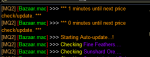
Got this today when I started up the trader, with a few new items. It did do its thing, but figured I'd see if anyone knew what's up.
1600934803298.png
 
Got this today when I started up the trader, with a few new items. It did do its thing, but figured I'd see if anyone knew what's up.
View attachment 24532
myecho is a define in the macro changed from an alias a while back > HERE < (in bazaar.mac)

Code:
|-------------------------------------------------------------|
| Added color to all /echo commands by making them /myecho with this DEFINE
|-------------------------------------------------------------|

    #define /myecho "/echo \ar[\agBazaar.mac\ar]\aw >>> \ao"

Looking at what gets downloaded - it doesn't appear that bazaar2.mac is in the current download, just bazaar.mac and the bazaar.2mac has 3 calls for myecho but it isn't defined/aliased anywhere.

Looks like you would need to change either the myecho calls, or add a define/alias
 
Release Bazaar.mac

Users who are viewing this thread

Back
Top
Cart