• Hail, we're RedGuides. We want you to play six (yes, 6!) EverQuest characters at once. We have scripts and a friendly community to help, please join our playstyle and say hello! 👋
  • We've added LLM sections to our Terms & Rules and Resource Rules, for everyone's sanity & in-game safety.
    Read more
    a. Do not replace your voice with an LLM. This goes for your posts and your scripts. Drafting and editing with a tool is fine, but don't take you out of what you share.
    b. Do not replace your EQ character's voice with an LLM. We don't want scripts that speak over /ooc, /shout or other public channels. This has been an unwritten rule that's kept casino scripts off the site for decades, but we're now compelled to make it clear: keep automated communication private.

    Why Does RG Review Scripts?
    Nearly every LLM-written Lua script we see is making your character do impossible things, and rarely in a way that's beneficial to you. We've seen heavy server hammering, /target over impossible distances when /nav spawn would passively accomplish the same thing, a spawn search that fires 20+ times per second, and other pointless actions that are likely annoying GMs.

    You are welcome to use LLMs as a tool to structure, draft, and edit your work, but please read critically before hitting /lua run

Problem - Bandoiler TLO

Raidien1

CrankyPants
I am trying to make a Bandoiler TLO to check if said Bandoiler profile is active. I am running into some issues with the examples that i listed below

${Me.Bandolier.Active[DPS]}

this one always come back with false no madder what.


${Me.Bandolier[${Bandolier[DPS].Active}

This one i got off https://www.redguides.com/docs/projects/macroquest/reference/data-types/datatype-bandolier/ examples and appears to be broken

Thanks in advance for the assistance.
 
Yeah i understand that.

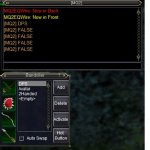
When the active set is DPS and I /echo ${Me.Bandolier[DPS].Active} it comes back with false. If I have the active set to Avatar and do a /echo ${Me.Bandolier[DPS].Active} it comes back false which it should. I then do a /echo ${Me.Bandolier[Avatar].Active} and it again comes back as false.
 
presumeably you have a bandolier set called "DPS" exactly? Doing my checks I get TRUE and FALSE returns correctly.

1611904958867.png

1611904989453.png

Mine is cut off, but that's the exact name of it.

If you
/echo ${Me.Bandolier[DPS]}


does it return the name "DPS" in the MQ2 window?
 
/echo ${Me.Bandolier[DPS]} is not the same as the original echo just to be clear. It either returns the name or NULL. So I don't think you followed my request.
Yeah i had to boot back up.

False.jpg

that is showing the Bandolier labeling in game and that /echo ${Me.Bandolier[DPS]} did come up with DPS. The rest are /echo ${Me.Bandolier[DPS].Active} that all returned false.

Band.jpg

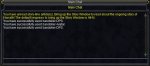
This is showing i even cycled to a different set and still got false.
 
Yeah i had to boot back up.

View attachment 27825

that is showing the Bandolier labeling in game and that /echo ${Me.Bandolier[DPS]} did come up with DPS. The rest are /echo ${Me.Bandolier[DPS].Active} that all returned false.

View attachment 27826

This is showing i even cycled to a different set and still got false.
you're on tlp?

there was an issue with bandolier on TLP - I believe mule has this fixed so im guessing next update

1611925940989.png
 
Problem - Bandoiler TLO

Users who are viewing this thread

Back
Top
Cart