• You've discovered RedGuides, an EverQuest multi-boxing and scripting community 🧙‍♀️⚙️. We want you to play several EQ characters at once, come join us and say hello! 👋

  • A TLP without truebox has thawed (Very Vanilla ready)
    Frostreaver
Resource icon

Release AutoMagic Option Configurator - Beta 0.2

No permission to download
Joined
May 31, 2022
RedCents
4,210¢
Naturesong submitted a new resource:

AutoMagic Option Configurator - Beta - Sets Display and General Options Automatically.

This is a Beta release - use at your own risk!
Currently a proof of concept, see limitations down below.

If you use it and have the time, I'm after the following feedback:
Code
  • does it work - please post any errors, run with the debug switch which will give more information as to what is causing it to crash.
  • does it smell - please be constructing in this one - I'm not a real programmer, but I try to keep things dry.
  • do you have a solution to my slider...

Read more about this resource...
 
Lua:
local function is_table(table)
    -- checks to see if table actually contains a table
    if next(table) == nil then
        Write.Error('[\aoTable is empty\aw]')
        return false
    else
        return true
    end
end

Are you looking for type(table) == 'table' ?
 
Lua:
if (mq.TLO.Window(data[key].window).Child(data[key].child).Checked() ~= settings[key][state]) then

Just so you know, this syntax is valid, and you can take advantage of it to simplify your code:

Lua:
if mq.TLO.Window("OptionsWindow/ODP_NPCNamesCheckBox").Checked() ~= settings[key][state] then
 
Your write prefix resets the color
Lua:
Write.prefix = function() return '\ax[\agamoc::beta\ax] ' end

\ax is not "white". If you think of colors as a stack, it pops off the most recent color from the stack. So this is resetting the color codes that Write might've added.
Also, I find your usage of Write to be completely overkill. you can get away with printf or a very simple wrapper for it. You should also use format strings instead of concatenating strings together.

Lua:
Write.Error('[\aoCannot find [' .. purpose .. '] file at: ' .. path .. '\aw]')

Lua:
function PrintMsg(...)
    print('[\agamoc::beta\ax] ' .. string.format(...))
end

PrintMsg('\aoCannot find %s file at: %s', purpose, path)
 
Your write prefix resets the color
Lua:
Write.prefix = function() return '\ax[\agamoc::beta\ax] ' end

\ax is not "white". If you think of colors as a stack, it pops off the most recent color from the stack. So this is resetting the color codes that Write might've added.
Also, I find your usage of Write to be completely overkill. you can get away with printf or a very simple wrapper for it. You should also use format strings instead of concatenating strings together.

Lua:
Write.Error('[\aoCannot find [' .. purpose .. '] file at: ' .. path .. '\aw]')

Lua:
function PrintMsg(...)
    print('[\agamoc::beta\ax] ' .. string.format(...))
end

PrintMsg('\aoCannot find %s file at: %s', purpose, path)
This is very helpful, I wasn't sure about interpolation in Lua and this explanation and example nails it for me, thank you.
Also for cleanup re optionswindow syntax.

For the type(table) == 'table', given that I declare the table I use as globals in the housekeeping section at the top i.e. local data = {}, will this return true if it's empty?
 
Prefix can be a function, but it doesn't have to be. Functions would be used for dynamic generation of data, like if you wanted to timestamp. For what you want (and using brainiac's example), it's probably just:
Lua:
Write.prefix = '\aw[\agamoc::beta\ax]\ax '
--- snip ---
Write.Error('[Cannot find [%s] file at: %s]', purpose, path)

Alternatively, if you really did want all of your text to be orange, you can turn using colors off and add \ao to the end of your prefix.

And, just to annoy brainiac, if you want to get really overkill with it, in the latest Write you can set your "message" color on every individual level:
Lua:
Write.prefix = '\aw[\agamoc::beta\ax]\ax '
Write.loglevels.error.mqcolors.callstring = '\ao'
Write.loglevels.error.mqcolors.message = '\ao'
--- snip ---
Write.Error('[Cannot find [%s] file at: %s]', purpose, path)
 
yes, try it.
It does return true when the table is initialised and empty, so may not be useful here.
When I use next to see if it's empty, it can only be a table, right? i.e. its not going to return true for a variable that contains a single value.

one sec, I'll test ...
Ok, cool, if I assign a single string to a variable, and then check via next, the interpreter really doesn't like it.
Here's my updated function, tests for type and content.
[CODE lang="Lua" title="Lua is_table function"]local function is_table(table)
if type(table) == 'table' and next(table) ~= nil then
return true
else
Write.Debug('[Variable recieved is empty or not a table]')
return false
end
end[/CODE]
Or terse version
[CODE lang="Lua" title="Lua is_table function"]local function is_table(table)
return (type(table) == 'table') and (next(table) ~= nil)
end
[/CODE]

Because in Lua everything (arrays, dict's, lists etc.) are all tables?
 
Ok, so I've updated the table checking, and implemented the OptionsWindow simplification suggested by @brainiac.
And fixed a couple of other things.
Working on the messages interpolation. I'm familiar with the concept from powershell and C#, but I've made a bit of a mess, so it'll take a little time before I update a v0.2 beta.

@Knightly, can I change the Write.Info to Write.Error based on result.
For instance, if I do [CODE lang="Lua" title="Lua save_table"]Write.Info('[Configuration saved [%s]]', tostring(save_table(SETTINGS_PATH, settings)))[/CODE]
Can I change the 'Info' to 'Error' if the save_table returns false, or is writing code like that just a bad idea because it obscures the function call within a write statement?
 
Last edited:
Because in lua everything (arrays, dict's, lists etc.) are all tables?
It's tables all the way down...

Can I change the 'Info' to 'Error' if the save_table returns false, or is writing code like that just a bad idea because it obscures the function call within a write statement?
You can, the call would require you to use the array indexing notation to call the appropriate function, but you shouldn't for the reasons you mention. Your code becomes unreadable for no real gain. Lua doesn't have true ternaries, but even if it did, that gets pretty messy. Besides that, you're more likely to take DIFFERENT branches of actions based on whether your table was saved or not, I assume. Otherwise, why care at all?
 
Naturesong updated AutoMagic Option Configurator - Beta with a new update entry:

General Tidy up

Cleaned up output to terminal code and readability.
Cleaned up code as per brainiac and knightlys suggestions
Applying slider settings are now disabled by default.
Added the bind '/amoc slider' which toggles whether slider settings are processed or not.
Changed bind for '/amoc apply auto' to just '/amoc apply'. The auto value is now deprecated. Still works until out of beta.
Cleaned up processing of commandline args.
Added initial run sequence:
If the primary user setting file is not...

Read the rest of this update entry...
 
Honestly I've never seen somebody use next(table) ~= nil to check if something is a table. I'm not sure why you need this bit at all.

I don't think you need any of those is_table checks. If you really want to see if somebody is set, just look for something that would be set if you had. (and if its not a table, why is it not a table?)
 
Honestly I've never seen somebody use next(table) ~= nil to check if something is a table. I'm not sure why you need this bit at all.

I don't think you need any of those is_table checks. If you really want to see if somebody is set, just look for something that would be set if you had. (and if its not a table, why is it not a table?)
The next(table) ~= nil table check is really to ensure the table is not empty.
If the table is declared, but still empty, the get setting or set setting parts are still happy to iterate though it and do .. nothing, declare success and pat themselves on the back for a job well done.

I have made changes so on first run the settings table is populated, so it may now be redundant.
In the next refactor I'll likely move it to a check as part of the load data or load settings parts or, get rid of it altogether. But up til now in the development stage it's been useful.

However, I've seen your code, and it's pretty consistently elegant so I'll seriously consider removing the guard rails / safety blanket in the next updates.
 
Last edited:
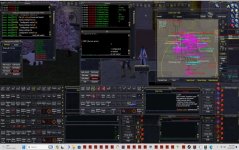
I gave it a try but it didn't see to work. I made some changes and then saved a profile then tried to load to see if it would put things back but it didn't work for me. I originally thought it saved windows positions as well but didn't see anything on that. When it said background and forground window settings it made me think it would save the position of the window on the desktop. That would be a cool feature alone. Something I may have to look into. When I use the autologin function of MQ2 and load say a 6 box team it loads all windows in the last position that was used (Or window moved to). Everytime I load a team I have to move them around into positions overlaying one another. (Play 6 toons on same PC with 46" TV as a monitor). As you can see in the attached file this is my currently layout. Easy to just click a window and be right on a toon if needed. Can control every box I need to. Currently to fix this issue as you can see I have 15 seperate icons on the bottom on the toolbar so when I load a toon they are in the correct window position. There are icons for a 6 box/4box/4box then an individual one to manually log in as many as I need but have to move them around as stated before. But it would be cool to have a program that will position the window after a group is loaded from MQ2 profile settings.Screenlayout.jpg
 
1701662360605.png

I guess I should have read that more closely. That is probably why it didn't work for me. I was probably choosing items that you did not have available. But it's a good idea none the less.
 
I gave it a try but it didn't see to work. I made some changes and then saved a profile then tried to load to see if it would put things back but it didn't work for me. I originally thought it saved windows positions as well but didn't see anything on that. When it said background and forground window settings it made me think it would save the position of the window on the desktop. That would be a cool feature alone. Something I may have to look into. When I use the autologin function of MQ2 and load say a 6 box team it loads all windows in the last position that was used (Or window moved to). Everytime I load a team I have to move them around into positions overlaying one another. (Play 6 toons on same PC with 46" TV as a monitor). As you can see in the attached file this is my currently layout. Easy to just click a window and be right on a toon if needed. Can control every box I need to. Currently to fix this issue as you can see I have 15 seperate icons on the bottom on the toolbar so when I load a toon they are in the correct window position. There are icons for a 6 box/4box/4box then an individual one to manually log in as many as I need but have to move them around as stated before. But it would be cool to have a program that will position the window after a group is loaded from MQ2 profile settings.View attachment 53844
Hi,

This does not position windows at all.
It's primary function is to optimise display settings to reduce cpu load when windows are in the back ground.
For my machine/s it allows me to have usable settings on whichever window is in focus, and for background windows, remove visibility of players, pets, merc, names, etc.

If you have a look in ..\MacroQuest\Release\config\amoc\amoc_settings.lua you will see what is configured.

I do intend to continue to develop it, however I've not had time recently. I'm in the southern hemisphere and as a beekeeper spring, summer, and some of autumn are my busy periods.
 
Release AutoMagic Option Configurator - Beta

Users who are viewing this thread

Back
Top
Cart