• Hail, we're RedGuides. We want you to play six (yes, 6!) EverQuest characters at once. We have scripts and a friendly community to help, please join our playstyle and say hello! 👋
  • We've added LLM sections to our Terms & Rules and Resource Rules, for everyone's sanity & in-game safety.
    Read more
    a. Do not replace your voice with an LLM. This goes for your posts and your scripts. Drafting and editing with a tool is fine, but don't take you out of what you share.
    b. Do not replace your EQ character's voice with an LLM. We don't want scripts that speak over /ooc, /shout or other public channels. This has been an unwritten rule that's kept casino scripts off the site for decades, but we're now compelled to make it clear: keep automated communication private.

    Why Does RG Review Scripts?
    Nearly every LLM-written Lua script we see is making your character do impossible things, and rarely in a way that's beneficial to you. We've seen heavy server hammering, /target over impossible distances when /nav spawn would passively accomplish the same thing, a spawn search that fires 20+ times per second, and other pointless actions that are likely annoying GMs.

    You are welcome to use LLMs as a tool to structure, draft, and edit your work, but please read critically before hitting /lua run

Problem - Auto-Login not working

Torrax

Member
Greetings all,

I downloaded the program and created a couple of new accounts in Everquest. I was following along with the video guide and created a profile for each character on each account. However, regardless of whether i choose 'Load All' or select a single character, all i get is the EQ splash screen asking for my username and password with the cursor flashing in the password box. The only option in the profile box that i have not populated is the Hot Key line but according to the video that was optional.

Any clue on what i have done incorrectly or maybe failed to do?

Thanks!!
 
In your MQ2Autologin.ini file make sure the path is correct for inilocation. Mine looks like the following, but I can assure you that yours will be different.
IniLocation=C:\EQ\MQ2\Release\MQ2AutoLogin.ini
 
Greetings all,

I downloaded the program and created a couple of new accounts in Everquest. I was following along with the video guide and created a profile for each character on each account. However, regardless of whether i choose 'Load All' or select a single character, all i get is the EQ splash screen asking for my username and password with the cursor flashing in the password box. The only option in the profile box that i have not populated is the Hot Key line but according to the video that was optional.

Any clue on what i have done incorrectly or maybe failed to do?

Thanks!!
Howdy Torrax, Welcome to RedGuides!

I don't have an answer for you right away, but we can start working on it together while some others have a chance to chime in.

It sounds like you watched the video on the front page - have you had a chance to look at the resource page for AutoLogin? it goes into more details

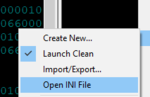
1561491191937.png

If you click that open Ini file

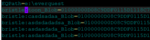
Do you see something down the bottom that looks similar to this:
1561491246531.png
Don't share the actual information as it would have your character names in it
but do you see something that looks like this:
Code:
[groupname]
server:Char1_Blob=010089102810
server:Char2_Blob=010001830184
etc


If you don't see that information for some reason your information isn't getting saved correctly or it isn't launching how you would like it to, which you can check in the
[Settings] part.

This is what mine looks like --- but I'm using the "Option 3" in the MQ2Autologin, which you won't be.

Code:
[Settings]
# Must be disabled.
UseMQ2Login=1
# NOTE: The following line is optional, as it defaults to off.  However, it cannot be set to 1 to use sessions.
UseStationNamesInsteadOfSessions=1
NotifyOnServerUP=0
 
Holy smokes you guys are fast! Thank you!! I think i figured out the problem...

When i was naming the Profile Set to put all of the characters into I used an underscore ( _ ) between the words like this pl_group. After i had posted my problem I went back and created a new profile for my Main character and simply titled it 'Mains' and it worked. Since i was able to log into my main account and everything was the same but the name of the group I changed the name on that Profile Set to: PLGroup and it worked!

I'm still working on videos but it's nice to know that the support here is quick, friendly, and knowledgeable!!!
Awesome, Torrax! We're glad to have you and glad to help you out.
Since you're newer, check out my video in my signature - I go over a few things like moving your group around, using mq2nav and easyfind and some other stuff --- good way to kill some time and learn some stuff.

Hit me up anytime if you have questions.

There are a ton of us who sit on Discord throughout the day
 
Problem - Auto-Login not working

Users who are viewing this thread

Back
Top
Cart