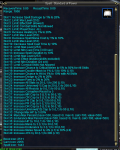
Hey dudes! I recently made a post regarding Empowered Campfire and Patate told me how to go about making KA use Empowered within the mac. I toyed around with it a little bit and changed it so that you can set it to Empowered, Normal or off. Empowered also has an exception handler for when you run out of materials and will automatically place normal until you restock!
Code to Paste:
[CODE lang="ini" title="CF Code"] Sub Bind_Campfire
/if (${Select[${Zone.ID},33506]}) /return
/windowstate FellowshipWnd open
/delay 10
/nomodkey /notify FellowshipWnd FP_Subwindows tabselect 2
/if (${Me.Fellowship.Campfire}) {
/if (!${Select[${Me.Fellowship.CampfireZone.ID},${Zone.ID}]}) {
/nomodkey /notify FellowshipWnd FP_DestroyCampsite leftmouseup
/delay 5s ${Window[ConfirmationDialogBox].Open}
/if (${Window[ConfirmationDialogBox].Open}) {
/nomodkey /notify ConfirmationDialogBox Yes_Button leftmouseup
}
/delay 5s !${Me.Fellowship.Campfire}
}
}
/nomodkey /notify FellowshipWnd FP_RefreshList leftmouseup
/delay 1s
/if (${CampfireOn}==1) {
/nomodkey /notify FellowshipWnd FP_CampsiteKitList listselect 1
/delay 1s
/nomodkey /notify FellowshipWnd FP_CreateCampsite leftmouseup
/delay 5s ${Me.Fellowship.Campfire}
/if (${Me.Fellowship.Campfire}) /echo Normal Campfire dropped!
}
/if (${CampfireOn}==2) {
/nomodkey /notify FellowshipWnd FP_CampsiteKitList listselect 2
/delay 1s
/nomodkey /notify FellowshipWnd FP_CreateCampsite leftmouseup
/delay 5s ${Me.Fellowship.Campfire}
/if (${Me.Fellowship.Campfire}) {
/echo Empowered Campfire dropped!
} else {
/echo You're out of Fellowship Campfire Materials!
/echo You can get more from Fellow Byllie in Plane of Knowledge.
/echo Popping normal Campfire for now.
/nomodkey /notify FellowshipWnd FP_CampsiteKitList listselect 1
/delay 1s
/nomodkey /notify FellowshipWnd FP_CreateCampsite leftmouseup
/delay 5s ${Me.Fellowship.Campfire}
/nomodkey /notify ConfirmationDialogBox CD_OK_Button leftmouseup
/if (${Me.Fellowship.Campfire}) /echo Normal Campfire dropped!
}
}
/if (${CampfireOn}>2) {
/echo That isn't a valid option for setting Campfire.
/echo 0 = Off, 1 = Normal CF, 2 = Empowered CF
/echo Macro will now end, fix your INI homie!
/windowstate FellowshipWnd close
/endmacro
}
/windowstate FellowshipWnd close
/return[/CODE]
Where to Paste it (CTRL + F for this):
[CODE lang="ini" title="Where to place code"]
| ----------------------------------------------------------------------------
| SUB: Campfire Section - OriginalCode from toomanynames, wizbomb
| ----------------------------------------------------------------------------[/CODE]
Just paste the code over the entire section under SUB: Campfire Section in kissassist.mac, set CampfireOn to 2 in your INI and you're good to go!
Let me know if you run in to any issues, thanks guys!
Code to Paste:
[CODE lang="ini" title="CF Code"] Sub Bind_Campfire
/if (${Select[${Zone.ID},33506]}) /return
/windowstate FellowshipWnd open
/delay 10
/nomodkey /notify FellowshipWnd FP_Subwindows tabselect 2
/if (${Me.Fellowship.Campfire}) {
/if (!${Select[${Me.Fellowship.CampfireZone.ID},${Zone.ID}]}) {
/nomodkey /notify FellowshipWnd FP_DestroyCampsite leftmouseup
/delay 5s ${Window[ConfirmationDialogBox].Open}
/if (${Window[ConfirmationDialogBox].Open}) {
/nomodkey /notify ConfirmationDialogBox Yes_Button leftmouseup
}
/delay 5s !${Me.Fellowship.Campfire}
}
}
/nomodkey /notify FellowshipWnd FP_RefreshList leftmouseup
/delay 1s
/if (${CampfireOn}==1) {
/nomodkey /notify FellowshipWnd FP_CampsiteKitList listselect 1
/delay 1s
/nomodkey /notify FellowshipWnd FP_CreateCampsite leftmouseup
/delay 5s ${Me.Fellowship.Campfire}
/if (${Me.Fellowship.Campfire}) /echo Normal Campfire dropped!
}
/if (${CampfireOn}==2) {
/nomodkey /notify FellowshipWnd FP_CampsiteKitList listselect 2
/delay 1s
/nomodkey /notify FellowshipWnd FP_CreateCampsite leftmouseup
/delay 5s ${Me.Fellowship.Campfire}
/if (${Me.Fellowship.Campfire}) {
/echo Empowered Campfire dropped!
} else {
/echo You're out of Fellowship Campfire Materials!
/echo You can get more from Fellow Byllie in Plane of Knowledge.
/echo Popping normal Campfire for now.
/nomodkey /notify FellowshipWnd FP_CampsiteKitList listselect 1
/delay 1s
/nomodkey /notify FellowshipWnd FP_CreateCampsite leftmouseup
/delay 5s ${Me.Fellowship.Campfire}
/nomodkey /notify ConfirmationDialogBox CD_OK_Button leftmouseup
/if (${Me.Fellowship.Campfire}) /echo Normal Campfire dropped!
}
}
/if (${CampfireOn}>2) {
/echo That isn't a valid option for setting Campfire.
/echo 0 = Off, 1 = Normal CF, 2 = Empowered CF
/echo Macro will now end, fix your INI homie!
/windowstate FellowshipWnd close
/endmacro
}
/windowstate FellowshipWnd close
/return[/CODE]
Where to Paste it (CTRL + F for this):
[CODE lang="ini" title="Where to place code"]
| ----------------------------------------------------------------------------
| SUB: Campfire Section - OriginalCode from toomanynames, wizbomb
| ----------------------------------------------------------------------------[/CODE]
Just paste the code over the entire section under SUB: Campfire Section in kissassist.mac, set CampfireOn to 2 in your INI and you're good to go!
Let me know if you run in to any issues, thanks guys!
Last edited: