• Hail, we're RedGuides. We want you to play six (yes, 6!) EverQuest characters at once. We have scripts and a friendly community to help, please join our playstyle and say hello! 👋
  • We've added LLM sections to our Terms & Rules and Resource Rules, for everyone's sanity & in-game safety.
    Read more
    a. Do not replace your voice with an LLM. This goes for your posts and your scripts. Drafting and editing with a tool is fine, but don't take you out of what you share.
    b. Do not replace your EQ character's voice with an LLM. We don't want scripts that speak over /ooc, /shout or other public channels. This has been an unwritten rule that's kept casino scripts off the site for decades, but we're now compelled to make it clear: keep automated communication private.

    Why Does RG Review Scripts?
    Nearly every LLM-written Lua script we see is making your character do impossible things, and rarely in a way that's beneficial to you. We've seen heavy server hammering, /target over impossible distances when /nav spawn would passively accomplish the same thing, a spawn search that fires 20+ times per second, and other pointless actions that are likely annoying GMs.

    You are welcome to use LLMs as a tool to structure, draft, and edit your work, but please read critically before hitting /lua run

Problem - .Arg not working right?

joojoobee

A Member to Remember
Creator
This:
Code:
Sub main

    /declare MyVar string local
    /varset MyVar "THIS,,IS,A,,TEST"
    /echo Using Arg: ${MyVar.Arg[2,,]}
    /echo Using Token: ${MyVar.Token[2,,]}
                
/return

gives:
1554537433147.png

Where according to: http://macroquest.sourceforge.net/includes/manual.php it should be:

Using Arg: IS
Using Token: NULL


I am not able to get .Arg to work in a number of test cases... Suggestions please as to what I am doing wrong?

JJB
 
you are using "" strings dont like that, and arg thinks its one value then.

Code:
Sub main

    /declare MyVar string local
    /varset MyVar THIS,,IS,A,,TEST
    /echo Using Arg: ${MyVar.Arg[2,,]}
    /echo Using Token: ${MyVar.Token[2,,]}
                
/return
this should be IS, and then nothing, for the token, because there is nothing there.
1554538150163.png

and you might want to start using this wiki instead of the old manual
 
strings are your friend!, they are happy little things that follow you around and just want to be with you forever and ever
 
What about if you introduce a space?

As in for instance a spell name... which is why I though one would want to use ""
 
/varset MyVar My Pony is Tired,Pink Pants, Thunder and lightning,

like that? that be interesting, joojoobee tell us what happens1
 
Correct.

For instance


Code:
|**Group up V1

Meant to group the toons in your EQBC

**|

#Chat BC
#Turbo 60

Sub Main

/declare Names string outer

:main
/varset Names ${EQBC.Names}
/delay 1s
/echo Variable check - \ay ${Names}
/call Invite ${Names}
/end

Sub Invite Name1 Name2 Name3 Name4 Name5 Name6
/declare X int local
/declare Y int local
/for X 1 to 6
    /echo \ay loop check \ag ${X} - ${Name${X}}
    /if (${Spawn[${Name${X}}].ID}) {
        /for Y 5 downto 0
            /if (${Group.Member[${Y}].ID}==${Spawn[${Name${X}}].ID}) {
                /echo skipping ${Name${X}} , already in group
                /goto :skipname
                }
            /echo \ag Inviting ${Name${X}}
            /invite ${Name${X}}
            /delay 1s
        /next Y
        }
    :skipname
    /delay 1s
    /next X
    /return

Trying to pass the names from EQBC and divide them. They of course, have spaces.
 
So long as you separate the whole spell names with an appropriate separator, spaces in the name/ranks shouldn't matter?

Since you either default to a space or put in a specific separator?

Or does it default to spaces and your specified seperator?

I might play with it later, as I'm trying to write my macro stuff with a little more sophistication that relying on very specific input/info
 
The default is a space. IE: ${SomeString.Arg[1]} defaults to a space. So it would get the first string of characters until the first space and return it.
If you want to use a specific separator you do ${SomeString.Arg[1,|]} which would use what is most popular and that would be the pipe used in KA and other macros.

Code:
Sub main
    /declare MyString string outer Some long string of text that has no real purpose

    /declare i int local 0

    /for i 1 to ${Math.Calc[${MyString.Count[ ]}+1].Int}
        /echo ${MyString.Arg[${i}]}
    /next i
/return

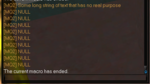
1554708742041.png

Code:
Sub main
    /declare MyString string outer "Some long string of text that has no real purpose"

    /declare i int local 0

    /for i 1 to ${Math.Calc[${MyString.Count[ ]}+1].Int}
        /echo ${MyString.Arg[${i}]}
    /next i
/return

1554708838047.png

Code:
Sub main
    /declare MyString string outer
    /varset MyString Some long string of text that has no real purpose
    /declare i int local 0

    /for i 1 to ${Math.Calc[${MyString.Count[ ]}+1].Int}
        /echo ${MyString.Arg[${i}]}
    /next i
/return

1554708914789.png

Code:
Sub main
    /declare MyString string outer
    /varset MyString "Some long string of text that has no real purpose"
    /declare i int local 0

    /for i 1 to ${Math.Calc[${MyString.Count[ ]}+1].Int}
        /echo ${MyString.Arg[${i}]}
    /next i
/return

It's not uncommon for things with the macro parser to work in a way you wouldn't expect. But for the most part when you have a choice to make, a simple test usually yields the answer you are looking for.
In the case of the differences between a Token and an Arg, the answer is listed in the current wiki for the datatype of string. https://redguides.com/docs/projects/macroquest/reference/data-types/datatype-string/

I highly recommend using the wiki located at macroquest2.com as it's the official wiki for MQ2 related to core MQ2 functionality. For anything plugin specific the documentation should be located here on Redguides if that is in fact the build you are using.

To expand on the above examples. When should you use quotes? A. When you are passing a string as a param to a Subroutine, as you need it to send it all at once, the separator for functions is a space and therefore you must pass them as a quoted string to include multiple works.

IE:
Code:
Sub main
    /declare MyString string outer 
    /varset MyString Some long string of text that has no real purpose
    /call MyFunction "${MyString}"
/return

Sub MyFunction(myString)
    /echo ${myString}
    /if (${Defined[Param1]}) {
        /echo ${Param1}
    }
/return

1554709644786.png

Code:
Sub main
    /declare MyString string outer 
    /varset MyString Some long string of text that has no real purpose
    /call MyFunction ${MyString}
/return

Sub MyFunction(myString)
    /echo ${myString}
    /if (${Defined[Param1]}) {
        /echo ${Param1}
    }
/return

1554709693103.png

Very subtle difference between the two, but a major difference in the result.
 
Last edited:
That works, ended up with

Code:
|**Group up V1

Meant to group the toons in your EQBC

**|

#Chat BC
#Turbo 60

Sub Main

/declare Names string outer
/declare X int local

/varset Names ${EQBC.Names}
/delay 1s
/echo Variable check - \ay ${Names}
    /for X 1 to ${Math.Calc[${EQBC.Names.Count[ ]}+1].Int}
        /echo \ay loop check \ag ${X} - ${EQBC.Names.Arg[${X}]}
        /invite ${EQBC.Names.Arg[${X}]}
        /delay 1s
    /next X
    /bca //inv
    /end

Learn something new every day, thanks.
 
Problem - .Arg not working right?

Users who are viewing this thread

Back
Top
Cart