
-
 Hail, we're RedGuides. We want you to play six (yes, 6!) EverQuest characters at once. We have scripts and a friendly community to help, please join our playstyle and say hello! 👋
You are using an out of date browser. It may not display this or other websites correctly.
You should upgrade or use an alternative browser.
You should upgrade or use an alternative browser.
Question - RG Lua Commands
- Thread starter Kryp
- Start date


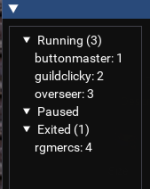
From what I know, if you close that window, it stops the Lua script from running. Are you sure the script is still running? Use the EQ Button -> Lua -> Running Scripts to see if it is or not. Notice below it is in the Exited section, as it is no longer running.
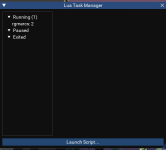

You can use the "resist ImGui overlays" option, but before that, id try to see if you can barely snag the edge of that and drag it onto the screen, since reset overlays is all of them, not just "one giving you issues".I think I found it.
View attachment 58530
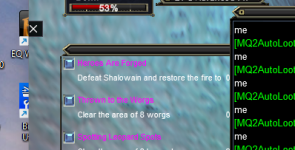
When I click the "X" it closes rgmercs. I cannot move it since all I can see is the X. I tried reload UI but it did not move. Is there a config file that has the location saved? Maybe I cna edit it and make it visible. I'm not sure how it even got there.
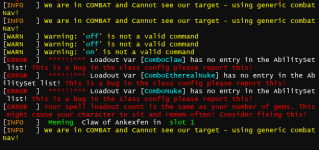
You can ignore that in this case. I need to just add code to handle this because it keeps getting reported

Users who are viewing this thread
Total: 1 (members: 0, guests: 1)
Share: