• Hail, we're RedGuides. We want you to play six (yes, 6!) EverQuest characters at once. We have scripts and a friendly community to help, please join our playstyle and say hello! 👋
  • We've added LLM sections to our Terms & Rules and Resource Rules, for everyone's sanity & in-game safety.
    Read more
    a. Do not replace your voice with an LLM. This goes for your posts and your scripts. Drafting and editing with a tool is fine, but don't take you out of what you share.
    b. Do not replace your EQ character's voice with an LLM. We don't want scripts that speak over /ooc, /shout or other public channels. This has been an unwritten rule that's kept casino scripts off the site for decades, but we're now compelled to make it clear: keep automated communication private.

    Why Does RG Review Scripts?
    Nearly every LLM-written Lua script we see is making your character do impossible things, and rarely in a way that's beneficial to you. We've seen heavy server hammering, /target over impossible distances when /nav spawn would passively accomplish the same thing, a spawn search that fires 20+ times per second, and other pointless actions that are likely annoying GMs.

    You are welcome to use LLMs as a tool to structure, draft, and edit your work, but please read critically before hitting /lua run

Question - ${Me.FreeInventory} not working?

blahblahblah84

Well-known member
I'm trying to use ${Me.FreeInventory} in a macro, and even though my inventory is completely full, /echo ${Me.FreeInventory} says I have 2 available inventory spots. Anyone have any thoughts on what might be going on, or know if I'm using this wrong?
 
I'm trying to use ${Me.FreeInventory} in a macro, and even though my inventory is completely full, /echo ${Me.FreeInventory} says I have 2 available inventory spots. Anyone have any thoughts on what might be going on, or know if I'm using this wrong?
likely due to the 2 new bag spaces they're going to be adding in the future

mq appears to handle this correctly already - have you thought about transitioning over to "Next"?
 
likely due to the 2 new bag spaces they're going to be adding in the future

mq appears to handle this correctly already - have you thought about transitioning over to "Next"?
Thanks, those two future slots makes sense.
TBH I haven't really looked into "Next". Are there major advantages?
 
Thanks, those two future slots makes sense.
TBH I haven't really looked into "Next". Are there major advantages?
yes - quite a redonk sized list to mention.

but one of them is "free inventory works" :)

eventually "next" will be the "currently #RealDeal #ThisIsWhatWeUse" version of MacroQuest so never been a better time to swap.

Quick and Dirty instructions:

download next via the RG launcher
hit the migrator tool (will move any configs/macros etc from old install) (has a vid too)
setup framelimiter (i have a quick vid on it)
then:

Code:
/plugin groupinfo
/plugin targetinfo
/plugin xtarinfo

Migrator: <https://www.redguides.com/community/resources/macroquest-migrator.2156/>
Framelimiter: <https://www.redguides.com/community/threads/mqnext-framelimiter-demo.78448/>

mental notes:
Code:
mq2map click is Control+Shift+Click
new easyfind self travel is Control+Click (reminder in find window title bar)
new easyfind group travel is Control+Shift+Click

boom gtg

The Launcher notes say:
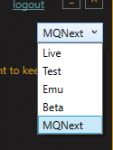
  • MQNext can now be downloaded and tracked through the Very Vanilla tab
But I don't see anything in the Very Vanilla tab to do this. I'm running RG Launcher 1.0.61. I'm trying to upgrade, but seem to be foiled atm :P
 
Question - ${Me.FreeInventory} not working?

Users who are viewing this thread

Back
Top
Cart