


So, I realized this issue when I was not able to run boxhud, but essentially my LuaRocks is not working/installing correctly. Several people in the discord channel tried to help me but I am unable to get it to work correctly.
After finding out that it was luarocks dependency not working or installing the right files, I tried manually running luarocks by clicking on luarocks.exe. I also tried running it as administrator. I also tried it, just in case, by running the RG Launcher AND MQ both as admin; and both administrator and just buy double clicking. When I run it manually, the only thing I see is this window for about 1-2 seconds, maybe less.
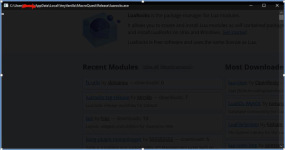
Basically there no text.
Someone gave me the command to run it directly from the cmd prompt and its essentially the same thing. Even if I run the cmd prompt as administrator.
The only steps that I haven't tried that I can think of are:
1) Removing & Reinstalling MQ entirely.
2) Installing MQ in an alternate folder that isnt directly linked to windows (example EQ is isntalled on a secondary drive. I have not tried installing MQ on that drive, and exporting the profiles.)
It isn't preventing me from playing the game, but trying to figure out if anyone has any idea of why it wont install.
Lua does work in general because I am using Magellan and button master. I have other luas that I am watching but I have not tried those yet.
Thanks in advance.
After finding out that it was luarocks dependency not working or installing the right files, I tried manually running luarocks by clicking on luarocks.exe. I also tried running it as administrator. I also tried it, just in case, by running the RG Launcher AND MQ both as admin; and both administrator and just buy double clicking. When I run it manually, the only thing I see is this window for about 1-2 seconds, maybe less.
Basically there no text.
Someone gave me the command to run it directly from the cmd prompt and its essentially the same thing. Even if I run the cmd prompt as administrator.
The only steps that I haven't tried that I can think of are:
1) Removing & Reinstalling MQ entirely.
2) Installing MQ in an alternate folder that isnt directly linked to windows (example EQ is isntalled on a secondary drive. I have not tried installing MQ on that drive, and exporting the profiles.)
It isn't preventing me from playing the game, but trying to figure out if anyone has any idea of why it wont install.
Lua does work in general because I am using Magellan and button master. I have other luas that I am watching but I have not tried those yet.
Thanks in advance.
