Conspiracy
New member
- Joined
- May 6, 2023
- RedCents
- 40¢
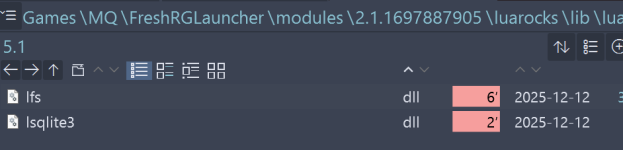
I apologize if this has been covered, but I searched and couldn't find a solution to my issue. I'm not 'new' here, but I definitely have limited experience with MQ and scripting in general. A few years ago I managed to get this running on live however this attempt was on an emu server. On fresh install of RedGuides client, and MQ install for emu. Load up 2 EQ clients and with MQ running, try /Lua run rgmercs. I get a popup from MQ saying: The script 'PackageMan.Lua' is asking for package 'luafilesystem' to be installed on your system from the macroquest repository as well as 'lsqlite3''
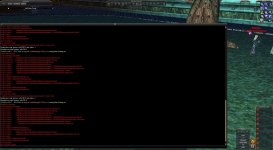
Clicking 'install' has some sort of program open for a flash of a second before closing out (I believe this is LuaRocks) and then there's a series of "no file" errors in MQ window from seemingly both the client folders and the installed MQ directory folder including .dll errors and .Lua errors and the script ends.
I'm sure I am doing something wrong here, but I can't seem to find a solution via search.
Clicking 'install' has some sort of program open for a flash of a second before closing out (I believe this is LuaRocks) and then there's a series of "no file" errors in MQ window from seemingly both the client folders and the installed MQ directory folder including .dll errors and .Lua errors and the script ends.
I'm sure I am doing something wrong here, but I can't seem to find a solution via search.