
-
 Hail, we're RedGuides. We want you to play six (yes, 6!) EverQuest characters at once. We have scripts and a friendly community to help, please join our playstyle and say hello! 👋
You are using an out of date browser. It may not display this or other websites correctly.
You should upgrade or use an alternative browser.
You should upgrade or use an alternative browser.
Resource icon
Legacy MacroQuest2 (Live Servers) 2022-01-19
- Thread starter Redbot
- Start date
- Status
- Not open for further replies.

it is in yourWTF @ DB. A missing setting should not cause a crash !
toonname_server.ini in your everquest folderthere is a
[CombatAbilities] section, and for modern stuff you need Version=2 underneath that, otherwise, you can crash if you have newer abilities in your combat abilities windowexample:
you can see i have a bunch of empty slots here (as indicated by the -1), but CombatAbility1 and CombatAbility7 are high number (in this case the spell ID) so it will crash if you are missing the "Version=2"
INI:
[CombatAbilities]
Version=2
CombatAbility1=58779
CombatAbility2=-1
CombatAbility3=-1
CombatAbility4=4590
CombatAbility5=-1
CombatAbility6=-1
CombatAbility7=59166
CombatAbility8=-1
[/version]
Version=2 uses the direct spell idsno
Version=2 means "use combat ability ids" and then tries to convert them to spell ids. as brain explained it, because combat ability ids are sub 300, if you are missing the version 2 and an id resolves to a number that is greater than or equal to 300 you crashDev couldn't just add following, thats not thinking defensive.it is in yourtoonname_server.iniin your everquest folder
there is a[CombatAbilities]section, and for modern stuff you needVersion=2underneath that, otherwise, you can crash if you have newer abilities in your combat abilities window
example:
you can see i have a bunch of empty slots here (as indicated by the -1), but CombatAbility1 and CombatAbility7 are high number (in this case the spell ID) so it will crash if you are missing the "Version=2"
INI:[CombatAbilities] Version=2 CombatAbility1=58779 CombatAbility2=-1 CombatAbility3=-1 CombatAbility4=4590 CombatAbility5=-1 CombatAbility6=-1 CombatAbility7=59166 CombatAbility8=-1 [/version]
Version=2uses the direct spell ids
noVersion=2means "use combat ability ids" and then tries to convert them to spell ids. as brain explained it, because combat ability ids are sub 300, if you are missing the version 2 and an id resolves to a number that is greater than or equal to 300 you crash
if (num >= 300 && version ==1) num = -1 and maybe warn user, or heaven forbid see that v1 and number > 300, resolve what it should be in v2 and write that in ! Would love to know how the ini got in that state too. Not like anyone manually edits those.
Qwichang
New member
I am getting an issue were i have to run the installer and repair files after every use of Very Vanilla . If i dont it wont find eqgame.exe. Anyone know how to fix this ?
Also, a secondary issue not as important but still annoying: When i use the command to switch between my characters ( only playing 2 atm ) (i set it to ctrl+shift+2) , the second character crashes and says reset device has failed. I found a work around for now . I just use the windows key then click on the other character and it doesn't crash . Any ideas on this one ?
Also, a secondary issue not as important but still annoying: When i use the command to switch between my characters ( only playing 2 atm ) (i set it to ctrl+shift+2) , the second character crashes and says reset device has failed. I found a work around for now . I just use the windows key then click on the other character and it doesn't crash . Any ideas on this one ?
Not sure on your eqgame.exe thing, butI am getting an issue were i have to run the installer and repair files after every use of Very Vanilla . If i dont it wont find eqgame.exe. Anyone know how to fix this ?
Also, a secondary issue not as important but still annoying: When i use the command to switch between my characters ( only playing 2 atm ) (i set it to ctrl+shift+2) , the second character crashes and says reset device has failed. I found a work around for now . I just use the windows key then click on the other character and it doesn't crash . Any ideas on this one ?
Your reset device sounds like you're playing in full screen. Eq doesn't handle that real well, you should play in windowed mode.
Qwichang
New member
I figured out the exe thing it was avast quarantining it. I had to make an exception for it . I would actually rather play in windowed mode , but it wont let me resize the interface. I guess its because i'm using a tv instead of a pc monitor . I guess ill just have to deal with it . Thanks for trying to help !

Redbot updated Very Vanilla MQ2 (Live Servers) with a new update entry:
20210915
Read the rest of this update entry...
20210915
Sep 15 2021
- Updated for LIVE
Sep 13 2021
- Updated for TEST
Aug 25 2021
- Updated for TEST
Read the rest of this update entry...
Redbot updated Very Vanilla MQ2 (Live Servers) with a new update entry:
20210915
Read the rest of this update entry...
20210915
Sep 15 2021 by RedGuides
- New Plugin! MQ2LootManager (ChatWithThisName, Plure) This simple loot manager will use EQ's built in Advanced Loot Window to decide how to handle loot. A simpler alternative to MQ2AutoLoot.
Read the rest of this update entry...
bloodnyte69
New member
So I have been experiencing a significant amount of crashing in game. This was significant about 3 weeks prior to this recent patch. I have searched and executed a lot of the steps in the forums to try and alleviate this issue. I executed the below checklist and the solution INITIALLY was step 6. This was before the last patch. Once I executed step 6, I had no more issues with crashing. Once this new patch came out and the update dropped, I tried to execute 6 again but I am still crashing. These crashes occur when zoning or when unloading it manually ( to try to avoid crashing ). Since the patch I have re-executed 1, 2, 3, (5N/A), 6. I have not tried to re-backup the eqclient INI in trying to solve this without that pain. There has to be another way other than redoing everything.
[[[[
[Plugins]
; MacroQuest Defaults
mq2autologin=1
mq2bzsrch=1
mq2chatwnd=1
mq2custombinds=1
mq2eqbugfix=1
mq2hud=1
mq2itemdisplay=1
mq2labels=1
mq2map=1
mq2targetinfo=1
; RedGuides Defaults
mq2camera=1
mq2groupinfo=1
mq2moveutils=1
mq2nav=1
mq2portalsetter=1
mq2posse=1
mq2rez=1
mq2dannet=1
mq2melee=1
MQ2Exchange=1
mq2advpath=1
mq2cast=1
]]]
Before reporting a crash, there are some things you can do to narrow down the cause.
[[[[
[Plugins]
; MacroQuest Defaults
mq2autologin=1
mq2bzsrch=1
mq2chatwnd=1
mq2custombinds=1
mq2eqbugfix=1
mq2hud=1
mq2itemdisplay=1
mq2labels=1
mq2map=1
mq2targetinfo=1
; RedGuides Defaults
mq2camera=1
mq2groupinfo=1
mq2moveutils=1
mq2nav=1
mq2portalsetter=1
mq2posse=1
mq2rez=1
mq2dannet=1
mq2melee=1
MQ2Exchange=1
mq2advpath=1
mq2cast=1
]]]
Before reporting a crash, there are some things you can do to narrow down the cause.
- Update Very Vanilla through the Redguides Launcher. We release updates fairly often, not just patch days.
- Run your accounts without MacroQuest2, as the crash may be caused by EverQuest itself.
- In Windows Explorer, make sure compatibility settings are off on both EverQuest and Macroquest2 (right click the exe/shortcut -> properties -> compatibility)
- Rename/backup eqclient.ini in your EverQuest directory and let EQ make a fresh one.
- Exit out of any graphics card, overclocking, antivirus, and EQ-related programs such as Innerspace or WinEQ.
- Use the default UI. /reload default
- If available, try to recreate the crash on a different PC.
- Reply to the thread of the Very Vanilla version you use (Live, Test, Emu) and include the plugin section of your macroquest.ini (right-click MQ2 in your notification area, select "INI File.") Please note that you tried everything from this thread, so we don't link you here again.
- If you are a tiny bit tech savvy, please try to capture a minidump and send it to eqmule.
there were changes this patch to the eq UI - so definitely make sure your custom UI is up to date, or you do step 6 like you did last time you had issuesSo I have been experiencing a significant amount of crashing in game. This was significant about 3 weeks prior to this recent patch. I have searched and executed a lot of the steps in the forums to try and alleviate this issue. I executed the below checklist and the solution INITIALLY was step 6. This was before the last patch. Once I executed step 6, I had no more issues with crashing. Once this new patch came out and the update dropped, I tried to execute 6 again but I am still crashing. These crashes occur when zoning or when unloading it manually ( to try to avoid crashing ). Since the patch I have re-executed 1, 2, 3, (5N/A), 6. I have not tried to re-backup the eqclient INI in trying to solve this without that pain. There has to be another way other than redoing everything.
[[[[
[Plugins]
; MacroQuest Defaults
mq2autologin=1
mq2bzsrch=1
mq2chatwnd=1
mq2custombinds=1
mq2eqbugfix=1
mq2hud=1
mq2itemdisplay=1
mq2labels=1
mq2map=1
mq2targetinfo=1
; RedGuides Defaults
mq2camera=1
mq2groupinfo=1
mq2moveutils=1
mq2nav=1
mq2portalsetter=1
mq2posse=1
mq2rez=1
mq2dannet=1
mq2melee=1
MQ2Exchange=1
mq2advpath=1
mq2cast=1
]]]
Before reporting a crash, there are some things you can do to narrow down the cause.
If you're still getting crashes, here's what to do next:
- Update Very Vanilla through the Redguides Launcher. We release updates fairly often, not just patch days.
- Run your accounts without MacroQuest2, as the crash may be caused by EverQuest itself.
- In Windows Explorer, make sure compatibility settings are off on both EverQuest and Macroquest2 (right click the exe/shortcut -> properties -> compatibility)
- Rename/backup eqclient.ini in your EverQuest directory and let EQ make a fresh one.
- Exit out of any graphics card, overclocking, antivirus, and EQ-related programs such as Innerspace or WinEQ.
- Use the default UI. /reload default
- If available, try to recreate the crash on a different PC.
- Reply to the thread of the Very Vanilla version you use (Live, Test, Emu) and include the plugin section of your macroquest.ini (right-click MQ2 in your notification area, select "INI File.") Please note that you tried everything from this thread, so we don't link you here again.
- If you are a tiny bit tech savvy, please try to capture a minidump and send it to eqmule.
are you getting any crash dmps? these would be in your mq2->Release->logs folder - if you want, you can PM 1 of the latest dmps (keeping in mind it might have personal information like toon name or server name) and i can see if there's anything that i can help you with in it.

- Commits
- 191
bloodnyte69
New member
you didn't send me any dmps. you sent me pictures of your launcher's logsRemoved @Chat, ty will see what happens.
PM sent @Sic, no CrashDmps that I saw. I think I had issues downloading that crash logging software could use a walkthrough if its something I am doing wrong in the setup?
they will be eqgameblahblah.dmp or similar ".dmp" filesme said:mq2->Release->logs folder
bloodnyte69
New member
Yeah in the message I mentioned in the body there are no DMPs
Update: No change from mq2label delete. Still crashing.
Completed all steps again. From above - Fresh EQClient.ini - Reload Default
Additional data, I don't use a custom UI.
Update: No change from mq2label delete. Still crashing.
Completed all steps again. From above - Fresh EQClient.ini - Reload Default
Additional data, I don't use a custom UI.
Last edited:

bloodnyte69
New member
Do you have the same crash under MQNext?
What do you mean by that sir?
It crashes when running MQNext - TLP server (Thornblade)
Verified that the .ini file for the character I am playing is all updated for Combat Abilities. Happy to share any and all files but no .dmp files are being created in the logs section post crashes.
couple thingsWhat do you mean by that sir?
It crashes when running MQNext - TLP server (Thornblade)
Verified that the .ini file for the character I am playing is all updated for Combat Abilities. Happy to share any and all files but no .dmp files are being created in the logs section post crashes.
this is the MQ thread for live not mq2 for live
second thing, mq2 and mqnext don't work for truebox servers like mischief of thornblade
bloodnyte69
New member
Neither MQ2 nor MQ is supported on Truebox servers.
Gotcha.
couple things
this is the MQ thread for live not mq2 for live
second thing, mq2 and mqnext don't work for truebox servers like mischief of thornblade
Copy my issue was redirected into a merge onto this line (looks like it says MQ2 (Live) above.) And alright; Think when I started using it ( and have had no issues for months using on TBlade ), TB wasn't on the list there
 .
.I'll troubleshoot then. Thanks.
Last edited:
since yesterday I notice a new behavior:
when clicking into any dialog-window the text is almost dimmed to black and nearly not readable anymore.
The Eq-windows are barely readable, whereas the MQ-Dialogbox get dimmed-down to full black.
Tthe second-lvl dialog-boxoes ... like memming a spell or select the toon where the loot shall go to are always black.
Any suggestions?
when clicking into any dialog-window the text is almost dimmed to black and nearly not readable anymore.
The Eq-windows are barely readable, whereas the MQ-Dialogbox get dimmed-down to full black.
Tthe second-lvl dialog-boxoes ... like memming a spell or select the toon where the loot shall go to are always black.
Any suggestions?
Update: as long I I dont start any Lua, eq behaves like usual.
this is the MQ2 thread not MQ "Next" thread - there is no Lua in mq2Update: as long I I dont start any Lua, eq behaves like usual.
Din't know the source of the problem at the first post describing it, will describe it again in the luaq section.

schmoodawg33
Member
First time setup. I keep getting a message saying.
MQ2 expected eqgame date and time to be:
Sep 13 2021 14:39:24
But eqgame's Date and Time is:
Do you need to patch one of them?
Loading of MQ2 can not be completed.
Both are updated... Ideas please..
MQ2 expected eqgame date and time to be:
Sep 13 2021 14:39:24
But eqgame's Date and Time is:
Do you need to patch one of them?
Loading of MQ2 can not be completed.
Both are updated... Ideas please..

you're not updated. you need to patch both EQ and MQ2 to the now current version.... basically exactly what the error says to do.
schmoodawg33
Member
I manually updated both and both say latest version installed. After downloading very vanilla I get a reinstall tab instead of update tab in upper left hand corner.. I go to the setting tab and hit update and it tells me I'm current. *shrugs*

the settings tab is for checking if the launcher is up to date

if your last installed is red like here you need to hit the update button, and if it says reinstall, its cause your settings tab, path to the mq2 install is not the correct path.
if your last installed is red like here you need to hit the update button, and if it says reinstall, its cause your settings tab, path to the mq2 install is not the correct path.
schmoodawg33
Member
The date its giving me is the same date for an update on test. My latest version reads 9/22/21 also a test update. I am installing with the live tab in the drop down menu.
schmoodawg33
Member
Ok I'm a noob. What's the correct path and how do I change it?
schmoodawg33
Member
live
schmoodawg33
Member
Ok so what's the correct folder. Man I feel silly.
schmoodawg33
Member
This is the error I'm getting after trying to load a profile and that's the folder it's being sent to.
Live Server Version
Please report any issues you have with Very Vanilla MacroQuest2 and its core plugins by replying here.
Getting a crash dump? Send it in to [email protected]
Crashing without a crash dump? See this thread for how you can still help get it fixed.


This is the error I'm getting after trying to load a profile and that's the folder it's being sent to.
View attachment 33431View attachment 33432View attachment 33431
I don't recommend using your program files (x86) folder, let alone your EQ folder! Please make a new folder, or remove that line and use the default location.
schmoodawg33
Member
This is where it was sent and still getting same message
Live Server Version
Please report any issues you have with Very Vanilla MacroQuest2 and its core plugins by replying here.
Getting a crash dump? Send it in to [email protected]
Crashing without a crash dump? See this thread for how you can still help get it fixed.
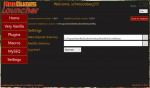
I manually updated both and both say latest version installed. After downloading very vanilla I get a reinstall tab instead of update tab in upper left hand corner.. I go to the setting tab and hit update and it tells me I'm current. *shrugs*
That's not an error, that's as-designed. You are using the current build, therefore there's no way to update. You can only reinstall a current build.
* assuming upper-left hand corner is a typo, should be upper-right.
If you can't go in-game, you are possibly using the wrong version of macroquest or everquest. Reboot your computer, and launch both programs from the folders you assigned them. Don't use shortcuts or icons or links, that's likely what's causing your problem. Browse manually to their folders and launch the .exe there.
- Status
- Not open for further replies.
Users who are viewing this thread
Total: 1 (members: 0, guests: 1)
Share: