• You've discovered RedGuides, an EverQuest multi-boxing and scripting community 🧙‍♀️⚙️. We want you to play several EQ characters at once, come join us and say hello! 👋

  • A TLP without truebox has thawed (Very Vanilla ready)
    Frostreaver

Question - How to stop auto run to target

Joined
Dec 28, 2019
RedCents
4,627¢
I seem to have an issue with KA 11, when I bring up the find window in a zone, I click on a name, my toon will automatically start running a predetermined path to get to the selected NPC, along the way I will aggro mobs and there does not seem to be away for me to stop auto running to the NPC that was selected. I tried /end, sit, ESC, ctl-C until I got killed.

What am I doing wrong and how do I stop this
 
^^^^ yes, make /nav stop a hotkey

also, you can go into the tabs in the nav window and select the setting to pause nav when you engage the keyboard. That way you can take over if something like that happens.
 
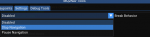
you can also open your nav ui console with a /nav ui and then change your settings to Stop Navigation on break behavior

1579975051937.png
 
I believe that is the plugin mq2easyfind taking ya there. Can probably unload that to do it manual but the hotkey is probably the easiest so ya don't have to.
 
Hello, I have been MIA for over 2 months. I just logged in today and loaded the new RedGuides and updated to LIVE. When I open a map and click a target it doesn't auto run to a target anymore since the new upgrade. Anything that I need to change to get this feature to work again?
 
It shows the path but doesn't start to move to the target. Example - Before I could be in PoK, pull up the map, select spell/merchant vendor and it would auto run to that vendor, npc, etc etc. Now, it just shows the path but no movement.
 
Ok I tried that ( control-shift-click ) and that works. However before the update I could open the map and select a npc, zone line etc and it would auto run to that location on its own without having to control-shift-click. Any reasons why its not doing that anymore?
 
Ok I tried that ( control-shift-click ) and that works. However before the update I could open the map and select a npc, zone line etc and it would auto run to that location on its own without having to control-shift-click. Any reasons why its not doing that anymore?
the MQ function that did that was recreated between MQ2 and MacroQuest.. I think.. Brainiac? did the work on it, and might be able to give the technical answer :-/
 
Well, all of that is configurable in the ini. I think RG used to have something other than the default, but the click side was probably just a configuration.
 
Ok I tried that ( control-shift-click ) and that works. However before the update I could open the map and select a npc, zone line etc and it would auto run to that location on its own without having to control-shift-click. Any reasons why its not doing that anymore?
Reason is they didn't want to take functionality away from EverQuest (which it did before) but add to it.
 
Ok I tried that ( control-shift-click ) and that works. However before the update I could open the map and select a npc, zone line etc and it would auto run to that location on its own without having to control-shift-click. Any reasons why its not doing that anymore?
You want to do something like this so you can alt left click on your map to run to the spot
Issue a /mapclick left alt /nav locyx %y %x |log=off with MQ2Map loaded.
 
2 main functions that changed with what you're regarding.
1. In the find window, Ctrl+leftclick to move to the selected target. (As opposed to just left clicking and they run off)
2. In the map, Ctrl+shift+leftclick to move to the selected location. (As opposed to just clicking on the map and they run off)
These changes were made so people could still use the old everquest functionality of doing their own traveling instead of having mq do it for them.
 
The find window change was made because auto navigating when you just clicked on something was annoying. So now it’s a modifier click so you can click through two of them or accidentally click the wrong one without taking off immediately unless you want to.

The map change wasn’t a change. That was how the default in the code always was. When it was brought over to RedGuides, for some reason the default was changed. No idea why. People at RG are used to the “RG default” but I don’t think that was ever the default in the plugin.
 
Question - How to stop auto run to target

Users who are viewing this thread

Back
Top
Cart