
Install the app
How to install the app on iOS
Follow along with the video below to see how to install our site as a web app on your home screen.
Note: This feature may not be available in some browsers.
-
 You've discovered RedGuides, an EverQuest multi-boxing and scripting community 🧙♀️⚙️. We want you to play several EQ characters at once, come join us and say hello! 👋
You are using an out of date browser. It may not display this or other websites correctly.
You should upgrade or use an alternative browser.
You should upgrade or use an alternative browser.
Problem - How to handle mesh bugs?
- Thread starter Ordell
- Start date


I've looked into editing to fix bug's I've found. I too wanted to know where to update for others using the downloader, but didn't far enough to find my answer. It's probably somewhere very obvious I just didn't see it.Now that I've become a /travelto addict I'm running into multiple mesh errors. Do I make bug reports or just make a new mesh? If the former, where do I post them?

- Joined
- Dec 29, 2017
- RedCents
- 24,680¢
@wired420 hosts the repo for the meshes.
Here's a video (it's getting a bit dated at this point and should probably be redone) of how to edit meshes and should go over the basics that you'll want to know about editing meshes to suit your needs.
If there are plans to submit the meshes for the general public on redguides keep in mind that not everyone plays a gnome, and not everyone is an ogre. So the agent "radius" portions and agent "height" portions should take that into account. If the agent height is too small then ogres will get stuck with lower hanging ceilings such as rocks hanging from the ceiling in zones like Droga. If the agent height is too big it could keep you from accessing an area you would otherwise have no problem accessing. If the step height is too large, gnomes and other shorter races will get stuck trying to go over objects (large stairs for example) which they can't actually navigate. If it's too small, larger races like ogre's/trolls/kitty kats won't be able to get up something they otherwise would be able to navigate. "radius" indicates distance from objects such as walls/corners etc which you should avoid so as not to run too close to them. Ogres need more radius.
Here's a video (it's getting a bit dated at this point and should probably be redone) of how to edit meshes and should go over the basics that you'll want to know about editing meshes to suit your needs.
If there are plans to submit the meshes for the general public on redguides keep in mind that not everyone plays a gnome, and not everyone is an ogre. So the agent "radius" portions and agent "height" portions should take that into account. If the agent height is too small then ogres will get stuck with lower hanging ceilings such as rocks hanging from the ceiling in zones like Droga. If the agent height is too big it could keep you from accessing an area you would otherwise have no problem accessing. If the step height is too large, gnomes and other shorter races will get stuck trying to go over objects (large stairs for example) which they can't actually navigate. If it's too small, larger races like ogre's/trolls/kitty kats won't be able to get up something they otherwise would be able to navigate. "radius" indicates distance from objects such as walls/corners etc which you should avoid so as not to run too close to them. Ogres need more radius.

Sum1
Warriors are inferior (read: crybaby) tanks
- Joined
- Jul 30, 2006
- RedCents
- 6,332¢
I've found, besides messing with the height and radius to make it so toons can get around stuff, that the most-often used tools are the "mark areas" tab (for no-walk areas) and the "connection" tool, to connect sections of the mesh that SHOULD be connected, but aren't for some reason. Mearatas was huge for the connection tool... all those little side rooms with the bullshit 1 or 2 step stairs would constantly bug out until I connected the areas.
Right that's if I just want to fix it, but ideally I would like to fix these for everyone.
Case in point: /travelto kithicor from PoK. It takes the Neriak book, turns south, then encounters a river that bisects Nektulous horizontally. Rather than cross the river the toon runs back and forth along the shoreline. I have to pause it, cross the river (which is tiny) then restart once back on land. I can fix it for myself but would rather put this out there for the mesh keepers to fix so everyone has it.
Case in point: /travelto kithicor from PoK. It takes the Neriak book, turns south, then encounters a river that bisects Nektulous horizontally. Rather than cross the river the toon runs back and forth along the shoreline. I have to pause it, cross the river (which is tiny) then restart once back on land. I can fix it for myself but would rather put this out there for the mesh keepers to fix so everyone has it.

the nek forest mesh has a dumb addition to that water area - if you remove that "marked" area it works.Right that's if I just want to fix it, but ideally I would like to fix these for everyone.
Case in point: /travelto kithicor from PoK. It takes the Neriak book, turns south, then encounters a river that bisects Nektulous horizontally. Rather than cross the river the toon runs back and forth along the shoreline. I have to pause it, cross the river (which is tiny) then restart once back on land. I can fix it for myself but would rather put this out there for the mesh keepers to fix so everyone has it.
its due to the dynamic recalculation that causes that back and forth.
you could mark the water to avoid with a high weight - but i just remove the water marked area in my mesh
it probably should be. but I was removed from being able to update meshes to the mesh repo.Shouldn't that be corrected in the mesh we all get?

- Joined
- Dec 29, 2017
- RedCents
- 24,680¢
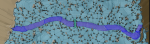
Mine might be a little over engineered.

- Joined
- Dec 29, 2017
- RedCents
- 24,680¢
It's not just you. Depending on the zone I get some pretty serious lag as well. Like Scorched woods, I get stuck on the forts outer perimeters, but the lag is so bad I don't have the patience to edit the mesh.
Some are egregious. Cobalt Scar for example. When you get into the SG area, you bear left and go underwater, swim to the end and then up. You jump down from the waterfall and SHOULD go left, out of the water, and on to WW. But the mesh goes right and gets hung up on the wall.
Users who are viewing this thread
Total: 1 (members: 0, guests: 1)
Share: