• You've discovered RedGuides, an EverQuest multi-boxing and scripting community 🧙‍♀️⚙️. We want you to play several EQ characters at once, come join us and say hello! 👋

  • A TLP without truebox has thawed (Very Vanilla ready)
    Frostreaver

Guide - CWTN UI Vid (2024)

How do I reset my UI window size?

I was moving the UI window around on my screen and somehow it snapped into a mode where the top, left, and right borders are no longer adjustable. It seems like its in some sort of "full screen" mode, where it completely covers the entire screen and I am unable to move it anywhere. All I can do is grab the bottom and pull it down with the cursor.
 
How do I reset my UI window size?

I was moving the UI window around on my screen and somehow it snapped into a mode where the top, left, and right borders are no longer adjustable. It seems like its in some sort of "full screen" mode, where it completely covers the entire screen and I am unable to move it anywhere. All I can do is grab the bottom and pull it down with the cursor.
If you look at the top corner, there is a cheveron/downpointing arrow. click it to *undock* the window, letting you move as needed.
 
If you look at the top corner, there is a cheveron/downpointing arrow. click it to *undock* the window, letting you move as needed.

I looked there before posting, but the only option I see is "hide tab bar". The button also looks different than my other accounts. One the accounts with no issue it's an upside down triangle. Whereas this one that's all fucked up is a smaller upside down triangle with a bar above it.
 
When you say "EQ Button", are you referring to the in game Daybreak EQ button? I don't see an "MQ" reference there.

There isn't an "undocking" under the chevron, only "hide tab bar".

"/mqoverlay reload" does not resolve the issue, or undock it. The UI flashes, but it remains docked (locked and unable to adjust size).

Sorry for my ignorance on where to find "eq button -> mq -> overlay -> reset overlay"... I am not seeing where this is.
 
When you say "EQ Button", are you referring to the in game Daybreak EQ button? I don't see an "MQ" reference there.

There isn't an "undocking" under the chevron, only "hide tab bar".

"/mqoverlay reload" does not resolve the issue, or undock it. The UI flashes, but it remains docked (locked and unable to adjust size).

Sorry for my ignorance on where to find "eq button -> mq -> overlay -> reset overlay"... I am not seeing where this is.
Yes the eq button. Up the stop has MQ stuff.

1736094356930.png

you can also "/mqsettings"

1736094390474.png

here you could "Clear Saved ImGui Window Settings"

You hold and drag to undock.
 
Yes the eq button. Up the stop has MQ stuff.

Yes! okay.. sorry, the "MQ" option was hidden behind the locked UI window I am trying to fix and couldn't see it. I had to unload the plugin to see it.

I cleared the saved ImGui and reloaded the plugin and it fixed the window. Thank you!
 
Wrong forum
Pulled out the plastic and picked up the CWTN Dru and Mag

Both plugins loaded up , updated to green live status , even uploaded the newest VV version .
Neither DRU or MAG CWTN UI shows on screen , tried a /dru show and says its not a valid command.

Loaded up other CWTN plugins and all work fine

Is there a /command i am needing to use to get the CWTN UI to pop up ?
 
Pulled out the plastic and picked up the CWTN Dru and Mag

Both plugins loaded up , updated to green live status , even uploaded the newest VV version .
Neither DRU or MAG CWTN UI shows on screen , tried a /dru show and says its not a valid command.

Loaded up other CWTN plugins and all work fine

Is there a /command i am needing to use to get the CWTN UI to pop up ?
If on your druid /dru show says not valid, it means the plugin isn't loaded

If you're using mq2pluginmanager, I really wouldn't.

/Plugin druid to load the plugin
Then it should automatically show
 
I got a new machine since my other has crashed on me, but thankfully I had all my configs backed up and have been moving all my config files over and everything seems to be working with the exception of my CWTN class windows. No window appears if I run the /shd show command. I have reloaded my UI with the /reloadui command and have also run /loadskin default. I've moved all my UI elements around just in case it was behind another UI element and nothing. I've unloaded the plugin and reloaded it. The plugin is running and I can verify this by clearing a spell gem it will reload the gem so I know the plugin is running and working. This same issue occurring across all my CWTN plugins, clr, rog, ber, brd and bst. I figured I'd post here under the SK topic, since most likely it's going to be the same thing for them all. Anything else you all recommend I try that I haven't tried?
 
I got a new machine since my other has crashed on me, but thankfully I had all my configs backed up and have been moving all my config files over and everything seems to be working with the exception of my CWTN class windows. No window appears if I run the /shd show command. I have reloaded my UI with the /reloadui command and have also run /loadskin default. I've moved all my UI elements around just in case it was behind another UI element and nothing. I've unloaded the plugin and reloaded it. The plugin is running and I can verify this by clearing a spell gem it will reload the gem so I know the plugin is running and working. This same issue occurring across all my CWTN plugins, clr, rog, ber, brd and bst. I figured I'd post here under the SK topic, since most likely it's going to be the same thing for them all. Anything else you all recommend I try that I haven't tried?
all of the cwtn class plugins are imgui - meaning /reloadui has nothing to do with it, your /loadskin default has nothing to do with it - and since imgui is an overlay it would be *OVER* any of the eq ui elements.
you can try doing an /mqoverlay resume and see if you get a popup saying there was an error (if so you have something else conflicting / crashing). this could be another script that uses imgui, it could be another piece of software like nahmic, overwolf, afterburner, discord overlay, xbox bar, etc


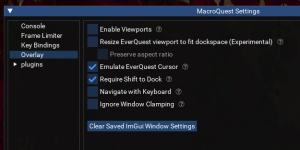
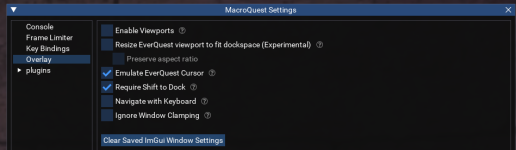
you could check to see if imgui is working at all for you by opening your macroquest settings panel (which is also imgui), if it opens it is working, if it doesn't then it is not.

1748380162964.png

here you can click the "Clear Saved ImGui Window Settings" and i'd possibly recommend un-checking "Enable Viewports" first if it is checked.

1748380171023.png
 
all of the cwtn class plugins are imgui - meaning /reloadui has nothing to do with it, your /loadskin default has nothing to do with it - and since imgui is an overlay it would be *OVER* any of the eq ui elements.
you can try doing an /mqoverlay resume and see if you get a popup saying there was an error (if so you have something else conflicting / crashing). this could be another script that uses imgui, it could be another piece of software like nahmic, overwolf, afterburner, discord overlay, xbox bar, etc


you could check to see if imgui is working at all for you by opening your macroquest settings panel (which is also imgui), if it opens it is working, if it doesn't then it is not.

View attachment 69788

here you can click the "Clear Saved ImGui Window Settings" and i'd possibly recommend un-checking "Enable Viewports" first if it is checked.

View attachment 69789
So definitely looks like something with imgui then, since settings doesn't open up either. Thanks for that @Sic I should have tried that to begin with. I'll try installing RG into a new folder with no configs and see if it works then.
 
So definitely looks like something with imgui then, since settings doesn't open up either. Thanks for that @Sic I should have tried that to begin with. I'll try installing RG into a new folder with no configs and see if it works then.
ok cool - then yo have a broader issue.

I would try something like /mqoverlay reload and see if that does it
 
Thanks @Sic You mentioned an existing overlay as possibly causing the issue and that keyed me in on the issue. I had RivaTuner running and once I disabled that all is well again
 
Thanks @Sic You mentioned an existing overlay as possibly causing the issue and that keyed me in on the issue. I had RivaTuner running and once I disabled that all is well again
Woot awesome dude!
 
Question: UI Window

although the CWTN Plugin windows are set if i loose power for some odd reason all the windown on all characters resets. If i go LD it remains in position. this is also happening to buttonmaster, if i go LD all is finne but if i loose power or w/e these 2 windows resets any suggestions?

Thank you
 
Question: UI Window

although the CWTN Plugin windows are set if i loose power for some odd reason all the windown on all characters resets. If i go LD it remains in position. this is also happening to buttonmaster, if i go LD all is finne but if i loose power or w/e these 2 windows resets any suggestions?

Thank you
Mq stores and saves and places imgui windows in the mq overlay ini file

My suggestion is to not lose power :p

You might be able to look in the mq settings for overlay, and click the settings that says it is for isboxer not to reposition when size changes.

But a UPS is probably a good idea
 
I set mine to 0. F Endurance :-)

I came to the thread searching for this - I seem to remember being able to set my endurance med start check to zero as Chat references here, the last time I played on test with a warrior (I believe last year). I noted recently that if I try to set them to zero it bumps endmedstart to 1 as a minimum value. Was there a change made to this at some point in the last year or so?

Just pointing this out in case it's unknown or unintended. Though being able to set endmedstart/end back to 0 would be great!
 
I came to the thread searching for this - I seem to remember being able to set my endurance med start check to zero as Chat references here, the last time I played on test with a warrior (I believe last year). I noted recently that if I try to set them to zero it bumps endmedstart to 1 as a minimum value. Was there a change made to this at some point in the last year or so?

Just pointing this out in case it's unknown or unintended. Though being able to set endmedstart/end back to 0 would be great!
looks like when we moved over the the imgui input box it would make it have the value be 1-99 --- this was november of 2023 - this is just the input box and doesn't change using the slash to set it to 0

I'll push the change, but not forcing a rebuild with the change (so you'll see the update notes, but it won't actually be there until the live patch tomorrow)

are you going by random memory or something? you haven't downloaded test since june (there's been patches since then), and you haven't had mq2war downloaded since february (only mentioned war because you referenced war and posted in the war thread which i moved this to the ui discussion) - it is important to be able to be sure we're talking about the same things
 
looks like when we moved over the the imgui input box it would make it have the value be 1-99 --- this was november of 2023 - this is just the input box and doesn't change using the slash to set it to 0

I'll push the change, but not forcing a rebuild with the change (so you'll see the update notes, but it won't actually be there until the live patch tomorrow)

are you going by random memory or something? you haven't downloaded test since june (there's been patches since then), and you haven't had mq2war downloaded since february (only mentioned war because you referenced war and posted in the war thread which i moved this to the ui discussion) - it is important to be able to be sure we're talking about the same things

DM'd you.

Thanks in advance for the update tomorrow.
 
Guide - CWTN UI Vid (2024)

Users who are viewing this thread

Back
Top
Cart