• You've discovered RedGuides, an EverQuest multi-boxing and scripting community 🧙‍♀️⚙️. We want you to play several EQ characters at once, come join us and say hello! 👋

  • A TLP without truebox has thawed (Very Vanilla ready)
    Frostreaver

Problem - Couldn't open macro file

Joined
Nov 1, 2021
RedCents
269¢
Version of KissAssist.mac?
I don't have one of these
When did your problem start?
NOW
Character Role?
  1. Assist
  2. Tank
  3. PetTank
  4. Puller
What class is having this issue?
  1. Bard
How often does this issue occur?
Always
Can you reproduce the issue?
Yes
I looked all over before posting....I am just starting this upo...watching all of the videos and now I am on kissassist.

I typed /mac kissassist and this is what pops up....any idea why?

1635869602411.png
 
You sure you didn't type mac kissass? I can't tell if that img is snipped early or if that is the end of it.

But you would need kissassist.mac in your macro folder (it comes with VV)
 
100% sure I tried multiple times, where do I download the macro folder? I have downloaded Very Vanilla and I have it updated and it is nowhere to be found in the folder?

1635870582824.png
 
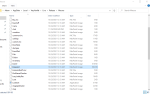
Sorry for all of the posts but I think I found the problem....it is routing to release only and not Release\Macros....should I move the kissassist file or how would I fix the path?

1635870914244.png
 
Last edited by a moderator:
Sorry for all of the posts but I think I found the problem....it is routing to release only and not Release\Macros....should I move the kissassist file or how would I fix the path?

View attachment 34680
please take care not to post your character names

I don't know that this is your issue, but why does your .mac file extension say macpaint image?

doing /mac anything should try and run anything.mac from your macros directory, which unless you changed it in your macroquest2.ini - it would be in the release->macros folder.
 
Yikes...I have no idea, I followed all of the instructions. The only thing I messed with in the ini file was cycle through.
Since you're just starting out i would strongly encourage you start with the MacroQuest "Next" on the VV Launcher - it is the next major revision of MacroQuest with significant improvements and additions and fixes and updates.

as far as your specific issue, outside of the things i mentioned i'm stumped
 
Problem - Couldn't open macro file

Users who are viewing this thread

Back
Top
Cart