Follow along with the video below to see how to install our site as a web app on your home screen.
Note: This feature may not be available in some browsers.
Hail, we're RedGuides. We want you to play six (yes, 6!) EverQuest characters at once. We have scripts and a friendly community to help, please join our playstyle and say hello! 👋
100% sure I tried multiple times, where do I download the macro folder? I have downloaded Very Vanilla and I have it updated and it is nowhere to be found in the folder?
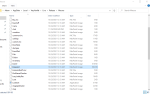
Sorry for all of the posts but I think I found the problem....it is routing to release only and not Release\Macros....should I move the kissassist file or how would I fix the path?
I don't know that this is your issue, but why does your .mac file extension say macpaint image?
doing /mac anything should try and run anything.mac from your macros directory, which unless you changed it in your macroquest2.ini - it would be in the release->macros folder.
Since you're just starting out i would strongly encourage you start with the MacroQuest "Next" on the VV Launcher - it is the next major revision of MacroQuest with significant improvements and additions and fixes and updates.
as far as your specific issue, outside of the things i mentioned i'm stumped
This site uses cookies to help personalise content, tailor your experience and to keep you logged in if you register.
By continuing to use this site, you are consenting to our use of cookies.