• You've discovered RedGuides, an EverQuest multi-boxing and scripting community 🧙‍♀️⚙️. We want you to play several EQ characters at once, come join us and say hello! 👋

  • A TLP without truebox has thawed (Very Vanilla ready)
    Frostreaver

Guide - Adjusting StickHow for the CWTN Class Plugins

Sic

Administrator
Moderator
Joined
May 5, 2016
RedCents
49,476¢
Pronouns
He/Him
Creating this post to be able to link it in the > Getting Started With the CWTN Plugins < sticky.

In February 2021 we added some additional "StickHow" options to the plugins. They come with a default list for their character type and then a bunch more (10 total) pre-populated "StickHows".

Obligatory mention that "StickHows" are for non-tanking modes only. there is no way to adjust the stickhow in tanking modes.

The "stick" stuff is from mq2moveutils if you need a reference

Code:
CWTN Plugins - ALL
- StickHow has been replaced with StickSelection, with StickHow0 - StickHow9 options available.
-- AS ALWAYS the "stickhow" options are only for during an assist mode.
-- The default for "castery" classes has been updated to be more functional for castery classes
-- AS ALWAYS Do not use percent signs in the stickhow listings, unless you double percent it like: 55%%.
--- You will crash otherwise.
-- So if are currently using a custom StickHow you will want to ensure you go and update your StickHow0. Since the StickSelection is 0.
-- There are now (10), yes that many, StickHow0-StickHow9, options you can pre-define in your settings ini.
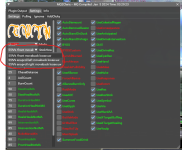
-- The UI window now has a dropdown for stickselection choice
-- you can also swap with slash command /zerk stickselection 2

This is the only thing in the cwtn plugins that you have to open your mq2pluginname_toonname.ini and edit directly. Long term this will be adjusted to allow for changing/setting them with a slash command, but at this time you have to edit it directly in the .ini.

for MacroQuest "Next" the location would be in your config->CWTN folder under the pluginname_toonname.ini --- for example, MQ2BerZerker_zerkerdude.ini
for MacroQuest2 "Legacy" the location is in your Release folder under the pluginname_toonname.ini for example, MQ2BerZerker_zerkerdude.ini

This is an example of what that section looks like for MQ2BerZerker:
The 0, 1, and 2 are "useful" pre-populated entries, and the rest are just "dummy" entries, with the intent that you would change them to meet your needs.
>>> WARNING <<<: Do not use percent signs in the stickhow listings, unless you double percent it like: "55%%".
INI:
[Stick]
UseStick=true
StickHow=Do not use percent signs in the stickhow listings, unless you double percent it like: "55%%".
StickSelection=0
StickHow0=snaproll behind 10 moveback uw
StickHow1=snaproll left 10 moveback uw
StickHow2=snaproll right 10 moveback uw
StickHow3=snaproll behind 10 moveback uw
StickHow4=snaproll behind 10 moveback uw
StickHow5=snaproll behind 10 moveback uw
StickHow6=snaproll behind 10 moveback uw
StickHow7=snaproll behind 10 moveback uw
StickHow8=snaproll behind 10 moveback uw
StickHow9=snaproll behind 10 moveback uw

On the fly, you could /ber stickselection 2 or /ber stickselection 8 of if you're using the cwtn/cwtna aliases in the Sic's HotKey Guide you could just /cwtn stickselection 2 and have the rest of your group swap to their populated stickselection 2

Here are some discussion posts that might be helpful > Here < and > Here <


Each of the classes, in an assistmode, you can also just turn off usestick example: /ber usestick off, or be in manual mode, which doesn't stick.
 
Question: Melee Radius

Ive been messing around with the "StickHow" option but regardless what i do or set it all the melee classes just wasts to go from behind which is fine with me. But is there any way that we can set the distance so they dont look like 3 characters in 1 position or have certain classes just attack from the side or front? i cant even have my beast lord attack from the front?

thanks, and Happy Holidays
 
Question: Melee Radius

Ive been messing around with the "StickHow" option but regardless what i do or set it all the melee classes just wasts to go from behind which is fine with me. But is there any way that we can set the distance so they dont look like 3 characters in 1 position or have certain classes just attack from the side or front? i cant even have my beast lord attack from the front?

thanks, and Happy Holidays
This is what I use on my melee characters:

Code:
StickHow0=55%% behind delaystrafe randomize moveback loose uw

I am not sure what the 55% does, as it was in there by default. But the others work well and not to obvious. Looks more like alt-tab-type boxing as they never overlap, random movement times, etc.
 
I am using 4 x CWTN and 1 kissassist for Ranger. Is there any way of getting those toons to face a mob/ and or to stick to tank when doing melee instead of running behind him?
 
what classes are using ctwn

StickSelection 0-9 - changes what "Stick Selection" you want to use for assist modes.
 
Wrong forum
Hello everyone,

I have a question about the CWTN plugins. is there a way to change the "stickhow" section with custom options. I would like to have my rangers back up a bit futhere than 35 units in some cases.

1704761382655.png
 
Hello everyone,

I have a question about the CWTN plugins. is there a way to change the "stickhow" section with custom options. I would like to have my rangers back up a bit futhere than 35 units in some cases.

View attachment 55735
yes. if you check the sticky (in the dedicated cwtn section) that says "Check here first" you'll see the adjusting stickhow settings.

Please see >>> Getting Started with CWTN plugins! (Movement, UI Window, Clickies, Pulling, ETC) Check Here First! <<<


CWTN class plugins have their very own section of the RG boards!

Each resource on RG has an Overview / Discussion Thread and either a link to their wiki or tabs with FAQ, Commands, Etc.
Please make sure to post in the respective discussion thread, and check the FAQ/Commands/Wiki for information before posting.

 
Wrong forum
Can you change /stick parameters while using MqZerker, cleric, etc.? /stick commands don't seem to be doing anything, even with it enabled.
 
Question: StickHow

Is there a way that i can change StickHow0=55%% !front moveback loose uw so that way im attacking from the front instead of the rear?

thank you
 
You can change stickhow to anything you want.


You and I spoke about this in 2023

Post in thread 'MQ2Paladin' https://www.redguides.com/community/threads/mq2paladin.83504/post-547112
yes i do realize i had asked this question before, but i just dont understand the link you posted. im just an idiot. this is why i asked again on just making them assist from the front but ill try again to read and understand it. thank you
 
Question: StickHow

Is there a way that i can change StickHow0=55%% !front moveback loose uw so that way im attacking from the front instead of the rear?

thank you
!front means not from the front. I have no idea if "%%" is a valid thing or not. I hope you simply meant 55%
You may wish to ask specific stick questions in the mq2moveutils thread if you don't understand the options.
 
yes i do realize i had asked this question before, but i just dont understand the link you posted. im just an idiot. this is why i asked again on just making them assist from the front but ill try again to read and understand it. thank you
so 3 years ago when you asked and said "thanks" you've spent this whole time not being able to do it?

you can just use something like "front" or all the other types of things --- we use a "8 moveback uw" for our tanking, because we're assuming the mob will face us - if we did a "front" we would end up spinning around a bunch if the mob moved around, so we don't use "front" for when we're "tanking", but you can certainly use "front" or

exampe
INI:
StickHow3=front
 
I have no idea if "%%" is a valid thing or not.
it is a thing for our stickhow there's a note in the ini and such
INI:
StickHow=Do not use percent signs in the stickhow listings, unless you double percent it like: "55%%".
 
I hope this is an ok reason to reply to this old thread, but I thought it made more sense to put it here than to make a new post.

This is a ChatGPT written Powershell script to batch update stickhow values if you have A TON of toons you want to update. This script is currently hardcoded to update stickhow3 and stickhow4 on every class but my rangers, so you'd need to adapt it to your needs, but it saved me a ton of time not needing to do the whole army with custom stickhows.

Code:
# Define the path to search for .ini files using the absolute path
$path = [System.IO.Path]::Combine($env:USERPROFILE, "AppData\Local\VeryVanilla\MacroQuest\Release\config\CWTN")

# Get all .ini files that start with MQ2 but do not start with MQ2Ranger
$iniFiles = Get-ChildItem -Path $path -Filter "MQ2*.ini" | Where-Object { $_.Name -notlike "MQ2Ranger*" }

# Iterate through each .ini file
foreach ($file in $iniFiles) {
    # Read the content of the file
    $content = Get-Content -Path $file.FullName
    
    # Initialize a flag to determine if changes were made
    $changed = $false

    # Check if the file contains the [Stick] section
    $inStickSection = $false
    $newContent = foreach ($line in $content) {
        if ($line -match '^\[Stick\]') {
            $inStickSection = $true
        } elseif ($line -match '^\[') {
            $inStickSection = $false
        }

        # Update the values in the Stick section
        if ($inStickSection) {
            if ($line -match '^StickHow3=') {
                $changed = $true
                "StickHow3=10 moveback uw"  # Update value
            } elseif ($line -match '^StickHow4=') {
                $changed = $true
                "StickHow4=snaproll face 10 moveback uw"  # Update value
            } else {
                $line  # Keep the existing line
            }
        } else {
            $line  # Keep the existing line
        }
    }

    # If changes were made, write the new content back to the file
    if ($changed) {
        $newContent | Set-Content -Path $file.FullName
        Write-Host "Updated: $($file.FullName)"
    }
}
 
I’m not suggesting people use this script as is - perhaps that wasn’t clear. I asked in Discord if anyone had a way to bulk update it and got crickets so hacked together a solution and figured someone else may find the idea useful.
 
Guide - Adjusting StickHow for the CWTN Class Plugins

Users who are viewing this thread

Back
Top
Cart