Creating this post to be able to link it in the > Getting Started With the CWTN Plugins < sticky.
In February 2021 we added some additional "StickHow" options to the plugins. They come with a default list for their character type and then a bunch more (10 total) pre-populated "StickHows".
Obligatory mention that "StickHows" are for non-tanking modes only. there is no way to adjust the stickhow in tanking modes.
The "stick" stuff is from mq2moveutils if you need a reference
This is the only thing in the cwtn plugins that you have to open your mq2pluginname_toonname.ini and edit directly. Long term this will be adjusted to allow for changing/setting them with a slash command, but at this time you have to edit it directly in the .ini.
for MacroQuest "Next" the location would be in your config->CWTN folder under the pluginname_toonname.ini --- for example, MQ2BerZerker_zerkerdude.ini
for MacroQuest2 "Legacy" the location is in your Release folder under the pluginname_toonname.ini for example, MQ2BerZerker_zerkerdude.ini
This is an example of what that section looks like for MQ2BerZerker:
The 0, 1, and 2 are "useful" pre-populated entries, and the rest are just "dummy" entries, with the intent that you would change them to meet your needs.
>>> WARNING <<<: Do not use percent signs in the stickhow listings, unless you double percent it like: "55%%".
On the fly, you could
Here are some discussion posts that might be helpful > Here < and > Here <
Each of the classes, in an assistmode, you can also just turn off usestick example:
In February 2021 we added some additional "StickHow" options to the plugins. They come with a default list for their character type and then a bunch more (10 total) pre-populated "StickHows".
Obligatory mention that "StickHows" are for non-tanking modes only. there is no way to adjust the stickhow in tanking modes.
The "stick" stuff is from mq2moveutils if you need a reference
Code:
CWTN Plugins - ALL
- StickHow has been replaced with StickSelection, with StickHow0 - StickHow9 options available.
-- AS ALWAYS the "stickhow" options are only for during an assist mode.
-- The default for "castery" classes has been updated to be more functional for castery classes
-- AS ALWAYS Do not use percent signs in the stickhow listings, unless you double percent it like: 55%%.
--- You will crash otherwise.
-- So if are currently using a custom StickHow you will want to ensure you go and update your StickHow0. Since the StickSelection is 0.
-- There are now (10), yes that many, StickHow0-StickHow9, options you can pre-define in your settings ini.
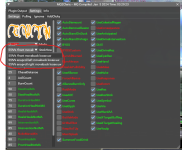
-- The UI window now has a dropdown for stickselection choice
-- you can also swap with slash command /zerk stickselection 2
This is the only thing in the cwtn plugins that you have to open your mq2pluginname_toonname.ini and edit directly. Long term this will be adjusted to allow for changing/setting them with a slash command, but at this time you have to edit it directly in the .ini.
for MacroQuest "Next" the location would be in your config->CWTN folder under the pluginname_toonname.ini --- for example, MQ2BerZerker_zerkerdude.ini
for MacroQuest2 "Legacy" the location is in your Release folder under the pluginname_toonname.ini for example, MQ2BerZerker_zerkerdude.ini
This is an example of what that section looks like for MQ2BerZerker:
The 0, 1, and 2 are "useful" pre-populated entries, and the rest are just "dummy" entries, with the intent that you would change them to meet your needs.
>>> WARNING <<<: Do not use percent signs in the stickhow listings, unless you double percent it like: "55%%".
INI:
[Stick]
UseStick=true
StickHow=Do not use percent signs in the stickhow listings, unless you double percent it like: "55%%".
StickSelection=0
StickHow0=snaproll behind 10 moveback uw
StickHow1=snaproll left 10 moveback uw
StickHow2=snaproll right 10 moveback uw
StickHow3=snaproll behind 10 moveback uw
StickHow4=snaproll behind 10 moveback uw
StickHow5=snaproll behind 10 moveback uw
StickHow6=snaproll behind 10 moveback uw
StickHow7=snaproll behind 10 moveback uw
StickHow8=snaproll behind 10 moveback uw
StickHow9=snaproll behind 10 moveback uw
On the fly, you could
/ber stickselection 2 or /ber stickselection 8 of if you're using the cwtn/cwtna aliases in the Sic's HotKey Guide you could just /cwtn stickselection 2 and have the rest of your group swap to their populated stickselection 2Here are some discussion posts that might be helpful > Here < and > Here <
Each of the classes, in an assistmode, you can also just turn off usestick example:
/ber usestick off, or be in manual mode, which doesn't stick.