


armastevs
Member
Say you want to afk camp a named mob and you want one of its rare drops. You can afk and kill that named, but you won't click the icon in the adv loot menu to always loot it.
You manually add a rare loot item to your Adv looting list by editing 2 files:
~EQroot/userdata/LF_AN_**Name_**Server -> stands for ALWAYS NEED
~EQroot/userdata/LF_Rnd_**Name_**Server -> Clicks the always auto roll (only needed if you're grouped)
Both files have this syntax:
These files should already be populated if you've used adv loot at least once. After you edit these files you will have to camp and come back. I was also having trouble getting my manual entries overriten when I clicked on a new Always need/Always roll on the GUI. So if you set a rare manually you will have to be careful to not click on an item in advloot, or you will have to manually re-add the text files
Now you need to know where to get the item ID. Very easy, you can use our good friends allakhazam.com!
Say you want to afk and let your pet kill the named that drops this 38ac rare aug http://everquest.allakhazam.com/db/item.html?item=93488
You can see the ITEM_IDin the url right there!
The ICON_ID is a bit harder.
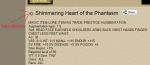
You can right click on the items icon on allakhazam and click open image in new tab and it will open up to the url http://everquest.allakhazam.com/pgfx/item_2613.png
Now you know the ICON_ID is 2613
You will need to add the rare item to both files and make sure the leader of the group has the ~EQroot/userdata/LF_Rnd_**Name_**Server set.
Now you can go to any camp afk there for a few hours and come back to the rare item in your inventory!
I'm currently using this to camp rare tank augs, just have to afk there with merc and come back in a few hours and the aug is in my inventory =)
You manually add a rare loot item to your Adv looting list by editing 2 files:
~EQroot/userdata/LF_AN_**Name_**Server -> stands for ALWAYS NEED
~EQroot/userdata/LF_Rnd_**Name_**Server -> Clicks the always auto roll (only needed if you're grouped)
Both files have this syntax:
Rich (BB code):
#ITEM_ID^ICON_ID^ITEM_NAME
22503^966^Blue Diamond
10037^966^Diamond
These files should already be populated if you've used adv loot at least once. After you edit these files you will have to camp and come back. I was also having trouble getting my manual entries overriten when I clicked on a new Always need/Always roll on the GUI. So if you set a rare manually you will have to be careful to not click on an item in advloot, or you will have to manually re-add the text files
Now you need to know where to get the item ID. Very easy, you can use our good friends allakhazam.com!
Say you want to afk and let your pet kill the named that drops this 38ac rare aug http://everquest.allakhazam.com/db/item.html?item=93488
You can see the ITEM_IDin the url right there!
The ICON_ID is a bit harder.
You can right click on the items icon on allakhazam and click open image in new tab and it will open up to the url http://everquest.allakhazam.com/pgfx/item_2613.png
Now you know the ICON_ID is 2613
You will need to add the rare item to both files and make sure the leader of the group has the ~EQroot/userdata/LF_Rnd_**Name_**Server set.
Now you can go to any camp afk there for a few hours and come back to the rare item in your inventory!
I'm currently using this to camp rare tank augs, just have to afk there with merc and come back in a few hours and the aug is in my inventory =)
Last edited:


