
-
 Hail, we're RedGuides. We want you to play six (yes, 6!) EverQuest characters at once. We have scripts and a friendly community to help, please join our playstyle and say hello! 👋
You are using an out of date browser. It may not display this or other websites correctly.
You should upgrade or use an alternative browser.
You should upgrade or use an alternative browser.
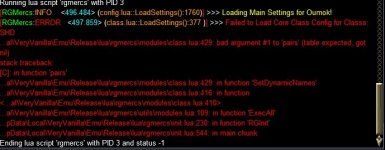
Problem - Trying to do a custom config and after restart RGMercs crashes
- Thread starter drawthow
- Start date


I would try another config, i can't think of any difference in our EQ/mq environment offhand that would have it not working for you but working for me.
I can have another look at the code, or perhaps check a couple of other things.
Perhaps you have some issues with permissions, file locking, etc?
MQ installed in windows protected locations? Etc
If you aren't interested in further troubleshooting, you can just copy the files directly out of game. They are in the RGMercs folder in the Lua directory.
I can have another look at the code, or perhaps check a couple of other things.
Perhaps you have some issues with permissions, file locking, etc?
MQ installed in windows protected locations? Etc
If you aren't interested in further troubleshooting, you can just copy the files directly out of game. They are in the RGMercs folder in the Lua directory.

drawthow
Well-known member
Tried a few other classes Cleric, Shm, Zerker. They all gave this error when clicking create custom config. But load after restarting without error.I would try another config, i can't think of any difference in our EQ/mq environment offhand that would have it not working for you but working for me.
I can have another look at the code, or perhaps check a couple of other things.
Perhaps you have some issues with permissions, file locking, etc?
MQ installed in windows protected locations? Etc
If you aren't interested in further troubleshooting, you can just copy the files directly out of game. They are in the RGMercs folder in the Lua directory.

The SK doesn't throw the above error, but crashes on restart. With this error
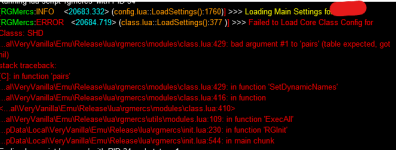
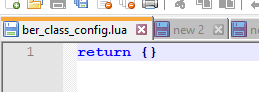
All of the files created are in this dir.
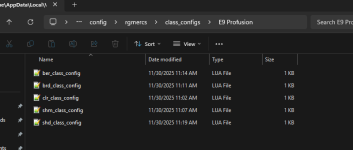
But the only text in the file is this. Is this correct?
drawthow
Well-known member
What files Where do I move the files too?If you aren't interested in further troubleshooting, you can just copy the files directly out of game. They are in the RGMercs folder in the Lua directory.
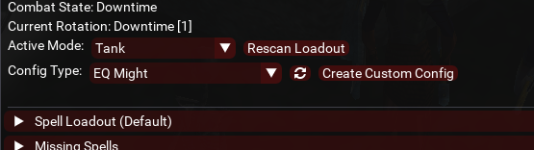
The config type for the SK is the same as the other character EQ Might. That was the setting the first time I launched the SK.I found the issue, I suspect you actually still had the live config loaded, not the EQ Might Config. I'll address the issue, but if you change your config at all before you copy, it will work, and manual copying will work.

What files do I copy?
Only the class configs from ua\rgmercs\class_configs\EQ Might to Emu\Release\config\rgmercs\class_configs\E9 Profusion?
That isn't where you see the currently loaded config, it is on the top... that list just showing alphabetical order is one thing that will be addressed, however. It is a symptom of the main issue.What files Where do I move the files too?
The config type for the SK is the same as the other character EQ Might. That was the setting the first time I launched the SK.
View attachment 72934
What files do I copy?
Only the class configs from ua\rgmercs\class_configs\EQ Might to Emu\Release\config\rgmercs\class_configs\E9 Profusion?
drawthow
Well-known member
Thank you just created a lvl1 sk and copying the config worked.The issue should be fully resolved in the next update (it may take up to an hour to hit the launcher/redfetch). I appreciate the report!
Users who are viewing this thread
Total: 1 (members: 0, guests: 1)
Share: