• You've discovered RedGuides, an EverQuest multi-boxing and scripting community 🧙‍♀️⚙️. We want you to play several EQ characters at once, come join us and say hello! 👋

  • A TLP without truebox has thawed (Very Vanilla ready)
    Frostreaver

Problem - MQ2Rogue And MQ2Cleric same issue, see inside!

Status
Not open for further replies.
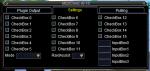
You need the new MQUI_BerzerkerWnd.xml file I think. It's in Release > UIfiles > Default
 
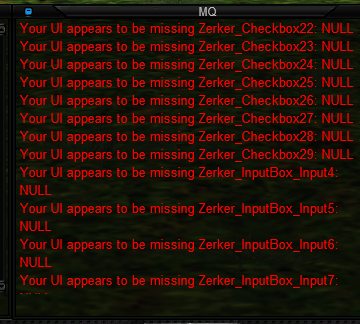
Having the same problem. I copy/pasted the file in release\UIfiles\default to relase\uifiles, eq\uifiles\default and eq\uifiles\graphite and reloaded UI. Logged everyone out and relogged; still the same. In addition to what @VorpalChicken shows, I also have errors in the MQ2 window:

i1bR4nS.png
 
Ok, so I also copy/pasted into my MQ2\release\uifiles\graphite folder and reloaded the UI. This fixed the issue. The new window looks GREAT!
 
I had the same issue, added the ui piece to my folder, now it's totally blank, and I cant interact with it. (moving/clicking etc.)
 
I had the same issue, added the ui piece to my folder, now it's totally blank, and I cant interact with it. (moving/clicking etc.)
there is some weird issue we weren't able to shake out before VV got rebuilt - we didn't know that VV was being re-built yet.

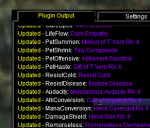
anyhow - tl;dr find the disjointed title bar for the window (it won't be connected to the stupid window) and then minimize and re-unminimize it
 
See how in this you can poorly see the title-bar at the "Call of Nightfall" line - click that to minimize, then click again to resize

1588185733003.png
 
Problem - MQ2Rogue And MQ2Cleric same issue, see inside!
Status
Not open for further replies.

Users who are viewing this thread

Back
Top
Cart