• You've discovered RedGuides, an EverQuest multi-boxing and scripting community 🧙‍♀️⚙️. We want you to play several EQ characters at once, come join us and say hello! 👋

  • A TLP without truebox has thawed (Very Vanilla ready)
    Frostreaver
Resource icon

Release MAUI (MuleAssist UI) 03/26/2024

No permission to download
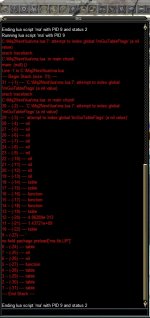
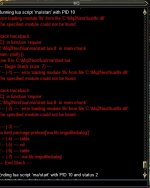
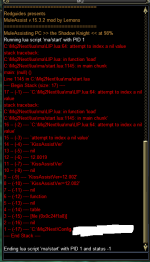
Could use some help. I am sure it is something simple I am missing but my maui script seems to be erroring out everytime I start it. I get a long red typed message which looks like the app is saying "you broke it stupid" but for the life of me I can't figure it out. muleassist is working for me. I can see it load and during a fight half the time the ini is rolling like it should. but the ui window is not starting up or is viewable. legacy mq2 and mq2mule are working when I switch over but now I am using macroquest next and its no good. I am attaching the script I have been receiving and number of things I have tried so far.

  • /mac muleassist.mac load
  • download most recent MAUI files and unzipping them, starting from the ma directory and down, in the MQ Lua folder.
  • load the /plugin mq2lua load
  • /Lua run ma/start
  • /maui show
  • /reloadui
  • /loadskin
Finally when I use the command /mule show I get spammed the following message until I unload muleasssist.mac

  • Toggling MuleDebug
    returning from DoWeMove MainLoop because ReturnToCamp and ChaseAssist was 0

I am not sure if that really has to do with my issue or is a by-product of my misconfiguration.

Hope you can help. Other wise I can get by with manually editing the muleassist ini like I did with kissassist until I can find a resolution
2022-01-18.maua.png
 
Could use some help. I am sure it is something simple I am missing but my maui script seems to be erroring out everytime I start it. I get a long red typed message which looks like the app is saying "you broke it stupid" but for the life of me I can't figure it out. muleassist is working for me. I can see it load and during a fight half the time the ini is rolling like it should. but the ui window is not starting up or is viewable. legacy mq2 and mq2mule are working when I switch over but now I am using macroquest next and its no good. I am attaching the script I have been receiving and number of things I have tried so far.

  • /mac muleassist.mac load
  • download most recent MAUI files and unzipping them, starting from the ma directory and down, in the MQ Lua folder.
  • load the /plugin mq2lua load
  • /lua run ma/start
  • /maui show
  • /reloadui
  • /loadskin
Finally when I use the command /mule show I get spammed the following message until I unload muleasssist.mac

  • Toggling MuleDebug
    returning from DoWeMove MainLoop because ReturnToCamp and ChaseAssist was 0

I am not sure if that really has to do with my issue or is a by-product of my misconfiguration.

Hope you can help. Other wise I can get by with manually editing the muleassist ini like I did with kissassist until I can find a resolution

could you post your ini file? the INI parser doesn't seem to like some key/value in it so it blows up almost immediately
 
I realized what I did. I did not import the KA ini to MA. I only renamed the file apparently. When creating a new ini the MAUI window came up. I will test further.

I obviously don't know how to import the KA ini. I can't find it in MAUI window
 
I realized what I did. I did not import the KA ini to MA. I only renamed the file apparently. When creating a new ini the MAUI window came up. I will test further.

I obviously don't know how to import the KA ini. I can't find it in MAUI window
it might have something to do with those spaces in front of [GENERAL]
 
it might have something to do with those spaces in front of [GENERAL]
You were right on. I removed both the MA ini and fixed the KA ini and attempted to load and reload MAUI and MuleAssist.mac. I wasn't getting errors so I figure I was close. I tried another attempt with my Bard. Worked right away. I removed the MA ini and camped my wizard all the way out. When I reloaded and did all the commands your instructions say I was finally able to bring up a minimized bar of your ui. Works perfectly. thanks for you great work!
 
I downloaded this and tried it, so much better than having tab out to modify ini's. I have been using kissassist since I joined with occasional rgmerc when leveling (so I don't have to modify the ini alot).


What if any advantage is there to using KA or MA?

Kissassist seems more popular with the amount of ini's in the library.

Should I just switch to muleassist to use this, or is there a chance a version is in the works for Kissassist?
 
I downloaded this and tried it, so much better than having tab out to modify ini's. I have been using kissassist since I joined with occasional rgmerc when leveling (so I don't have to modify the ini alot).


What if any advantage is there to using KA or MA?

Kissassist seems more popular with the amount of ini's in the library.

Should I just switch to muleassist to use this, or is there a chance a version is in the works for Kissassist?
You could technically load a KA INI file into it, and use the raw INI tab to edit it, but i wouldn't recommend that over an external editor like vs code.
Some of the section panels may or may not work right with a KA INI, depending on where INI keys are common between the two macros.

Both macros are used quite a bit, not sure whether one is used more than the other.

If you're feeling adventurous, you can edit ma/globals.Lua and change this line..
Code:
local schemas = {'ma'}--, 'ka',}
to
Code:
local schemas = {'ma', 'ka',}
[CODE]
I haven't tried this in since a few updates ago, so that KA stuff hiding in there may be totally broken.
 
I'm having issues where I'm trying to change what INI file MAUI is using. Say you have file 1 that is heavy dps and file 2 is heavy heals. If I change the INI file path in maui and hit save, it updates the correct one. If I start the macro though, it loads the default one and not the one I've got designated in the ini file path.
 
Where do you want us to submit bug reports for MAUI? Running into a lot of inconsistencies for how MAUI is handling the actively visible vs ini file it's passing to muleassist.
 
Where do you want us to submit bug reports for MAUI? Running into a lot of inconsistencies for how MAUI is handling the actively visible vs ini file it's passing to muleassist.
Its not actually passing a ini filename to the startup command at all, unless you edit the startup command to specify the ini file.
You can see the filename which MAUI is loading at the top of the window. Once you start the macro, MAUI saves that file name and will continue to load it unless you change it.
If the muleassist macro isn't loading that same file that MAUI is loading for editing, then you'd want to pass the ini filename in the startup command or change what ini MAUI is loading.

what ini name format is it loading for you that is inconsistent with what the macro is using by default?
IIRC the preference should be:
1. muleassist_server_name.ini
2. muleassist_server_name_level.ini

But also.. here. this is the place. If you've got a concrete example that'd be useful.
 
Feature request that would be amazing is to implement the functionality where you can right click a spell you have in MAUI and mem it in first available slot (as it did previously).

Also, the prior MuleAssist UI would mem all spells on startup that was saved in the spellset. That doesn't appear to be happening now which can sometimes get me in a jam if I don't catch something like a heal being memmed and having to mem it mid fight. Is there a setting somewhere that I'm failing to set properly for this behavior?

Feedback around the ini stuff:
1) Swapping to a different INI file seems to not work properly. Repro steps:
- Open MAUI with default file (MuleAssist_server_character_level.ini).
- Change name to a different name for a file that already exists (such as MuleAssist_server_character_level-pl.ini) *edit* clarification here, click reload ini file to make sure the INI file is loaded/recognized by MAUI
- Start the macro
- Behavior exhibited will be that all of the logic under your previous macro (the MuleAssist_server_character_level.ini) will be executed and not the -pl.ini file as you expected.

2) Accidental INI file name changing.
- This one I'm not 100% sure on repro steps, but will update once I have full repro. Basically the behavior is that I'll make some adjustments to my settings and then need to do something like swap targets (using tab) or move and it'll start typing in that field as if something I did selected that field. The INI file name gets messed up and I have to manually retype it.

3) Adjust logic of what happens under certain scenarios when saving the file
- If you start on some condition then you comment it out and save the raw file, everything is fine. If you then save the INI using the button at the top near the INI file, anything you have commented gets wiped out.

4) Would be nice if copy paste into the window worked. I've had intermittent results with this and I know I've gotten this to work once, but I've since been trying to update a few characters and have not had luck at all. As a workaround, I just launch MAUI and save a base INI file, then manually paste the contents into the file and reload the INI in MAUI.
 
Last edited:
Feature request that would be amazing is to implement the functionality where you can right click a spell you have in MAUI and mem it in first available slot (as it did previously).

Also, the prior MuleAssist UI would mem all spells on startup that was saved in the spellset. That doesn't appear to be happening now which can sometimes get me in a jam if I don't catch something like a heal being memmed and having to mem it mid fight. Is there a setting somewhere that I'm failing to set properly for this behavior?

Feedback around the ini stuff:
1) Swapping to a different INI file seems to not work properly. Repro steps:
- Open MAUI with default file (MuleAssist_server_character_level.ini).
- Change name to a different name for a file that already exists (such as MuleAssist_server_character_level-pl.ini)
- Start the macro
- Behavior exhibited will be that all of the logic under your previous macro (the MuleAssist_server_character_level.ini) will be executed and not the -pl.ini file as you expected.

2) Accidental INI file name changing.
- This one I'm not 100% sure on repro steps, but will update once I have full repro. Basically the behavior is that I'll make some adjustments to my settings and then need to do something like swap targets (using tab) or move and it'll start typing in that field as if something I did selected that field. The INI file name gets messed up and I have to manually retype it.

3) Adjust logic of what happens under certain scenarios when saving the file
- If you start on some condition then you comment it out and save the raw file, everything is fine. If you then save the INI using the button at the top near the INI file, anything you have commented gets wiped out.

4) Would be nice if copy paste into the window worked. I've had intermittent results with this and I know I've gotten this to work once, but I've since been trying to update a few characters and have not had luck at all. As a workaround, I just launch MAUI and save a base INI file, then manually paste the contents into the file and reload the INI in MAUI.
1. the proper command to start muleassist with a specific ini file is /mac muleassist ini yourinifilename.ini
1643597865008.png
The Start Command, in this screenshot, is /mac muleassist assist ${Group.MainAssist}.
Since its not actually setting the ini argument in the stat command, muleassist will pickup whatever it finds by default.
Changing the INI File in MAUI only reflects what is loaded in MAUI. It isn't being passed in as the INI file to use unless you adjust your start command to include it.
AFAIK MAUI and the macro both follow the same logic for determining the INI file name at startup when no INI has been specified. If the default that MAUI finds isn't the default that the macro finds, then what is the macro defaulting to?

2. The ImGui windows (like MAUI) are an overlay, and they take input control away from EQ. If MAUI has focus and you press tab or keep typing, then it is going to ImGui which is handling those keypresses, not EQ. Not much I can do about that one.

3. The save button is using a Lua INI parser library which rewrites the whole file from the table in memory in MAUI. I'll check but I don't think the parser is even reading in the commented out lines from the INI, so then doesn't write them back out when it saves the file. That'd probably be a lot of changes to move away from using an available library to something custom to read/write the INI without thrashing stuff.. or using a whole lot of the MQ INI TLO...

4. Copy paste should work. You might be running into the issue of some key being buffered from alt tabbing. Try pressing buttons like alt, or random mouse buttons, and then try pasting.
 
Ahh ok got it on the INI file name. I made the assumption that the start macro button was passing the ini file name to muleassist based on whatever file you had designated. That makes sense though that it's literally passing the command as it's typed there and not appending to it.

Also understood on some of the technical limitations of some of the other items. Ultimately it'll just be an adjustment. For the right clicking spells and memming them, is that something that is possible to do?
 
Ahh ok got it on the INI file name. I made the assumption that the start macro button was passing the ini file name to muleassist based on whatever file you had designated. That makes sense though that it's literally passing the command as it's typed there and not appending to it.

Also understood on some of the technical limitations of some of the other items. Ultimately it'll just be an adjustment. For the right clicking spells and memming them, is that something that is possible to do?
The mem'ing of the spell set defined from the INI I thought was just standard muleassist behavior, it just depends on your LoadSpellSet value.
0=Off/1=Loads SpellSetName/2=Loads Spells from the [MySpells] in the ini file.

For the mem'ing individual spells, yeah that probably wouldn't take much. So the old plugin would just mem something into the first empty gem slot? or you could pick?
 
For the mem'ing individual spells, yeah that probably wouldn't take much. So the old plugin would just mem something into the first empty gem slot? or you could pick?
You would right click a spell you have defined in MAUI and one of the options there was to mem that spell in the first available spot in your spell bar. You'd have to have an empty spell gem (nothing memmed in it) for it to do anything.
 
I need the command line so I can bring My mule assist files to next have not been able to locate it anywhere I have searched
.
 
O.K. what do I do when I hit the run macro button and it runs through some dialogue then says the current macro has ended? I used to be able to go to my profiles and click on the toons name and it would unload the I could click again and it would reload and function pro[perly. I can no longer do this as it won't unload.
 
O.K. what do I do when I hit the run macro button and it runs through some dialogue then says the current macro has ended? I used to be able to go to my profiles and click on the toons name and it would unload the I could click again and it would reload and function pro[perly. I can no longer do this as it won't unload.
what macro? your post title is "mq next wont run" but it sounds like mq next is running fine.

you say the macro has ended - but what macro are you trying to run?

you don't need to unload and reload macroquest just to run a macro
 
1) when i click on the MAUI where it says START MACRO there will be a short DIALOGUE in the MQ DIALOGUE box and then in that same BOX it will say THE CURRENT MACRO HAS ENDED, and my TOON will not FUNCTION. I used to be able to then got to the MQ STARTUP icon in my task bar and UNLOAD and then RELOAD the toon and the program would run properly again.
 
Last edited:
omg dude...really,

1) when i click on the MAUI where it says START MACRO there will be a short DIALOGUE in the MQ DIALOGUE box and then in that same BOX it will say THE CURRENT MACRO HAS ENDED, and my TOON will not FUNCTION. I used to be able to then got to the MQ STARTUP icon in my task bar and UNLOAD and then RELOAD the toon and the program would run properly again.
Does that explain things thoroughly enough???
yup really.

you posted in the MacroQuest & other apps section

you didnt post in the maui or muleassist section

you didn't say which one of the hundreds of macros that you were running.

you can enjoy your warning.

this is day 2 where people are trying to help you and you're treating them like trash - maybe rethink that approach. I'm embarrassed for you by the way you choose to treat the people helping you.


I also now merged your question to the appropriate location, so now people can answer your question.

have a good one
 
1) when i click on the MAUI where it says START MACRO there will be a short DIALOGUE in the MQ DIALOGUE box and then in that same BOX it will say THE CURRENT MACRO HAS ENDED, and my TOON will not FUNCTION. I used to be able to then got to the MQ STARTUP icon in my task bar and UNLOAD and then RELOAD the toon and the program would run properly again.
If the macro is ending, then it will be logging why it is ending in the console. 99% of the time this is because you did something like starting in an assist mode without having the person you want to assist targeted.
Look at the start commands in the UI and select the one that suits how you're trying to run the macro.

The default start commands provided all rely on passing in the assist name using ${Group.MainAssist} which would expect your group main assist to be set. If that isn't how you want to start the macro then you can change it to however you would like to start the macro.

For example, if you're trying to start muleassist on a cleric with your warrior as your main assist, you could target your warrior and run just /mac muleassist
Or, you could run /mac muleassist assist warriors_name_here
Or, your warrior could be set as the group main assist and you could run /mac muleassist assist ${Group.MainAssist}

There are many options. I guess there is some expectation built in here that you understand how you would like to use the macro.

https://www.redguides.com/community/threads/muleassist-instructions-settings-info.73370/ provides all the info you need on how to start the macro with different roles, different assists, etc.
 
If the macro is ending, then it will be logging why it is ending in the console. 99% of the time this is because you did something like starting in an assist mode without having the person you want to assist targeted.
Look at the start commands in the UI and select the one that suits how you're trying to run the macro.

The default start commands provided all rely on passing in the assist name using ${Group.MainAssist} which would expect your group main assist to be set. If that isn't how you want to start the macro then you can change it to however you would like to start the macro.

For example, if you're trying to start muleassist on a cleric with your warrior as your main assist, you could target your warrior and run just /mac muleassist
Or, you could run /mac muleassist assist warriors_name_here
Or, your warrior could be set as the group main assist and you could run /mac muleassist assist ${Group.MainAssist}

There are many options. I guess there is some expectation built in here that you understand how you would like to use the macro.

https://www.redguides.com/community/threads/muleassist-instructions-settings-info.73370/ provides all the info you need on how to start the macro with different roles, different assists, etc.
Thank you again for answering a question in a manor I could understand and without using threats of forcing me into a "vaccation" from the forum to get your point across.

I appreciate the fact that you can understand when someone is just extremely frustrated and not targeting you personally. It takes a person with some sense of empathy, and adult understanding to do this.

I will post again shortly with another issue if I am not banned for this reply.
 
Didn't think /mac muleassist would work in MQ, and MAUI won't work in MQ2 and don't think MQ2 is or has been updated or plans for that. Sounds like this guy may have several issues going on related to the version he is trying to run.

EDIT: getting /mac muleassist and MQ2Mule confused was thinking they were one in the same never did much with muleassit I assume
 
Last edited:
Didn't think /mac muleassist would work in MQ, and MAUI won't work in MQ2 and don't think MQ2 is or has been updated or plans for that. Sounds like this guy may have several issues going on related to the version he is trying to run.
/mac muleassist 100% works in MQ. I'm not aware of any macro from MQ2 that does not work in MQ. MAUI isn't an MQ replacement for the muleassist macro, it only replaces the mq2mule plugin which provided the UI for editing the INI files.
 
I've only been using this program since November of last year. It looks to me as if things are confusing even for some of you who have been using MQ for some time. When the switchover come I was just getting comfortable with making things run the way I thought they were supposed to and was really starting to enjoy myself. So being confused trying to get a new version to work would be an understatement.
Thanks for your responses to my questions.
 
yup really.

you posted in the MacroQuest & other apps section

you didnt post in the maui or muleassist section

you didn't say which one of the hundreds of macros that you were running.

you can enjoy your warning.

this is day 2 where people are trying to help you and you're treating them like trash - maybe rethink that approach. I'm embarrassed for you by the way you choose to treat the people helping you.


I also now merged your question to the appropriate location, so now people can answer your question.

have a good one
I can see where my original post was unclear, in the future I will read then re read a post before posting it. Sorry about the caps they weren't mean to be read as shouting. At the time it was the only way I could think to have the main points of my problem stand out. In the future I will use italics or something else
Cue
 
It seems like the Buffs section is capped at max 20. Can that be increased? Same with the PetBuffs section (capped at 8).

Or is this a limitation within MA itself?
 
aquietone updated MAUI (MuleAssist UI) with a new update entry:

File selection, fixes and some color theme thing

- Add file selection dialog for choosing INI files
- Caching for TLO lookups to improve performance
- Add a red theme option. It doesn't persist the setting, just for fun. The default color is still blue.
- Fix up some stuff being marked as red/missing

Use the new "Choose..." button to select an INI file to load, or continue to just type in a filename directly.
View attachment 38208

View attachment 38209

Read the rest of this update entry...
 
I noticed today that MAUI is missing some of the high end spells, AAs, and Combat Abilities from the drop down menus could be intentional or my UI but just thought i would pass this on ...i just added to the raw ini for them
 
Hoping for some help with a MAUI issue. I have had this issue before which was resolved. Could be something similar but I can't find it. these are the steps I have took:


  • download most recent MAUI files and unzipping them, starting from the ma directory and down, in the MQ Lua folder.
  • load the /plugin mq2lua load
  • /Lua run ma/start
  • /maui show
  • /reloadui
  • /loadskin
  • I browsed through the muleassist ini but couldn't find an issue. one of the ini's will be attached
  • issue happening on my only two toons using MA and maui.
MuleAssist works without the maui but I have grown to appreciate the graphic settings

Let me know if you need anything else from me.

maui fail.jpg
 

Attachments

Hoping for some help with a MAUI issue. I have had this issue before which was resolved. Could be something similar but I can't find it. these are the steps I have took:


  • download most recent MAUI files and unzipping them, starting from the ma directory and down, in the MQ Lua folder.
  • load the /plugin mq2lua load
  • /lua run ma/start
  • /maui show
  • /reloadui
  • /loadskin
  • I browsed through the muleassist ini but couldn't find an issue. one of the ini's will be attached
  • issue happening on my only two toons using MA and maui.
MuleAssist works without the maui but I have grown to appreciate the graphic settings

Let me know if you need anything else from me.

View attachment 38271
Did you rename a file from the download? There shouldn't be a file ma.lua.
Best to just let the launcher download it and put everything where it belongs.
Then start it up with /Lua run maui or /Lua run ma/start
 
Did you rename a file from the download? There shouldn't be a file ma.lua.
Best to just let the launcher download it and put everything where it belongs.
Then start it up with /lua run maui or /lua run ma/start
okay, so I removed the files I manually downloaded. I don't know where I got the ma.Lua file from. Went back to RGlauncher and reinstalled muleassist ui script. now when running
  • /Lua run ma/start
  • /Lua run maui
Either of those I get the following parse
maui fail2.jpg


C:\Mq2Next\Lua\lfs.dll file is there and was written there when I reinstalled from RGlauncher. Do I need to clear the Lua folder completely and reinstall? I am also using alertmaster.
 
Release MAUI (MuleAssist UI)

Users who are viewing this thread

Back
Top
Cart