Small tip now that I have started creating, editing and reading macros.
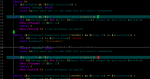
I use Visual Studio to edit macro files. Any version from at least VC++ 6.0 up to the latest version of VS has one very nifty feature that I have used for many years to help read or prevent (, {, [ matching errors.
If you put the caret on one of these symbols, the editor will match it up the corresponding one if it can. To find or check the matching ( or ) for example, just use the keys or mouse to put the caret directly in front of or behind the brace/paren you want to match and press Ctrl-] (that's Control end square brace.) If it can find a matching one it will move the caret to the matching one. This works for both opening and closing "brackets/braces/parens". Hitting that key combination again will put you back where you started.
I'm not saying VS is the absolute best editor out there. I have seen others that can highlight and color various text and syntax, but if you use VS anyway, it's a very nice tool to have.
Good luck!
I use Visual Studio to edit macro files. Any version from at least VC++ 6.0 up to the latest version of VS has one very nifty feature that I have used for many years to help read or prevent (, {, [ matching errors.
If you put the caret on one of these symbols, the editor will match it up the corresponding one if it can. To find or check the matching ( or ) for example, just use the keys or mouse to put the caret directly in front of or behind the brace/paren you want to match and press Ctrl-] (that's Control end square brace.) If it can find a matching one it will move the caret to the matching one. This works for both opening and closing "brackets/braces/parens". Hitting that key combination again will put you back where you started.
I'm not saying VS is the absolute best editor out there. I have seen others that can highlight and color various text and syntax, but if you use VS anyway, it's a very nice tool to have.
Good luck!