
Is there a plug in where i can type map cords in and player automatically go to the spot? I tried mq2navui but when I press go to the way pont most of the time it doest seem to work as the player doest move. And I'm pretty sure the map chords are correct

Install the app
How to install the app on iOS
Follow along with the video below to see how to install our site as a web app on your home screen.
Note: This feature may not be available in some browsers.
-
 You've discovered RedGuides, an EverQuest multi-boxing and scripting community 🧙♀️⚙️. We want you to play several EQ characters at once, come join us and say hello! 👋
You are using an out of date browser. It may not display this or other websites correctly.
You should upgrade or use an alternative browser.
You should upgrade or use an alternative browser.
Question - Is there a plug in where i can type map cords in and player automatically go to the spot
- Thread starter uketena
- Start date

yes mq2nav
MQ2NavWiki > HERE <

 www.redguides.com
Create a new navigation path to the given yxz coordinates. These coordinates are consistent with the position reported by /loc and ${Me.Loc}
Create a new navigation path to the given xyz coordinates. These coordinates are consistent with the position reported by ${Me.EQLoc} and ${Me.X} ${Me.Y} ${Me.Z}
make sure to run the mesh updater in the VV launcher to download meshse
MQ2NavWiki > HERE <
Utility - MQ2Nav
2018, 2019, 2020 (x2), 2021, 2022, 2023, 2024 ESA Winner MQ2Nav allows intelligent navigation and pathfinding in EverQuest. The plugin also includes an optional in-game overlay. To make a mesh, use MeshGenerator.exe. Features Meshgenerator...
www.redguides.com
Create a new navigation path to the given yxz coordinates. These coordinates are consistent with the position reported by /loc and ${Me.Loc}
Code:
/nav loc <Y> <X> <Z>
/nav locyxz <Y> <X> <Z>
Create a new navigation path to the given xyz coordinates. These coordinates are consistent with the position reported by ${Me.EQLoc} and ${Me.X} ${Me.Y} ${Me.Z}
Code:
/nav locxyz <X> <Y> <Z>make sure to run the mesh updater in the VV launcher to download meshse
and with MQ2Easyfind you can just alt-left click on your map and start running to a spot from your map or do
/travelto zoneshortname or /travelto "Zone Long Name" and go to other locations.if you don't have meshes installed, mq2nav can't do much - so make sure you run the mesh updater and that a mesh correctly loads for your zone
to ensure you have a mesh loaded you can /nav ui then "render naviation mesh"

When you do that, you will see a bunch of blue tiles appear
Without:
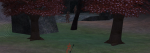
With:

In the second picture you can see some areas that don't have a mesh - the areas around the tree and columns are an offset to help ensure you don't get stuck on stuff (sometimes that needs to be adjusted for certain zones)
the non-mesh line on the outside is actually where the zone information says that is where the zone wall area starts (but there is a small area that you can walk on the other side of it, in this example)
/nav reloadto ensure you have a mesh loaded you can /nav ui then "render naviation mesh"
When you do that, you will see a bunch of blue tiles appear
Without:
With:
In the second picture you can see some areas that don't have a mesh - the areas around the tree and columns are an offset to help ensure you don't get stuck on stuff (sometimes that needs to be adjusted for certain zones)
the non-mesh line on the outside is actually where the zone information says that is where the zone wall area starts (but there is a small area that you can walk on the other side of it, in this example)
Last edited:

The map click functionality is MQ2Map, you can set it with: /mapclick left alt /nav locyx %y %x log=off
Brilliant! Thanks for that.
Just realised for anyone playing on EMU with GM/#goto command access you can do
/mapclick left ctrl /say #goto %x %y %z
and use ctrl left click on the map to jump around too, perfect!
EDIT: Works in some zones - Z axis seems to cause problems in a few I've tried though
Last edited:
Users who are viewing this thread
Total: 1 (members: 0, guests: 1)
Share: