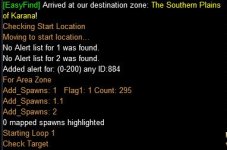
Well I broke down and got my Mage her 1.0 Epic. When I got to farming the cloak from Quillmane, after a couple of hours of farming and looking up strategies on the web. I decided to create a macro that allows you to filter out all the mobs NOT on the Quillmane spawn cycle. I don't have a tracker and even if I did, I didn't want to use the strategy posted for using a tracker.
There is a lot of information out there about how to spawn Quillmane, but what I found is the mobs that are on the Quillmane spawn cycle spawn every 63-66 seconds.
How to use this macro.
Create 3 Hot keys:
Hot Key 1: /echo Check Target
Hot Key 2: /echo Find Target
Hot Key 3: /echo Show Targets
Get to South Karana. Start the macro. The macro will run you to the starting location. After a brief pause, from building list 1, click hot key 3. This will highlight(Green) the mobs on the map to kill. Now pull a group of mobs, not more than you can kill at one time. I used a beam spell. It is important that all mobs die at the same time. Now while the macro is doing its thing, go and start pulling/gathering more mobs to kill. The macro will let you know when you can start killing again.
Keep clicking hot key 3 to refresh the mobs on the map that are left to kill(Green).
Gradually you will get to where there are very few highlighted mobs on the map. This is where you can use Hot Key 2. Hot Key 2 will find you a mob that needs to be killed starting with the Place Holders and then mobs left on list1(World Wide List). It is a good idea to use Hot Key 3 just before you kill a batch of mobs. Mobs are always tracking from north to south and the routine will only highlight mobs that are in the south side of the zone, so if you end up with no mobs to kill, then just wait a few minutes and try hot key 3 again.
Now remember to use Hot Key 2 as well.
Hot key 1 will check your current target and let you know what list the mob is assigned too.
When quillmane spawns /end this macro. use the /maphide a command. Go and kill Quillmane. Wait for PH or Quillmane to respawn and kill mob, use the map to find the Quillmane or respawn. Now you can keep doing this as many times as you need till you get your cloak.
Good Luck and have fun.
Tip: Target Quillmane before /maphide a. Just before you kill Quillmane use the /maphide a command. Let the place holders and Quillmane start on their track before killing. I had 2 mobs spawn when killing to fast and had to kill each mob and time their respawn to figure which mob was on the Quillmane spawn cycle. I let them start tracking 30 seconds before killing and never got a double respawn after that.
What this macro does:
This macro uses 3 lists(Alert) List one contains all mobs in zone when you first start the macro, so there will be a pause when you first start the macro after you arrive at the start location. List 2 contains the mobs that have respawned, and are NOT on the 63-66 second respawn cycle. List 3 has all possible mobs that can be place holders for Quillmane. Now to get mobs off list 1 and onto list 2 or 3, you have to kill the mobs in the zone.
There is a lot of information out there about how to spawn Quillmane, but what I found is the mobs that are on the Quillmane spawn cycle spawn every 63-66 seconds.
How to use this macro.
Create 3 Hot keys:
Hot Key 1: /echo Check Target
Hot Key 2: /echo Find Target
Hot Key 3: /echo Show Targets
Get to South Karana. Start the macro. The macro will run you to the starting location. After a brief pause, from building list 1, click hot key 3. This will highlight(Green) the mobs on the map to kill. Now pull a group of mobs, not more than you can kill at one time. I used a beam spell. It is important that all mobs die at the same time. Now while the macro is doing its thing, go and start pulling/gathering more mobs to kill. The macro will let you know when you can start killing again.
Keep clicking hot key 3 to refresh the mobs on the map that are left to kill(Green).
Gradually you will get to where there are very few highlighted mobs on the map. This is where you can use Hot Key 2. Hot Key 2 will find you a mob that needs to be killed starting with the Place Holders and then mobs left on list1(World Wide List). It is a good idea to use Hot Key 3 just before you kill a batch of mobs. Mobs are always tracking from north to south and the routine will only highlight mobs that are in the south side of the zone, so if you end up with no mobs to kill, then just wait a few minutes and try hot key 3 again.
Now remember to use Hot Key 2 as well.
Hot key 1 will check your current target and let you know what list the mob is assigned too.
When quillmane spawns /end this macro. use the /maphide a command. Go and kill Quillmane. Wait for PH or Quillmane to respawn and kill mob, use the map to find the Quillmane or respawn. Now you can keep doing this as many times as you need till you get your cloak.
Good Luck and have fun.
Tip: Target Quillmane before /maphide a. Just before you kill Quillmane use the /maphide a command. Let the place holders and Quillmane start on their track before killing. I had 2 mobs spawn when killing to fast and had to kill each mob and time their respawn to figure which mob was on the Quillmane spawn cycle. I let them start tracking 30 seconds before killing and never got a double respawn after that.
What this macro does:
This macro uses 3 lists(Alert) List one contains all mobs in zone when you first start the macro, so there will be a pause when you first start the macro after you arrive at the start location. List 2 contains the mobs that have respawned, and are NOT on the 63-66 second respawn cycle. List 3 has all possible mobs that can be place holders for Quillmane. Now to get mobs off list 1 and onto list 2 or 3, you have to kill the mobs in the zone.
Rich (BB code):
| FQ.mac (F&%* Quillmane) By ctaylor22 (12/28/2015)
| Start this macro in South Karana
| Create three hot keys
| Hot Key 1: /echo Check Target
| Hot Key 2: /echo Find Target
| Hot Key 3: /echo Show Targets
#turbo 40

#Event YouKilled       "You have slain#*#"
#Event CheckTarget     "[MQ2] Check Target"
#Event FindTarget      "[MQ2] Find Target"
#Event ShowTargets     "[MQ2] Show Targets"


Sub Main
	/echo Checking Start Location

    /declare StartY          int         outer        -4399
    /declare StartX          int         outer        520
    /declare PHY             int         outer        -2700
    /declare EastY           int         outer        ${StartY}
    /declare EastX           int         outer        -2487
    /declare timer1          timer       outer        0
    /declare timer2          timer       outer        0
    /declare Ready1          int         outer        0
    /declare Ready2          int         outer        0
    /declare HoldID[400]     int         outer        0
    /declare z               int         local        0
    /declare mobID1          int         local        0

    /call Check_location
    /if (!${Macro.Return}) {
        /echo Could not get to start Location. Ending...
        /end
    }
    /alert clear 1
    /alert clear 2
    /alert add 1 id ${Me.ID}

    /call Add_Spawns zone 1
    |/maphide npc a
    /highlight alert 3 color 255 0 0
    /doevents flush
    /echo Starting Loop 1
    :TopLoop
    |/echo Top Loop    1
    /doevents
    |/echo Top Loop    2
    /if (${Ready1} && !${timer1}) {
       /echo Clearing 45 Second Respawns. Step 1.
       /call Add_Spawns zone 0
       /varset Ready1 0
    }
    /if (${Ready2} && !${timer2}) {
       /maphide a
       /echo Clearing 60 Second Respawns. Step 2.
       /call Add_Spawns zone 0
       /varset Ready2 0
       /delay 8s
       /echo Checking for Place Holders. Step 3.
       /call Add_Spawns ph 1
       /doevents flush YouKilled
       /highlight color 255 0 0
       /if (${Alert[3].Size}) {
         /varset mobID1 ${Alert[3].List[0].SpawnID}
         /while (${mobID1}) {
            /if (${Spawn[${mobID1}].ID} && ${Spawn[${mobID1}].Type.NotEqual[corpse]}) /mapshow ${Spawn[${mobID}]}
            /varcalc z ${z}+1
            /varset mobID1 ${Alert[1].List[${z}].SpawnID}
         }
       }
       /highlight a
       |/if (${Alert[3].Size}>0) /mapshow npc alert 3
       |/highlight alert 3 color 255 0 0
       /echo Ready To Kill? Go For it.
    }
    /delay 1s
    /goto :TopLoop

/return
|-------------------------------------------------------------------------------------
| SUB: Check_location
| -------------------------------------------------------------------------------------
Sub Check_location
   /if (${Math.Distance[${StartY},${StartX}]}>50) {
      /echo Moving to start location...
      /call MoveThere ${StartY}, ${StartX}, 50
      /return ${Macro.Return}
   }
/return	1

|-------------------------------------------------------------------------------------
| SUB: MoveThere
| -------------------------------------------------------------------------------------
Sub MoveThere(int Y, int X, int D)
   /if (${Math.Distance[${Y},${X}]}<=${D}) /return 1
   /declare Y1              int         local        0
   /declare X1              int         local        0
   /declare StuckCount      int         local        0
   /face nolook loc ${Y},${X}
   /moveto mdist 10
   /moveto loc ${Y} ${X}
   :KeepGoing
   /if ((${Int[${Me.X}]}!=${X1}) || (${Int[${Me.Y}]}!=${Y1})) {
      /varset X1 ${Int[${Me.X}]}
      /varset Y1 ${Int[${Me.Y}]}
   }
   /delay 10
   /if ((${Int[${Me.X}]}==${X1}) && (${Int[${Me.Y}]}==${Y1})) {
      /varcalc StuckCount (${StuckCount})+1
      /if (${StuckCount}>=3) {
         /call Stuck
      }
      /if (${StuckCount}>15) {
         /echo I am stuck and can't get past whatever. Ending...
         /return 0
      }
   }
   /if (${MoveTo.Moving} || ${Me.Moving}) /goto :KeepGoing
   /delay 20 !${Me.Moving}
/return	1
|-------------------------------------------------------------------------------------
| SUB: Stuck
| -------------------------------------------------------------------------------------
 Sub Stuck
    /declare strafedir       string      local
    | - We're stuck, back off a second, move left or right (randomly) for .5 seconds
    /keypress back hold
    /delay 10
    /keypress back
    /if (${Math.Rand[2]}) {
       /varset strafedir STRAFE_LEFT
    } else {
       /varset strafedir STRAFE_RIGHT
    }
    /keypress ${strafedir} hold
    /delay 10
    /keypress ${strafedir}
/return
|-------------------------------------------------------------------------------------
| SUB: Add_Spawns
| -------------------------------------------------------------------------------------
 Sub Add_Spawns(string area, int flag1)
   /declare count           int         local        0
   /declare p               int         local        0
   /declare mobID           int         local        0

   /if (${area.Equal[zone]}) {
      /echo For Area Zone
      /if (${Alert[1].Size}) {
         /varset mobID ${Alert[1].List[0].SpawnID}
         /while (${mobID}) {
            /if (!${Spawn[${mobID}].ID} ) /alert remove 1 id ${mobID}
            /varcalc p ${p}+1
            /varset mobID ${Alert[1].List[${p}].SpawnID}
         }
         /varset count ${SpawnCount[npc noalert 1]}
      } else {
         /varset count ${SpawnCount[npc]}
      }
      /echo Add_Spawns: 1   Flag1: ${flag1} Count: ${count}
      /if (${count}) {
      /echo Add_Spawns: 1.1
         |/varset mobID ${Spawn[npc noalert 1].ID}
         |/while (${mobID}) {
         /for p 1 to ${count}
            /varset mobID ${NearestSpawn[${p}, npc noalert 1].ID}
            /if (${mobID}) /varset HoldID[${p}] ${mobID}
            /if (!${flag1}) /alert add 2 id ${mobID}
         /next p
         |}
         /if (${HoldID[1]}>0) /call Add_To_Alert
      }
      /echo Add_Spawns: 2
      /if (${Alert[3].Size}) {
         /varset p 0
         /varset mobID ${Alert[3].List[0].SpawnID}
         /while (${mobID}) {
            /if (!${Spawn[${mobID}].ID}) {
               /alert remove 3 id ${mobID}
            }
            |} else {
            |   /alert remove 1 id ${mobID}
            |}
            /varcalc p ${p}+1
            /varset mobID ${Alert[3].List[${p}].SpawnID}
         }
      }
   } else {
      /echo Add_Spawns: 10
      /if (${Alert[3].Size}) {
         /varset p 0
         /varset mobID ${Alert[3].List[0].SpawnID}
         /while (${mobID}) {
            /if (!${Spawn[${mobID}].ID} || ${Spawn[${mobID}].Type.Equal[corpse]}) {
               /alert remove 3 id ${mobID}
            }
            |}else {
            |   /alert remove 1 id ${mobID}
            |   /alert remove 2 id ${mobID}
            |}
            /varcalc p ${p}+1
            /varset mobID ${Alert[3].List[${p}].SpawnID}
         }
      }
      /echo Add_Spawns: 11
      /varset count ${SpawnCount[npc noalert 1]}
      /if (${count}) {
         /for p 1 to ${count}
            /varset mobID ${NearestSpawn[${p}, npc noalert 1].ID}
            |/varset mobID ${Spawn[npc noalert 1].Next.ID}
            /if (${Spawn[id ${mobID1}].Y}<${PHY}) {
               /alert add 3 id ${mobID}
               /echo =============> Added Place Holder: ${Spawn[${mobID}]}
            }
         /next p
      }
      /echo Add_Spawns: 12
      /if (${Alert[2].Size}) {
         /varset mobID ${Alert[2].List[0].SpawnID}
         /while (${mobID}) {
            /if (!${Spawn[${mobID}].ID}) /alert remove 2 id ${mobID}
            /varcalc p ${p}+1
            /varset mobID ${Alert[2].List[${p}].SpawnID}
         }
      }
      /echo Add_Spawns: 100
   }
/return
|-------------------------------------------------------------------------------------
| Event YouKilled
| -------------------------------------------------------------------------------------
sub Event_YouKilled
   |/echo Enter You Killed.
   /if (${timer1} || ${timer2}) {
      /doevents flush YouKilled
      /return
   }
   |/echo You Killed: 1
   /varset timer1 45s
   /varset timer2 60s
   /varset Ready1 1
   /varset Ready2 1
   |/echo You Killed: 2
   /call Add_Spawns zone 1
   /doevents flush YouKilled
   /echo Hold killing. Go pull more mobs while your waiting.
   |/echo You Killed: 3
/return
|-------------------------------------------------------------------------------------
| Event CheckTarget
| -------------------------------------------------------------------------------------
sub Event_CheckTarget
   /declare count           int         local        0
   /declare p               int         local        0
   /declare mobID           int         local        0
   /declare TargetID        int         local        0

   /if (!${Target.ID}) {
      /doevents flush CheckTarget
      /echo You don't have a target. Please try again.
      /return
   }
   /varset TargetID ${Target.ID}
   /if (${Alert[3].Size}) {
      /varset mobID ${Alert[3].List[0].SpawnID}
      /while (${mobID}) {
         /if (${mobID}==${TargetID}) {
            /echo *=*=*=* Target is on PH List *=*=*=*
            /return
         }
         /varcalc p ${p}+1
         /varset mobID ${Alert[3].List[${p}].SpawnID}
      }
   }

   /if (${Alert[2].Size}) {
      /varset mobID ${Alert[2].List[0].SpawnID}
      /while (${mobID}) {
         /if (${mobID}==${TargetID}) {
            /echo ******* Target is on RESPAWNED List *******
            /return
         }
         /varcalc p ${p}+1
         /varset mobID ${Alert[2].List[${p}].SpawnID}
      }
   }

   /if (${Alert[1].Size}) {
      /varset mobID ${Alert[1].List[0].SpawnID}
      /while (${mobID}) {
         /if (${mobID}==${TargetID}) {
            /echo ======= Target is on ZONE WIDE List =======
            /return
         }
         /varcalc p ${p}+1
         /varset mobID ${Alert[1].List[${p}].SpawnID}
      }
   }

   /echo Target not any of the LISTS. Kill it.
/return
|-------------------------------------------------------------------------------------
| Event FindTarget
| -------------------------------------------------------------------------------------
sub Event_FindTarget
   /declare count           int         local        0
   /declare p               int         local        0
   /declare mobID1          int         local        0
   /declare mobID2          int         local        0
   /declare mobID3          int         local        0
   /declare d1              int         local        0

   /if (${Target.ID}) /target clear

   /varset mobID1 ${Spawn[npc name Quillmane].ID}

   /if (${mobID1}) {
      /target id ${mobID1}
      /echo Quillmane is UP. Lets go KILL it.
      /doevents flush FindTarget
      /return
   }
   /if (${Alert[3].Size}) {

      /varset d1 999999
      /varset mobID3 0
      /varset mobID1 ${Alert[3].List[0].SpawnID}
      /varset mobID2 ${Spawn[id ${mobID1}].ID}
      /while (${mobID1}) {
         /if (${mobID2} && !${Spawn[${mobID2}].Named} && ${Spawn[${mobID2}].Type.NotEqual[corpse]}) {
            /if (${Spawn[${mobID2}].Distance}<${d1}) {
               /varset d1 ${Spawn[${mobID2}].Distance}
               /varset mobID3 ${mobID2}
            }
         }
         |/echo mobID1: ${mobID1} mobID2: ${mobID2} Named: ${Spawn[${mobID2}].Named} Type: ${Spawn[${mobID2}].Type}
         /varcalc p ${p}+1
         /varset mobID1 ${Alert[3].List[${p}].SpawnID}
         /varset mobID2 ${Spawn[id ${mobID1}].ID}
      }
      /if (${mobID3}) {
            /target id ${mobID3}
            /doevents flush FindTarget
            /echo Place Holder Found.
            /return
      }
      /varset mobID1 ${Alert[3].List[0].SpawnID}
      /varset mobID2 ${Spawn[id ${mobID1}].ID}
      /while (${mobID1}) {
         /if (${mobID2} && !${Spawn[${mobID2}].Named} && ${Spawn[${mobID2}].Type.NotEqual[corpse]}) {
            /target id ${mobID2}
            /doevents flush FindTarget
            /echo Place Holder Found.
            /return
         }
         /varcalc p ${p}+1
         /varset mobID1 ${Alert[3].List[${p}].SpawnID}
         /varset mobID2 ${Spawn[id ${mobID1}].ID}
      }
   }
   /varset count ${SpawnCount[npc noalert 2]}
   /if (${count}) {
      /for p 1 to ${count}
         /varset mobID1 ${NearestSpawn[${p}, npc noalert 2].ID}
         /if (${Spawn[id ${mobID1}].Y}<${EastY} && ${Spawn[id ${mobID1}].X}>${EastX}) {
            /target id ${mobID1}
            /doevents flush FindTarget
            /echo Mob on Alert List 2 Found.
            /return
         }
      /next p
   }

/return
|-------------------------------------------------------------------------------------
| Sub Add_To_Alert
| -------------------------------------------------------------------------------------
sub Add_To_Alert
   |/echo Add To Alert.
   /if (!${HoldID[1]}) {
      /return
   }
   /declare p2              int         local        0

   /varset p2 1
   /while (${HoldID[${p2}]}>0 && ${p2}<400) {
      /squelch /alert add 1 id ${HoldID[${p2}]}
      /varset HoldID[${p2}] 0
      |/echo HoldID[${p2}]: ${HoldID[${p2}]}
      /varcalc p2 ${p2}+1
   }


   /return
|-------------------------------------------------------------------------------------
| Event ShowTargets
| -------------------------------------------------------------------------------------
sub Event_ShowTargets
   /declare count           int         local        0
   /declare p               int         local        0
   /declare mobID1          int         local        0
   /declare mobID2          int         local        0

   /maphide a

   /varset mobID1 ${Spawn[npc name Quillmane].ID}

   /if (${mobID1}) {
      /mapshow ${Spawn[${mobID1}]}
      /target id ${mobID1}
      /echo Quillmane is UP. Lets go KILL it.
      /doevents flush ShowTargets
      /return
   }
   /if (${Alert[3].Size}) {
      /varset mobID1 ${Alert[3].List[0].SpawnID}
      /varset mobID2 ${Spawn[id ${mobID1}].ID}
      /while (${mobID1}) {
         /if (${mobID2} && !${Spawn[${mobID2}].Named} && ${Spawn[${mobID2}].Type.NotEqual[corpse]}) {
            /mapshow ${Spawn[${mobID2}]}
         }
         /varcalc p ${p}+1
         /varset mobID1 ${Alert[3].List[${p}].SpawnID}
         /varset mobID2 ${Spawn[id ${mobID1}].ID}
      }
   }
   /varset count ${SpawnCount[npc noalert 2]}
   /if (${count}) {
      /for p 1 to ${count}
         /varset mobID1 ${NearestSpawn[${p}, npc noalert 2].ID}
         /if (${Spawn[id ${mobID1}].Y}<${EastY} && ${Spawn[id ${mobID1}].X}>${EastX}) {
            /mapshow ${Spawn[${mobID1}]}
         }
      /next p
   }
   /highlight color 0 255 0
   /highlight a
/return
Last edited: