• You've discovered RedGuides, an EverQuest multi-boxing and scripting community 🧙‍♀️⚙️. We want you to play several EQ characters at once, come join us and say hello! 👋

  • A TLP without truebox has thawed (Very Vanilla ready)
    Frostreaver

KissAssist Release KissAssist v10.0.6.4 - Creature from the Black Lagoon Edition Released 10/01/2017

Maskoi

old and salty
Joined
Sep 28, 2005
RedCents
82,796¢
KissAssist v10.0.6.4 Released 10/01/2017

creature-from-the-black-lagoon.jpg

Instructions/Settings Info Click Here

Current Features


  • Supports all classes for DPS Melee, Caster and Bards
  • Supports any level character
  • Set up characters to Pull, Tank or Assist others.
  • Select Player, Mercenary or Pet as Main Assist
  • Toons can follow Main Assist, remain stationary or return to anchor spot after mob dies.
  • Pets supported
  • Keep all buffs up Auras, Group, Self, Pet and Clickys
  • Creates an ini file for each toon
  • Separate Melee and Casting DPS settings.
  • Single Buff section for ease of use supports Spells/AA's/Items
  • Single DPS section for ease of use Spells/AA's/Items/Discs
  • Auto Mana/Endurance med detection depending on class.
  • Med settings to turn ON/Off and percentages to Start/Stop
  • Separate Bard twist setting for combat and non combat
  • Single Heal section for ease of use. Heal with any class or your pet
  • Loot mobs and set up what items to keep. sell, or destroy via ninjadvloot and separate loot.ini file
  • Auto accept rez if turned on via MQ2Rez
  • Auto accept party Invites
  • Auto accept trades from other players/toons
  • Mount support AA or Item.
  • Mez mobs feature
  • Auto detect progression servers and set variables accordingly for features not yet available. i.e. Extended Target Window.
  • Commands to turn on/off major features i.e. healing, mezzing, melee etc.
  • Basic mercenary control - Define when merc attacks.
  • Supports Attack Buffs
  • Supports Autofire
  • Rez players
  • Auto revive Mercs
  • AFK Tools - Inspired by AHTools
  • Burn Section
  • Pull mobs ini file support
  • Ignore mobs ini file support
  • Mez Immune ini file support
  • Recognition for players on Zek server
  • EQBC message support.

K.I.S.S. Assist is our macro for all classes/levels for exclusive use of our subscribers at RedGuides.com

Requires plugins* MQ2Cast, MQ2Exchange, MQ2Melee, MQ2MoveUtils, MQ2Posse, MQ2Rez, MQ2Twist (Bards), MQ2Gmail, Extended Target Window and ninjadvloot.inc file.

* All plugins are included in our compile.


Ninjadvloot.ini is included with the Official Compile

We are working on trying to figure out what needs to be fixed to get KissAssist working with the new MQ2 Core. Please be patient and keep checking back frequently. Thanks for your patience.

New version uploaded 9/22/2017 9:00 PM ET.
 

Attachments

Last edited:
Re: KissAssist v10.0.6 - Creature from the Black Laggoon Edition Released 09/20/2017

NOTICE!
PREVIOUS VERSIONS OF KISSASSIST WILL NO LONGER WORK WITH MQ2 AS 9/20/2017 YOU MUST DOWNLOAD OR UPDATE TO KISS 10.0.6

THIS VERSION IS INCLUDED IN THE 9/20/2017 COMPILE.
 
Last edited:
Re: KissAssist v10.0.6 - Creature from the Black Laggoon Edition Released 09/20/2017

v10.0.6.4 released 09/26/2017
Maskoi & Ctaylor22


FIXED/CORRECTED
  • MAJOR BUG FIXES DUE TO MAJOR CHANGES IN THE CORE COMPILE !!!!!! --- DPSTIMER / BIND / heck of a lot more.
  • Fixed ${Pull} --- No such Variable. Changed to ${Pulled}
  • Correction in logic for cast mount based on zone type. (Extra bracket was in code) .. HANG THD !!!!
  • Additional logic condition added for swapping of MiscREmemGem: (&& ${MiscGemRemem} added).
  • Correction / fix to aura in code due to TLO change.
  • Correction / fix to familiar in code due to TLO change.

NEW
Ctaylor22 changes for Underwater Fighting, AKA "The Black Lagoon edition." --

Added INI settings for:

  • UseWayPointZ, PullRadiusToUse to the pull section of the ini file.
  • PullRadiusToUse=0-100 default is 90. This represents the Percentage of the actual range of the item/spell you are going to pull with.
    If you want to use 100 percent of the ranged item you are going to pull with set PullRadiusToUse=100.
    If your having problems with mobs that are moving around a lot and you can't get a shot off on them set PullRadiusToUse=85.
    Note: This represents the Percentage and not the actual distance you want to use when pulling mobs.​

  • UseWayPointZ=0,1 0 = Off, 1=On -- Only used when using AdvPath pulling.
    Setting this to 0 will find mobs within MaxZRange of your current location. This is the way it has always workind in the past.
    Turning this on will allow you to search for mobs in MaxZRange of the paths Waypoints Z access.
    So if you want to find mobs within +-15 units of the paths z access just set MaxZRange=15 and turn on UseWayPiontZ​
Note: Look at the changes made to PullRadiusToUse if you want to restrict the area you want to search along the path for mobs to pull.
Example would be, having a path with obstructions on both sides of the path, and you only want to pull mobs in the path. The path is only 75 units wide.
By setting PullRadiusToUse=45 you can greatly reduce the mobs that are included along your pull path.

  • FaceMobOn functionality has changed. FaceMobOn=0,1,2 0 = Off, 1 = Fast, 2 = Normal/Natural
    Added code throughout the macro to better manage movement Under Water. You can now setup camp in the water and pull mobs from dry land back down into the water.
    Having a camp in the water requires some planning if you are planing on pulling in and out of the water. Keep in mind, and most importantly is there has to be a smooth transition from land to water and/or water to land. This opens up a few extra camp locations that would of not of been possible in the past.​
When setting up camps under water using:
[+]MQ2Nav: In this situation, all mobs that are going to be pulled, can not be suspended in mid water or near the surface. MQ2Nav cannot find a path to mobs that are not near the bottom. There are a few exceptions to this, but very few.

[+]MQ2AdvPath: This the better of the 3 to use for underwater. Not much to explain, just create your path and let it go.​

[+]Line of Sight(LOS): As long as the mobs are in LOS from your camp. MoveUtils was modified to work underwater better when using /moveto loc Y X Z. Keep in mind when pulling mobs from a long distance, if the mobs are moving while you are moving to the mob, your return path may not be clear on the way back, and you could get stuck, so plan your camps carefully.​


  • Things to consider: When in the Water, melee characters take a little longer to get into position on mobs.
  • MQ2MoveUtils has a feature when using /moveto and/or /stick commands that will walk you backwards to move your character to the proper location. This feature can cause issues when trying to stick to mobs
  • Turn this feature off, if you find your melee characters moving to far below mobs and out of melee range.
  • Use the /moveto set useback off to turn off backing up.

 
Last edited:
Re: KissAssist v10.0.6 - Creature from the Black Laggoon Edition Released 09/20/2017


PREVIOUS VERSION NOTES -- FOR REFERRENCE
v10.0.4 released 06/25/2017
Ctaylor22 & TreeHuginDruid


ADDED:

  • Added ability to pull with Clicky Items!!!!! PullWith ini value can now be set to the item name that has a clicky DD or agro inducing effect.
  • Added conditions check to CastMana routine...
  • Added option for SUB: Bind AddToIgnore to accept the targeted NPC (or PET) mob as valid parameter to ignore when using the /addignore command.
  • Debuffall usage with Clicky Items is now available! Simply supply the name of the clicky item in place of the spell
    Example:
    Rich (BB code):
    DPS1=Orb of Tishan|98|debuffall|tash

FIXED:
  • Fixed an issue for interrupts when buffing within Sub KACheckBuffs
  • Corrected an issue with Campfires being destroyed in an endless cycle.
  • Corrected an argument error in Sub SetPullRange that was effecting range item and ammo returned range variable.
  • Fixed BUG: where KA saves the contents for MiscGem (and possibly MiscGemLW) before the spellset is loaded if calling Sub LoadSPellSet.
  • DPS Weave fix: Weave is NOW working as intended, a prior change in a prior patch broke this function, its back and running again.

v10.0.3 released 05/25/2017
Ctaylor22 & TreeHuginDruid


FIXED:
  • Issue with Rk spells was resolved, as per the solution posted above. Code now reflects this fix.
    [*]Corrected an issue with AgroCond, it was not properly handled by the sorting array.
    [*]Made a change to improve the entire conditionals checking process with global true/false encapsulation.
    [*]Minor fix/change to the message used for the toggled state of parameters , it was the message that was wrong, but toggling was working fine.
  • Minor fix to correct spelling error in the variable name called for MashCOnd sorting array (blame Ctaylor22)
  • Minor fix to logic to ensure PetAssistAt and AssistAt values are used under the proper roles for pet attacking.


PREVIOUS VERSION NOTES -- FOR REFERRENCE


v10.0.0 released 05/25/2017
Ctaylor22 & TreeHuginDruid


BRAND SPANKING NEW:
Conditional code is NOW incorporated into KissAssist !
Don't know what conditionals are all about ????
Please see the separate KissAssist Conditionals - Instructions & Settings Info manual/instruction guide for the details.

  • Added Conditional Code handling for DPS. **
  • Added Conditional Code handling for GOM. **
  • Added Conditional Code handling for Heals. **
  • Added Conditional Code handling for Burns. **
  • Added Conditional Code handling for Mash. **
  • Added Conditional Code handling for Weave. **
  • Added Conditional Code handling for DebuffAll. **
  • Added Conditional Code handling for AggroCheck. **
  • Added Conditional Code handling for Buffs. **

FIXED:
  • Mez routine -- Mez routine re-worked and improved!!! Now any mob that has its mez broken, and is not being engaged by the Main Assist, will get locked down quick and fast.
  • Perfect for those itchy sword finger fools who aren't using kiss in your group / aren't assisting properly, as well as the accidental AOE spell that breaks mez.
  • Fixed long refresh spells for buffs not getting cast. Needed an additional gem to mem and wait on refresh to cast then remem back the original spell.
  • Added a change so when facing a mob you can either just /face or /face fast.
    FaceMobOn=1 will /face fast and FaceMobOn=2 will /face. **
    The above mod does not apply to the puller and specific code where /face fast in needed.​
  • Fixed Heals/SingleHeal/GroupHeal timers and spell casting issues
  • Fixed a problem with AggroCheck routine being skipped ** (It got broke in 9.2.4 when trying to move all of the outer /declares to the top.)
  • Fixed a problem with spellmem routine not finding a spell in a spell gem correctly.

ADDED:
  • Dynamic Mez routine will now track mez immune mobs dynamically, so when a mob is mez immune the mobs ID is checked so to not keep trying to re mez immune mobs.
  • PetAssistAt: -- New parameter created and maintained in the ini file for PetAssistAt.
    All modes with the exception of (pettank,pullerpettank,hunterpettank) now check against PetAssistAt value instead of AsssitAt for engaging mobs.​

CHANGED:
  • LoadSPellSet: -- LoadSPellSet now takes values of 0/1/2
    0 bypasses all spell loading routines.
    1 loads your defined SpellSetName from your INI file as usual.
    2 will load specific spells in each gem slot based upon the [MySpells] section of your INI file.
    If you have no [MySpells] section defined and are using option 2 for LoadSpellSet, a default [MySpells] section is created.​
  • Changed the SortArray routine to be called, but ignore sorting the Buffs, Aggro, and Burn arrays. Needed for trimming the Arrays.
  • RezAcceptOn: -- Now accepts 2 arguments.
    Example: 1|98 - first argument turns it on or off, second argument sets your accepted /rez percent from what is set in MQ2Rez.
    So it now no longer accept those 0 percent rez's !​


PREVIOUS VERSION NOTES -- FOR REFERRENCE


v9.2.4 released 4/30/2017
Maskoi, Ctaylor & TreeHuginDruid


FIXED:
Corrected an issue that was allowing for mount buff spamming when not in an outdoor dungoen/city/zone, this is based on eqmule's TLO of Zone.Outdoor and Zone.Type.
Corrected a coding issue that was preventing Gmail feature from properly parsing states and sending emails / texts to you via the GmailIniParse sub function, now working as intended.
Fixed invis being broke when casting regen.
Fixed spell book getting stuck open when memorizing spells.
Fixed GOM event not casting spells because of global cooldown.
Fixed the Healers not healing if MeleeOn and DPSOn are both turned off.


ADDED:
Added ScatterOn to ini file to control use of random camp locations.
Added code to fix executing stuck code after death.
Added /zoneinfo command to display the zone information in the Kissassist_info.ini
Added IF/NOTIF/IFME/NOTIFME logic to the combatcast routine.
IF and NOTIF checks current target for Buff Name1​
DPS1=Spell Name1|95|IF|Buff Name1​
Added IFME and NOTIFME logic so it will check caster for Buff Name1
DPS2=Spell Name1|95|IFME|Buff Name1​


CHANGED:
Changed AFKTools to default to on in the ini file.


NOTE:
We have converted a lot of #Events to #Binds.
To use this version of KissAssist.mac, it is REQUIRED that you delete and recreate your /aliases.
To facilitate this action for you we are including the Remove_alias.mac, which removes all the KissAssist aliases for you.


Instructions:
1) Run the Remove_Aliases.mac.
2) Edit your KissAssist_ToonName.ini file and set the KissAssistVer=0 in your ini file.
3) Run the 9.2.4 version of KissAssist and wait for it to rebuild your new set of aliases. You will see a "version mismatch" warning while it rebuilds your aliases.
4) Enjoy the new release.


Re: KissAssist v10.0.6 - Creature from the Black Laggoon Edition Released 09/20/2017

Having an Issue with Black Lagoon, Hoping I didn't miss a step Im supposed to take Im getting this Error, I've looked throug the Ini numerous times but im not positive what I m looking for....EQ000004.jpg
 
Re: KissAssist v10.0.6 - Creature from the Black Laggoon Edition Released 09/20/2017

Getting
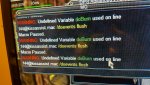
Warning: Undefined variable pulling used on line [email protected] /doevents flushMacro Paused

what i need to do?
 
Re: KissAssist v10.0.6 - Creature from the Black Laggoon Edition Released 09/20/2017

This Seems to have solved this for my issue too.
 
Re: KissAssist v10.0.6 - Creature from the Black Laggoon Edition Released 09/20/2017

Getting Undefined Variable Posse used on line [email protected] if ($Posse.Strangers}>=1) { Macro paused constantly.

I don't use MQ2 Posse, any way to get Kiss to stop auto pausing me?
 
Re: KissAssist v10.0.6 - Creature from the Black Laggoon Edition Released 09/20/2017

I think there is a bigger problem the devs are gonna have to figure out here Sky. Its happening across the board with multiple warnings. My warnings are now gone but it will only pull one mob then stalls
 
Re: KissAssist v10.0.6 - Creature from the Black Laggoon Edition Released 09/20/2017

Getting Undefined Variable Posse used on line [email protected] if ($Posse.Strangers}>=1) { Macro paused constantly.

I don't use MQ2 Posse, any way to get Kiss to stop auto pausing me?

This has been fixed look for 10.0.7 in a few hours when i post an updated version
 
Re: KissAssist v10.0.6 - Creature from the Black Laggoon Edition Released 09/20/2017

Find #warning at the top of the KA notepad, delete. Worked for me.

This is just a temp fix. The problem still exists
 
Re: KissAssist v10.0.6 - Creature from the Black Laggoon Edition Released 09/20/2017

After Fixing the issue with
" /if (${DebugPull} && ${MobsToPull.Arg[${j},,].Length}) /echo \atDEBUGPULL PullValidate: PFlag: ${PFlag} ${i}"
I have not yet seen any other issue. I'm going to let it run for a while before raid to see if I can find any other issues
 
Re: KissAssist v10.0.6 - Creature from the Black Laggoon Edition Released 09/20/2017

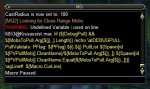
kissassist-error.jpg Getting this whenever Cleric or Shaman heals.
 
Re: KissAssist v10.0.6.1 - Creature from the Black Laggoon Edition Released 09/20/20

KissAssist v10.0.6.1 Released 09/21/2017
Lot of fixes for reported issues.

New version uploaded
 
Re: KissAssist v10.0.6.1 - Creature from the Black Laggoon Edition Released 09/20/20

Seems to be getting stuck in a loop when looking for mobs to pull. It will pull a few mobs work great then it will just get stuck in that loop saying looking for mobs to pull.
 
Re: KissAssist v10.0.6.1 - Creature from the Black Laggoon Edition Released 09/20/20

Seems to be getting stuck in a loop when looking for mobs to pull. It will pull a few mobs work great then it will just get stuck in that loop saying looking for mobs to pull.

I've had it do this before the patch as well, does it NEVER pull for you or occasionally pull? Sometimes my guy cycles 10 targets then finally pulls and sometimes he cycles targets indefinitely. I haven't figured out what causes it but it seems zone and computer. Some computers always do it in the same zones (One comp, Dead Hills; another Lavastorm Mountains) and other comps have no issues in those zones.
 
Re: KissAssist v10.0.6.1 - Creature from the Black Laggoon Edition Released 09/20/20

it cycles forever looking for a mob to pull but never pulls.
 
Re: KissAssist v10.0.6.1 - Creature from the Black Laggoon Edition Released 09/20/20

Please start a ticket in Kiss support
What zone? Post your ini
 
Re: KissAssist v10.0.6.1 - Creature from the Black Laggoon Edition Released 09/20/20

Please start a ticket in Kiss support
What zone? Post your ini

Chelsith Reborn mostly; Razkle's into the beach Camp as Pullertank. Seeing a lot of issues there. The INI is on another comp so if you want it it'll take me a second.

Rich (BB code):
[General]
KissAssistVer=10.0.6
Role=pullertank
CampRadius=75
CampRadiusExceed=400
ReturnToCamp=0
ChaseAssist=0
ChaseDistance=25
MedOn=1
MedStart=25
MedCombat=0
LootOn=0
RezAcceptOn=1
AcceptInvitesOn=1
GroupWatchOn=0
CastingInterruptOn=0
EQBCOn=0
IRCOn=0
MiscGem=8
HoTTOn=0
CampfireOn=0
CharInfo=Paladin|105
MiscGemLW=0
MiscGemRemem=1
DefaultUI=TRUE
DPSMeter=1
ScatterOn=0
ConditionsOn=0
[SpellSet]
LoadSpellSet=0
SpellSetName=KissAssist
[Buffs]
BuffsOn=1
Buffs1=Brell's Stalwart Bulwark
Buffs2=Ardent Fury
Buffs3=Armor of Formidable Spirit
Buffs4=NULL
Buffs5=NULL
Buffs6=NULL
Buffs7=Inquisitor's Judgment|Me
Buffs8=NULL
Buffs9=NULL
Buffs10=NULL
Buffs11=NULL
Buffs12=NULL
Buffs13=NULL
Buffs14=NULL
Buffs15=NULL
Buffs16=NULL
Buffs17=NULL
Buffs18=NULL
Buffs19=NULL
Buffs20=NULL
RebuffOn=1
CheckBuffsTimer=10
PowerSource=NULL
BuffsSize=20
BuffsCOn=0
[Melee]
AssistAt=95
MeleeOn=1
FaceMobOn=1
MeleeDistance=75
StickHow=snaproll rear
AutoFireOn=0
UseMQ2Melee=1
[GoM]
GoMSHelp=Format - Spell|Target, MA Me or Mob, i.e. Rampaging Servant Rk. II|Mob
GoMSpell1=NULL
GoMSpell2=NULL
GoMSpell3=NULL
GoMSize=3
GoMCOn=0
[AE]
AEOn=1
AERadius=50
AE1=Skalber Mantle|2
AE2=Deflection Discipline|3
AE3=Fundament: Third Spire of Holiness|2
AE4=Projection of Piety|2
AE5=Beacon of the Righteous|2
AE6=Group Armor of the Inquisitor|2
AE7=Cohort's Exarch Breastplate|2
AE8=Armor of Ardency|3
AE9=NULL
AE10=NULL
AESize=10
[DPS]
DPSOn=1
DPSSkip=0
DPSInterval=1
DPS1=Reprove|99
DPS2=Crush of Povar|97
DPS3=null
DPS4=null
DPS5=Reflexive Righteousness|60
DPS6=Disruptive Persecution|99
DPS7=Crush of the Darkened Sea|99
DPS8=Brilliant Vindication|99
DPS9=Reverent Force|99
DPS10=Force of Ardency|99
DPS11=Force of the darkened sea|99
DPS12=null
DPS13=null|99
DPS14=NULL
DPS15=NULL
DPS16=NULL
DPS17=NULL
DPS18=NULL
DPS19=NULL
DPS20=NULL
DebuffAllOn=0
DPSSize=20
DPSCOn=0
[Aggro]
AggroOn=1
Aggro1=Disruptive Persecution|98
Aggro2=Crush of Povar|99
Aggro3=Crush of the Iceclad|90
Aggro4=Force of the Iceclad|99
Aggro5=Force of the Reverence|99
Aggro6=NULL
Aggro7=NULL
Aggro8=NULL
Aggro9=NULL
Aggro10=NULL
AggroSize=10
[Heals]
Help=Format Spell|% to heal at i.e. Devout Light Rk. II|50
HealsOn=1
Heals1=Grief|20
Heals2=Hand of Piety|50
Heals3=Marr's Gift|30
Heals4=Reflexive Righteousness|45
Heals5=Lay on Hands|25
Heals6=Blessed Light|50
Heals7=Burst of Sunrise|50
Heals8=NULL
Heals9=NULL
Heals10=NULL
Heals11=NULL
Heals12=NULL
Heals13=NULL
Heals14=NULL
Heals15=NULL
XTarHeal=0
XTarHeal2=0
AutoRezOn=1
AutoRezWith=Gift of Resurrection
HealGroupPetsOn=0
HealsSize=15
HealsCOn=0
[Cures]
CuresOn=0
Cures1=NULL
Cures2=NULL
Cures3=NULL
Cures4=NULL
Cures5=NULL
CuresSize=5
[Burn]
BurnText=Decepticons Attack
BurnAllNamed=1
Burn1=Holy Guardian Discipline
Burn2=Fundament: Third Spire of Holiness
Burn3=Deflection Discipline
Burn4=Armor of the Inquisitor
Burn5=Projection of Piety
Burn6=Unbroken Affirmation
Burn7=Thunder of Karana
Burn8=Crypt-Hunter's Exarch Breastplate
Burn9=Armor of Ardency
Burn10=NULL
Burn11=NULL
Burn12=NULL
Burn13=NULL
Burn14=NULL
Burn15=NULL
UseTribute=0
BurnSize=15
BurnCOn=0
[Pull]
PullWith=Impose for honor
MaxRadius=585
MaxZRange=25
PullWait=5
PullRoleToggle=0
ChainPull=0
ChainPullHP=90
ChainPullPause=30|2
PullLevel=0|0
PullMeleeStick=0
UseWayPointZ=0
PullRadiusToUse=90
[AFKTools]
AFKHelp=AFKGMAction=0 Off, 1 Pause Macro, 2 End Macro, 3 Unload MQ2, 4 Quit Game
AFKToolsOn=1
AFKGMAction=1
AFKPCRadius=575
CampOnDeath=0
ClickBacktoCamp=0
[Merc]
Help=To use: Turn off Auto Assist in Manage Mercenary Window
MercOn=0
MercAssistAt=92
[GMail]
GMailHelp=Events currently support - Dead,GM,Level,Named,Leftgroup
GMailOn=0
GMail1=NULL
GMail2=NULL
GMail3=NULL
GMail4=NULL
GMail5=NULL
GMailSize=5


Dead Hills: Into the HIlls & Scouting Ahead - issues in both these with Pullertank.

Rich (BB code):
[General]
KissAssistVer=10.0.6
Role=Pullertank
CampRadius=50
CampRadiusExceed=275
ReturnToCamp=0
ChaseAssist=0
ChaseDistance=25
MedOn=1
MedStart=55
MedCombat=0
LootOn=0
RezAcceptOn=1
AcceptInvitesOn=1
GroupWatchOn=0
EQBCOn=0
IRCOn=0
MiscGem=8
HoTTOn=0
CampfireOn=0
CharInfo=Shadow Knight|105
CastingInterruptOn=0
MiscGemLW=0
MiscGemRemem=1
DefaultUI=TRUE
DPSMeter=1
ScatterOn=0
ConditionsOn=0
[SpellSet]
LoadSpellSet=0
SpellSetName=KissAssist
[Buffs]
BuffsOn=1
Buffs1=NULL
Buffs2=Livio's Covenant
Buffs3=Vizat's horror
Buffs4=Shroud of the Doomscale
Buffs5=NULL
Buffs6=Scourge Skin
Buffs7=NULL
Buffs8=NULL
Buffs9=Drape of the Wrathforged
Buffs10=Banshee Aura
Buffs11=Voice of thule|Me
Buffs12=Vizat's Skin
Buffs13=NULL
Buffs14=NULL
Buffs15=NULL
Buffs16=NULL
Buffs17=NULL
Buffs18=NULL
Buffs19=NULL
Buffs20=NULL
RebuffOn=1
CheckBuffsTimer=20
PowerSource=NULL
BuffsCOn=0
BuffsSize=20
[Melee]
AssistAt=95
MeleeOn=1
FaceMobOn=1
MeleeDistance=75
StickHow=snaproll
AutoFireOn=0
UseMQ2Melee=1
BeforeCombat=Cast Before Melee Disc
[GoM]
GoMSHelp=Format - Spell|Target, MA Me or Mob, i.e. Rampaging Servant Rk. II|Mob
GoMSpell1=NULL
GoMSpell2=NULL
GoMSpell3=NULL
GoMCOn=0
GoMSize=3
[AE]
AEOn=1
AERadius=50
AE1=Projection of Doom|2|Mob
AE2=Explosion of Hatred|2
AE3=Shield Flash|3
AE4=Chattering Bones|3
AE5=Impudent Influence|3
AE6=NULL
AE7=NULL
AE8=NULL
AE9=NULL
AE10=NULL
AESize=10
[DPS]
DPSOn=1
DPSSkip=0
DPSInterval=1
DPS1=null
DPS2=Terror of Narus|99
DPS3=Impose for power|99
DPS4=NULL
DPS5=NULL
DPS6=Spear of Vizat|100
DPS7=Vicious Bite of Chaos|99
DPS8=Mindless Hatred|100
DPS9=Dichotomic Fang|99
DPS10=Soul Flay|90
DPS11=Thought Leech|99
DPS12=Touch of Holmein|98
DPS13=Lacerating Blade|94
DPS14=Bond of Bonemaw|97
DPS15=Stream of Hatred|98
DPS16=NULL
DPS17=NULL
DPS18=NULL
DPS19=NULL
DPS20=NULL
DebuffAllOn=0
DPSCOn=0
DPSSize=20
[Aggro]
AggroOn=1
Aggro1=Terror of Narus
Aggro2=Explosion Spite
Aggro3=Explosion of Hatred
Aggro4=NULL
Aggro5=NULL
Aggro6=NULL
Aggro7=NULL
Aggro8=NULL
Aggro9=NULL
Aggro10=NULL
AggroSize=10
[Heals]
Help=Format Spell|% to heal at i.e. Devout Light Rk. II|50
HealsOn=1
Heals1=Dire Declaration|70|Tap
Heals2=Leech Touch|30|Tap
Heals3=Touch of Lutzen|80|Tap
Heals4=Innoruuk's Dark Blessing|50|Tap
Heals5=Reflexive Rancor|45|Tap
XTarHeal=0
HealGroupPetsOn=0
XTarHeal2=0
HealsCOn=0
HealsSize=5
[Cures]
CuresOn=0
Cures1=NULL
Cures2=NULL
Cures3=NULL
Cures4=NULL
Cures5=NULL
CuresSize=5
[Pet]
PetOn=1
PetSpell=Minion of Vizat
PetShrinkOn=0
PetShrinkSpell=Tiny Companion
PetBuffsOn=1
PetBuffs1=Gift of Lutzen
PetBuffs2=NULL
PetBuffs3=NULL
PetBuffs4=NULL
PetBuffs5=NULL
PetBuffs6=NULL
PetBuffs7=NULL
PetBuffs8=NULL
PetCombatOn=1
PetBreakMezSpell=NULL
PetRampPullWait=0
PetSuspend=0
MoveWhenHit=0
PetToysGave=
PetHoldOn=1
PetBuffsSize=8
PetAssistAt=95
PetToysSize=6
PetForceHealOnMed=0
[Burn]
BurnText=Decepticons Attack
BurnAllNamed=1
Burn1=Unholy Guardian Discipline
Burn2=Fundament: Third Spire of the Reavers
Burn3=Projection of Doom
Burn4=Visage of Death
Burn5=T'yvl's Resolve
Burn6=Unholy Guardian Discipline
Burn7=Unflinching Acrimony
Burn8=Doomscale Mantle
Burn9=Reaver's Bargain
Burn10=Reinforced Malaise
Burn11=Veil of Darkness
Burn12=Crypt-Hunter's Soulrender Breastplate
Burn13=Scarlet Blade
Burn14=NULL
Burn15=NULL
UseTribute=0
BurnCOn=0
BurnSize=15
[Pull]
PullWith=Spreading Darkness
MaxRadius=900
MaxZRange=90
PullWait=5
PullRoleToggle=0
ChainPull=0
ChainPullHP=90
ChainPullPause=30|2
PullLevel=0|0
PullMeleeStick=0
UseWayPointZ=0
PullRadiusToUse=90
[AFKTools]
AFKHelp=AFKGMAction=0 Off, 1 Pause Macro, 2 End Macro, 3 Unload MQ2, 4 Quit Game
AFKToolsOn=0
AFKGMAction=1
AFKPCRadius=150
CampOnDeath=0
ClickBacktoCamp=0
[Merc]
Help=To use: Turn off Auto Assist in Manage Mercenary Window
MercOn=0
MercAssistAt=92
[MySpells]
Gem1=Dire Insinuation
Gem2=Vizat's Skin Rk. II
Gem3=Spear of Vizat Rk. II
Gem4=Terror of Narus Rk. II
Gem5=Touch of Holmein Rk. II
Gem6=Impose for Power Rk. II
Gem7=Spreading Darkness Rk. II
Gem8=Vizat's Horror Rk. II
Gem9=Touch of Lutzen Rk. II
Gem10=Zombie Skin
Gem11=Bond of Bonemaw Rk. II
Gem12=Dichotomic Fang
[GMail]
GMailHelp=Events currently support - Dead,GM,Level,Named,Leftgroup
GMailOn=0
GMail1=NULL
GMail2=NULL
GMail3=NULL
GMail4=NULL
GMail5=NULL
GMailSize=5

Lavastorm Mountains: Pullertank (Northern part of zone, many issues - pathing, pulling everything)

Rich (BB code):
[General]
KissAssistVer=10.0.6.1
Role=Pullerpettank
CampRadius=25
CampRadiusExceed=75
ReturnToCamp=0
ChaseAssist=0
ChaseDistance=25
MedOn=1
MedStart=35
MedCombat=0
LootOn=0
RezAcceptOn=1
AcceptInvitesOn=1
GroupWatchOn=0
EQBCOn=0
IRCOn=0
MiscGem=8
HoTTOn=0
CampfireOn=0
CharInfo=Magician|65|GOLD
CastingInterruptOn=0
MiscGemRemem=1
DPSMeter=1
ScatterOn=0
MiscGemLW=0
DefaultUI=TRUE
ConditionsOn=0
[SpellSet]
LoadSpellSet=0
SpellSetName=KissAssist
[Buffs]
BuffsOn=1
Buffs1=Shield of the Magi|me
Buffs2=Elemental Form: Water
Buffs3=NULL
Buffs4=NULL
Buffs5=NULL
Buffs6=NULL
Buffs7=NULL
Buffs8=NULL
Buffs9=NULL
Buffs10=NULL
Buffs11=NULL
Buffs12=NULL
Buffs13=NULL
Buffs14=NULL
Buffs15=NULL
Buffs16=NULL
Buffs17=NULL
Buffs18=NULL
Buffs19=NULL
Buffs20=NULL
RebuffOn=1
CheckBuffsTimer=20
PowerSource=NULL
BuffsSize=20
BuffsCOn=0
[Melee]
AssistAt=99
MeleeOn=0
FaceMobOn=0
MeleeDistance=75
StickHow=snaproll
AutoFireOn=0
UseMQ2Melee=1
[GoM]
GoMSHelp=Format - Spell|Target, MA Me or Mob, i.e. Rampaging Servant Rk. II|Mob
GoMSpell1=NULL
GoMSpell2=NULL
GoMSize=3
GoMSpell3=NULL
GoMCOn=0
[AE]
AEOn=1
AERadius=50
AE1=Frenzied Burnout|3
AE2=NULL
AE3=NULL
AE4=NULL
AE5=NULL
AE6=NULL
AE7=NULL
AE8=NULL
AE9=NULL
AE10=NULL
AESize=10
[DPS]
DPSOn=1
DPSSkip=1
DPSInterval=2
!DPS1=Shock of Steel|90
DPS2=NULL
DPS3=NULL
DPS4=NULL
DPS5=NULL
DPS6=NULL
DPS7=NULL
DPS8=NULL
DPS9=NULL
DPS10=NULL
DPS11=NULL
DPS12=NULL
DPS13=NULL
DPS14=NULL
DPS15=NULL
DPSSize=20
DPS16=NULL
DPS17=NULL
DPS18=NULL
DPS19=NULL
DPS20=NULL
DebuffAllOn=0
DPSCOn=0
DPS1=NULL
[Aggro]
AggroOn=0
Aggro1=NULL
Aggro2=NULL
Aggro3=NULL
AggroSize=5
Aggro4=NULL
Aggro5=NULL
[Heals]
Help=Format Spell|% to heal at i.e. Devout Light Rk. II|50
HealsOn=0
Heals1=NULL
Heals2=NULL
Heals3=NULL
Heals4=NULL
Heals5=NULL
XTarHeal=0
HealGroupPetsOn=0
AutoRezOn=0
AutoRezWith=Your Rez Item/AA/Spell
HealsSize=5
XTarHeal2=0
HealsCOn=0
[Cures]
CuresOn=0
Cures1=NULL
Cures2=NULL
Cures3=NULL
Cures4=NULL
Cures5=NULL
CuresSize=5
[Pet]
PetOn=1
PetSpell=Ward of Xegony
PetFocus=NULL
PetShrinkOn=0
PetShrinkSpell=Tiny Companion
PetBuffsOn=1
PetBuffs1=Burnout V
PetBuffs2=NULL
PetBuffs3=NULL
PetBuffs4=NULL
PetBuffs5=NULL
PetBuffs6=NULL
PetBuffs7=NULL
PetBuffs8=NULL
PetCombatOn=1
PetToysOn=0
PetToys1=NULL
PetToys2=NULL
PetToys3=NULL
PetToys4=NULL
PetToys5=NULL
PetToys6=NULL
PetToysGave=NULL
PetBreakMezSpell=NULL
PetRampPullWait=0
PetSuspend=0
MoveWhenHit=0
PetBuffsSize=8
PetToysSize=6
PetHoldOn=1
PetForceHealOnMed=0
PetAssistAt=95
[Burn]
BurnText=Decepticons Attack
BurnAllNamed=1
Burn1=Frenzied Burnout
Burn2=NULL
Burn3=NULL
Burn4=NULL
Burn5=NULL
Burn6=NULL
Burn7=NULL
Burn8=NULL
Burn9=NULL
Burn10=NULL
Burn11=NULL
Burn12=NULL
Burn13=NULL
Burn14=NULL
Burn15=NULL
UseTribute=0
BurnSize=15
BurnCOn=0
[Pull]
PullWith=Cancel Magic
MaxRadius=400
MaxZRange=50
PullWait=5
PullRoleToggle=0
ChainPull=0
ChainPullHP=90
ChainPullPause=30|2
PullLevel=0|0
PullMeleeStick=0
UseWayPointZ=0
PullRadiusToUse=90
[AFKTools]
AFKHelp=AFKGMAction=0 Off, 1 Pause Macro, 2 End Macro, 3 Unload MQ2, 4 Quit Game
AFKToolsOn=0
AFKGMAction=1
AFKPCRadius=150
CampOnDeath=0
ClickBacktoCamp=0
[Merc]
Help=To use: Turn off Auto Assist in Manage Mercenary Window
MercOn=0
MercAssistAt=92
[Mez]
MezOn=0
MezRadius=50
MezMinLevel=Min Mez Spell Level
MezMaxLevel=Max Mez Spell Level
MezStopHPs=80
MezSpell=Your Mez Spell
[GMail]
GMailHelp=Events currently support - Dead,GM,Level,Named,Leftgroup
GMailOn=0
GMailSize=5
GMail1=NULL
GMail2=NULL
GMail3=NULL
GMail4=NULL
GMail5=NULL
 
Re: KissAssist v10.0.6.1 - Creature from the Black Laggoon Edition Released 09/20/20

Lets start from the beginning.
In your compile please delete the meshgenerator and mq2nav.dll
Run the updater to make sure you have the newest version of both.

Delete your deadhills mesh
Create a new one.

restart kiss in that zone and see if it works.
 
Re: KissAssist v10.0.6.1 - Creature from the Black Laggoon Edition Released 09/20/20

download link's version is listed at 10.0.6. Is that the right file
 
Re: KissAssist v10.0.6.1 - Creature from the Black Laggoon Edition Released 09/20/20

download link's version is listed at 10.0.6. Is that the right file

Yeah just noticed same thing.. The version listed inside the file downloaded from the opening post here still says 10.0.6, not 10.0.6.1..
 
Re: KissAssist v10.0.6.1 - Creature from the Black Laggoon Edition Released 09/20/20

10.0.6.1 is the latest and available in the first post
it says 10.0.6 at the top but
Rich (BB code):
  /declare MacroVer               string      outer       10.0.6.1
 
Re: KissAssist v10.0.6.1 - Creature from the Black Laggoon Edition Released 09/20/20

HERE IS A QUICK FIX FOR NOT PULLING WITH MOBSTOPULL LIST

Line 6058 Change Equal
Rich (BB code):
/if (${Spawn[id ${PVPullMob}].CleanName.Equal[${MobsToPull.Arg[${j},,]}]}) /goto :MobToPullSkip
To Find
Rich (BB code):
/if (${Spawn[id ${PVPullMob}].CleanName.Find[${MobsToPull.Arg[${j},,]}]}) /goto :MobToPullSkip
 
Re: KissAssist v10.0.6.1 - Creature from the Black Laggoon Edition Released 09/20/20

HERE IS A QUICK FIX FOR NOT PULLING WITH MOBSTOPULL LIST

Line 6058 Change Equal
Rich (BB code):
/if (${Spawn[id ${PVPullMob}].CleanName.Equal[${MobsToPull.Arg[${j},,]}]}) /goto :MobToPullSkip
To Find
Rich (BB code):
/if (${Spawn[id ${PVPullMob}].CleanName.Find[${MobsToPull.Arg[${j},,]}]}) /goto :MobToPullSkip

Change incorporated into posted kissasssit on first thread.
Not bothering to upload it to git repository until all bugs flushed out.
 
Re: KissAssist v10.0.6.2 - Creature from the Black Laggoon Edition Released 09/22/20

KissAssist v10.0.6.2 Released 09/22/2017

Fixes for all reported errors as of 6pm 09/22/201
7.

New File Uploaded
 
Last edited:
Re: KissAssist v10.0.6.2 - Creature from the Black Laggoon Edition Released 09/22/20

Question to the new Kiss , Before when pulling with Mage , I could set Mage pet to Guard , and have him stay at camp , and I could pet tank this way , and not need a merc tank because merc tanks are garbage. and this worked Fantasticly , now with this new update / new kiss , when mage runs out to pull , it automaticly changes pet's stance from Guard to Follow , how do I fix this with new updates to not do this ?
 
Re: KissAssist v10.0.6.2 - Creature from the Black Laggoon Edition Released 09/22/20

i downloaded the new version and seems clerics aren't healing now all 3 groups died , noticed my shaman was healing with greater heals but that was it.
 
Re: KissAssist v10.0.6.2 - Creature from the Black Laggoon Edition Released 09/22/20

There should be a message in the MQ2 window. Give me a little more detail so I can research the issue. I am running a group non stop looking for issues, and I know Maskoi is doing the same.
 
Re: KissAssist v10.0.6.2 - Creature from the Black Laggoon Edition Released 09/22/20

I found 2 small issues

I run kiss in manual mode on my tank, I play my tank and use kiss for buff management so I target myself and /mac kissassist manual as always, now I used to do /buffson but its not working /buffons 1 DOES work though, thats issue 1 next issues comes when it starts to buff the buff array gives undeclared errors for every buff, the buff casts then the mac pauses, removing the #warning obviously stops the warnings and pausing and it works like normal.
4 other chars run kiss normally and no errors, seems just to be a manual mode issue
 
Re: KissAssist v10.0.6.2 - Creature from the Black Laggoon Edition Released 09/22/20

i am getting alot of errors, almost every line in all of my accounts has a docommand error, this is just a screenshot of part of it, too much since it effects everything it tries to do20170922_231358.jpg
 
Re: KissAssist v10.0.6.2 - Creature from the Black Laggoon Edition Released 09/22/20

Thanks Maskoi that did fix the /buffson but I still get an error for every buff
WARNING: Undefined Variable Buff1GM7 used on line [email protected] /if ((${2ndPart.Equal[MA]} || ${2ndPart.Equal[DualMA]}) && ${Spawn[=${MainAssist}].Distance}<=${SpellRange} && ${Spawn[=${MainAssist}].ID} && ${Buff${i}GM7}==0)

next buff same thing except its now Buff2GM7, etc

manual mode only.
 
Re: KissAssist v10.0.6.2 - Creature from the Black Laggoon Edition Released 09/22/20

put Buffson=1 for now in your ini file and it will accomplish the same thing.
I will look into the error tomorrow.
 
Re: KissAssist v10.0.6.2 - Creature from the Black Laggoon Edition Released 09/22/20

i am getting alot of errors, almost every line in all of my accounts has a docommand error, this is just a screenshot of part of it, too much since it effects everything it tries to doView attachment 12773

Reboot your computer
 
Re: KissAssist v10.0.6.2 - Creature from the Black Laggoon Edition Released 09/22/20

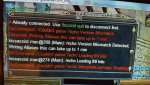
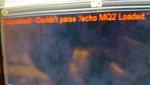
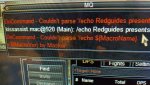
ok i rebooted, and loaded it back up, at character select screen, i am getting 20170922_234015.jpg

and that is the same error i was getting, logging in i get 20170922_234502.jpg

and 20170922_234531.jpg

basically all do command, couldnt parses and echos
 
Re: KissAssist v10.0.6.2 - Creature from the Black Laggoon Edition Released 09/22/20

You have /echo as an alias delete it.
/alias /echo delete
 
Re: KissAssist v10.0.6.2 - Creature from the Black Laggoon Edition Released 09/22/20

that is amazing /alias /echo deleted got rid of it all, let me go test it out see if everything is up and running woo thank you :)

- - - Updated - - -

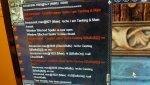
ok i have one other problem now on the zerker, he is getting this it just keeps spamming this + the pause

20170922_235437.jpg
 
KissAssist Release KissAssist v10.0.6.4 - Creature from the Black Lagoon Edition Released 10/01/2017

Users who are viewing this thread

Back
Top
Cart