• You've discovered RedGuides, an EverQuest multi-boxing and scripting community 🧙‍♀️⚙️. We want you to play several EQ characters at once, come join us and say hello! 👋

  • A TLP without truebox has thawed (Very Vanilla ready)
    Frostreaver

TLO member builder

PeteSampras

Active member
Joined
Mar 18, 2012
RedCents
2,143¢
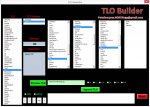
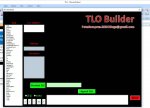
This is an excel sheet I built that had all the TLOs + members. Anyway, I saw a request for this type of thing, so here you go. You *must* enable macros for it to work. You can make your variables one at a time and append them into an /if or ${If[]} statement and add in operators like &&, ||, <=, etc. Here is a snapshot:
TLO.jpg
 

Attachments

Last edited:
Excelviewer from microsoft doesn't seem to work with this :S

Will have to do it at my work, any news on a current version Pete?
 
There are really only a handful of TLO members missing from core compile, this is just super low on my to do list. My mq2bot plugin has taken most my coding time to get that through alpha and beta phases, and then I have a bot.mac that takes another chunk. The plugin is basically done as far as broad strokes go, so I should get a little more free coding time soon. I can maybe try to run through this week or next.
 
Nice one, from what it looks alone. That should help alot codeing macros.
 
Updated to April 2015. Had to upload it as a 7 zip because .xlsm isnt a valid filetype on server and my winzip is expired.
 
If your using windows 7 or 8 just right click the .xlsm and choose Send to > Compressed(zipped) folder. That way it can be opened with standard windows explorer.
 
Inquiring minds want to know. What does TLO stand for and what does this do?
 
Inquiring minds want to know. What does TLO stand for and what does this do?
Top level object. It is the primary variables in mq2, such as ${Me.Something} or ${Spell[x].Something}. This builder shows you all possible variables in mq2 and lets you stitch them together into an if statement if you want.
 
How do enable macros to get this to function, i think i need a step by step guide?
 
Excel

Click the Microsoft Office Button , and then click Excel Options.
Click Trust Center, click Trust Center Settings, and then click Macro Settings.
Click the options that you want: Disable all macros without notification Click this option if you don't trust macros.
 
This is an Excell worksheet. It requires nothing from MQ2. This worksheet helps with building /if() or $If[] statements that you would use in Holy/Down Shits. It has a few other uses as well.
 
This is an Excell worksheet. It requires nothing from MQ2. This worksheet helps with building /if() or $If[] statements that you would use in Holy/Down Shits. It has a few other uses as well.

Yes... another purpose would be as a reference guide for old and senile developers... who's brains are too adled to remember all TLO combinations...lol

Kind of the "keep the coding reference book on hand in case i forget something" scenario.

(rolls eyes an looks heavenwards innocently)
 
Pete, this is my personal Christmas Present to myself this year! I am getting back into programming instead of just reading examples and adapting them to what I want, now I can write cleaner code from my own brain, not sure if its a good thing but we shall see.

Thanks man!
 
Nice one. Could use that as an base for creating an Holyshit/Downshit builder ;P
 
Anyone got a working copy of this? I am unable to open it in Microsoft Excel 2016. Its says the macros in the file have been moved or corrupted. I have redownloaded a couple times and still no go after enabling content/macros.
 
Anyone got a working copy of this? I am unable to open it in Microsoft Excel 2016. Its says the macros in the file have been moved or corrupted. I have redownloaded a couple times and still no go after enabling content/macros.

It works fine for me in Excel 2016 with a fresh copy.
 
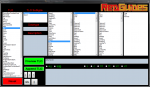
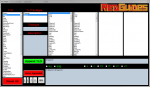
Can someone point me to the file that contains this information? I was searching around for a few of the different variables but never found them all in one list. I wanted to add this into a C# program so that anyone could access it. Once converted I was going to have each part load from an INI for easy updating.
 

Attachments

  • TLO Helper.PNG
    TLO Helper.PNG
    107.6 KB · Views: 8
MQ2DataTypes.h

Rich (BB code):
class MQ2ItemType : public MQ2Type
{
public:
	enum ItemMembers
	{
		ID = 1,
		Name = 2,
		Lore = 3,
		NoDrop = 4,
		NoRent = 5,
		Magic = 6,
		Value = 7,
		Size = 8,
		Weight = 9,
		Stack = 10,
		Type = 11,
		Charges = 12,
		LDoNTheme = 13,
		DMGBonusType = 14,
		BuyPrice = 15,
		Haste = 16,
		Endurance = 17,
		Attack = 18,
		HPRegen = 19,
		ManaRegen = 20,
		DamShield = 21,
		WeightReduction = 22,
		SizeCapacity = 23,
		Combinable = 24,
		Skill = 25,
		Avoidance = 26,
		SpellShield = 27,
		StrikeThrough = 28,
		StunResist = 29,
		Shielding = 30,
		FocusID = 31,
		ProcRate = 32,
		Quality = 33,
		LDoNCost = 34,
		AugRestrictions = 35,
		AugType = 36,
		AugSlot1 = 37,
		AugSlot2 = 38,
		AugSlot3 = 39,
		AugSlot4 = 40,
		AugSlot5 = 41,
		AugSlot6 = 42,
		Damage = 43,
		Range = 44,
		DMGBonus = 45,
		RecommendedLevel = 46,
		RecommendedSkill = 47,
		Delay = 48,
		Light = 49,
		Level = 50,
		BaneDMG = 51,
		Proc = 52,
		SkillModValue = 53,
		InstrumentType = 54,
		InstrumentMod = 55,
		RequiredLevel = 56,
		BaneDMGType = 57,
		AC = 58,
		HP = 59,
		Mana = 60,
		STR = 61,
		STA = 62,
		AGI = 63,
		DEX = 64,
		CHA = 65,
		INT = 66,
		WIS = 67,
		svCold = 68,
		svFire = 69,
		svMagic = 70,
		svDisease = 71,
		svPoison = 72,
		Summoned = 73,
		Artifact = 74,
		PendingLore = 75,
		LoreText = 76,
		Items = 77,
		Item = 78,
		Container = 79,
		Stackable = 80,
		InvSlot = 81,
		SellPrice = 82,
		WornSlot = 83,
		WornSlots = 84,
		CastTime = 85,
		Spell = 86,
		EffectType = 87,
		Tribute = 88,
		Attuneable = 89,
		Timer = 90,
		ItemDelay = 91,
		TimerReady = 92,
		StackSize = 93,
		Stacks = 94,
		StackCount = 95,
		FreeStack = 96,
		MerchQuantity = 97,
		Classes = 98,
		Class = 99,
		Races = 100,
		Race = 101,
		Deities = 102,
		Deity = 103,
		Evolving = 104,
		svCorruption = 105,
		Power = 106,
		MaxPower = 107,
		Purity = 108,
		Accuracy = 109,
		CombatEffects = 110,
		DoTShielding = 111,
		HeroicSTR = 112,
		HeroicINT = 113,
		HeroicWIS = 114,
		HeroicAGI = 115,
		HeroicDEX = 116,
		HeroicSTA = 117,
		HeroicCHA = 118,
		HeroicSvMagic = 119,
		HeroicSvFire = 120,
		HeroicSvCold = 121,
		HeroicSvDisease = 122,
		HeroicSvPoison = 123,
		HeroicSvCorruption = 124,
		EnduranceRegen = 125,
		HealAmount = 126,
		Clairvoyance = 127,
		DamageShieldMitigation = 128,
		SpellDamage = 129,
		Augs = 130,
		Tradeskills = 131,
		ItemSlot = 132,
		ItemSlot2 = 133,
		Address = 134,
		PctPower = 135,
		Prestige = 136,
		FirstFreeSlot = 137,
		SlotsUsedByItem = 138,
		Heirloom = 139,
		Collectible = 140,
		NoDestroy = 141,
		Quest = 142,
		Expendable = 143,
		ContAddress = 144,
		ItemLink = 145,
		Icon = 146,
		SkillModMax = 147,
		OrnamentationIcon = 148,
		ContentSize = 149,
		Open = 150,
		NoTrade = 151,
		AugSlot = 152,
	};
	enum ItemMethods
	{
	};
 
That's specifically the Item TLO -- There are other structs in that file for the other default TLOs.

- - - Updated - - -

Err, I'm incorrect. That's a data type, not a TLO.

- - - Updated - - -

MQ2DataAPI.cpp:

Rich (BB code):
void InitializeMQ2Data()
{
	AddMQ2Data("Spawn", dataSpawn);
	AddMQ2Data("Target", dataTarget);
	AddMQ2Data("Me", dataCharacter);
	AddMQ2Data("Spell", dataSpell);
	AddMQ2Data("Switch", dataSwitch);
	AddMQ2Data("Ground", dataGroundItem);
	AddMQ2Data("GroundItemCount", dataGroundItemCount);
	AddMQ2Data("Merchant", dataMerchant);
	AddMQ2Data("Mercenary", dataMercenary);
	AddMQ2Data("Pet", dataPet);
	AddMQ2Data("Window", dataWindow);
	AddMQ2Data("Macro", dataMacro);
	AddMQ2Data("EverQuest", dataEverQuest);
	AddMQ2Data("MacroQuest", dataMacroQuest);
	AddMQ2Data("Math", dataMath);
	AddMQ2Data("Zone", dataZone);
	AddMQ2Data("Group", dataGroup);
	AddMQ2Data("String", dataString);
	AddMQ2Data("Int", dataInt);
	AddMQ2Data("Bool", dataBool);
	AddMQ2Data("Float", dataFloat);
	AddMQ2Data("Corpse", dataCorpse);
	AddMQ2Data("If", dataIf);
	AddMQ2Data("Cursor", dataCursor);
	AddMQ2Data("NearestSpawn", dataNearestSpawn);
	AddMQ2Data("Type", dataType);
	AddMQ2Data("Time", dataTime);
	AddMQ2Data("GameTime", dataGameTime);
	AddMQ2Data("Ini", dataIni);
	AddMQ2Data("Heading", dataHeading);
	AddMQ2Data("Defined", dataDefined);
	AddMQ2Data("LastSpawn", dataLastSpawn);
	AddMQ2Data("FindItem", dataFindItem);
	AddMQ2Data("FindItemBank", dataFindItemBank);
	AddMQ2Data("InvSlot", dataInvSlot);
	AddMQ2Data("SelectedItem", dataSelectedItem);
	AddMQ2Data("FindItemCount", dataFindItemCount);
	AddMQ2Data("FindItemBankCount", dataFindItemBankCount);
	//AddMQ2Data("GroupLeader",dataGroupLeader);    
	//AddMQ2Data("GroupLeaderName",dataGroupLeaderName);
	AddMQ2Data("Skill", dataSkill);
	AddMQ2Data("AltAbility", dataAltAbility);
	AddMQ2Data("Raid", dataRaid);
	AddMQ2Data("NamingSpawn", dataNamingSpawn);
	AddMQ2Data("SpawnCount", dataSpawnCount);
	AddMQ2Data("LineOfSight", dataLineOfSight);
	AddMQ2Data("Plugin", dataPlugin);
	AddMQ2Data("Select", dataSelect);
	AddMQ2Data("DoorTarget", dataDoorTarget);
	AddMQ2Data("ItemTarget", dataItemTarget);
	AddMQ2Data("DynamicZone", dataDynamicZone);
	AddMQ2Data("Friends", dataFriends);
	AddMQ2Data("Task", dataTask);
	AddMQ2Data("Mount", dataMount);
	AddMQ2Data("Illusion", dataIllusion);
	AddMQ2Data("Familiar", dataFamiliar);
	AddMQ2Data("Alias", dataAlias);
#ifndef EMU
	AddMQ2Data("AdvLoot", dataAdvLoot);
#endif
	AddMQ2Data("Alert", dataAlert);
}
 
That's specifically the Item TLO -- There are other structs in that file for the other default TLOs.

- - - Updated - - -

Err, I'm incorrect. That's a data type, not a TLO.

- - - Updated - - -

MQ2DataAPI.cpp:

Thank you for the info! Added the current TLOs to my INI file.

-- EDIT --

Went ahead and attached my source code as well as a compiled version. Knowing myself I'll forget about this... so someone can easily finish it or adjust it if I don't. It is super simple at the moment and doesn't 100% do what Pete's does.

-- EDIT 2 --
Modified the source some to make all the buttons work.
 

Attachments

Last edited:
TheDruid,

I just went to use it a bit and your version is not nearly as functional as the excel version Pete put together. For starters every drop down menu is getting populated with the same drop down list for all sections rendering it non-functional comparatively


Also the append TLO function is not working either.
 
TheDruid,

I just went to use it a bit and your version is not nearly as functional as the excel version Pete put together. For starters every drop down menu is getting populated with the same drop down list for all sections rendering it non-functional comparatively


Also the append TLO function is not working either.

Amem sometimes just best to leave well enough be
 
TheDruid,

I just went to use it a bit and your version is not nearly as functional as the excel version Pete put together. For starters every drop down menu is getting populated with the same drop down list for all sections rendering it non-functional comparatively


Also the append TLO function is not working either.

Hence why I said it was very basic and doesn't do everything his does. The source code is right there though. Have at it! I don't have excel so I don't know what all his actually does. If someone was to actually sit down and post the lists I'd update it. As is right now I don't have time to re-visit it for a few weeks. I have another project that is taking all my time right now.
 
playing EQ is an all encompassing project, keeps pulling me off my other projects.... --wink--
 
TLO member builder

Users who are viewing this thread

Back
Top
Cart